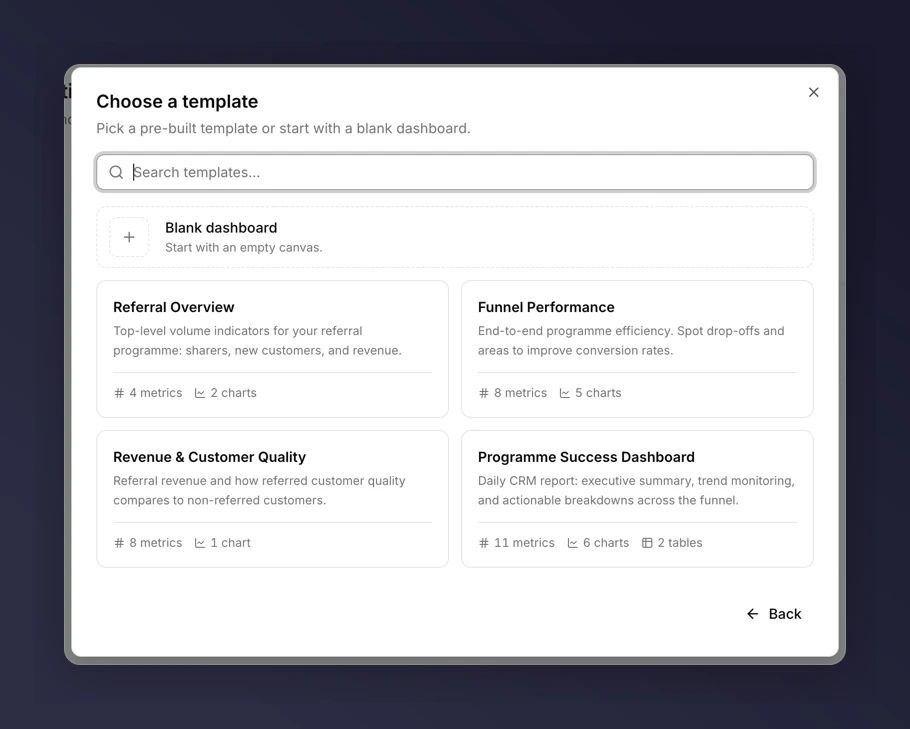
Five pre-built templates cover the most common questions teams ask. Picking one gives you a fully assembled dashboard you can customise afterwards.Documentation Index
Fetch the complete documentation index at: https://docs.mention-me.com/llms.txt
Use this file to discover all available pages before exploring further.

Create from a template
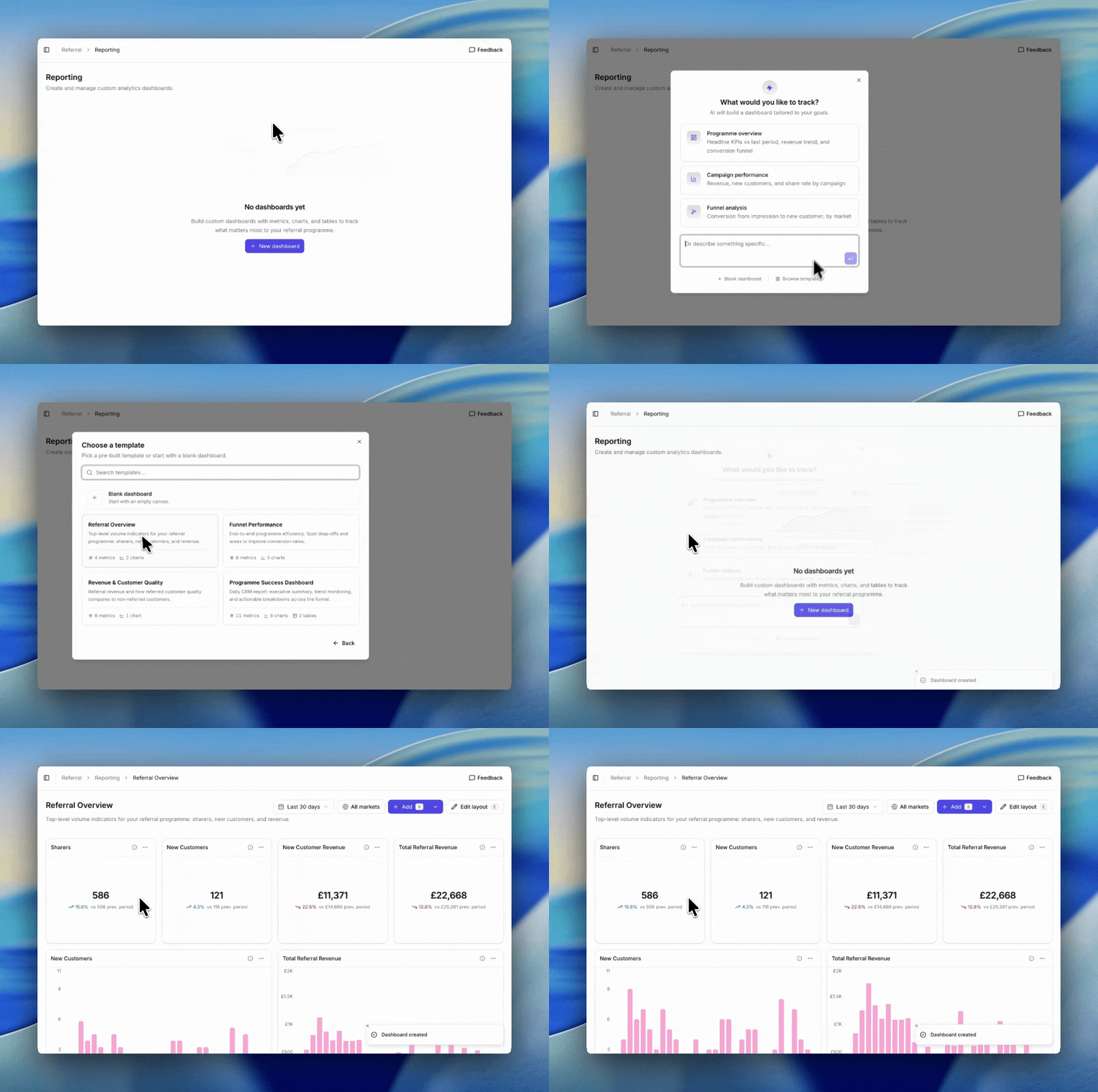
- Go to Referral → Reporting.
- Click New dashboard.
- Click Browse templates underneath the AI prompt box.
- Pick a template and click it. The dashboard is created and opens immediately.

The five templates
- Referral Overview. Top-level volume indicators: sharers, new customers, and revenue.
- Funnel Performance. End-to-end programme efficiency. Spot drop-offs and areas to improve.
- Revenue & Customer Quality. Referral revenue plus a side-by-side of referred versus non-referred customer quality.
- Programme Success Dashboard. Daily CRM report: executive summary, trend monitoring, actionable breakdowns.
- Industry Benchmarking Dashboard. Performance against your industry benchmark across the full funnel. Only useful if your category is benchmarked.
After you create it
Templates are starting points, not fixed layouts. Once the dashboard is created you can:- Add, edit, or remove tiles.
- Change the time period and filters.
- Rename the dashboard.
- Rearrange the grid. See editing the layout.