Create a new version of a campaign and configure it on the canvas, ready to launch.
A version is one iteration of a campaign that you edit on the canvas and then take live. This guide covers creating and configuring a version. When it’s ready, see launch a campaign and version.
You can create a version from the campaign’s version picker at the top of the editor.
1
Open the Version Picker
In the editor, click the version name at the top to open the version picker, then click New version. If a version is already live, choose Standard version (a regular version) or A/B test from the menu.
Creating a new version from the version picker.
2
Name the Version and Choose a Starting Point
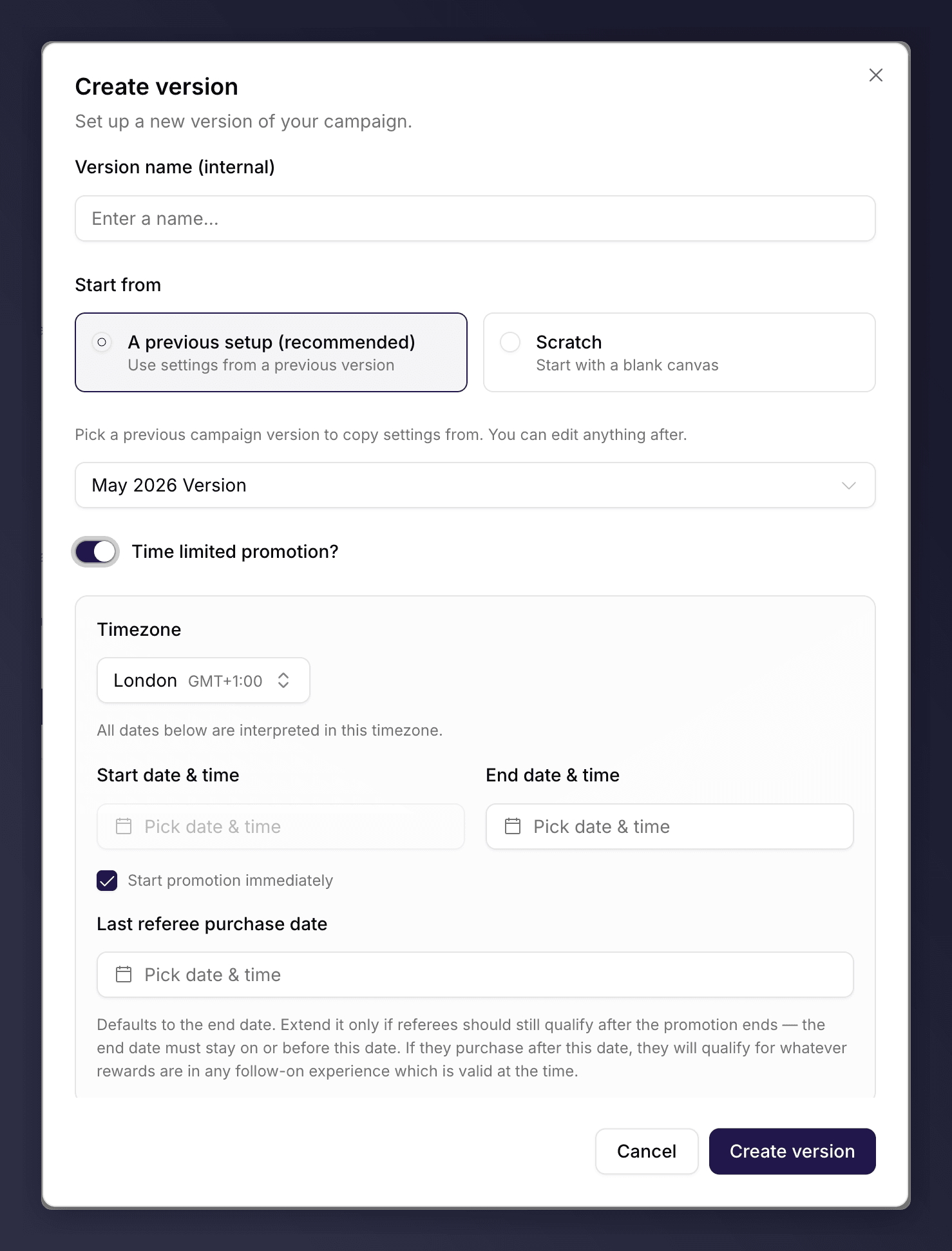
In the Create version dialog, enter a Version name (internal). This name is for your team only and never shown to customers. Then pick Start from:
A previous setup (recommended). Copy the settings from an existing version, then edit. Pick the source version from the list.
Scratch. Start a new version with sensible defaults applied for you, then edit.
The Create version dialog with a starting point selected.
3
Optional: Make It a Time-Limited Promotion
Turn on Time limited promotion if this version should run only between set dates. Set the Timezone, an end date, and the Last referee purchase date (the cut-off for friends to qualify). Leave Start promotion immediately ticked to begin the moment you launch, or untick it to set a start date. For a fuller walkthrough, see run a promotion.
4
Create the Version
Click Create version. The version opens in the editor as a draft, ready to edit.
An A/B test cannot be a promotion. The promotion option is hidden when the version is an A/B test.
Work through the sections on the canvas to set up the journey: triggering, rewards, sharing, branding, images and copy. A section with a problem shows an issue-count pill (for example 1 issue), red for errors and amber for warnings. You cannot launch while a section still has errors.See the campaign editor for how the canvas works, and the editor sections for what each one controls.