

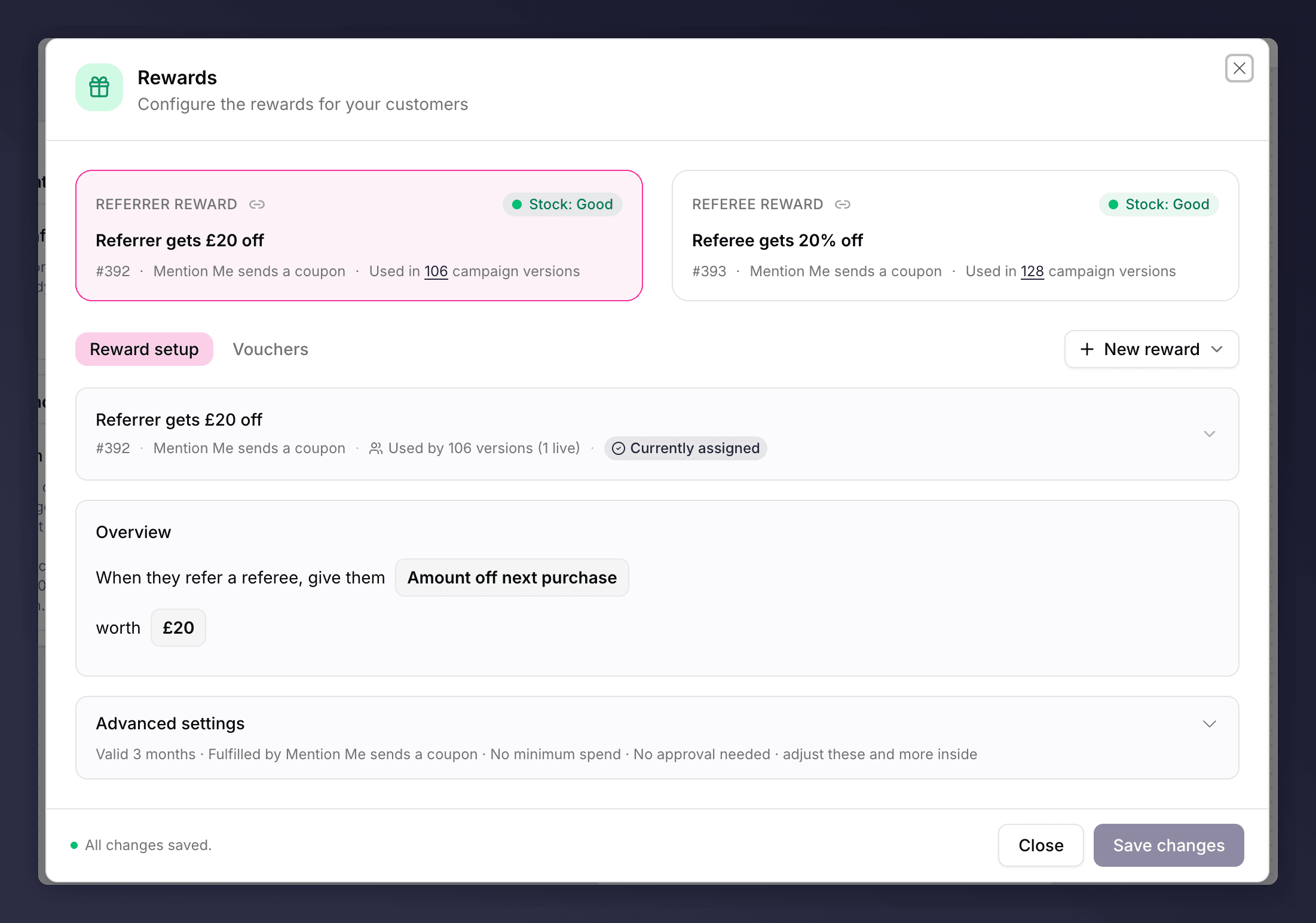
Editing the Rewards section, with referrer and referee tabs.
Reward Both Sides
A reward does two jobs: it thanks the referrer for advocating, and it gives the referee a genuine reason to take up the offer so the referrer feels they are helping a friend. Most programmes reward both sides. You can reward the referee only, but the referee reward is always required.Reward Types
Configuring a Reward
For each reward you set:- Type and value.
- Fulfilment: how the reward reaches the customer (a coupon code or link, Shopify, a webhook to your own systems, or uploaded voucher codes). Where codes are uploaded, a Vouchers tab lets you manage the batches.
- Validity: how long the reward can be used.
- Minimum spend (optional): protects margin on low-value orders.
- Issuing delay (optional): hold the reward for a set time, for example past a returns window, until a subscription’s second month, or after a trip has taken place.
Choosing a Reward
- Make it your best offer. If customers can find a better deal elsewhere on your site, they are unlikely to refer. The referral reward should stand out.
- Keep it fair on both sides. The referrer and referee rewards do not have to be identical, but the value should feel balanced, or performance suffers.
- Match it to how people buy. Discounts suit frequent purchases; vouchers and gift cards suit rare or high-value ones.
- Make sure you can fulfil it. Decide how the reward reaches the customer before you launch.
Reward the Referee Only
You can reward only the referee. On the referrer tab, choose No referrer reward (“Referrers receive no reward in this version.”). The referee reward is always required and cannot be removed, so every offer keeps at least one reward.Personalised Shopify Discount Codes
When a reward uses the Created in Mention Me Shopify option (Mention Me creates the discount in your store), you can choose between two code formats:- Prefix and random code (the default) - a prefix you choose followed by a random string.
- Personalised template - a code built from the referrer’s details, producing memorable codes like
SUMMER-SARAH20instead of random ones.
Codes are converted to uppercase, spaces and special characters (other than hyphens and underscores) are removed, and templates are limited to 128 characters. If a generated code clashes with an existing Shopify discount, a random suffix is added to keep it unique.
Referee (friend) name tokens are not available because the standard Shopify checkout flow only captures the friend’s email address. Personalised templates do not apply to the Managed in Shopify option (where you pre-create the discount).
The Rewards section can be A/B tested, for example money off versus a percentage discount. See set up an A/B test.