

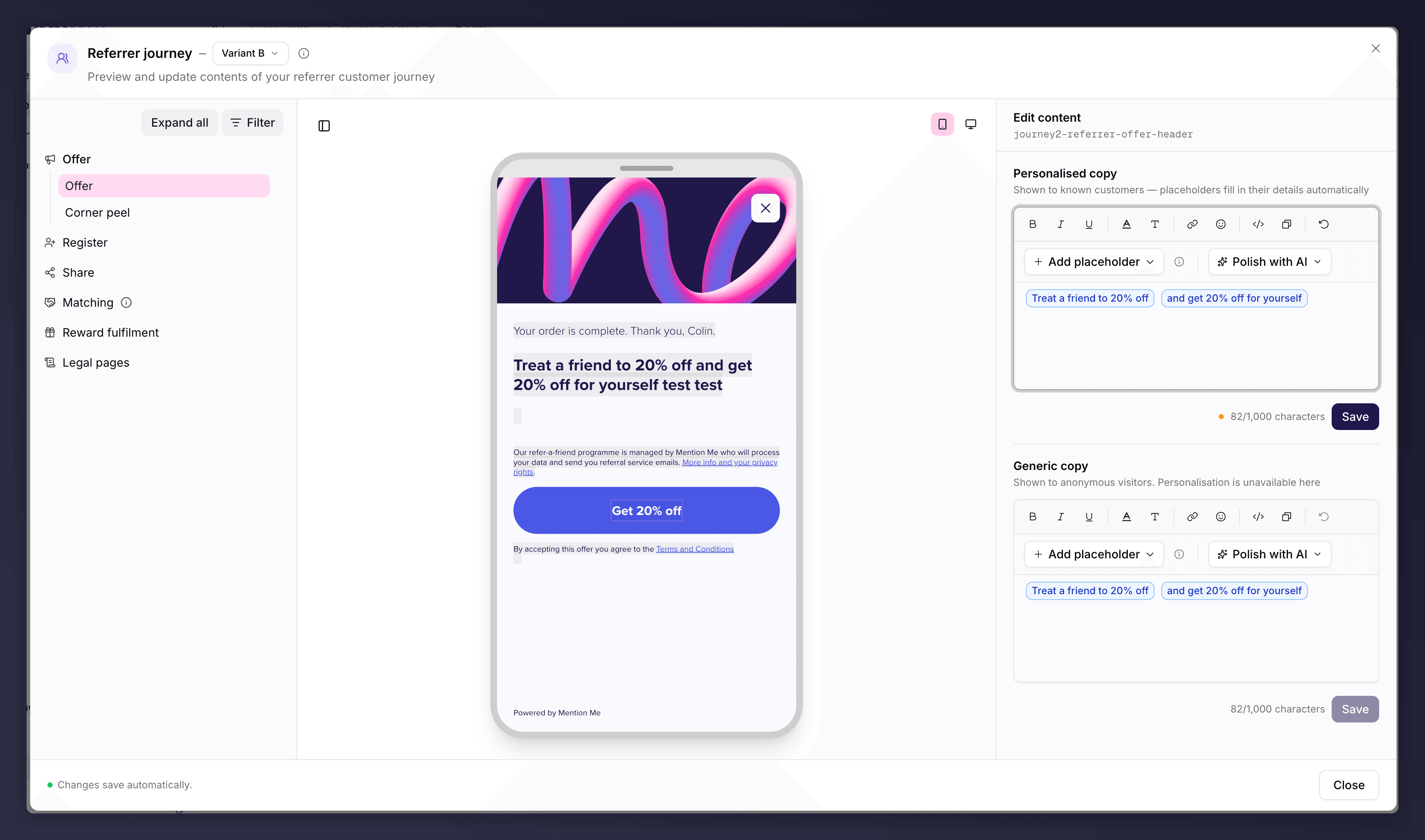
Editing journey copy, with the step list and content editor.
Referrer Journey
What the person making the referral sees. Stages cover the offer, registration, sharing, name matching, reward fulfilment and legal pages.Referee Journey
What the referred friend sees. Stages cover name search, registration, conversion and reward fulfilment.The Pages That Matter Most
A few touchpoints have the biggest effect on conversion, so focus your effort there:- Referrer offer page. The first thing shown after purchase; it encourages sharing.
- Sharing screen. Controls the share message friends receive.
- Referee registration page. A new customer’s first interaction with your brand.
Editing Copy
Open a journey section and pick a step from the sidebar to edit its text, with a live preview on mobile or desktop. Each step has two copy variants: Personalised copy (shown to known customers, where placeholders fill in their details) and Generic copy (shown to anonymous visitors). Use Add placeholder to insert personalisation tokens, and Polish with AI to refine the wording. Write as if one friend is talking to another: authentic, simple and warm. Lead with the offer and keep the call to action clear.Features That Lift Performance
- Social proof. Showing how many rewards were given recently has driven 10-20% higher purchase rates in tests.
- Native share makes sharing easier on mobile by opening the device’s own share menu. See Sharing.
Preview the Journey
Use the preview to walk the full journey as a referrer or referee before you launch, filtering by user, scenario and touchpoint (website, email, social), on mobile or desktop.The privacy notice shown before customers act explains how their data is used and links to your privacy policy. Speak to your legal team if you have questions about it.
The referrer and referee journey copy can each be A/B tested. See set up an A/B test.