

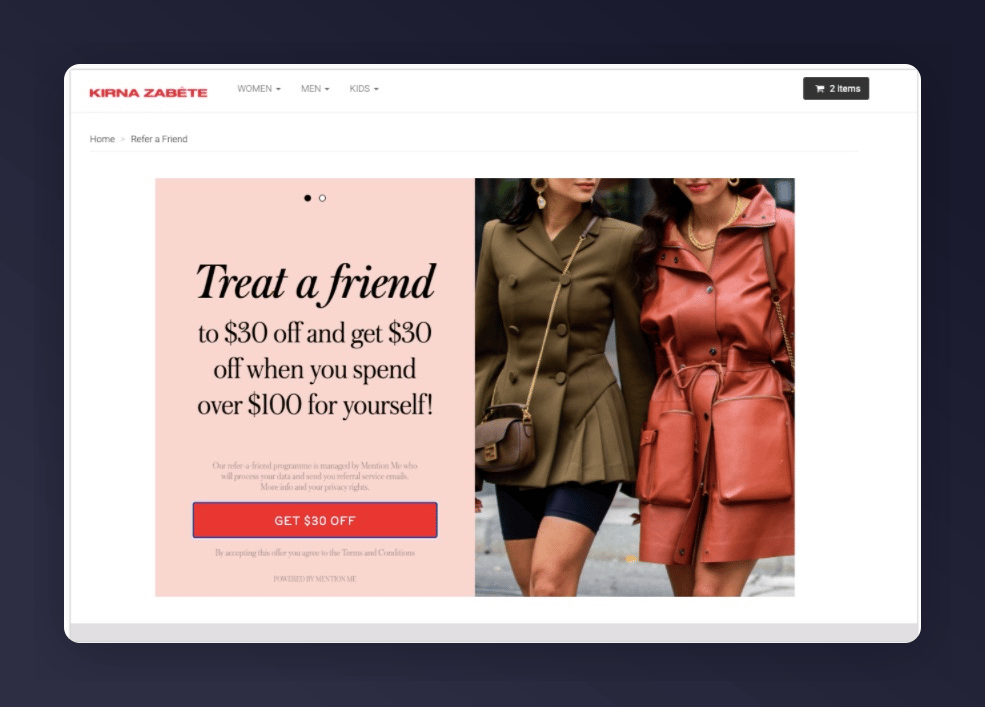
Referral landing page example
Creating a Landing Page
Use a Liquid page template rather than pasting code into the Shopify Pages HTML editor — this keeps the script intact and gives you full control over the markup.1
Create a Page
In Shopify Admin, go to Online Store > Pages > Add page and title it (e.g., Referral Landing Page). You may set it as Hidden initially. Leave the content area blank — the template supplies it.
2
Create a Page Template
Go to Online Store > Themes > Edit code. Under Templates, create page.referral-landing.liquid.
3
Add the Template Code
INSERT_PARTNERCODE with your actual partner code. To customise how locale is determined, see Shopify: Locales.4
Assign the Template
Go back to the page, under Theme Template select referral-landing, then click Save.
5
Test
Visit the page on your storefront and confirm the referral landing experience renders correctly.