

Installing the App
Visit the Mention Me App in Shopify and click Install.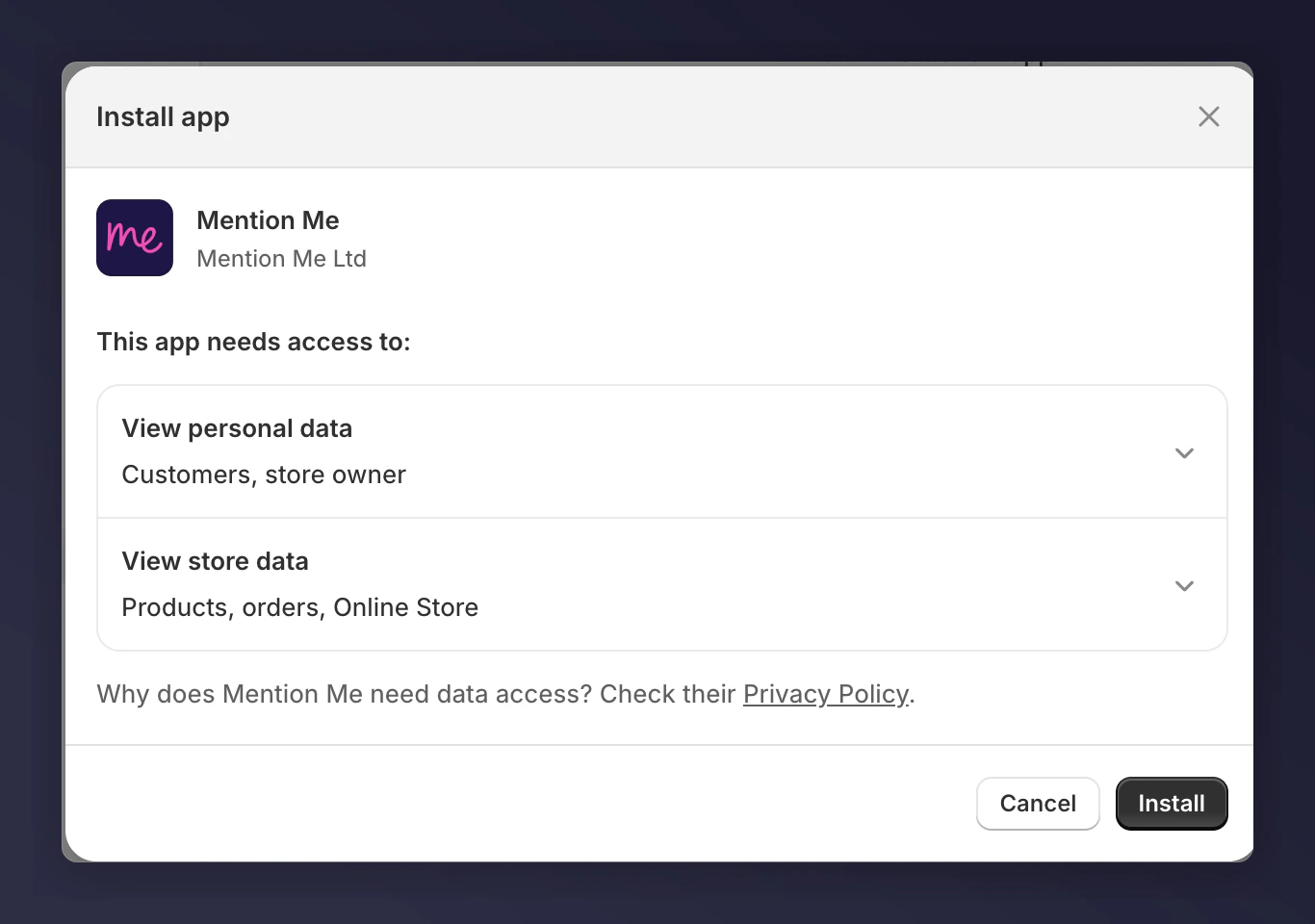
The Mention Me app install page in the Shopify App Store.
1
Install the Product Sharing Link
Follow the instructions to install the Product sharing link.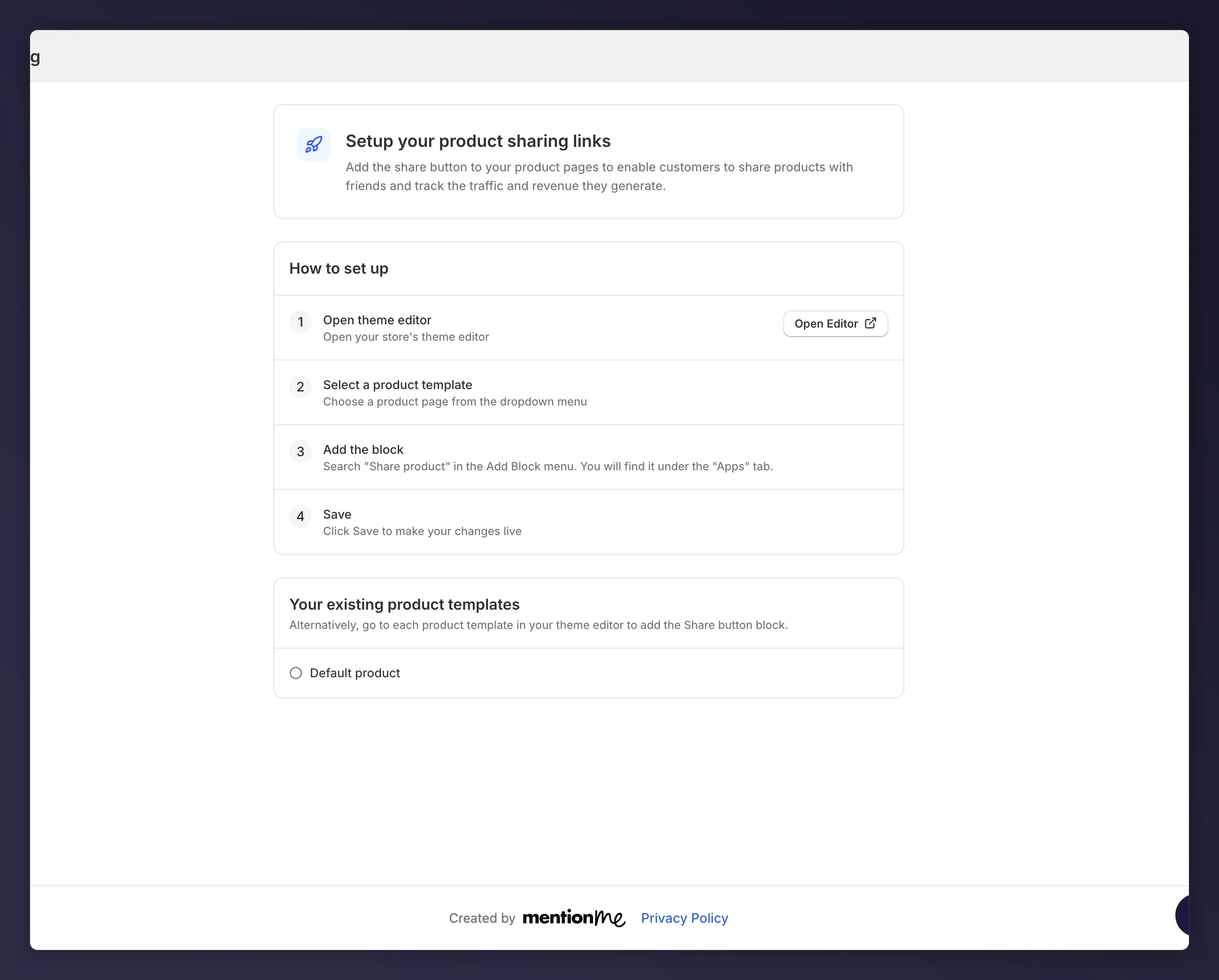
Mention Me app instructions for installing the product sharing link.
2
Open the Product Page Editor
This takes you to your product page editor. Select the placement for the sharing link and click +.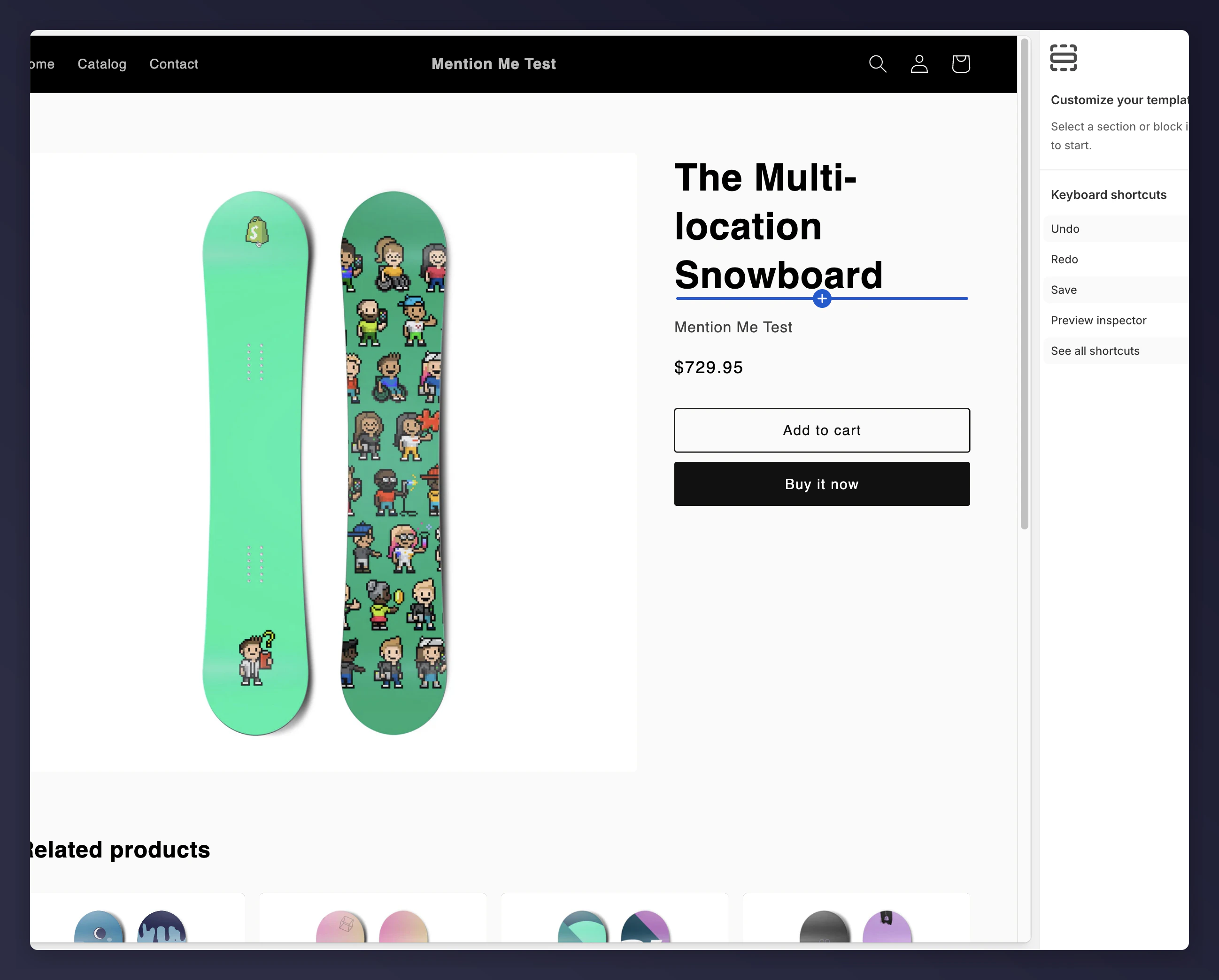
The Shopify product page editor showing the placement selector.
3
Select Share Product
Select Share Product from the App section of the block selector.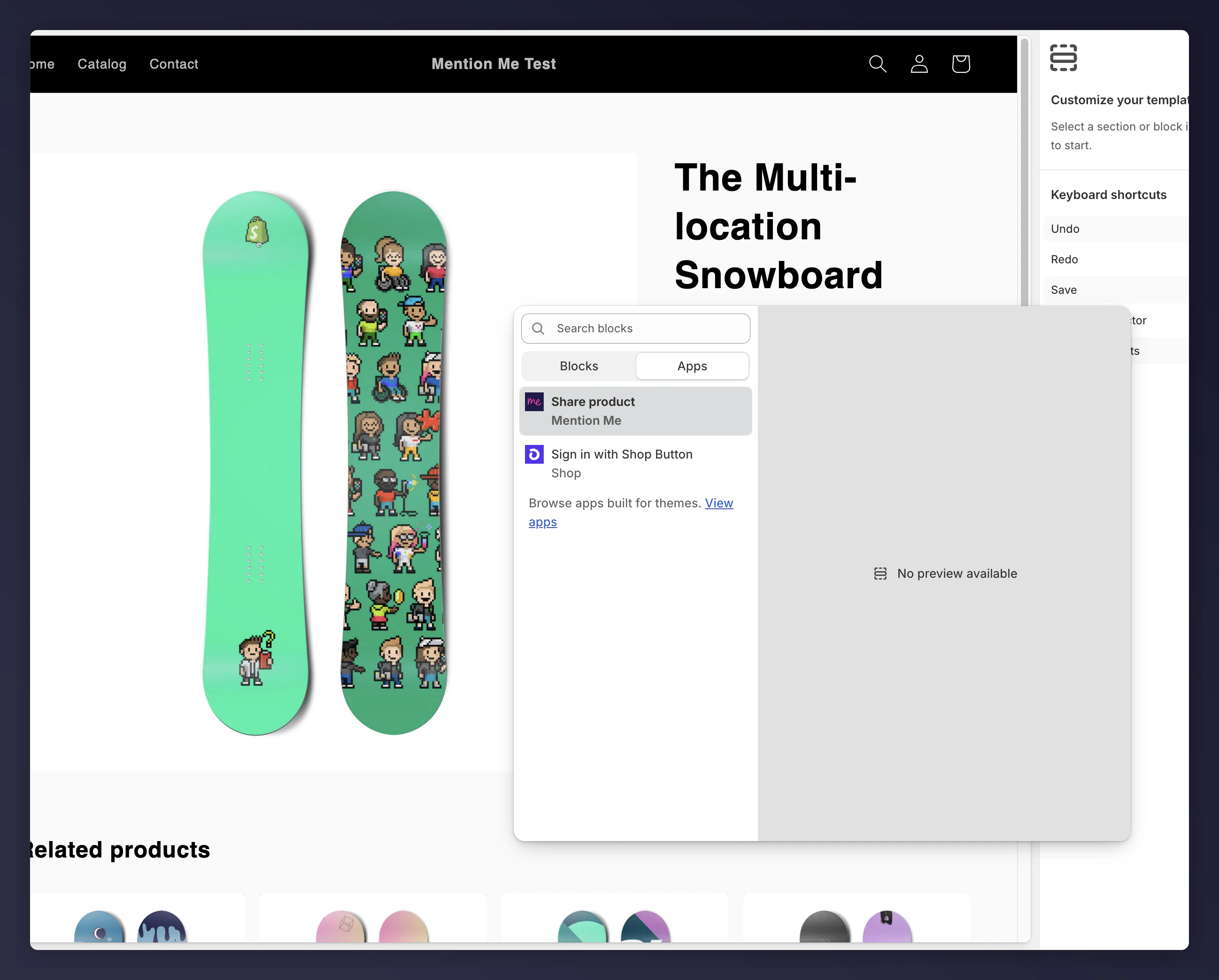
Selecting Share Product from the App block section.
4
Configure Options
Configure options on the right hand sidebar if needed.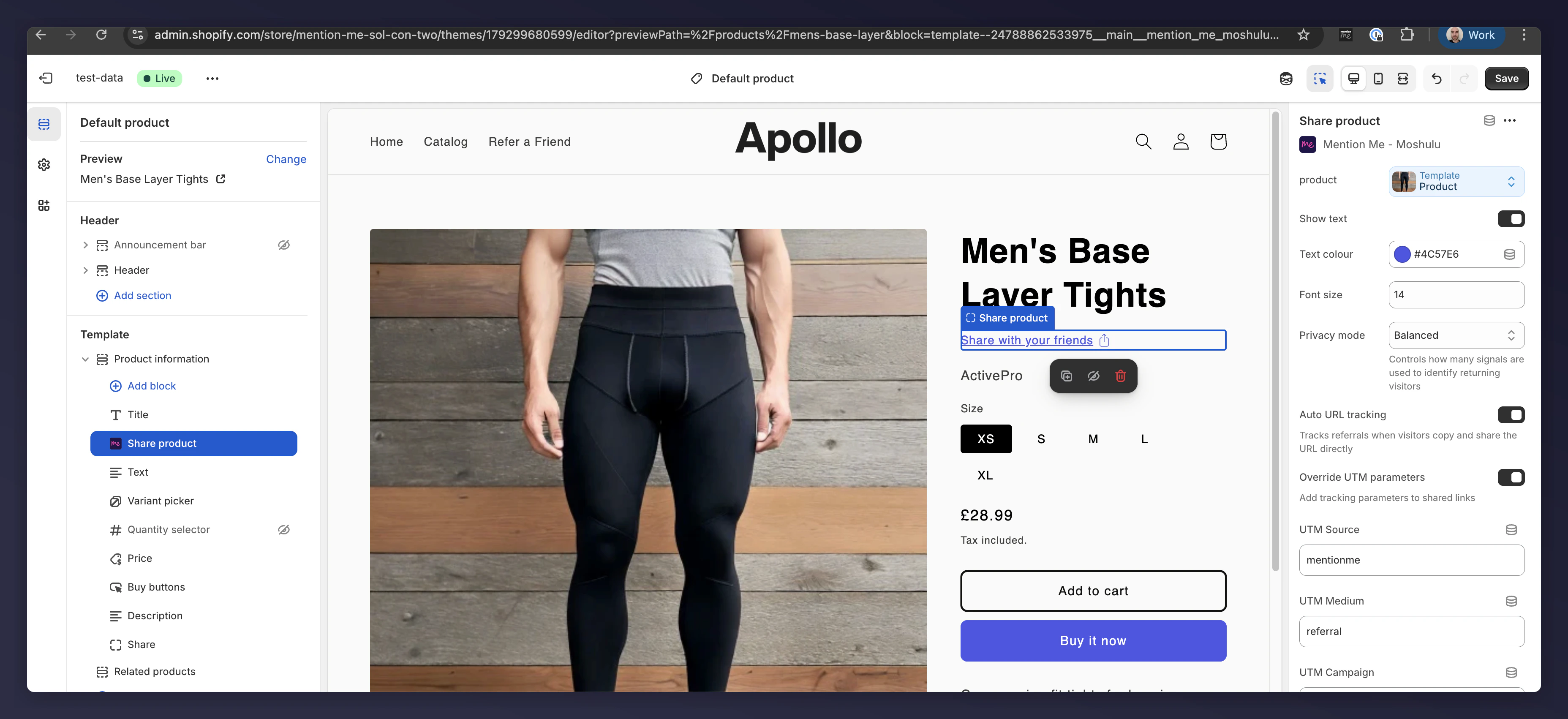
The Share Product block configuration options in the sidebar.
Options
- Product: The current product on the page (autofilled)
- Show text: Choose whether to display just an icon or include text
- Text: The text that appears on the Share link
- Colour: Set the colour of the text and icon
- Font size: Set the size of the text
You Are All Set
Once configured, the Share Link will be live and Mention Me will start tracking product shares. View collected data on the dashboard.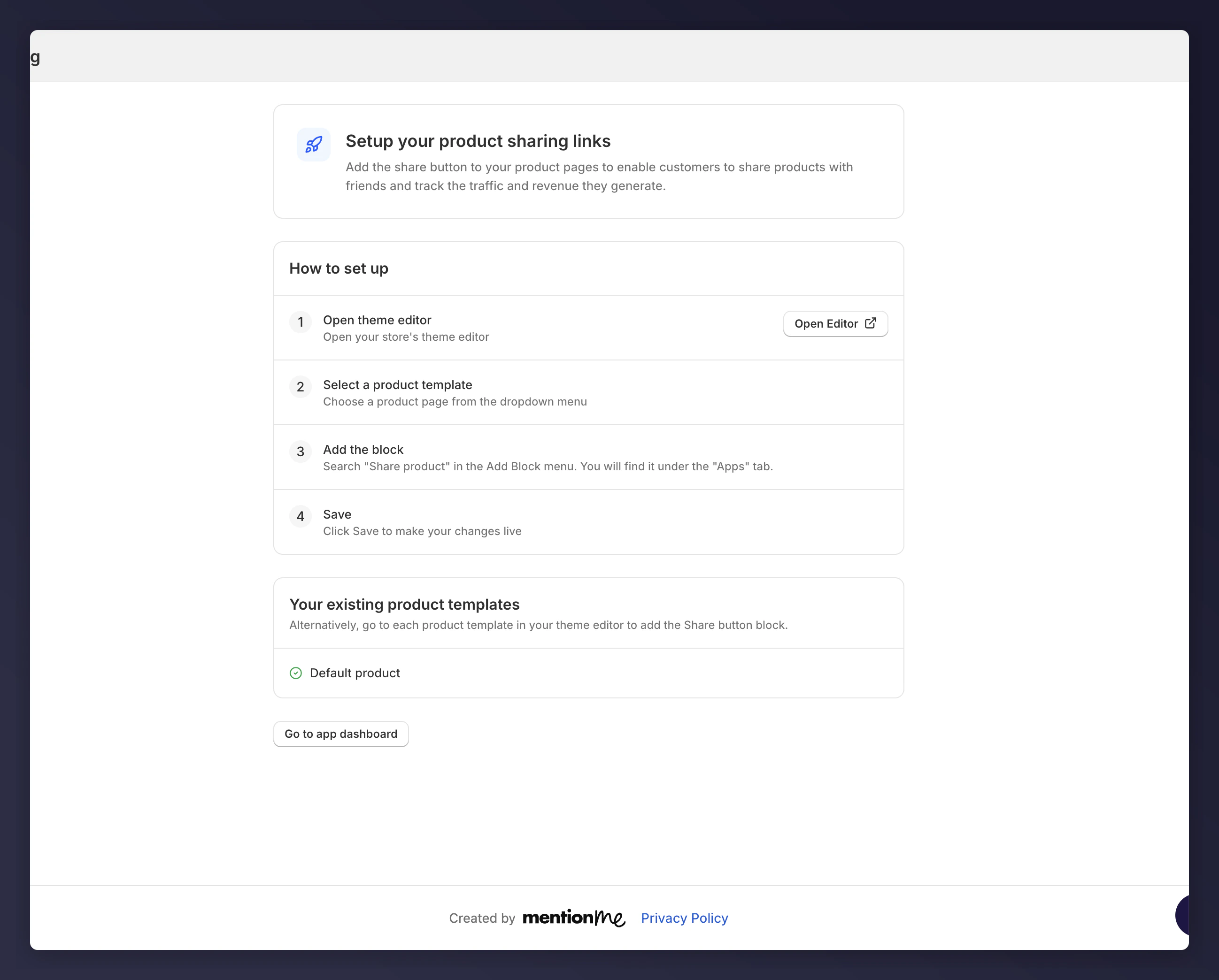
Live Share link on a product page
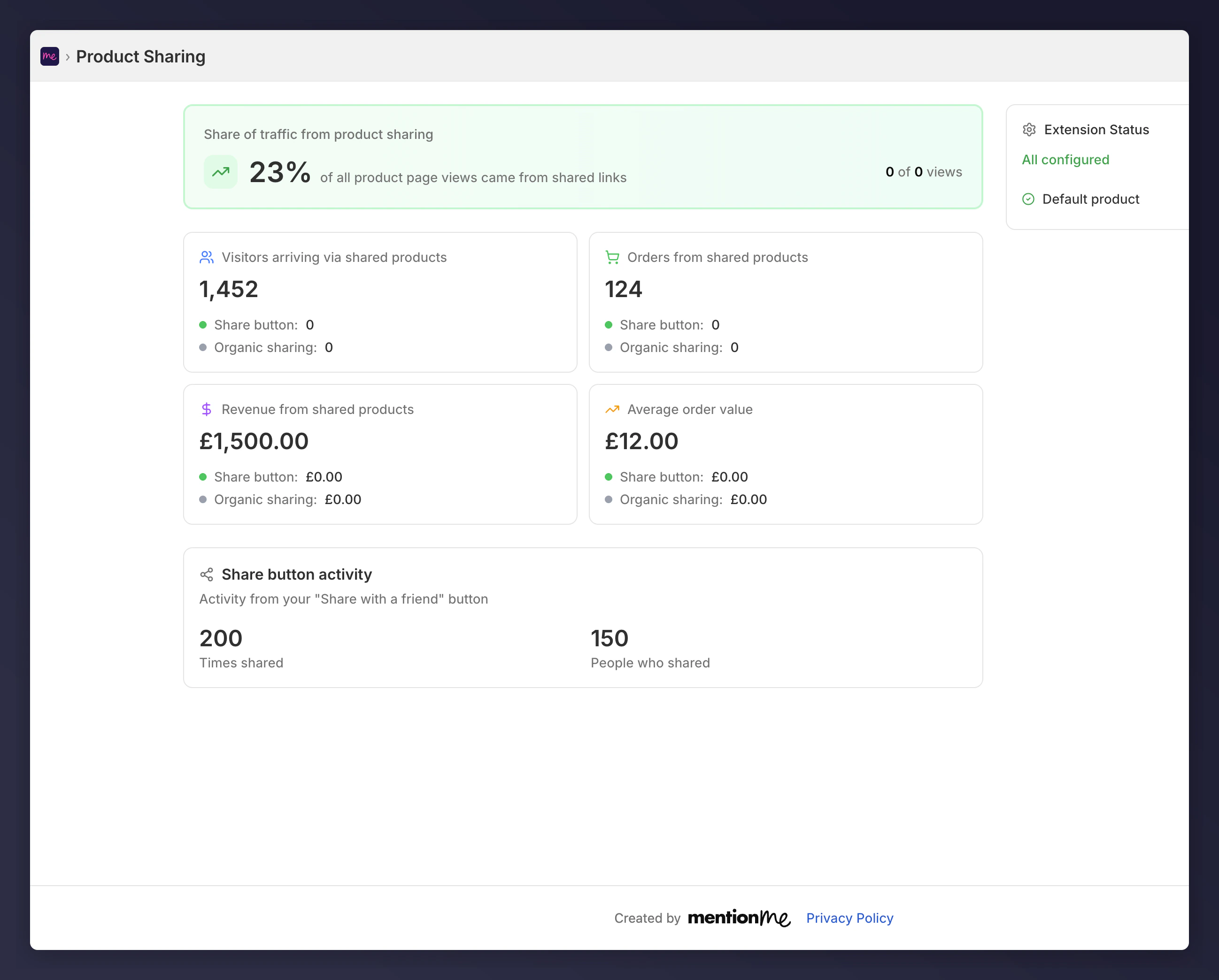
The Mention Me app dashboard showing product share data.