How to add the Mention Me announcement banner to your Shopify Thank You and Order Status pages.
The following instructions are for Brand Referral, which is not currently available on the free Tier of the Shopify App. Contact us to know more.
Shopify announced the Announcement banner for Shopify Checkouts on 28 August 2025. If you installed the app before then, follow this guide to add the Announcement to your existing checkout pages.First-time installer? Follow the comprehensive Mention Me app setup guide, which includes announcement banner instructions.
The announcement banner is shown to customers upon completing a transaction. It prominently appears in checkout pages and helps increase referral conversions.
Mention Me announcement banner on the Thank You page
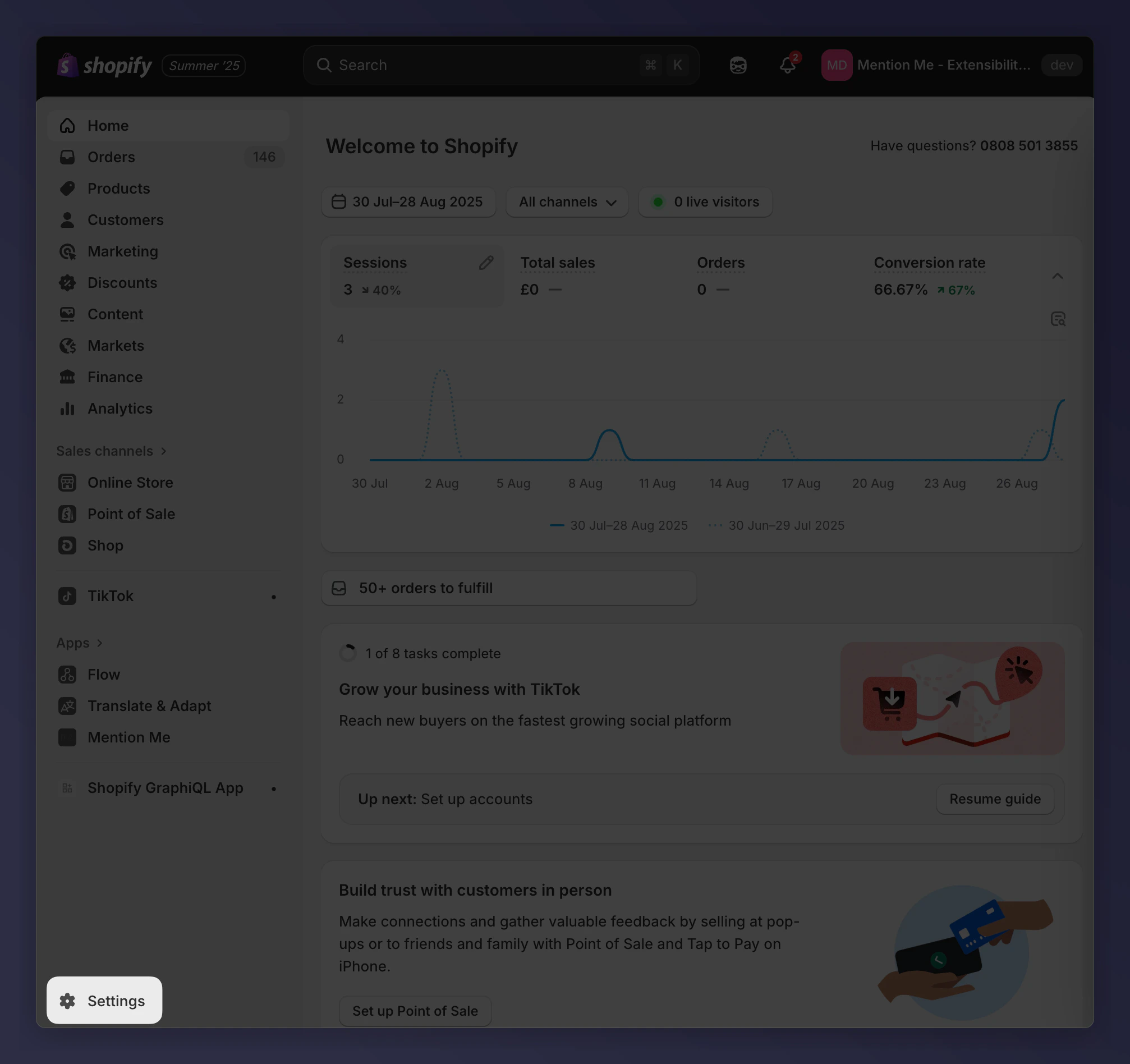
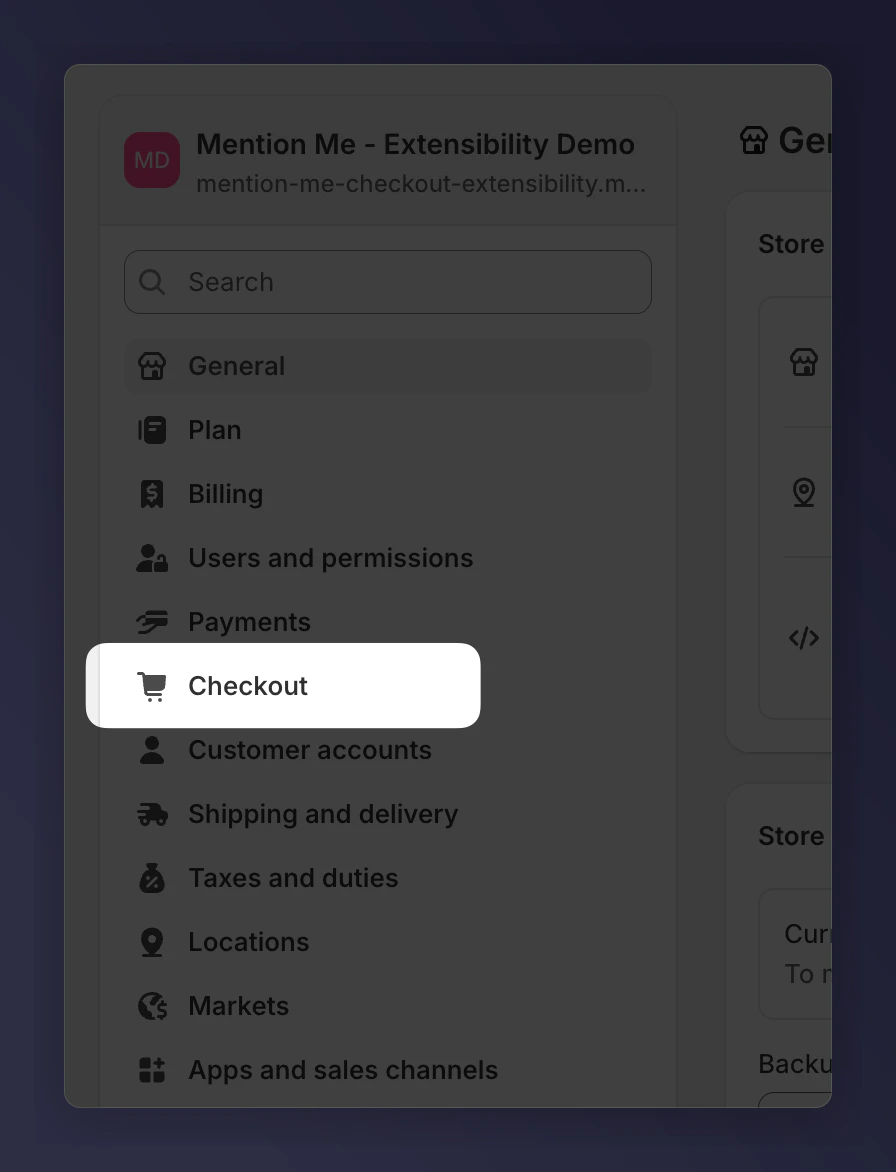
This process takes less than 5 minutes per store and requires no technical expertise.You will need access to customise your Shopify Checkout.
The Announcement Banner supports text and branding options only. If you’re looking to make changes beyond the available settings, please contact the Mention Me Support team.
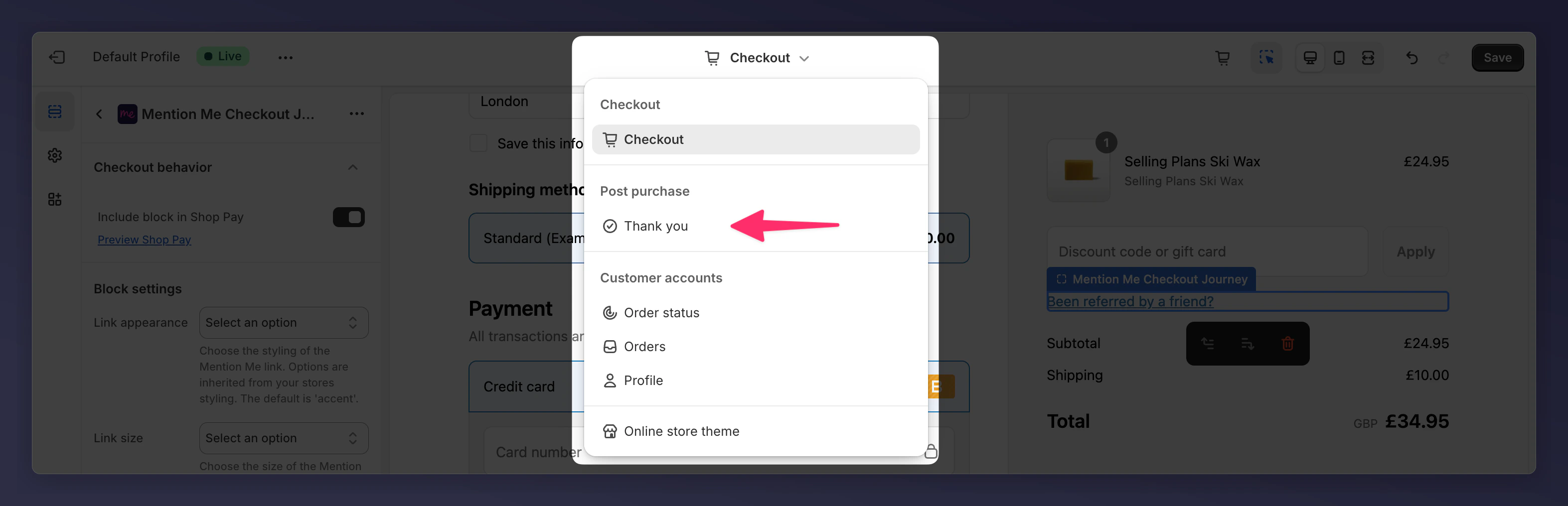
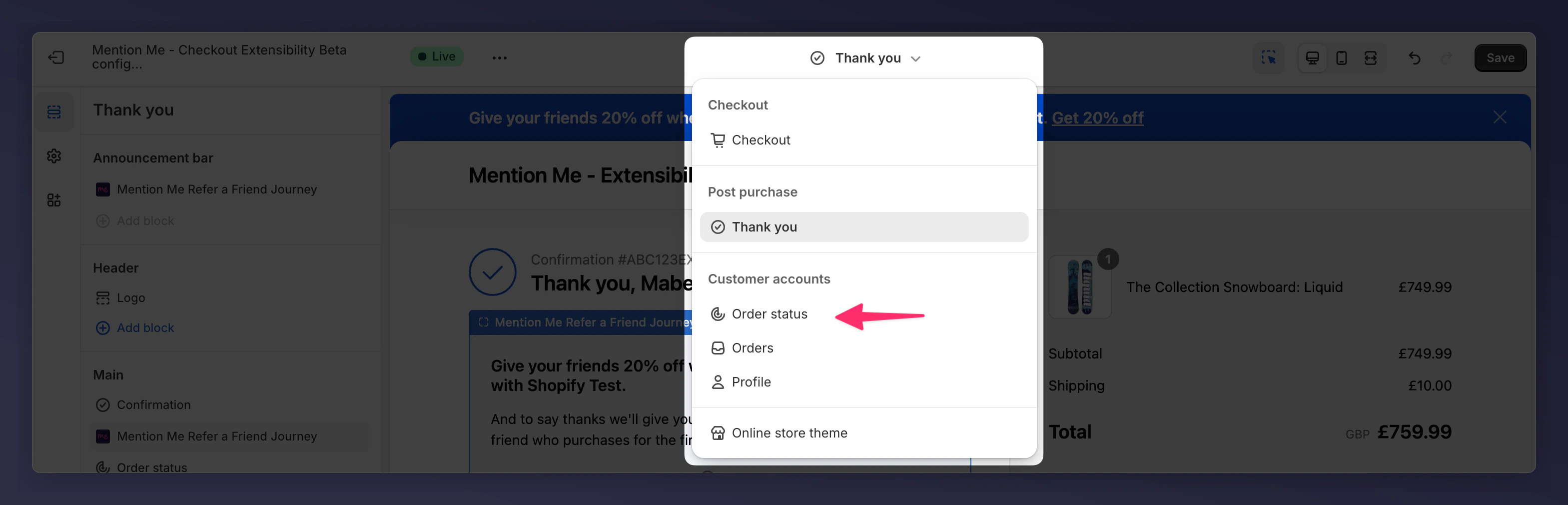
Use the checkout page selector and select Order Status.
The checkout editor page selector showing the Order Status page.
2
Add a Block
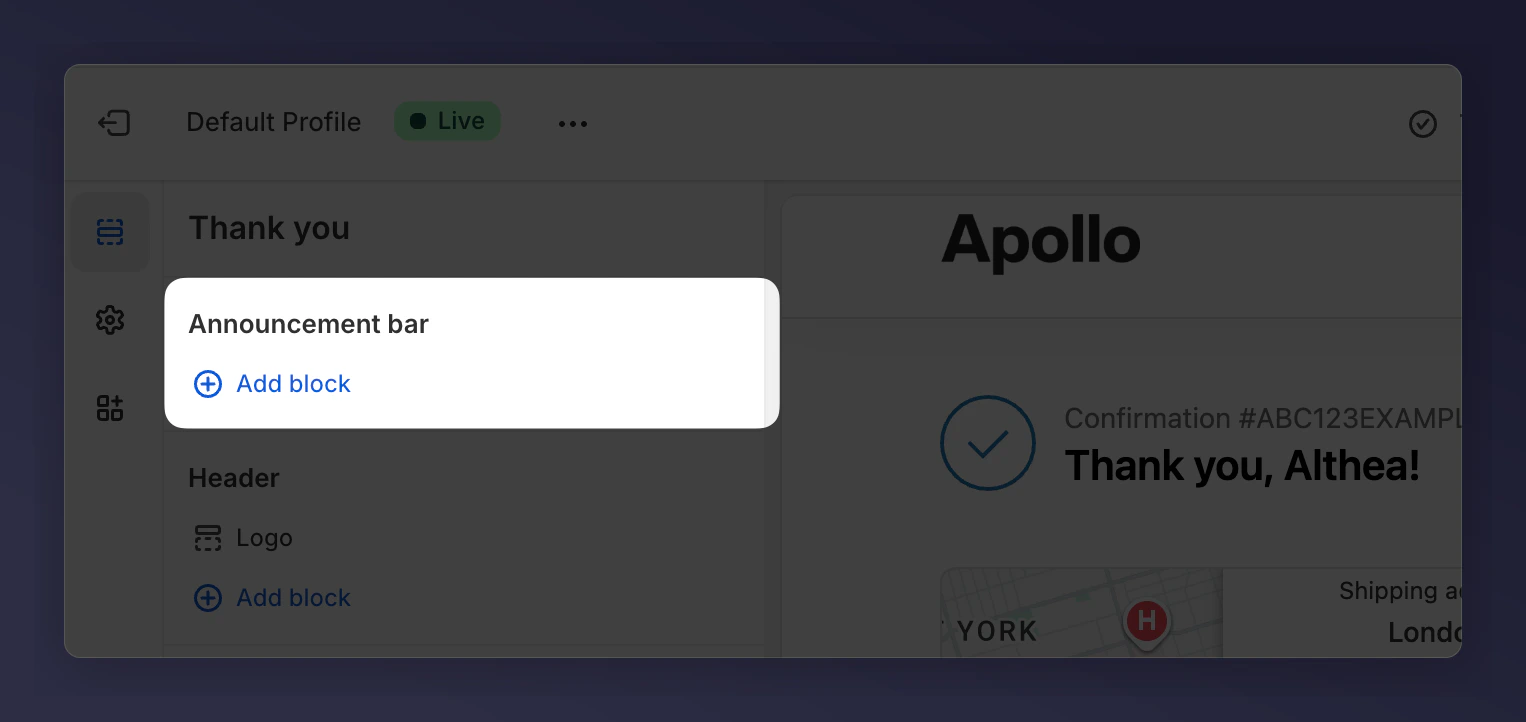
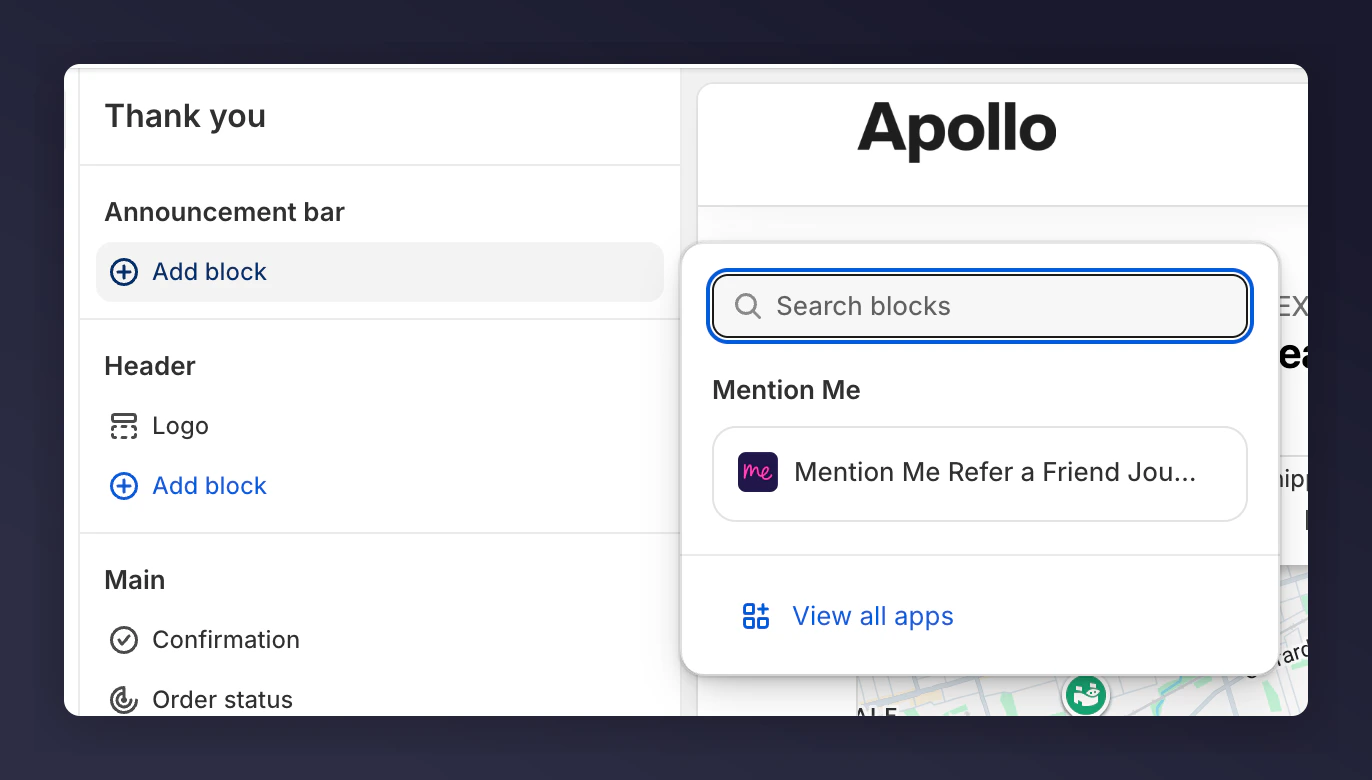
Add the announcement block by clicking Add block under Announcement bar.
The Add block option under the Announcement bar section.
3
Select the Announcement
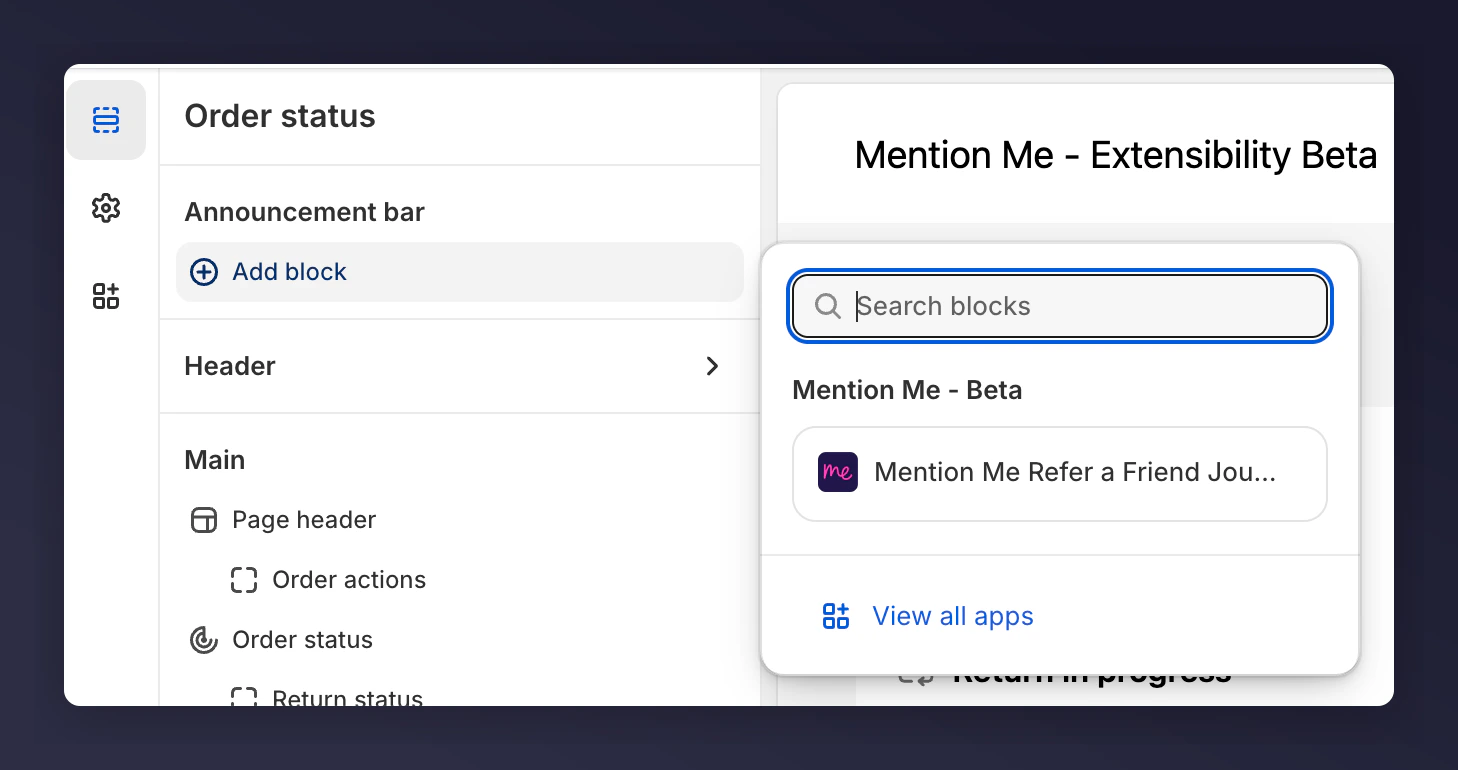
Choose Mention Me Refer a Friend Journey.
Selecting the Mention Me Refer a Friend Journey block for the Order Status page.
This will place the banner across the top of the order status page using your brand’s theme.
The Mention Me announcement banner shown on the Order Status page.
Your Mention Me Announcement banner is now integrated across both the Thank You and Order Status pages. The referral prompt appears immediately after a successful purchase — the optimal time for a customer to share your brand.
Last modified on August 3, 2026
Was this page helpful?
Assistant
Responses are generated using AI and may contain mistakes.