

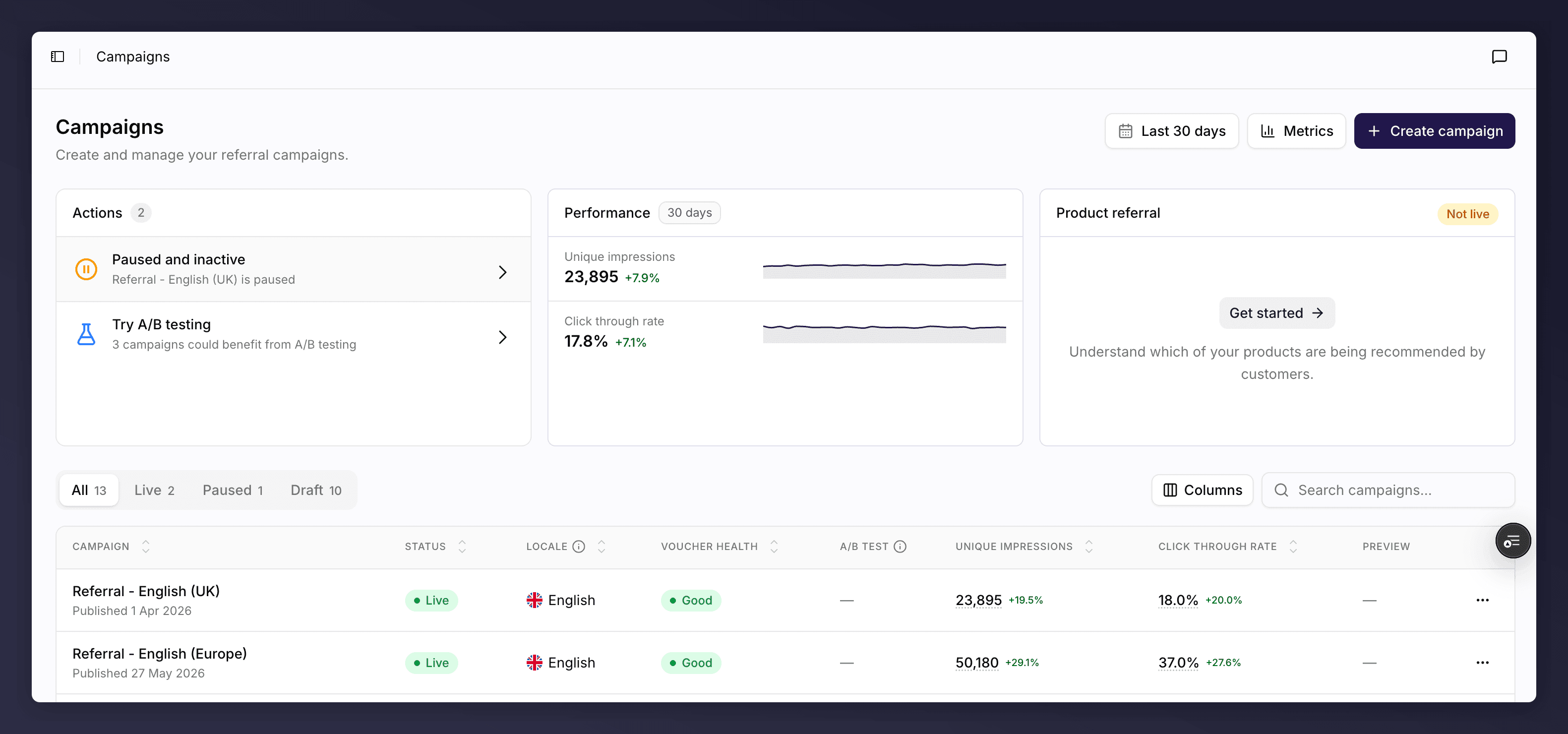
The campaigns list, showing every campaign with its status and performance.
What’s on the List
- Summary cards. Headline numbers across all your campaigns for the selected period, such as unique impressions, enrolled customers, click-through rate, referrals, conversion rate and revenue. Switch the metrics and turn on a comparison to see how they are trending.
- Status tabs. Filter the table by All, Live, Paused or Draft, each with a count.
- Search and sort. Find a campaign by name, and sort by any column.
- Columns. Campaign (name and date), Status, Locale, Voucher health, A/B test progress, your chosen Performance metrics, and a Preview of the offer. You can show or hide columns.
Campaign Health
Each campaign shows a health pill so you can spot problems at a glance:- Healthy (or “Live & healthy”). Running normally.
- Needs attention. Has warnings worth reviewing, such as low vouchers or low traffic.
- Critical. Has a blocking problem to fix.
- Draft. Not yet launched.
Create a Campaign
Click Create campaign, give it a name and a locale, and Mention Me opens a first draft version ready to build. For the full steps, see create a campaign.Manage a Campaign from the List
Each row has an actions menu for campaign-level tasks: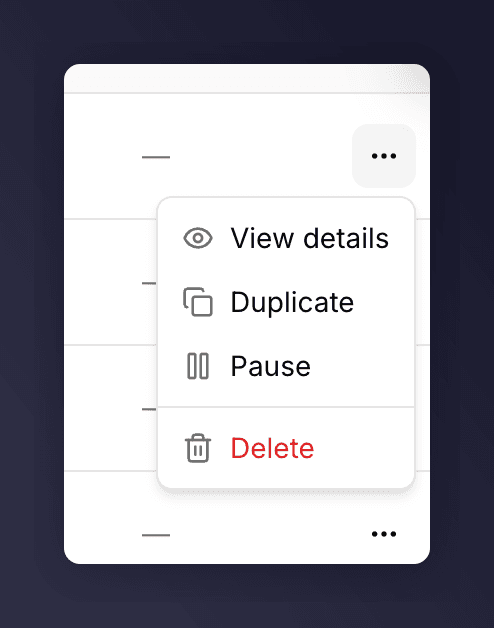
The row actions menu on a campaign.
- View details. Open the campaign in the editor.
- Duplicate. Copy the campaign to a new draft, so you can adapt it without touching the original.
- Pause (live campaigns). Stop promoting the campaign to new customers. Existing customers’ share links keep working and their friends can still sign up; only new promotion stops.
- Resume (paused campaigns). Start promoting again.
- Delete. Permanently remove the campaign. You are asked to confirm, as you will no longer have access to it.
Inside a campaign you can pause and resume it from the editor’s Settings menu, and duplicate or rename a version from the version picker. Duplicating a whole campaign is done here on the list. See campaign settings and gaming control.
See Also
Understanding campaigns, versions and promotions
Understanding campaigns, versions and promotions.
The campaign editor
The campaign editor.
Create a campaign
A common task: create a campaign.
Duplicate a campaign or version
A common task: duplicate a campaign or version.
Pause or resume a campaign
A common task: pause or resume a campaign.