

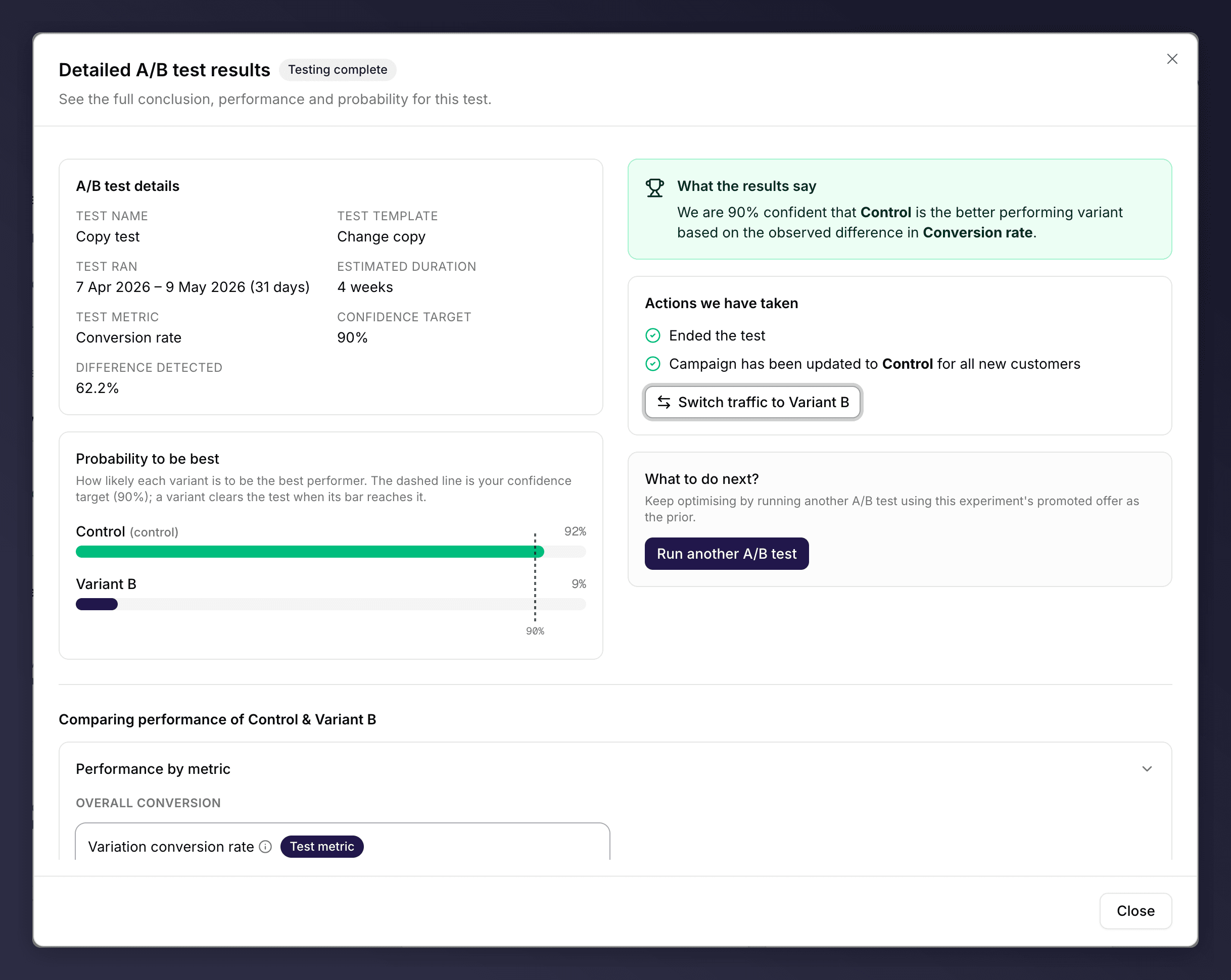
The A/B test results view with the probability-to-be-best chart.
Read the Test Status
A status badge shows where the test is:- Scheduled. The test is set up but not yet collecting data.
- Testing live. The test is running and splitting traffic 50/50.
- Testing complete. The test has concluded and a variant has been chosen.
- Test stopped. The test was ended before reaching a conclusion.
Probability to be best
The Probability to be best chart shows how likely each variant is to be the better performer. A dashed line marks your confidence target; a variant clears the test when its bar reaches that line. The control variant is labelled accordingly.What the Results Say
A summary banner explains the current state in plain language. For example, when a winner is found: “We are [X]% confident that [variant] is the better performing variant based on the observed difference in [metric].” While the test is still running, it tells you it is gathering data and will update once it reaches the confidence target.What Happens When a Test Concludes
When a test concludes, Mention Me applies the outcome you set during setup and moves all traffic to the chosen variant automatically. The Actions we have taken section confirms this, for example “Ended the test” and “Campaign has been updated to [variant] for all new customers”.Compare Performance
The Comparing performance section puts the variants side by side across the relevant metrics (share, customer, and revenue measures), with the deciding test metric marked. Use it to understand not just who won, but why.Switch Traffic After a Test
If you disagree with the automatic outcome, you can switch all traffic to the other variant once, using the Switch traffic button. This is a one-time action: after switching, the button disappears.View Results on a Past Version
A version that ran an A/B test keeps its results. Open the past version and click View results in the insights panel to revisit them at any time.See Also
Set up an A/B test
Set up an A/B test.
Monitor a live version
Monitor a live version.