

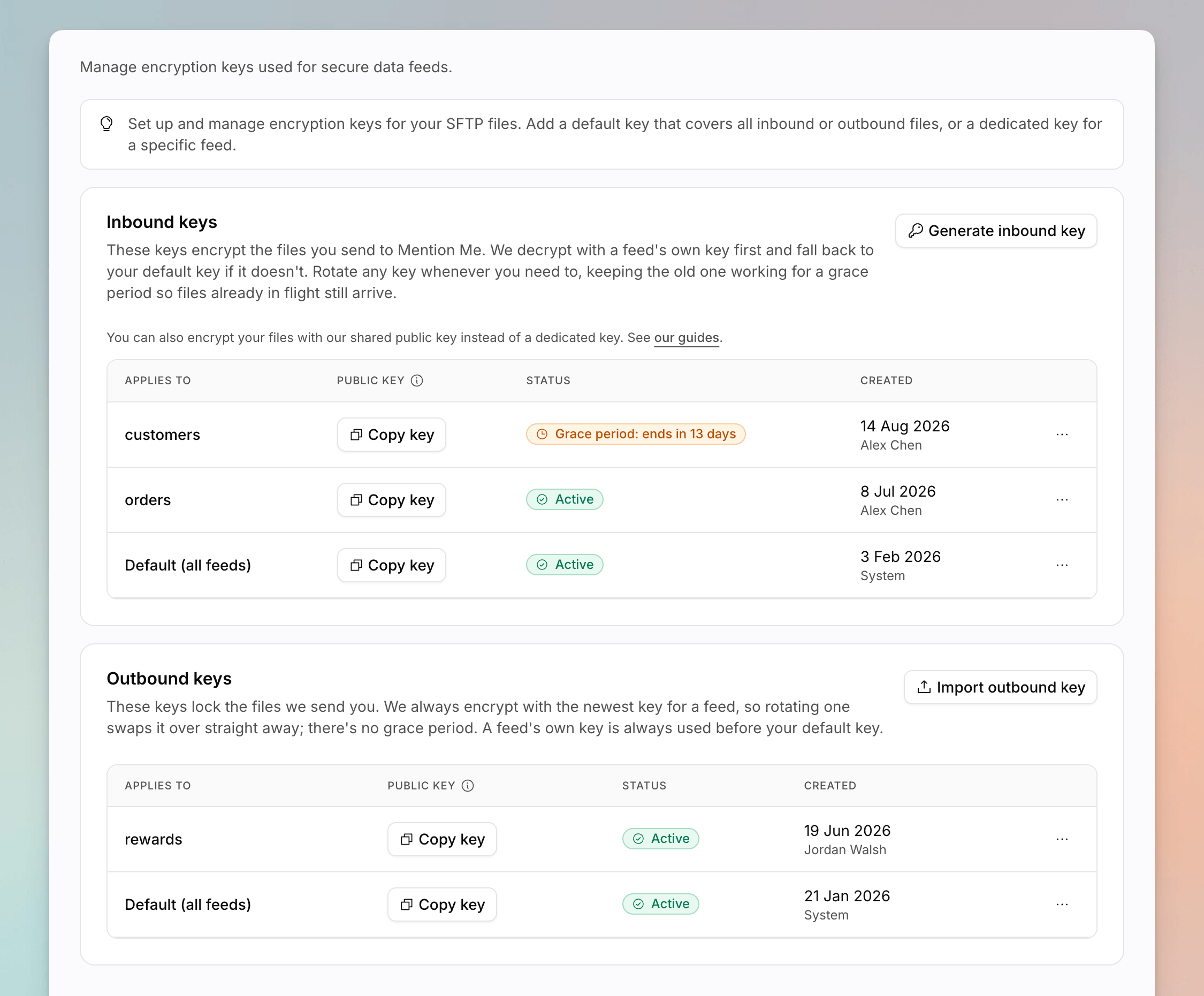
The Encryption keys page, with inbound and outbound key tables.
Inbound Keys
Inbound keys are minted by Mention Me so you can encrypt files you send. Copy the public key into your process before you upload.1
Generate a Key
Click Generate inbound key. Choose the default scope or a specific encrypted feed.
2
Copy the Public Key
Copy the public key as soon as it is shown. You need it to encrypt files before they land on SFTP.
3
Rotate When You Need To
Use Rotate key on the row. Choose whether to keep the current key active as a grace key so files already encrypted to it keep decrypting:
- No, replace it immediately
- Yes, for 7 / 14 / 30 / 60 / 90 days
Outbound Keys
Outbound keys are public keys you import so Mention Me can encrypt files it delivers to you. There is no grace period: Mention Me always encrypts with the newest key.1
Import a Key
Click Import outbound key. Paste your public key and choose the default
scope or a specific encrypted feed.
2
Rotate
Use Rotate key and import the replacement public key. Update the
matching private key on your side before you expect new files.
See Also
How to Set Up Data Feeds
Create encrypted inbound and outbound feeds.
SFTP File Encryption
Algorithms, shared versus dedicated keys, and strict mode.