

This page is visible to organisation admins only. If you see You do not have permission to view this page, ask an admin to make the change, or to invite you with the Admin role.
- Inbound feeds are for files you send to Mention Me, such as customer or order data.
- Outbound feeds are for reports Mention Me sends to you.
Setting up SFTP for the first time? Add your feeds in the setup flow on Data
feeds. See How to Set Up Data
Feeds.
Feed Details
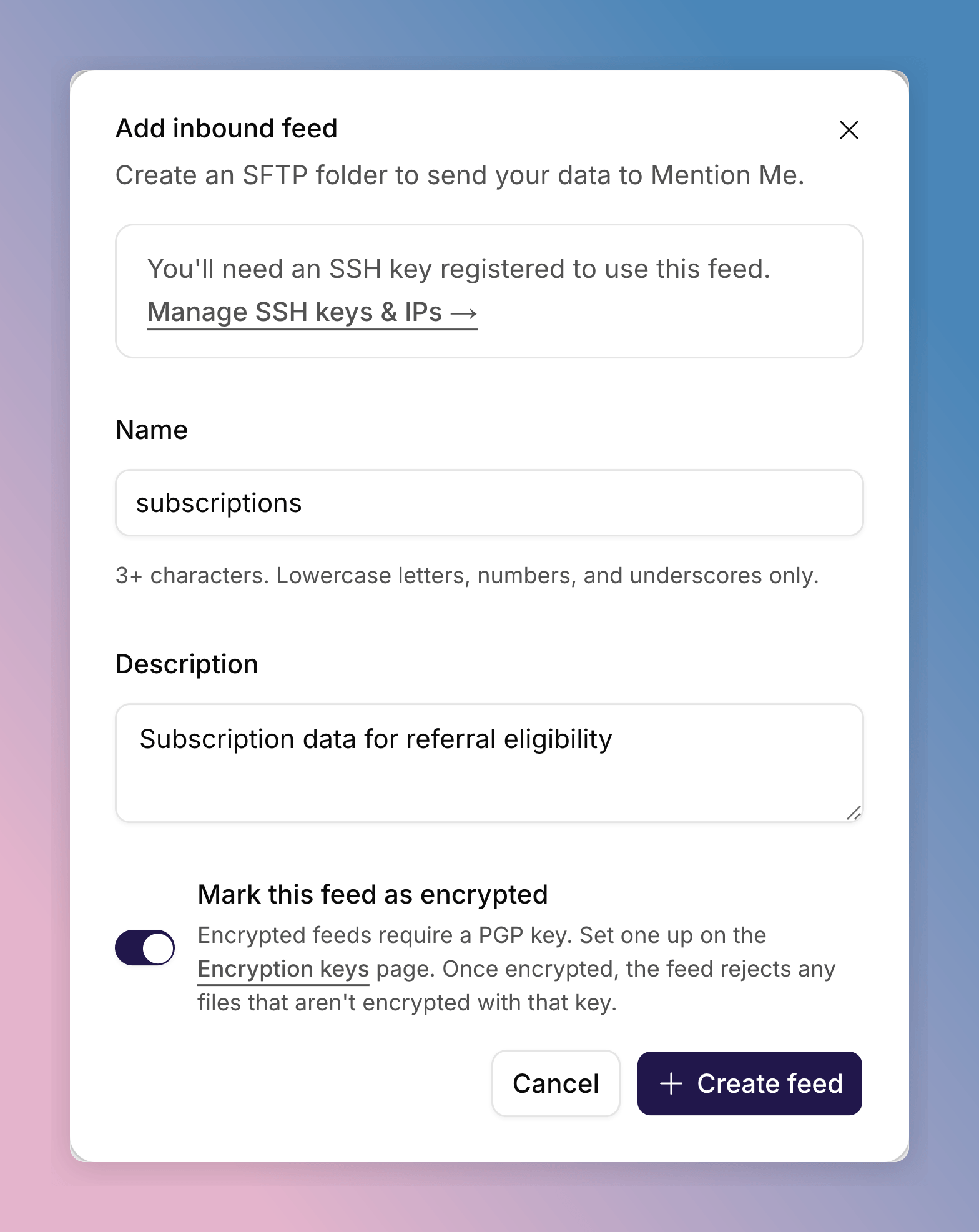
The Add inbound feed dialog, with the feed marked as encrypted.
- Name: the folder name on the SFTP server, for example
customer_orders. At least 3 characters, using lowercase letters, numbers and underscores only. Each name must be unique across your feeds. - Description: what the feed is for, up to 255 characters.
- Mark this feed as encrypted: turn on if files should be PGP-encrypted. See Encrypted Feeds.
Add a Feed After Setup
1
Open Feeds Setup
Go to Settings > Integrations & data > Data feeds.
2
Add the Feed
Click Add feed, then choose Inbound feed or Outbound feed. Fill
in the feed details and click Create feed.
3
Wait for the Feed to Be Set Up
The new feed shows Pending setup while Mention Me creates the folder on
the SFTP server. This can take up to
two working days. It changes to Active when it’s ready to transfer
files.
Encrypted Feeds
Only feeds marked as encrypted need a key. Feeds that aren’t encrypted send and receive files as they are. When you mark a feed as encrypted, you must also give it a PGP key. Create the feed first, then add its key. See How to Manage Encryption Keys.- Inbound: generate a key, then encrypt the files you send with its public key. A feed uses its own key, or your default inbound key if it has none.
- Outbound: import your own PGP public key, and Mention Me encrypts reports with it. An encrypted outbound feed sends nothing until it has its own key or a default outbound key.
View Your Feeds
Data feeds lists every feed with its direction, status and encryption. Use the search box or the Direction filter to narrow the list. Use the column picker to choose which columns show. Select a feed’s file count to see the files in that folder. If a feed can’t transfer files because SSH access or an encryption key is missing, the page shows a Finish setting up card. Click Finish setup to go to the next step.See Also
How to Set Up Data Feeds
The first-time setup flow and what to expect.
SFTP Data Formats
File formats for inbound and outbound feeds.