

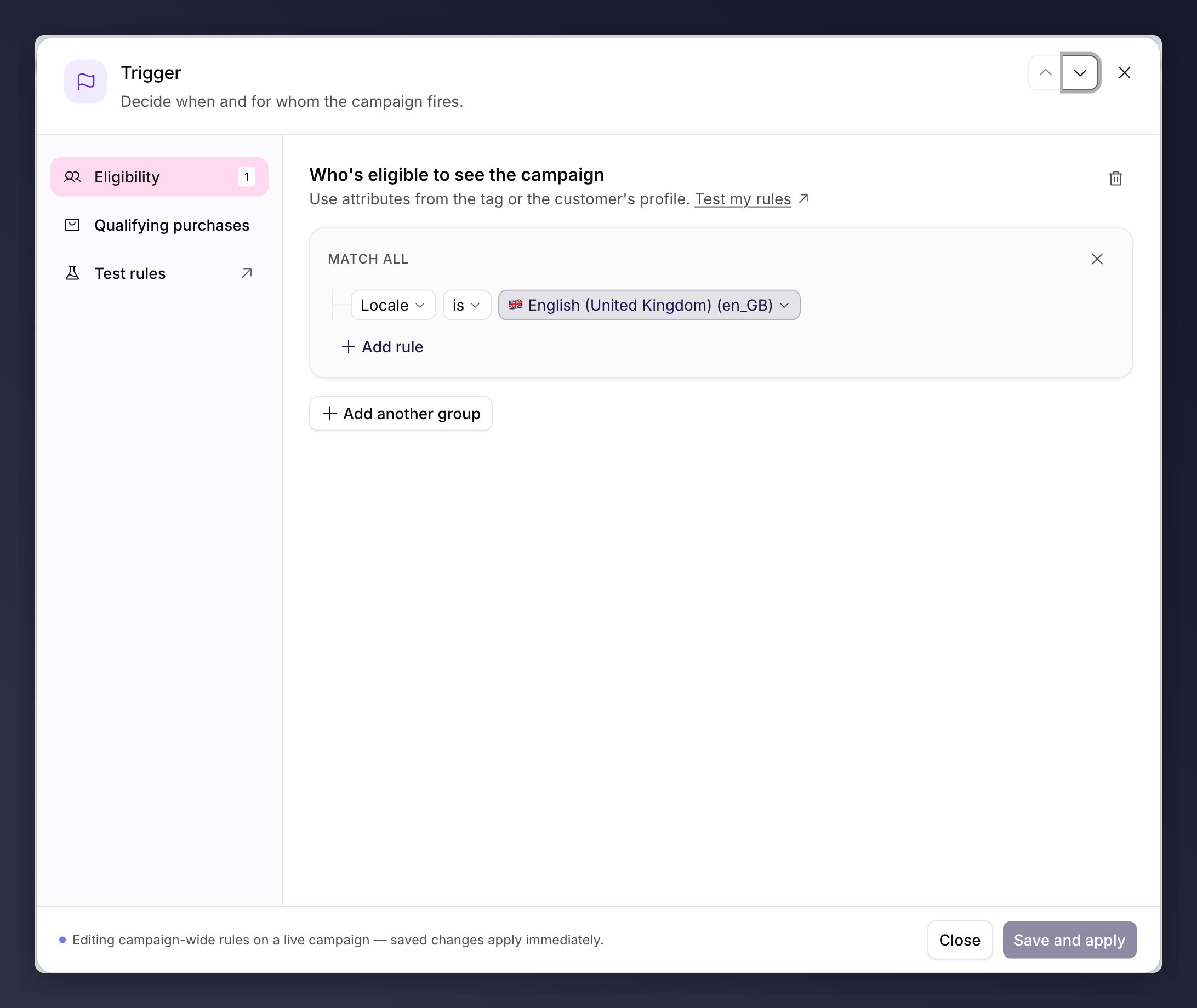
The Trigger node, where you set eligibility and qualifying purchase rules.
What You Can Set
Two sections, in the left nav of the panel:- Eligibility. Who is eligible to see the campaign, based on the data in your tag or the customer’s profile.
- Qualifying purchases. Which referee purchases count as a successful referral.
How Rules Combine
Rules are organised into groups:- Rules within a group use AND logic: all of them must match (this is the Match all group).
- Separate groups use OR logic: a customer qualifies if they match any group.
Conditions You Can Use
The condition picker groups conditions by where the data comes from. The Recommended group at the top collects the handful most programmes use.
Comparisons include is / is not, is greater than / is less than, is at least / is at most, contains / doesn’t contain, is empty / is not empty, is older than, is true / is false, and regex matching for flexible values within a string.
Which categories appear depends on your account. ESP categories show only where
that integration is connected, and some conditions depend on data you send us.
Target a Segment, or Everyone
For most programmes a single campaign shown to everyone works well when the offer is consistent. Restrict to a segment when you have distinct customer types that should see different offers (for example new versus loyal customers, or different product categories). If you run several products with different economics, consider separate campaigns running in parallel.Qualifying Purchases
Use qualifying purchase rules to define what counts as a successful referral, for example a minimum order value before the referrer is rewarded. They are built the same way as eligibility rules.A Campaign-Scoped Node
The Trigger is shared across the whole campaign, not a single version, so editing it works differently from the other nodes. On a draft of a campaign that is already live and still has a running version, the Trigger is locked; you edit it on the live version, where changes take effect immediately for all customers. For the full rules and the exact messages, see what you can and can’t edit. Because the rules are campaign-scoped, the Trigger is not A/B testable. To test targeting, run parallel campaigns instead.A new campaign can’t go live for the first time with no eligibility rules, so
add at least one before you launch. Once the campaign is live, this becomes a
warning rather than a blocker. See
troubleshooting.