

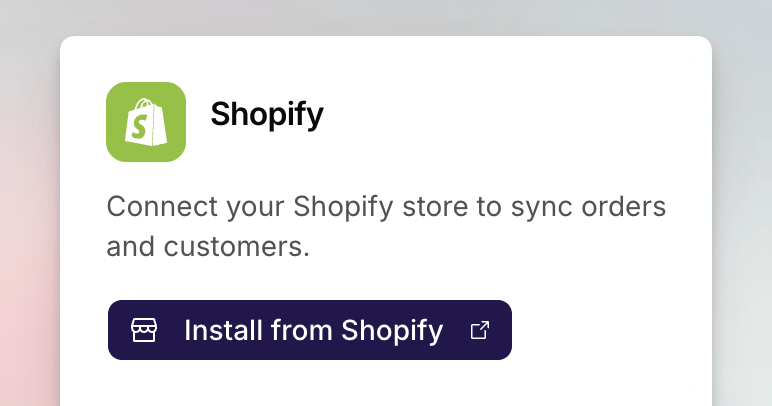
The Shopify card in Essentials before a store is connected.
From Settings
1
Open Integrations
Go to Settings > Integrations. Shopify is in Essentials.
2
Install from Shopify
Click Install from Shopify. The Shopify App Store listing opens in a new
tab. Install the app there, following the install
guide if you need the App Store and
permissions screens.
3
Finish the Link
Shopify sends you back to app.mention-me.com. Sign in if prompted, choose
the organisation this store should belong to, then confirm.
Confirm It Worked
The Shopify card should read Connected and show the store domain. Open Shopify Admin goes to that shop.Disconnect
Admins can click Disconnect on the card, then confirm. You can reconnect later. Disconnecting does not uninstall the app from Shopify; remove it there if you want it gone from the shop as well.Common Issues
Install from Shopify is disabled
Install from Shopify is disabled
Only merchant admins can connect or disconnect. Ask an admin, or switch to a
workspace where you have that role.
I do not see my organisation
I do not see my organisation
You are signed in, but not a member of the workspace that should own this
store. Ask an admin to invite you, or submit a support
request.
The card still says disconnected after install
The card still says disconnected after install
The link back to app.mention-me.com did not finish. Open the Mention Me app
in Shopify Admin and click Connect to Mention Me again, as in the
install guide. Stay signed in until
you return to Settings.
See Also
Understanding Shopify in Mention Me
What the connection is for, including multiple stores.
How to Import Existing Customers from Shopify
Pull existing buyers from a connected store.
Installing the Mention Me Shopify App
Install the app and place it on checkout and account pages.