

Only delivered emails show a View email link. Bounced, suppressed, or unsent emails won’t have one.
1
Open the customer's profile
Find them via the Customers list and open the profile.
2
Find the email
Scroll to the Activity feed and locate the email you want to resend, then click View email.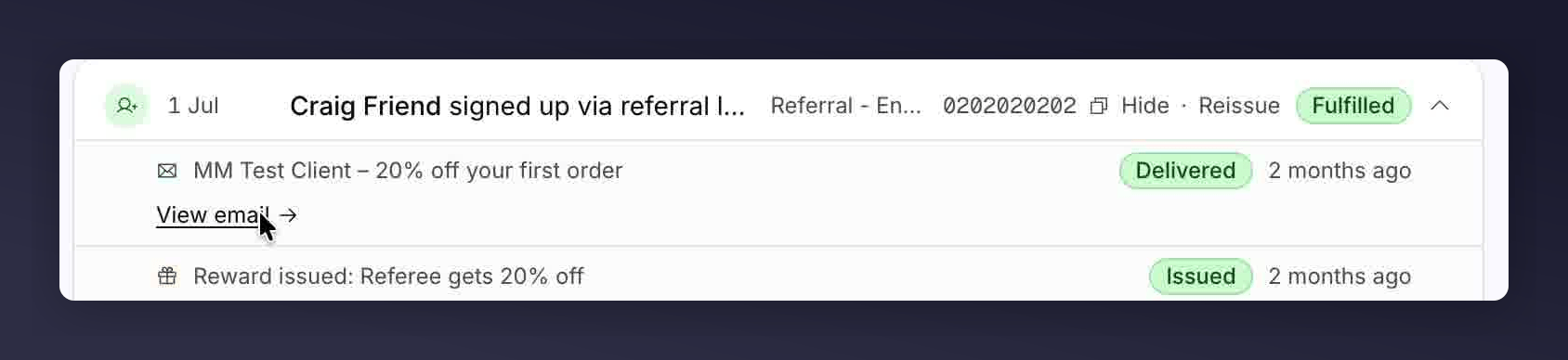
A delivered email in the Activity feed, with the View email link.
3
Click Resend email
In the email preview panel, click Resend email.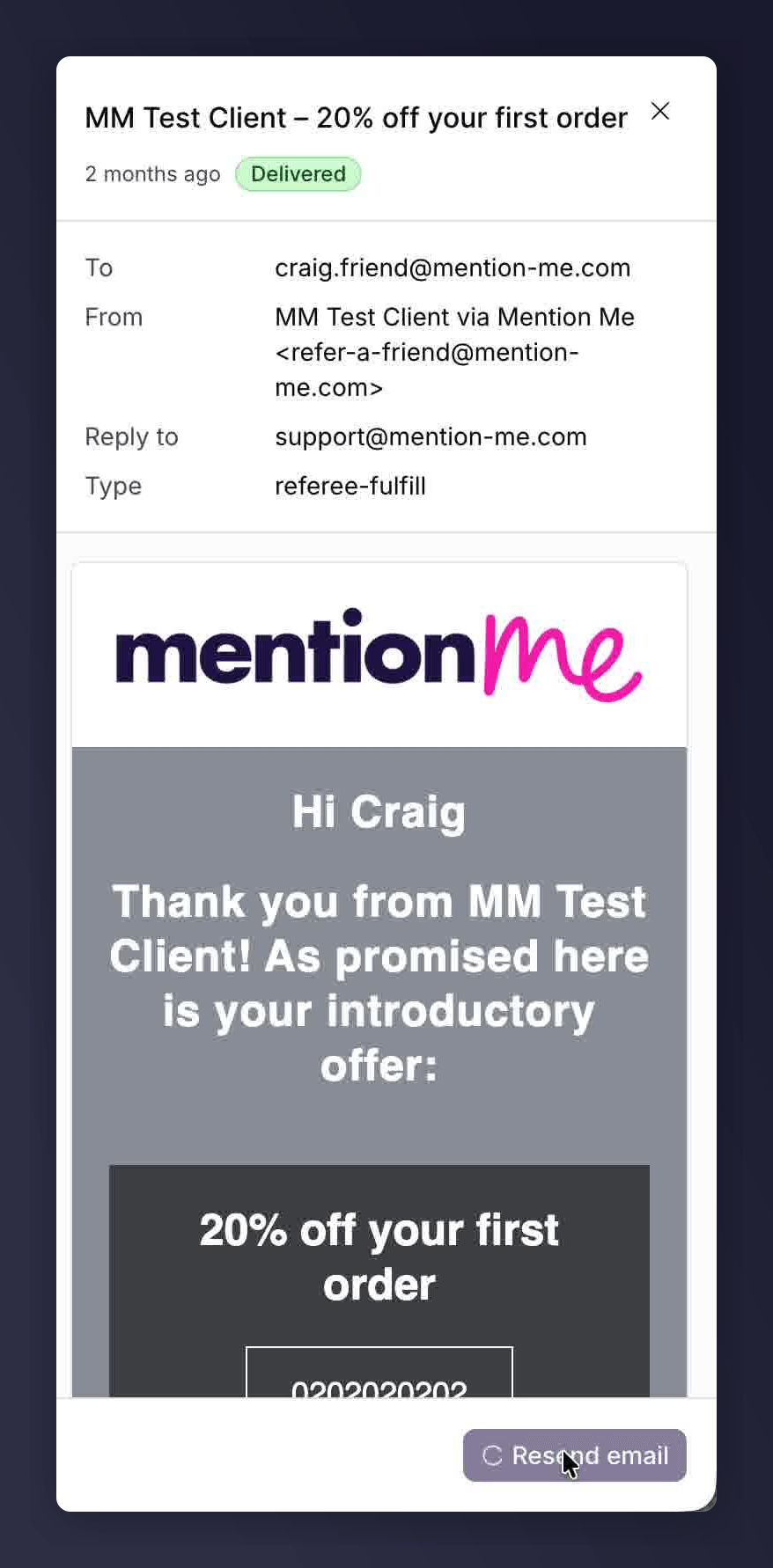
The email preview panel, with the Resend email button.
See Also
Find a Reward Code
Reveal a customer’s reward code directly from their profile if they can’t find it in their fulfilment email.
Reissue a Coupon Code
Swap an expired, barred, or fully used coupon for a fresh code instead.