

Two Entry Points
Confirm purchase appears in two places on the referee’s profile when a purchase is held:- Needs attention card. A “Purchase awaiting confirmation” entry with an inline Confirm → button. The side panel also shows an Unconfirmed referral pill.
- Actions menu (… next to Enrol in campaign). A Confirm purchase item appears when the customer has one or more referees waiting on purchase confirmation.
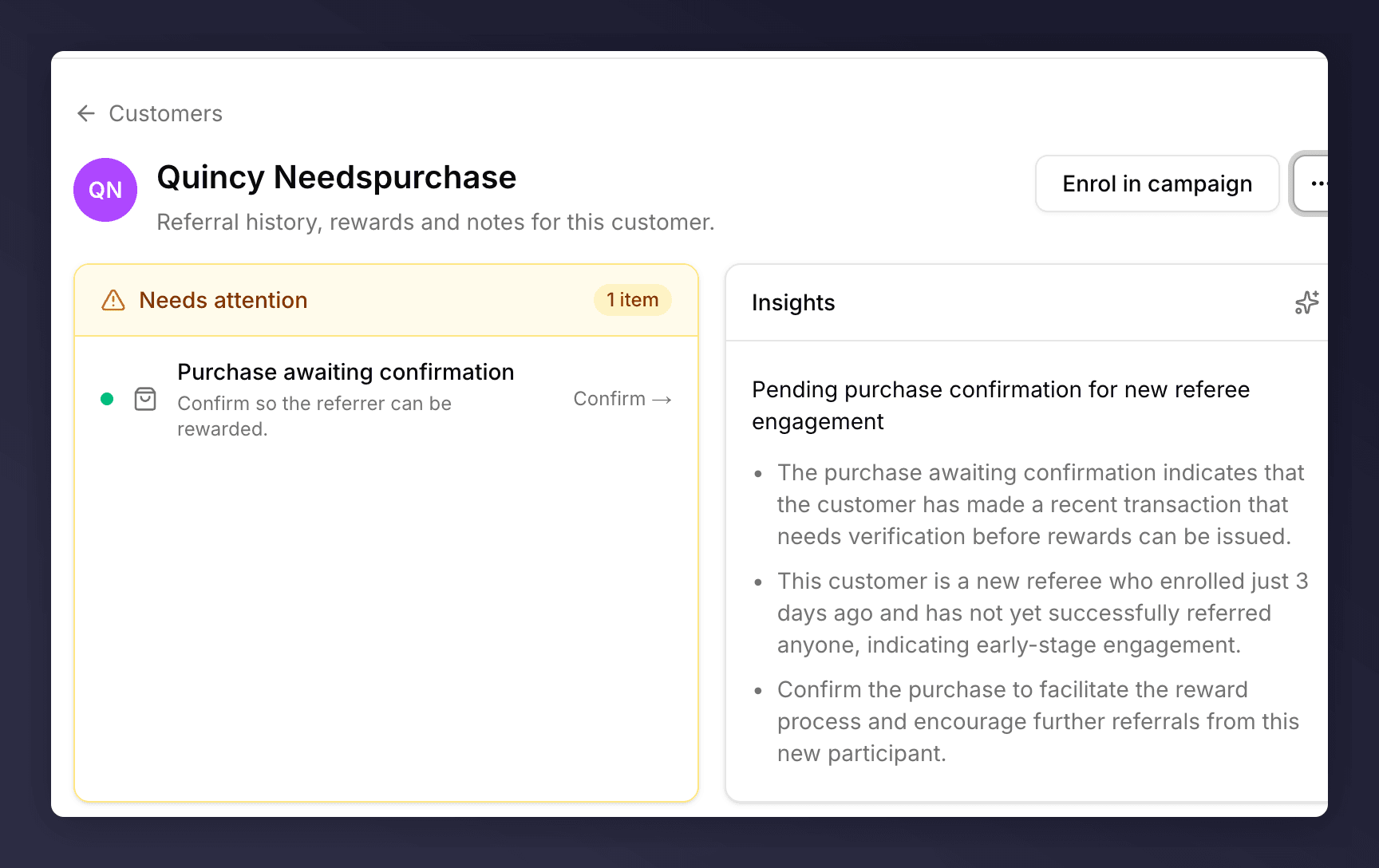
Needs attention card with a Confirm action
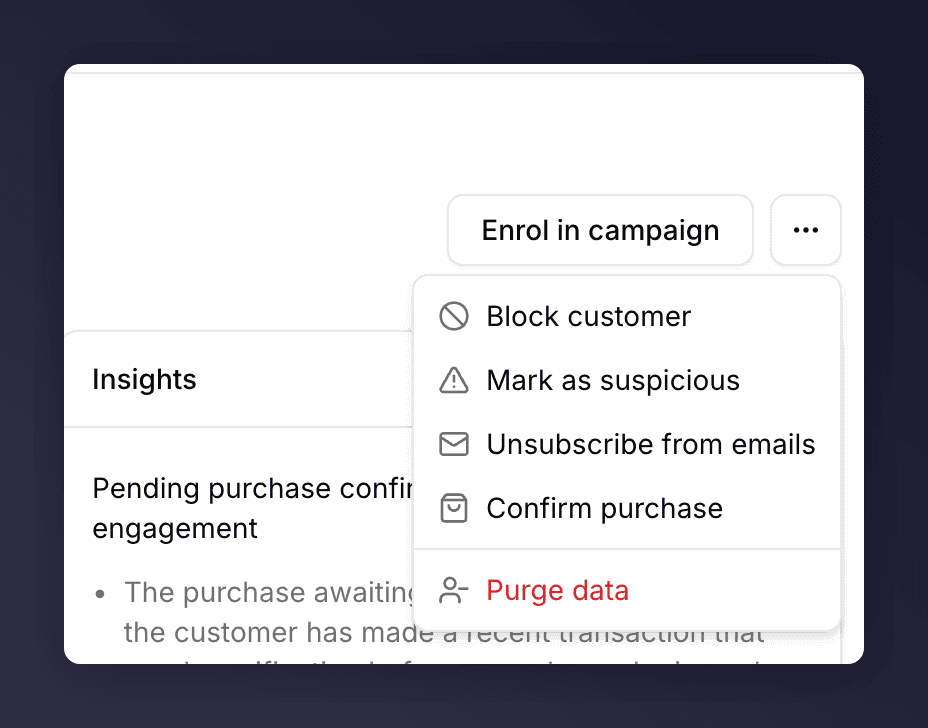
Profile actions menu with Confirm purchase
Steps
1
Open the referee's profile
Find the customer via the Customers list or jump from the Needs attention panel on the landing page.
2
Click Confirm
Either click Confirm → on the Purchase awaiting confirmation row, or open the … menu and choose Confirm purchase.
3
Wait for the toast
A Purchase confirmed toast appears at the bottom right. The Unconfirmed referral pill clears from the side panel, the referrer’s reward moves out of the held state, and any reward fulfilment email goes out automatically.
A customer can have multiple unconfirmed purchases at the same time (one per outstanding referral). The Confirm → action only confirms one at a time, so you’ll need to repeat the action until the Needs attention card is empty. Both entry points (the card and the … menu) work this way.
When You Don’t See Confirm Purchase
A few reasons:- The referral was attributed automatically. No manual action needed.
- The customer has no referees waiting on confirmation. The action only appears when at least one referee’s purchase is held.
- The purchase data is still in flight. Mention Me ingests purchase data on a schedule. Check back in a few hours or look at the activity timeline for the latest event.
See Also
Pending Rewards
Rewards held for reasons other than purchase confirmation live here.
Customer profile
Anatomy of the Needs attention card.