

Click any campaign to open it in the campaign editor.
What’s on the Page
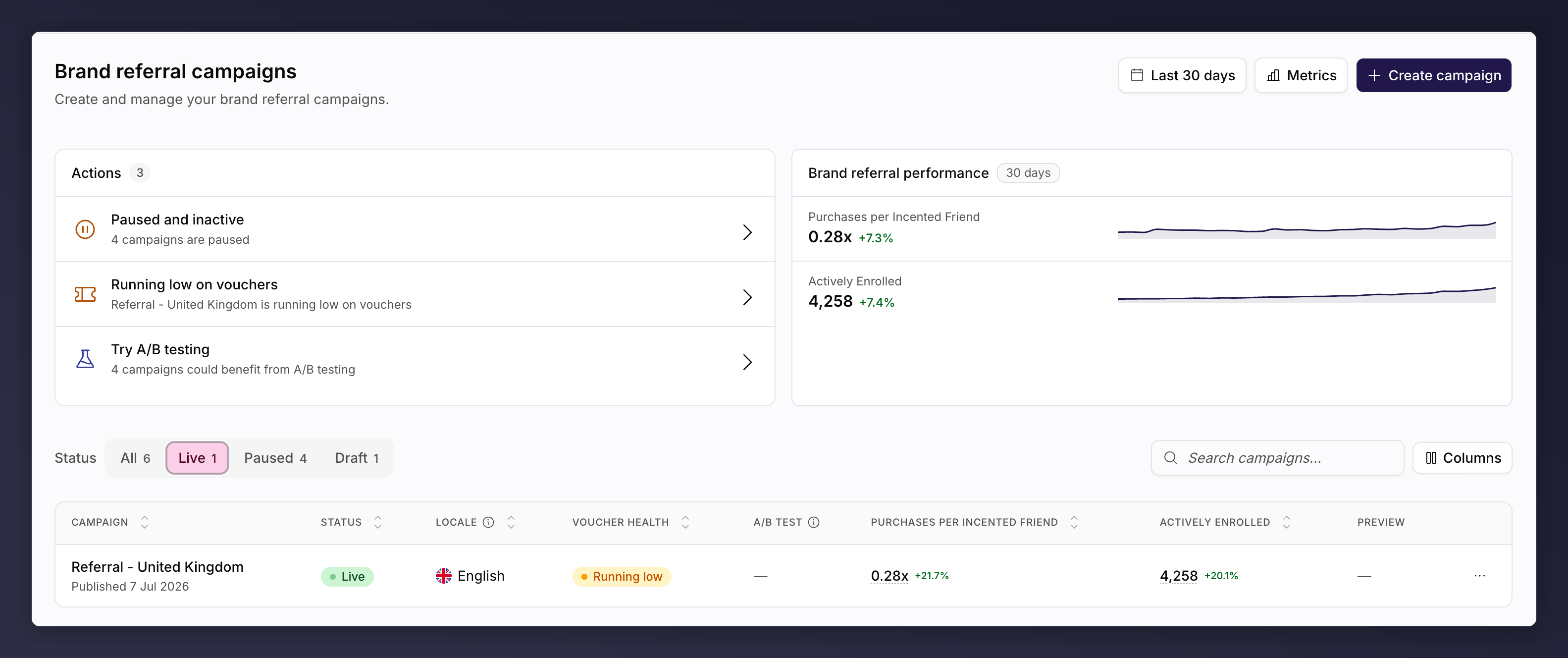
The Brand referral campaigns page.
- Actions card. Everything worth acting on across your campaigns, most urgent first. See troubleshooting.
- Performance card. Headline numbers for this campaign type. On the brand page you choose the metrics and the period; on the product page it is programme-wide product sharing over the last 30 days.
- Toolbar. Status tabs (All, Live, Paused, Draft) with a count each, a search box, and Columns to show or hide columns. Each page remembers its own column choice.
- The table. One row per campaign, with an actions menu at the end of each row.
Columns
Each list shows the details of its campaigns at a glance, from how they are set up to how they are performing. Turn columns on and off with Columns in the toolbar.Brand referral
The header carries a period picker and a Metrics picker, which set both the performance card and these columns. Sort by any column.
A/B test values
A/B testing is a brand referral feature, so this column appears on this page only.
A dash means no test has run. See monitor an A/B test.
Product referral
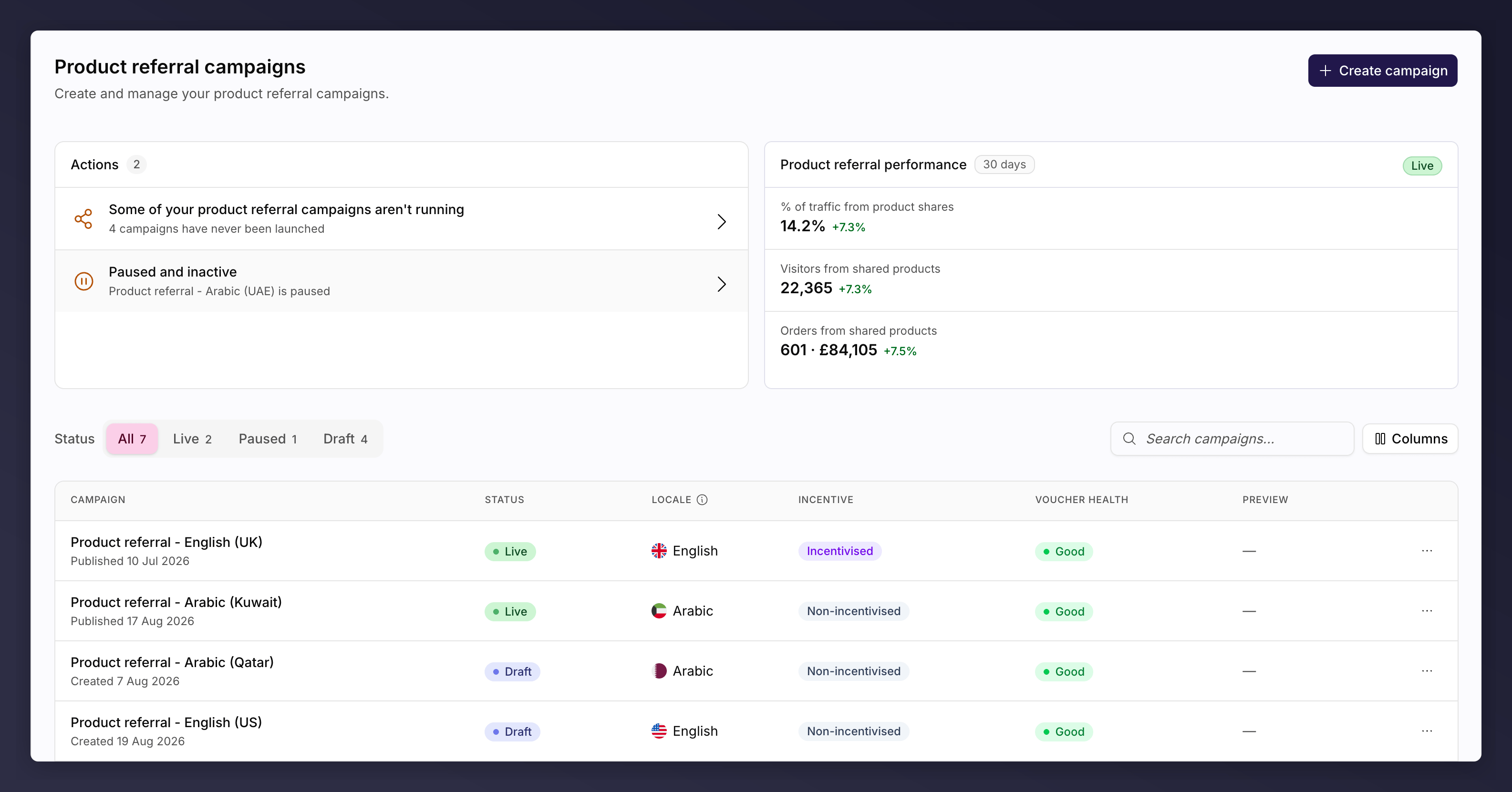
The Product referral campaigns page, with the Incentive column.
Voucher health values
Shown on both pages.Actions
Each row ends with an actions menu. You only see the actions the campaign can take in its current state, so anything listed will work.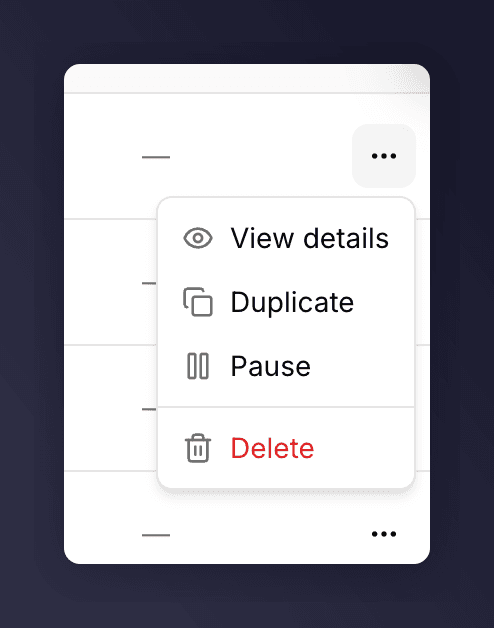
The row actions menu on a campaign.
Inside a campaign, pause and resume live under the Settings control, and
the version picker handles renaming and duplicating a version. Duplicating a
whole campaign happens here on the list.
See Also
Campaigns, versions and promotions
How campaigns, versions and promotions fit together.
The campaign editor
What you get when you open a campaign.
Create a campaign
A common task: create a campaign.
Troubleshooting
The Actions card, and finding a campaign.