

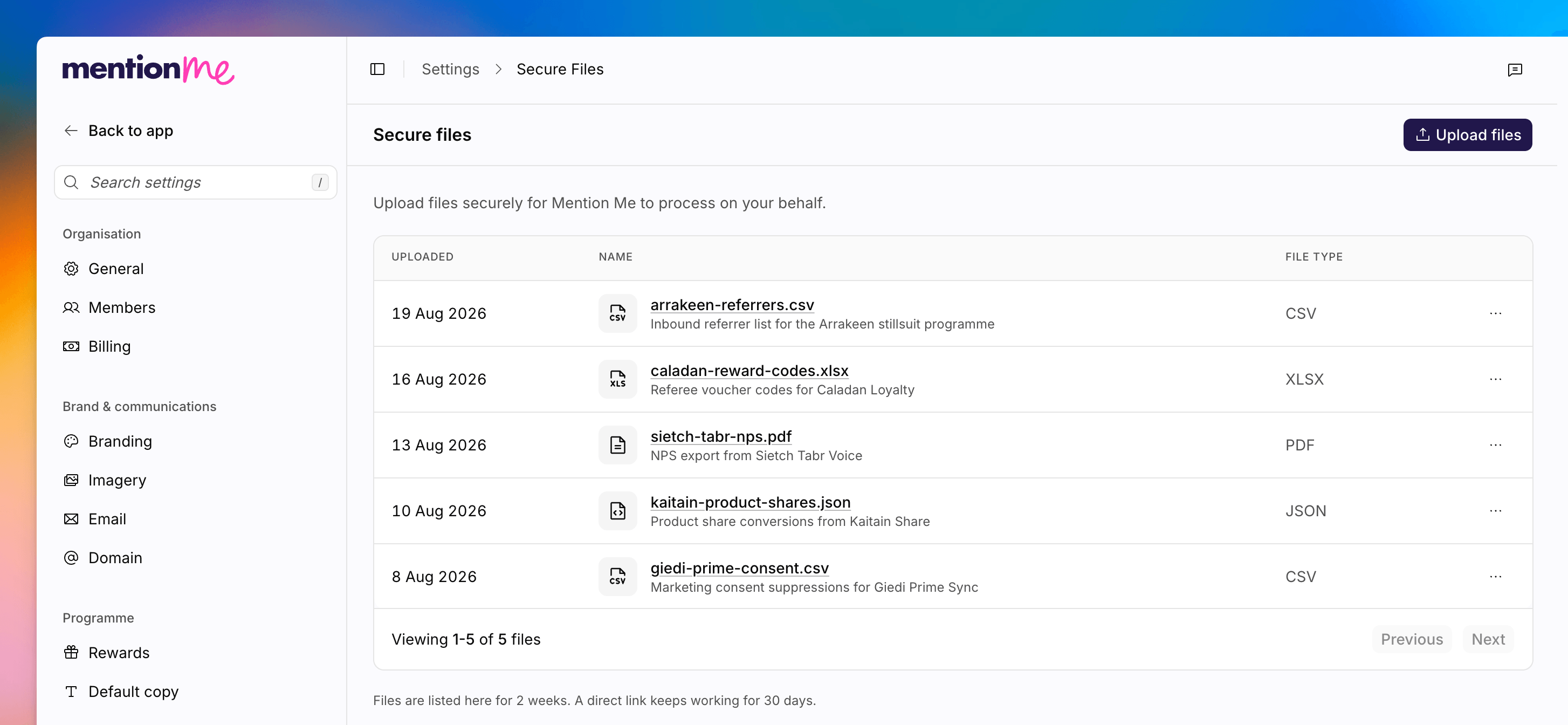
The Secure files page, showing the file list and the Upload files button.
Upload a File
1
Start a New Upload
Click Upload files. Only admins see this action.
2
Select Files
Drop files onto Drop files here, or click to browse. Each file can be up
to 500 MB. Allowed types include csv, txt, doc, docx, xls, xlsx, pptx, pdf,
zip, json, gif, jpeg, jpg, png, and svg.
3
Add a Description
Optionally fill in Description. The placeholder is What are these
files for? If you leave it empty, the filename is used instead.
4
Upload
Click Upload for the queued files. Each file is scanned before the
download link appears. That check takes about 30 seconds. You will see
Checking this file, it will be ready to download shortly while it runs.
Delete a File
Only admins can delete.1
Find the File
Locate the file in the list.
2
Delete
Click Delete, then confirm. Deleting a file is not reversible.
See Also
How to Upload a CSV
Bulk-import customer data via CSV to suppress existing customers or enrol
them into a referral offer.
How to Set Up Data Feeds
Recurring SFTP folders for larger or automated file movement.
How to Send Data Securely
Classic documentation for secure document transfer.