

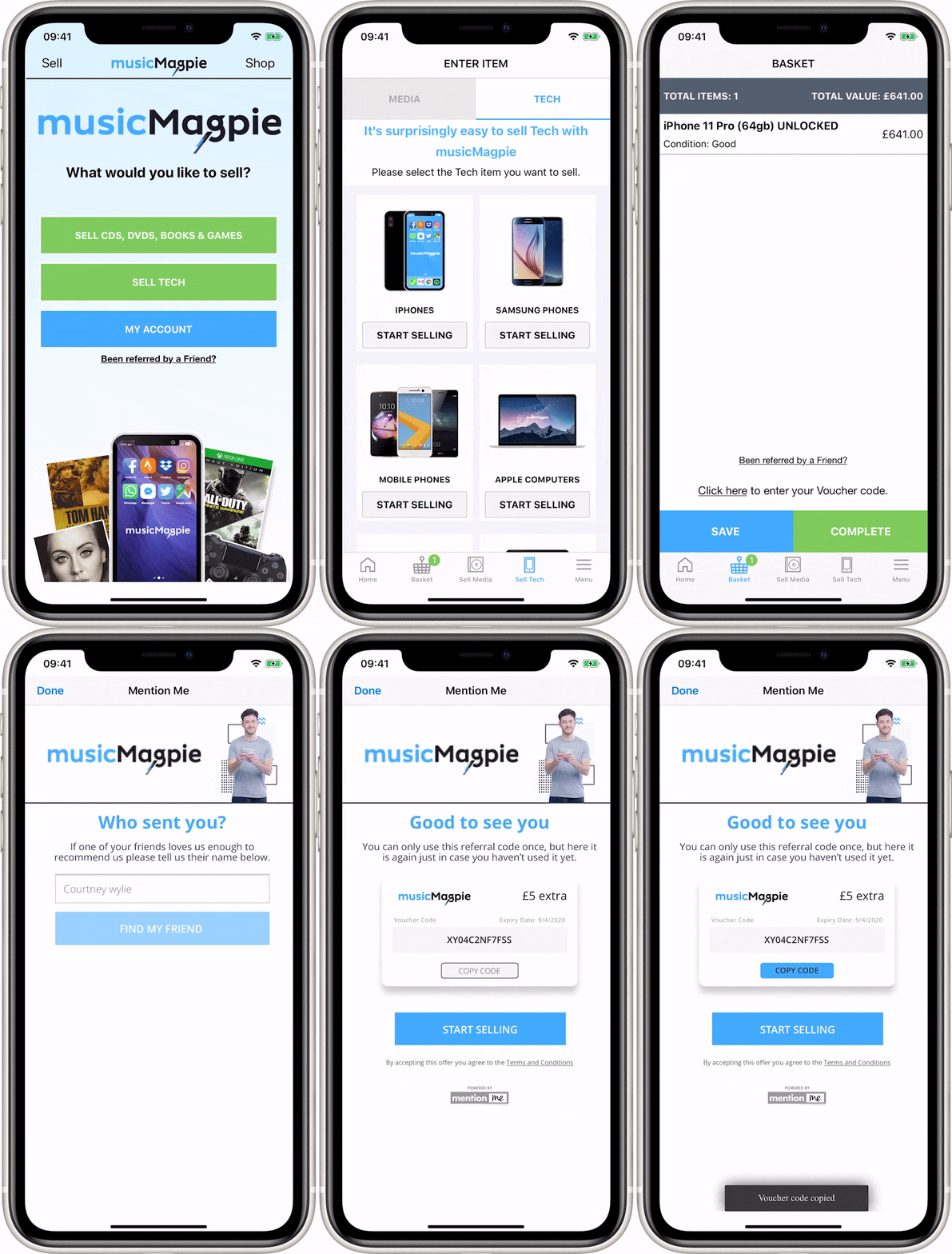
The Find a Friend button as it appears within the musicMagpie app.
How to Implement Name Sharing
1
Call the Referee API
Call the Referee API passing parameters about the customer (if you know any details) and touchpoint. See the reference instructions for the Referee API.
2
Handle the response
Mention Me returns a URL to the web view and a piece of text which you can use to create a call to action. This would typically say “Been referred by a friend?” and can be edited via the Mention Me platform.If we return an HTTP error code (e.g. 404) you should not show anything - name sharing is not available for that customer, your account, or that touchpoint.
This link copy can’t be edited directly in the offer preview - changes need to be requested from the Mention Me support team.
3
Return to app
When the user has finished entering the name of a referrer, they may be asked to register their own email address to earn a reward or the promise of one. After this they will close the web view to return to the app.If you can support it, we can enable an app-specific deep link call-to-action to go back to your app. Alternatively, the customer can close the web view to return to your app.For some use cases, we also offer a Javascript postMessage to return the customer from this journey. To learn more, see our instructions on postMessage.If the journey is embedded in an iframe on your checkout (or another page you don’t want the customer to navigate away from), listen for the
clickAction postMessage event to close the iframe instead of allowing the CTA redirect.Frequently Asked Questions
Can I manage the referee journey on the web or in-app without tags? Yes, you can invoke our referee name sharing journey via our API within your own IFRAME, and manage closing that IFRAME and applying a coupon when the journey successfully concludes, in your own checkout via postMessage. To learn more, see our instructions on postMessage. When the referred customer arrives in our new customer journey, can we avoid them needing to enter their own email address again? Yes, absolutely. We’ll capture their email address and can provide it in the link back to your app or website (base64 encoded if preferred), along with any coupon code, so you can use it to avoid them having to enter it again. Your client success manager can set this up for you.What’s Next
Referrer dashboard
Learn about the dashboard journey via the Entry Point API.