

Token Generation Format
AuthenticationToken = LowerCase( SHA256_Hash( LowerCase(EMAIL) + [AUTHENTICATION_SECRET] ) )
Getting Your Salt Key
YourAUTHENTICATION_SECRET is unique and provided by Mention Me. It is used on both Demo and Production environments and may differ between those environments. You can find your authentication secret in the Merchant Settings > Security & Data page within the Mention Me platform.
Steps to Generate the Token
1
Lowercase the email
Convert the customer’s email address in your API Request to lowercase.
2
Concatenate with secret
Concatenate the lowercase email with your Mention Me Authentication Secret.
3
Generate SHA-256 hash
Generate a SHA-256 hash of the resulting string.
4
Lowercase the hash
Convert the final hash to lowercase (most libraries return lowercase by default).
5
Include in request
Include this value in your API request as the AuthenticationToken.
Testing the Authentication Token
We have a dedicated Hash Testing tool you may use. This allows you to test that an Authentication Token you have generated will pass Mention Me’s validation when sent as part of a request to the EntryPoint or Consumer APIs.You will need access to the Mention Me Platform to access this page.
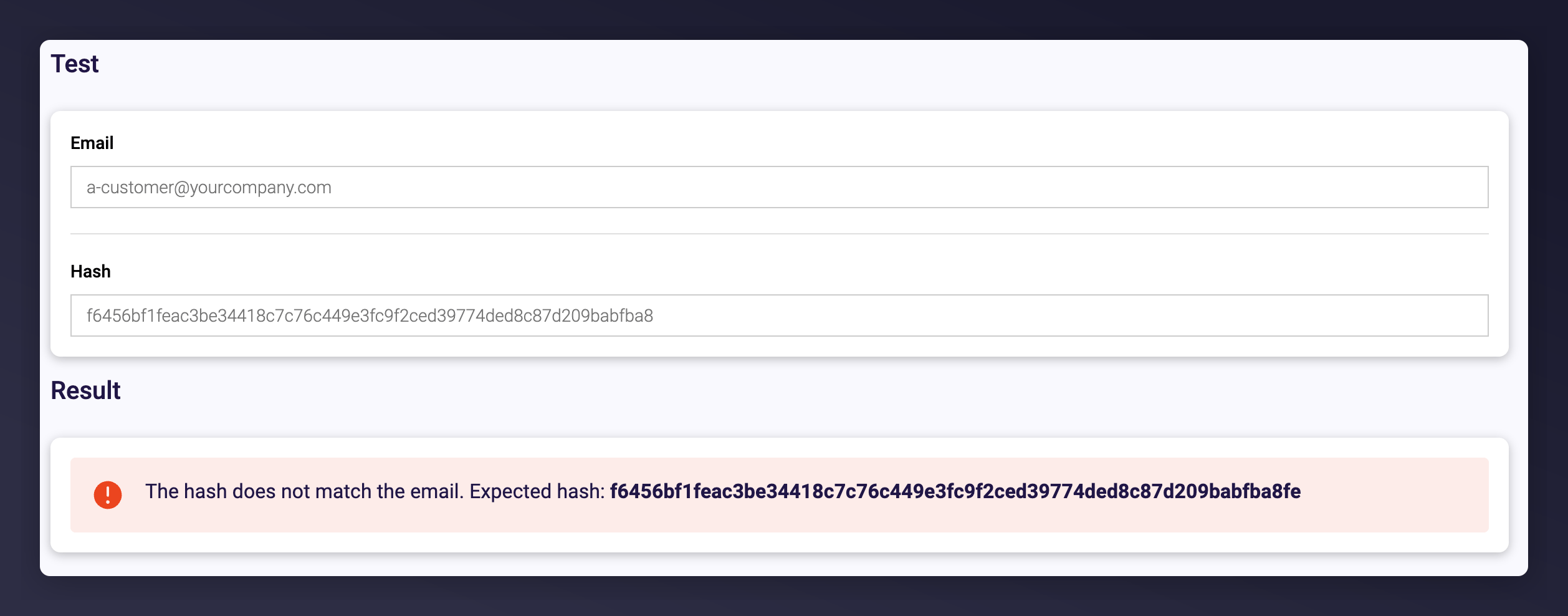
The Hash Testing tool showing the expected hashed value when a submitted hash does not match.
What’s Next
Referrer promotion
Learn about referrer promotion via the Entry Point API.