

Overview
This page describes the different types of data that can be sent to Mention Me via SFTP. All data must be in structured CSV format.For connection details and folder structure, see .
CustomerFirstname,CustomerSurname is equivalent to CustomerSurname,CustomerFirstname.
Data Types
Mention Me accepts several types of inbound data via SFTP. Thetype column on each row selects which feed the row belongs to.
Order / Transaction Data (type: order)
Order / Transaction Data (type: order)
Used to send order or transaction data for conversion tracking. Each row represents a single order. This is commonly used for orders that cannot be captured by the JavaScript tag, such as orders placed over the phone or in a customer support application.Required fields:Recommended fields (improve referral performance):Optional fields:
string
required
Must be
order. Example: orderstring
required
The customer’s email address. Example:
customer@example.comstring
required
Unique order identifier. Example:
ORD-12345string
required
Date and time of the order (ISO 8601). Example:
2024-01-15T10:30:00Zstring
required
Order total excluding VAT/taxes and delivery. Example:
49.99string
required
ISO 4217 currency code. Example:
GBPstring
The coupon code used by the customer (if any). Example:
REF-ABC123string
Whether this order is for a subscription (recurring). Helps us qualify and categorise the revenue. Example:
falsestring
Whether this is the customer’s first order initiating a subscription. Example:
falsestring
Whether this order is a gift (bought for someone else). Gifts can be signals of advocacy. Example:
falsestring
The discount amount, assumed already deducted from the order total. Lets us calculate cost per acquisition. Example:
18.45string
The number of items in the order. Helps us understand the type of purchase. Example:
3string
First line of the customer’s address. Example:
1-45 Durham Streetstring
Second line of the customer’s address. Example:
VG01string
City of the customer’s address. Example:
Londonstring
County or state of the customer’s address. Example:
Londonstring
Postcode or zip code of the customer’s address. Example:
SE11 5JHstring
Country of the customer’s address. Example:
United Kingdomstring
Your internal customer identifier. Example:
CUST-789string
Customer’s first name. Example:
Alicestring
Customer’s last name. Example:
Liddellstring
The segment this customer is in. Example:
VIPsstring
Locale code. Example:
en_GBstring
Extra custom data used to qualify or segment the order. Example:
NewCustomer|AccountID#1234For ongoing subscription order data where you prefer not to send any PII,
CustomerEmail can be replaced with CustomerHashedEmail. This requires that you follow the hashing instructions in the Hashing historical customer emails guide. When CustomerHashedEmail is used, no referees or referrers will be rewarded.Customer Registrations (type: register / register-silently)
Customer Registrations (type: register / register-silently)
Used to enrol customers into the referral programme, for example customers who have confirmed they wish to take part. The Optional fields:
type value determines whether a confirmation email is sent: use register to send a welcome email, or register-silently to register the customer without contacting them.Required fields:string
required
register or register-silently. Example: registerstring
required
The customer’s email address. Example:
customer@example.comstring
required
Customer’s first name. Example:
Janestring
required
Customer’s last name. Example:
Smithstring
Your internal customer identifier. Example:
CUST-789string
The locale of the referral campaign the customer should be enrolled into. Example:
fr_CAstring
The segment this customer is in. Example:
VIPsstring
Associated order. Example:
ORD-12345string
Order date. Example:
2024-01-15T10:30:00Zstring
Order total. Example:
49.99string
Currency. Example:
GBPstring
Voucher used. Example:
REF-ABC123Cancelled Referees (type: referee-cancelled)
Cancelled Referees (type: referee-cancelled)
Used to notify Mention Me that a new customer has cancelled their order, so any pending referrer reward can be withheld.Required fields:Optional fields:Example:
string
required
Must be
referee-cancelled. Example: referee-cancelledstring
required
Email address of the customer who cancelled their order. Example:
customer@example.comstring
The cancelled order ID. Example:
ORD-12345Eligible Referees (type: referee-eligible)
Eligible Referees (type: referee-eligible)
In many cases the eligibility of a customer to earn a reward depends on more than just making a purchase. For example, the customer may have to keep a subscription for more than 30 days or pass an external fraud check.The eligibility feed lets you tell Mention Me about each customer who may have met the criteria to be rewarded. It is important that all potentially eligible customers are provided, as only Mention Me knows whether they are due a reward.Required fields:Plus one of the following identifiers for the customer:Examples:By Customer Email:By Customer ID:By Order ID:
string
required
Must be
referee-eligible. Example: referee-eligiblestring
Email address of the potentially eligible customer. Example:
customer@example.comstring
Your internal ID of the potentially eligible customer. Example:
123456-examplestring
The order ID placed by the potentially eligible customer. Example:
O123X4Coupon Redemption (type: coupon-redemption)
Coupon Redemption (type: coupon-redemption)
Used to confirm referral purchases completed in store via a coupon. Referral can drive customers into your stores to make their first purchase: the referral happens before the purchase and the referee is given a single-use voucher to use in store. This feed sends back confirmation that the code was used and the details of the purchase. Because you may not have the customer’s email address, the feed only requires the coupon code plus the transaction details.If you have collected the customer’s email address you may include it, and we will record both the original referee email and the one used to confirm the purchase.Required fields:Recommended fields (improve referral performance):Optional fields:Example:
string
required
Must be
coupon-redemption. Example: coupon-redemptionstring
required
The coupon code used by the customer in the transaction. Example:
REF-ABC123string
required
Unique order or transaction identifier. Example:
TXN-789string
required
Date and time of the order (ISO 8601). Example:
2024-01-15T10:30:00Zstring
required
Transaction value excluding VAT/taxes and delivery. Example:
75.00string
required
ISO 4217 currency code. Example:
GBPstring
Whether this order is for a subscription (recurring). Example:
falsestring
Whether this is the customer’s first order initiating a subscription. Example:
falsestring
Whether this order is a gift. Example:
falsestring
The discount amount, assumed already deducted from the order total. Example:
18.45string
The number of items in the order. Example:
3string
Your internal customer identifier. Example:
CUST-789string
The customer’s email address, if collected. Example:
customer@example.comstring
The segment this customer is in. Example:
VIPsCustomer Details Changed (type: customer-details-changed)
Customer Details Changed (type: customer-details-changed)
Used to notify Mention Me of customer account changes, for example a name or email address update, so the customer’s referral history is preserved against their new details. This is most common in subscription businesses such as the energy sector.Required fields:Plus at least one of the following fields, holding the new value:Example:The first row below changes Alice’s surname and email address. The second changes only Joe’s first name.
string
required
Must be
customer-details-changed. Example: customer-details-changedstring
required
The current email address of the customer as Mention Me currently knows it. Example:
old@example.comstring
The new email address of the customer. Example:
new@example.comstring
The internal ID Mention Me should use for this customer from now on. Example:
AW79302string
The first name Mention Me should use from now on. Example:
Alicestring
The surname Mention Me should use from now on. Example:
WonderlandLapsed Customers (type: customer-lapsed)
Lapsed Customers (type: customer-lapsed)
Relevant for subscription businesses only.
string
required
Must be
customer-lapsed. Example: customer-lapsedstring
required
Email address of the customer who has lapsed. Example:
customer@example.comIncentivised Actions (type: incentivised-action)
Incentivised Actions (type: incentivised-action)
Used to record when a customer has completed a non-order action that should trigger a reward or progress in your referral programme, for example signing up for a newsletter, leaving a review, or registering an account.Required fields:Example:The following example shows
string
required
Must be
incentivised-action. Example: incentivised-actionstring
required
Email address of the customer who completed the action. Example:
customer@example.comstring
required
The identifier, provided by Mention Me, that identifies the action performed. Example:
i5d88c29eb14e7alice.liddell@example.com completing action i5d88c29eb14e7, which corresponds to an action defined inside Mention Me (for example, completing a review).Purge (type: purge)
Purge (type: purge)
Used to permanently remove all records of a specific customer, including all Personally Identifiable Information. This can be used to satisfy a data-subject erasure request.Required fields:Example:
string
required
Must be
purge. Example: purgestring
required
Email address of the customer to purge. Example:
customer@example.comFile Format Requirements
- Format: CSV with headers
- Encoding: UTF-8
- Delimiter: Comma (
,) - Line endings: Unix (
\n) or Windows (\r\n) - Quoting: Fields containing commas, quotes, or newlines must be double-quoted
- Column names: PascalCase, case sensitive. Mis-named columns are silently ignored on import
- Column order: Columns may be supplied in any order
- Mixed feeds: A single file may contain rows with different
typevalues; each row is processed according to itstype
File Naming
Any filename can be used, but each file must be unique. We recommend including a date in the filename, for exampleOrders-20240115.csv.
Errors and Malformed Data
Malformed or incorrect data is handled as follows. Missing columns or column headers- A file missing a column header will not be processed.
- A file missing a mandatory column, or with the column incorrectly named, will be ignored.
- A file missing an optional column, or with an optional column incorrectly named, will be processed as if the optional column was not present.
@ symbol) will be ignored, and the remainder of the file will be processed as normal.
Need Help?
Start a conversation with the in-platform Support widget in the bottom-right corner of your dashboard - it can usually answer this straight away. If it can’t, raise a request via the request form.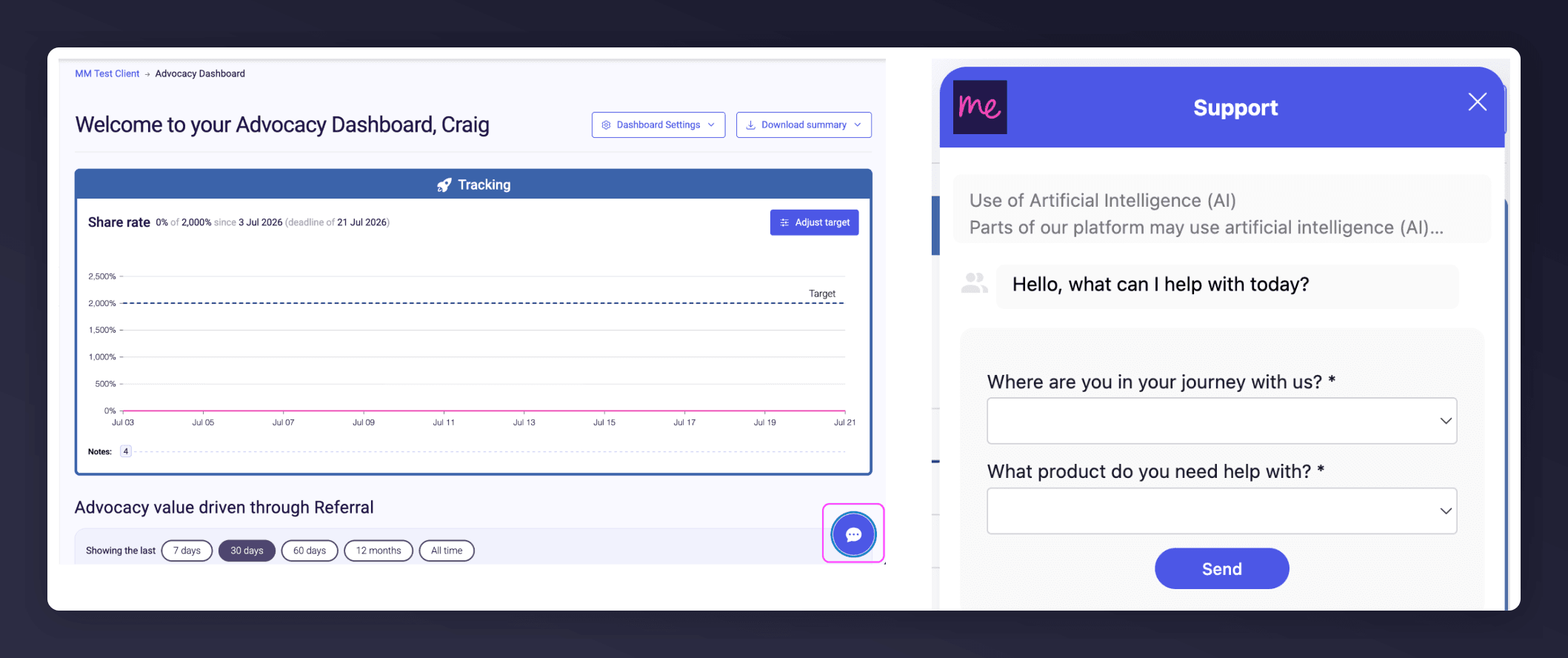
The in-platform Support widget starting an AI-assisted conversation.