

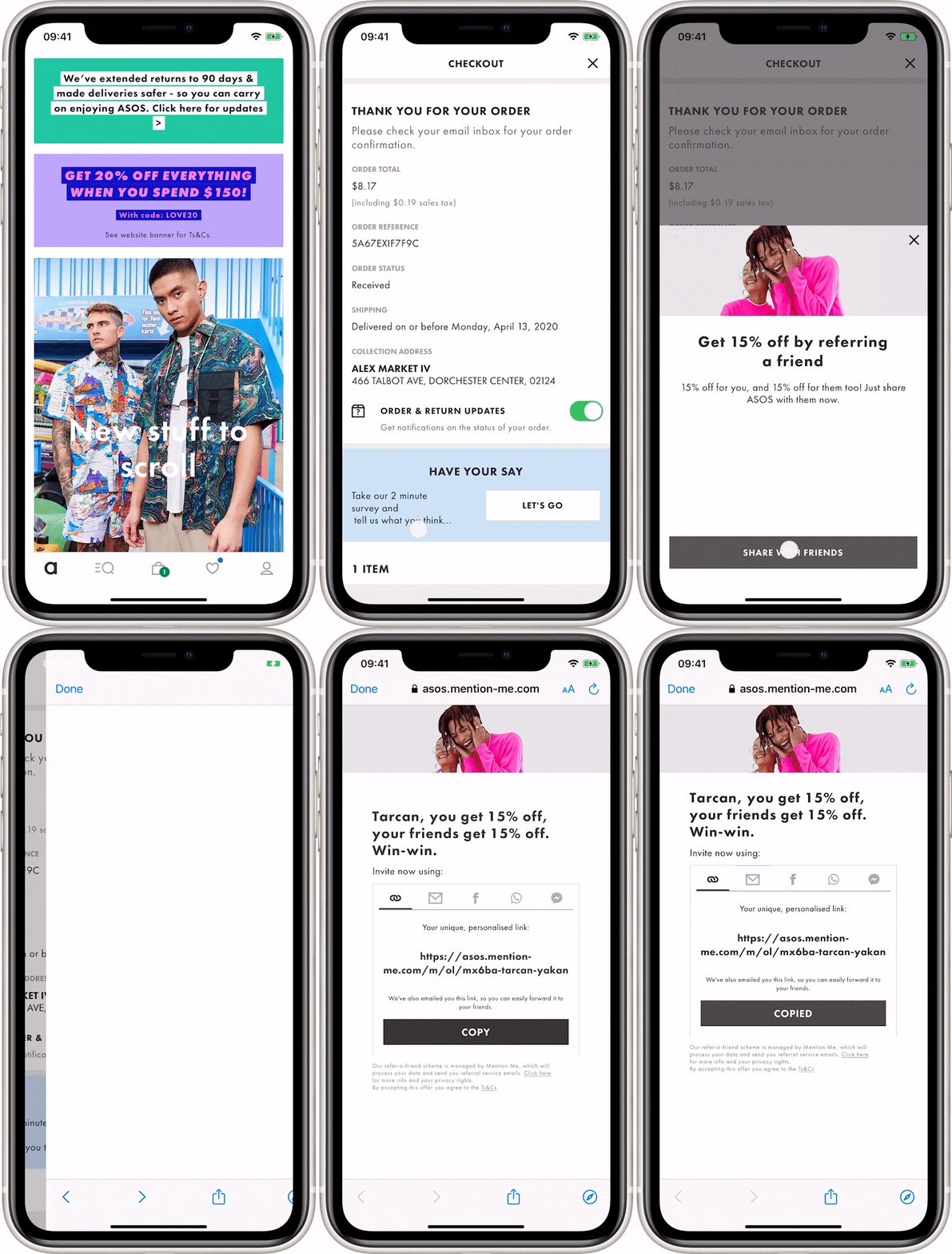
The referral promotion button as it appears within the ASOS app.
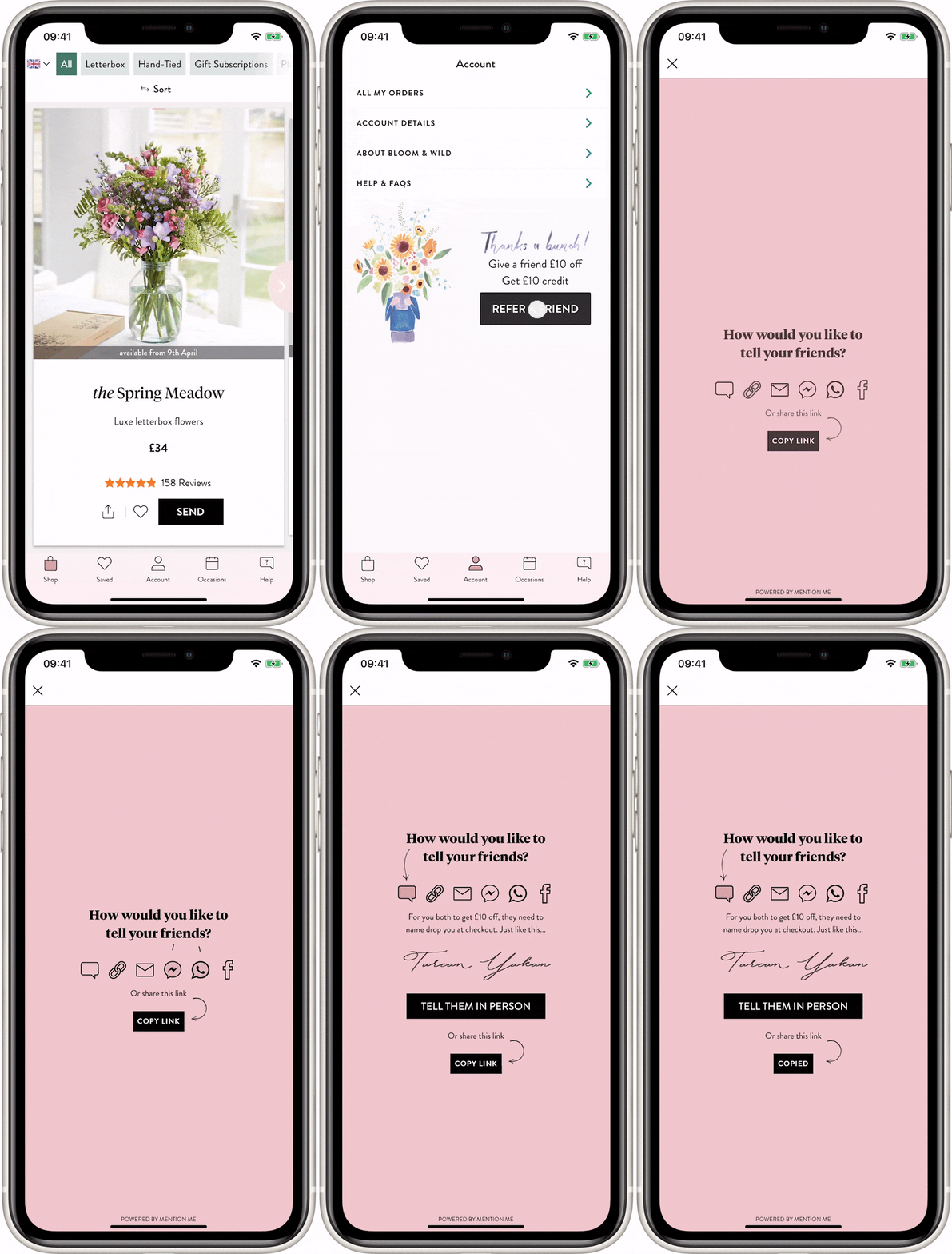
The referral promotion button as it appears within the Bloom & Wild app.
How to Promote Referral to Your Existing Customers
1
Call the Referrer API
Call the Referrer API passing parameters about the customer and touchpoint.Pass the customer details, any segmentation parameters and the order/transaction/sign-up event details (if it happens at the same time).
2
Handle the response
If the touch point is available, Mention Me returns a URL to the web view and content which you can use for the headline, description and call to action.If we return an HTTP error code (e.g. 404) you should not show anything - enrolment is not available for that customer, your account, or that touchpoint.
3
Return to app
When the user has finished sharing they will close the web view to return to the app.
What’s Next
Referee integration
Learn about the Referee (“find a friend”) integration via the Entry Point API.