

At a glance
- Build more than one dashboard for different questions or audiences
- Add metric, chart, table and text tiles to a flexible grid
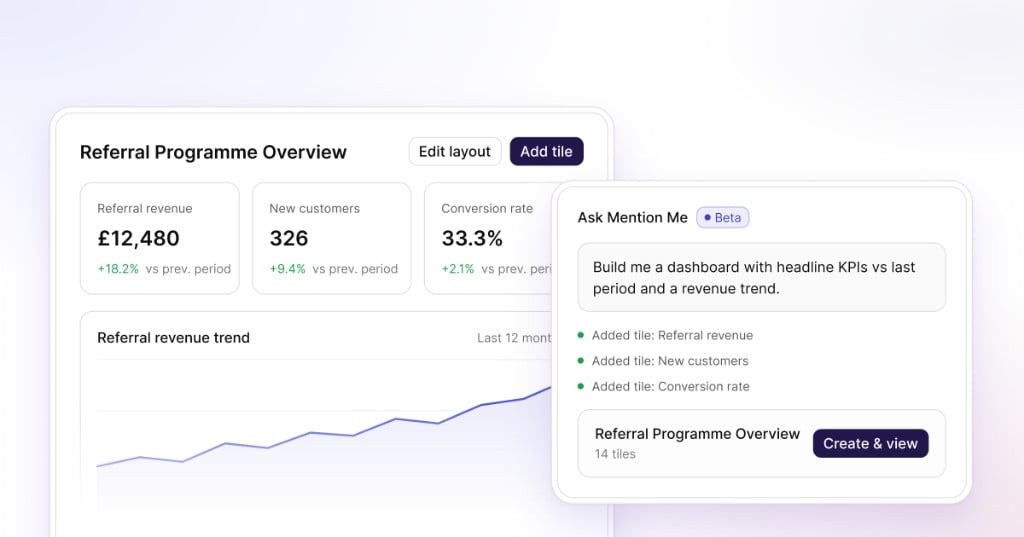
- Describe the result you want with AI-assisted tile creation
- Set the period and comparison once for the whole dashboard
- Break performance down by available dimensions such as market or funnel stage
How it works
- Create a dashboard. Give it a name based on the meeting, audience or question it supports.
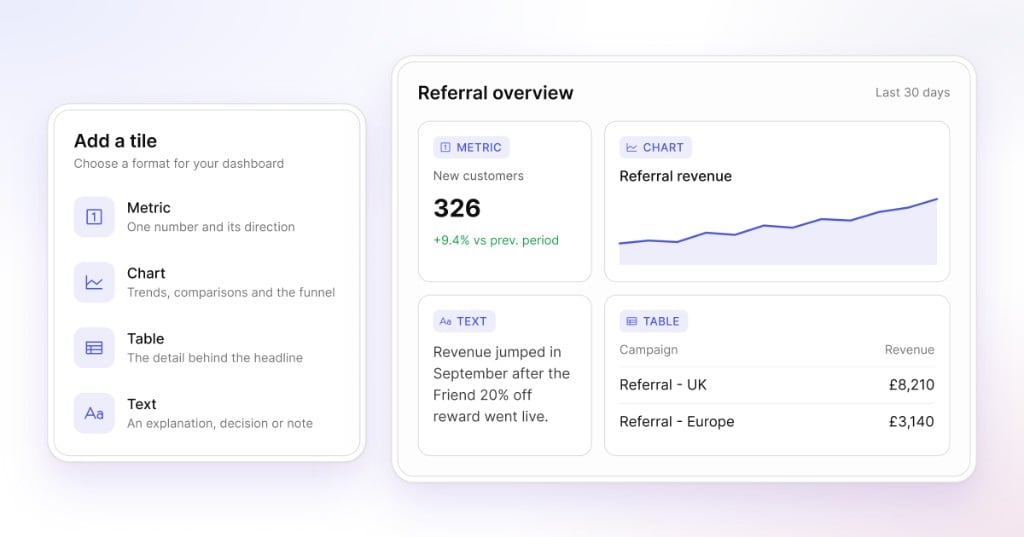
- Add the information you need. Choose a metric, chart, table or text tile.
- Ask AI to help. Describe the metric or view in plain language and review the suggested tile.
- Arrange the layout. Resize and move tiles on the grid so the most important information comes first.
- Set the timeframe once. Apply the period and comparison across the dashboard rather than updating every tile separately.
Four reporting formats
- Metric tiles put one important number and its direction in focus.
- Charts present trends, comparisons and the referral funnel visually.
- Tables give you the detail behind the headline.
- Text tiles add an explanation, decision or note beside the data.
One reporting space, different audiences
Create a weekly programme dashboard with the whole referral funnel. Build a leadership view around revenue, customer acquisition and progress against targets. Keep a campaign dashboard for deeper analysis of a particular market or test. Each dashboard can be named and arranged independently for its audience.Create tiles with AI assistance
AI-assisted creation provides a starting point when the required insight is clear but the appropriate metric or visual has not yet been selected. Describe the insight in ordinary language. Reporting proposes a tile, which you can check and refine before adding it to the dashboard.Explore the detail behind the result
Available filters and breakdowns help you move from the overall result to the detail behind it. Depending on the data available to your account, that can include market, customer type (subscribers or one-time buyers), currency and stages of the click-to-conversion funnel. This supports the analysis that often follows a headline result, including the factors driving a change in performance.Reuse dashboards for recurring reporting
Dashboards set up for a recurring meeting or audience can be reused. Change the period, add a comparison and use the same view again, with no need to rebuild the report. Each team can keep a view with the right level of detail.From a blank grid to a meeting-ready dashboard
Example: a weekly performance review
See the full workflow from an empty dashboard to a view ready for a weekly performance meeting. Reporting dashboards entered beta in May 2026 and are now available to all clients in the updated Mention Me experience.Read the Reporting guide
Custom analytics dashboards for your referral programme.