> ## Documentation Index
> Fetch the complete documentation index at: https://docs.mention-me.com/llms.txt
> Use this file to discover all available pages before exploring further.
# Global-e Checkout Integration
> How to add Mention Me referrer and referee tags into Global-e checkouts, including Shopify + Global-e setups.
## How does Global-e integrate with websites?
Using Global-e as your checkout provider means your brand hosts specific pages (such as checkout or order confirmation) that contain a Global-e iframe. You cannot modify this iframe or use unsupported variables, but you can hook into Global-e functionality using their API to integrate Mention Me.
There are two tags to implement: the **Referrer tag** and the **Referee tag**.
## Implementing the Referrer Tag
This tag collects customer information and serves referral offers post-purchase.
### Step 1: Add the Tag
Paste the following script on the page containing your Global-e iframe:
```html theme={null}
```
### Step 2: Add Partner Code and Locale
* Replace `` with your Mention Me Partner Code (ask your Client Manager).
* Set the `locale`:
* Hardcode a value (e.g. `en_GB`), or
* Dynamically set using Global-e's data layer.
* [Learn more about locales](/knowledge/tags/locales-languages-currencies).
### Step 3: Update Demo to Live URL
* Use `tag-demo.mention-me.com` when testing.
* Switch to `tag.mention-me.com` for live use.
The live tag URL is disabled by default. Activate it via your Client Manager before customer-facing use. You can preview functionality using the Debug Tool.
## Additional Help
Required Mention Me variables: [Integration instructions](https://demo.mention-me.com/api-demo/v2/generic/instructions/referrer/postpurchase/popup)
Global-e variables: [Full Global-e variable list](https://web.global-e.com/merchant/clientapi#ganaadd)
### Referrer Tag in Global-e + Shopify
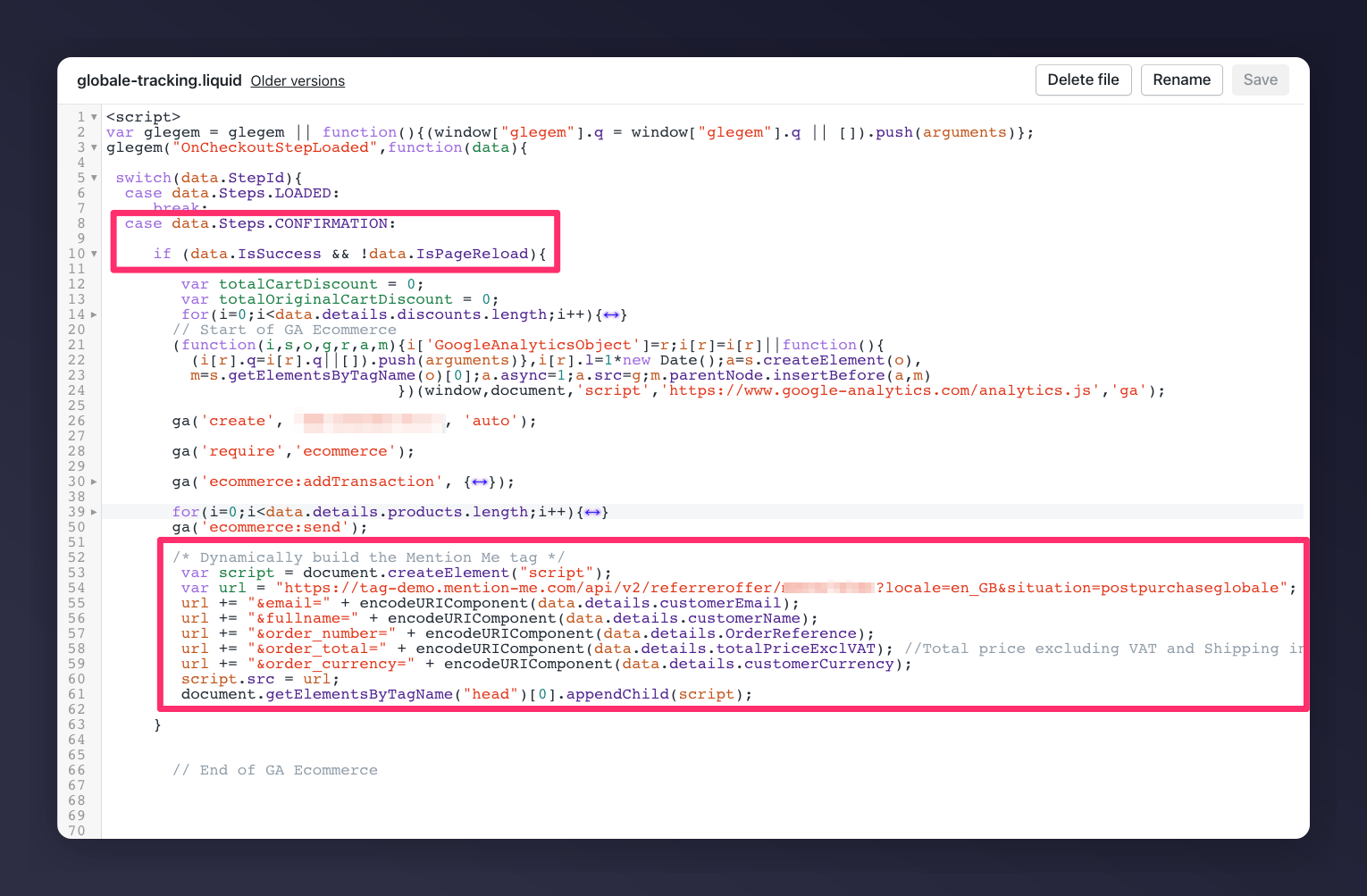
If using Shopify with Global-e, locate your `globale-tracking.liquid` snippet. It should include the following inside the `OnCheckoutStepLoaded` callback:
```javascript theme={null}
var script = document.createElement("script");
var url = "https://tag.mention-me.com/api/v2/referreroffer/?locale=&situation=postpurchaseglobale";
url += "&email=" + encodeURIComponent(data.details.customerEmail);
url += "&fullname=" + encodeURIComponent(data.details.customerName);
url += "&order_number=" + encodeURIComponent(data.details.OrderReference);
url += "&order_total=" + encodeURIComponent(data.details.totalPriceExclVAT);
url += "&order_currency=" + encodeURIComponent(data.details.customerCurrency);
script.src = url;
document.head.appendChild(script);
```
Ensure you:
* Only run the tag when `data.StepId == data.Steps.CONFIRMATION` and `data.IsSuccess` is true.
* Include your Partner Code and a valid `locale`.
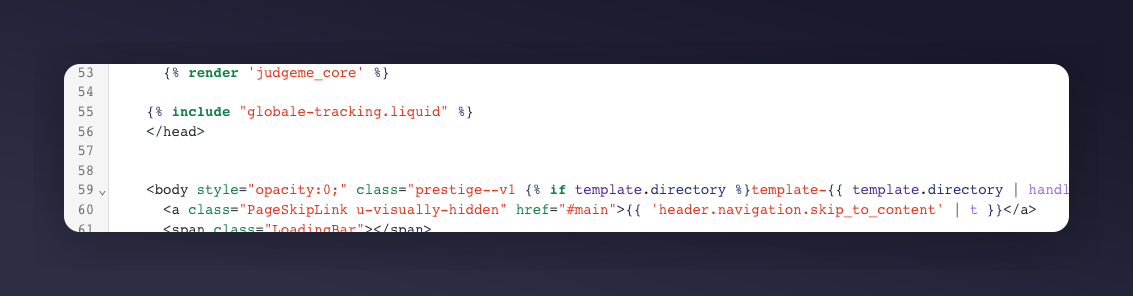
 Include this in **theme.liquid** to load the Global-e script at checkout:
```liquid theme={null}
{% include "globale-tracking.liquid" %}
```
This should go inside the `` tag in your layout.
Include this in **theme.liquid** to load the Global-e script at checkout:
```liquid theme={null}
{% include "globale-tracking.liquid" %}
```
This should go inside the `` tag in your layout.
 ### Implementing the Referee Tag
Add the **referee tag** outside of the Global-e checkout (such as on the cart or side cart) so users can enter who referred them.
[Referee tag integration instructions](https://demo.mention-me.com/api-demo/v2/generic/instructions/referee/checkout/link)
The referee tag cannot be used within the Global-e checkout environment.
### Implementing the Referee Tag
Add the **referee tag** outside of the Global-e checkout (such as on the cart or side cart) so users can enter who referred them.
[Referee tag integration instructions](https://demo.mention-me.com/api-demo/v2/generic/instructions/referee/checkout/link)
The referee tag cannot be used within the Global-e checkout environment.