> ## Documentation Index
> Fetch the complete documentation index at: https://docs.mention-me.com/llms.txt
> Use this file to discover all available pages before exploring further.
# Segmentation
> How to segment customers using Shopify Metafields or custom JavaScript logic to show different Mention Me experiences.
The following instructions are for **Brand Referral**, which is **not currently available** on the free Tier of the Shopify App. [Contact us to know more](https://help.mention-me.com/hc/en-gb/requests/new?ticket_form_id=20114637802909).
Segmenting your customers allows you to show different Mention Me experiences to different users. The app automatically includes localisation data, and additional segmentation can be added within the app.
Two methods are supported:
1. **Shopify Metafields** (recommended)
2. **Custom segmentation** using JavaScript logic
## Supported Metafields (Recommended)
Shopify Metafields let you define custom customer metadata. Mention Me can use these values to show different experiences.
Metafields must be explicitly added to the Mention Me app in advance — Shopify does not automatically send them by default.
Metafields must already exist on the customer record *before* they complete their transaction. Otherwise, Shopify won't pass them to Mention Me.
Automatically supported Customer Metafields:
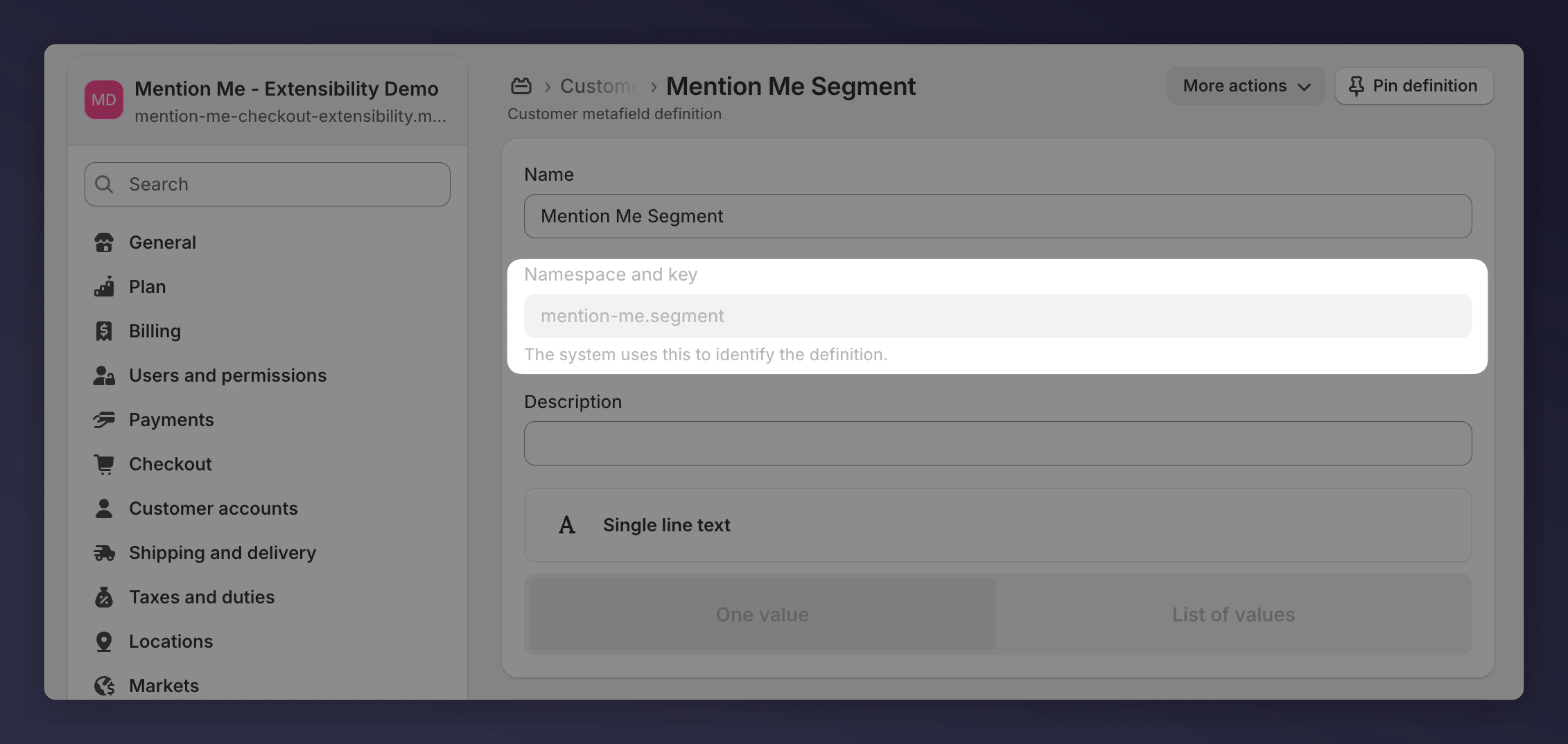
* **mention-me.segment** — Mention Me Segment
* **loyaltylion.loyalty\_tier** — Loyalty Lion Loyalty Tier
### Requesting a New Metafield
Raise a support ticket providing both the **namespace** and **key**.
To find the namespace and key:
In your Shopify Admin, go to **Settings > Metafields and metaobjects**.
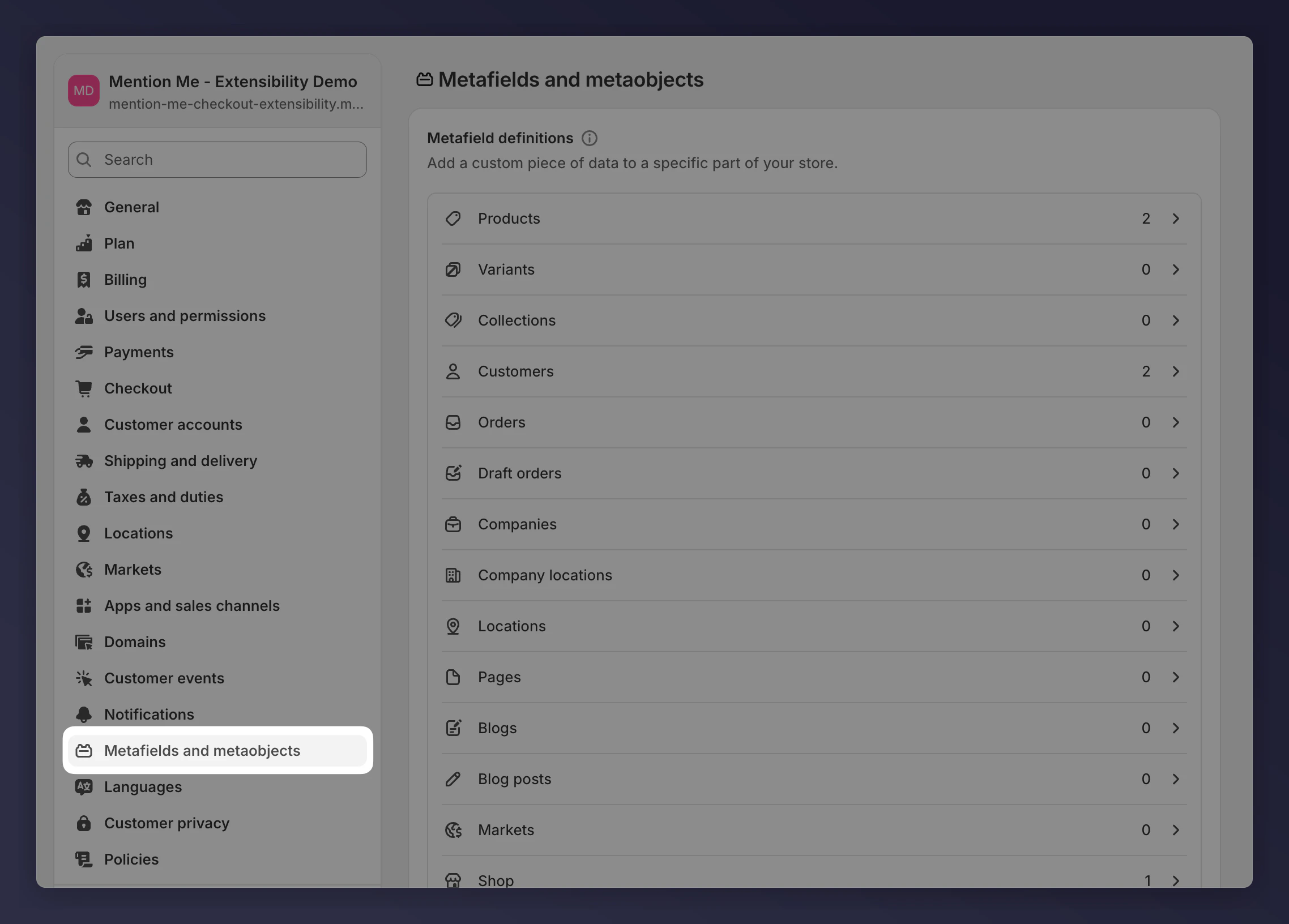
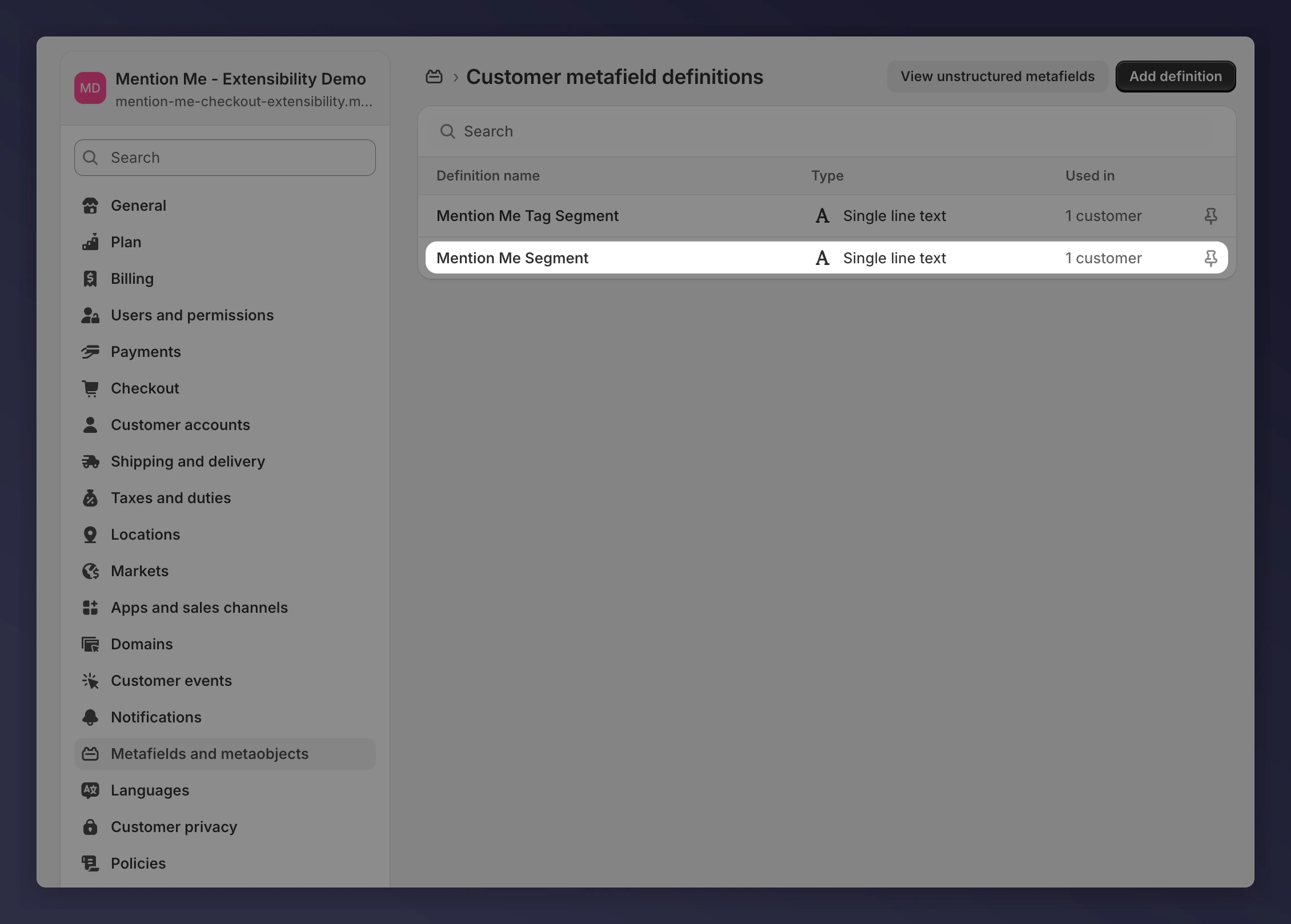
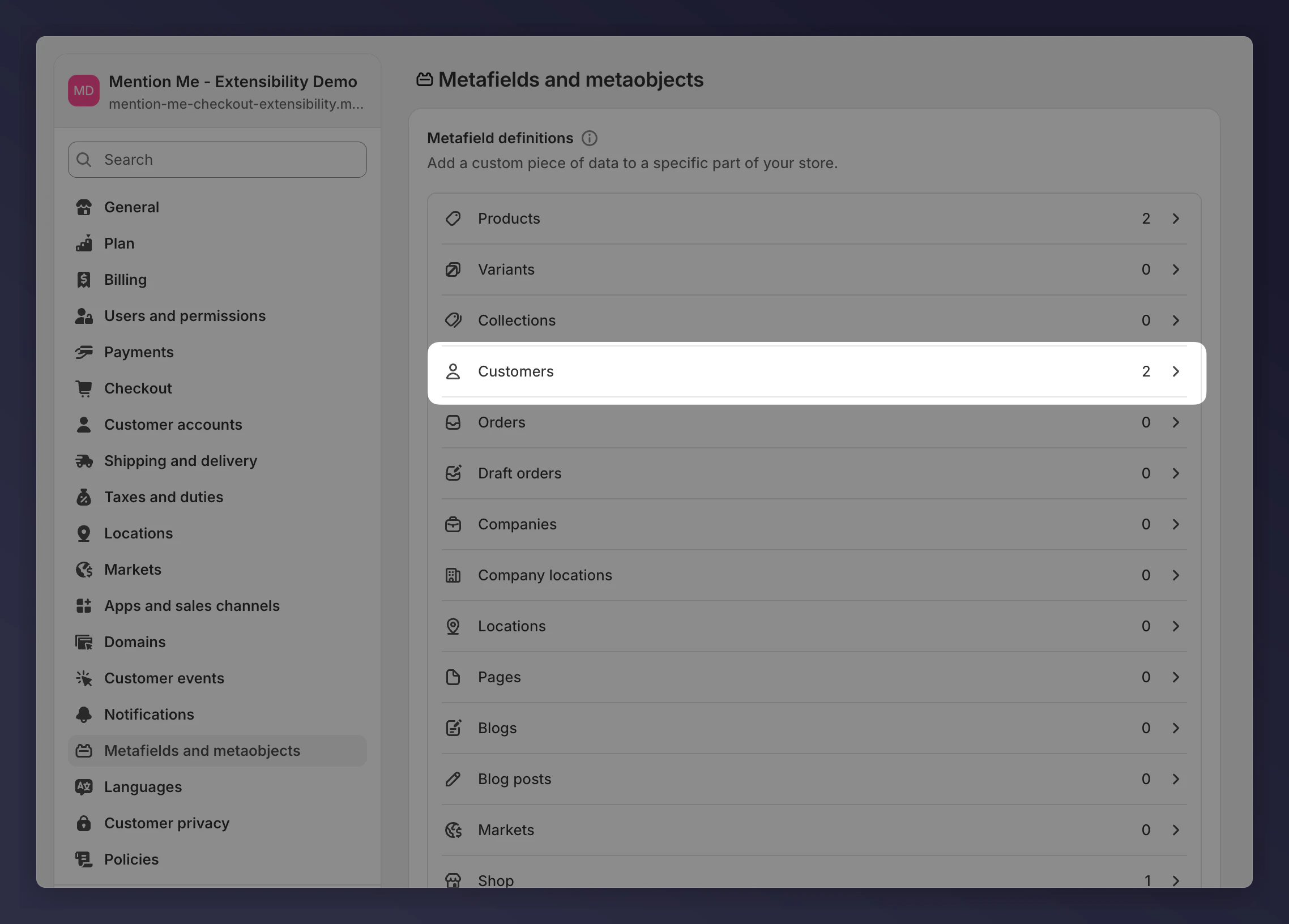 Select the metafield you'd like Mention Me to use.
 Copy the "Namespace and key" (e.g., `mention-me.segment`).
 Mention Me will add this to the app and begin including it in data from Shopify when available.
## Custom Segmentation with Code
**Advanced feature.** If you need guidance, [contact Mention Me support](https://help.mention-me.com/hc/en-gb/requests/new).
You can create a segment dynamically using the contents of the user's cart by writing JavaScript logic. This is handled via a script input in the Mention Me Shopify app settings.
Example: Segment users depending on which product variants are in their cart.
```javascript theme={null}
const getSegment = (currentSegment, cartLines) => {
const lineItems = cartLines || [];
const segments = [];
lineItems.forEach((item) => {
switch (item.merchandise.id) {
case "gid://shopify/ProductVariant/11102677025151":
segments.push("Segment_A");
break;
case "gid://shopify/ProductVariant/11102667653503":
segments.push("Segment_B");
break;
case "gid://shopify/ProductVariant/11883500654975":
segments.push("Segment_C");
break;
}
});
const priority = ["Segment_A", "Segment_B", "Segment_C"];
for (const seg of priority) {
if (segments.includes(seg)) {
return { segment: seg };
}
}
return { segment: null };
};
return getSegment(segment, cartLines);
```
Full documentation and sandbox examples are available inside the Mention Me admin.
## Can I Use Tags or Other Shopify Attributes?
Shopify does not allow direct access to tags or other customer properties at checkout time. You cannot segment directly using tags.
You may be able to use **Shopify Flow** to assign a metafield to customers dynamically based on tags. However:
* Shopify Flow is asynchronous — your flow must complete before the customer checks out
* Only values set before checkout are passed to Mention Me
* Consult a Shopify expert when building a Flow-based process
Mention Me will add this to the app and begin including it in data from Shopify when available.
## Custom Segmentation with Code
**Advanced feature.** If you need guidance, [contact Mention Me support](https://help.mention-me.com/hc/en-gb/requests/new).
You can create a segment dynamically using the contents of the user's cart by writing JavaScript logic. This is handled via a script input in the Mention Me Shopify app settings.
Example: Segment users depending on which product variants are in their cart.
```javascript theme={null}
const getSegment = (currentSegment, cartLines) => {
const lineItems = cartLines || [];
const segments = [];
lineItems.forEach((item) => {
switch (item.merchandise.id) {
case "gid://shopify/ProductVariant/11102677025151":
segments.push("Segment_A");
break;
case "gid://shopify/ProductVariant/11102667653503":
segments.push("Segment_B");
break;
case "gid://shopify/ProductVariant/11883500654975":
segments.push("Segment_C");
break;
}
});
const priority = ["Segment_A", "Segment_B", "Segment_C"];
for (const seg of priority) {
if (segments.includes(seg)) {
return { segment: seg };
}
}
return { segment: null };
};
return getSegment(segment, cartLines);
```
Full documentation and sandbox examples are available inside the Mention Me admin.
## Can I Use Tags or Other Shopify Attributes?
Shopify does not allow direct access to tags or other customer properties at checkout time. You cannot segment directly using tags.
You may be able to use **Shopify Flow** to assign a metafield to customers dynamically based on tags. However:
* Shopify Flow is asynchronous — your flow must complete before the customer checks out
* Only values set before checkout are passed to Mention Me
* Consult a Shopify expert when building a Flow-based process