> ## Documentation Index
> Fetch the complete documentation index at: https://docs.mention-me.com/llms.txt
> Use this file to discover all available pages before exploring further.
# Migrating to the New Shopify App
> How to install and configure the new Mention Me Shopify App and safely transition from the old app.
This guide covers installing the new Mention Me Shopify App, setting up Product and Brand Referral, verifying settings, adding app extensions, and safely transitioning from the old app.
## Introduction
The new Mention Me Shopify App is available on the marketplace, centralising all Mention Me products in one app with a public install link. Visit [the Mention Me Shopify App page](https://apps.shopify.com/mention-me) to get started for free.
## Installing the App
Visit [the Mention Me Shopify App page](https://apps.shopify.com/mention-me) and click **Install**.
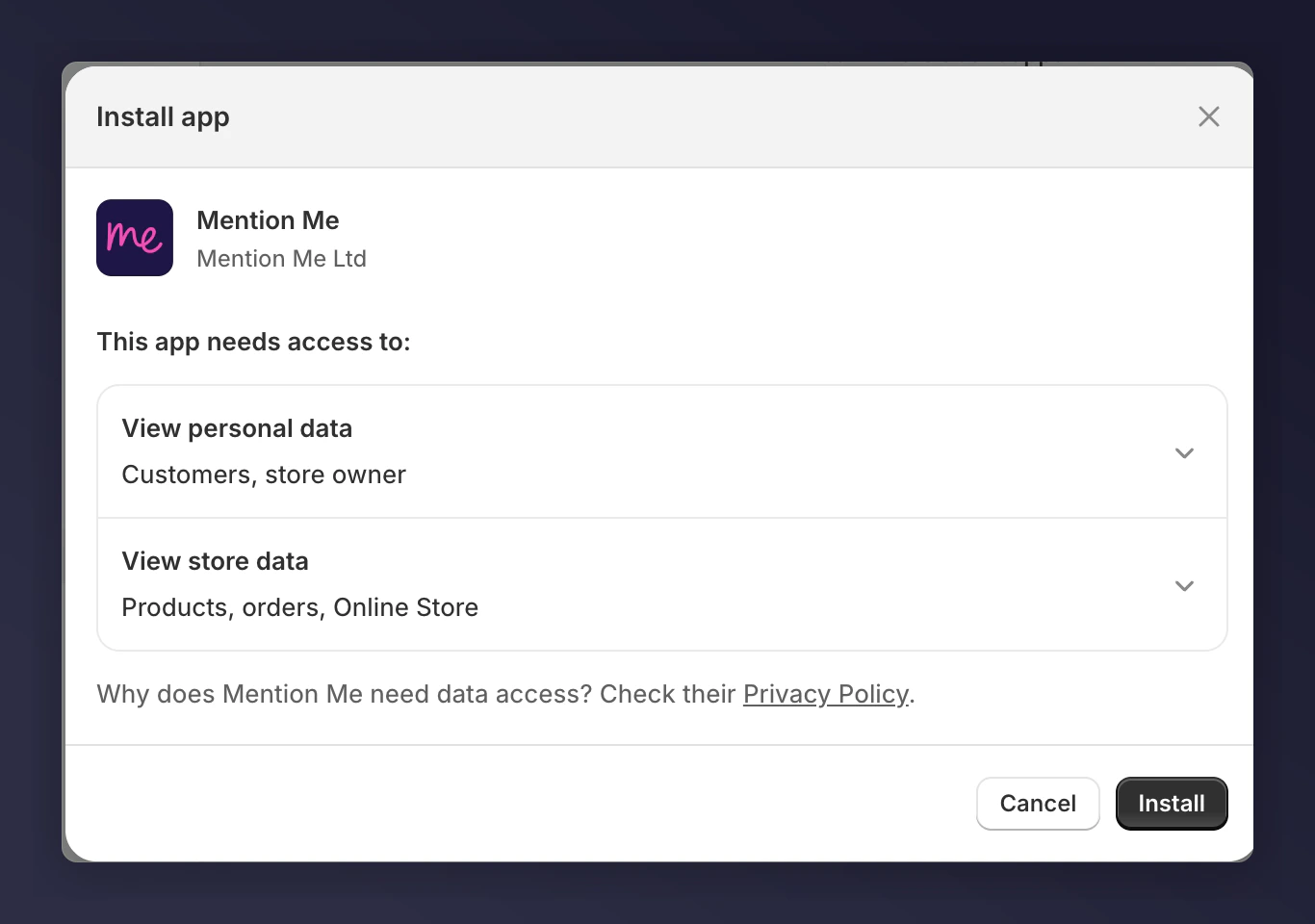 To learn more about why we need this data, visit our [Privacy Policy](https://mention-me.com/help/plg/privacy_policy).
## Configuring Brand Referral
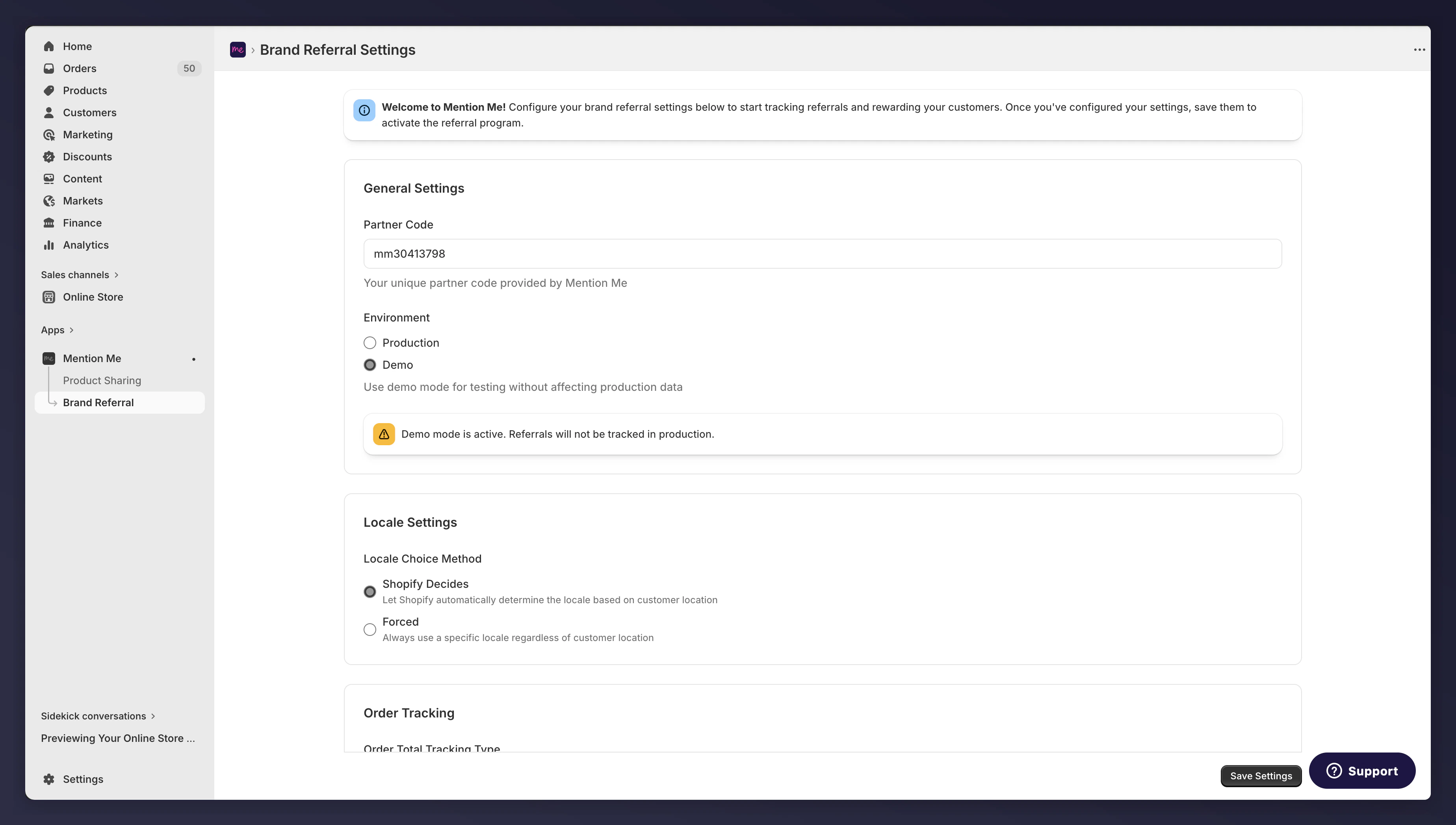
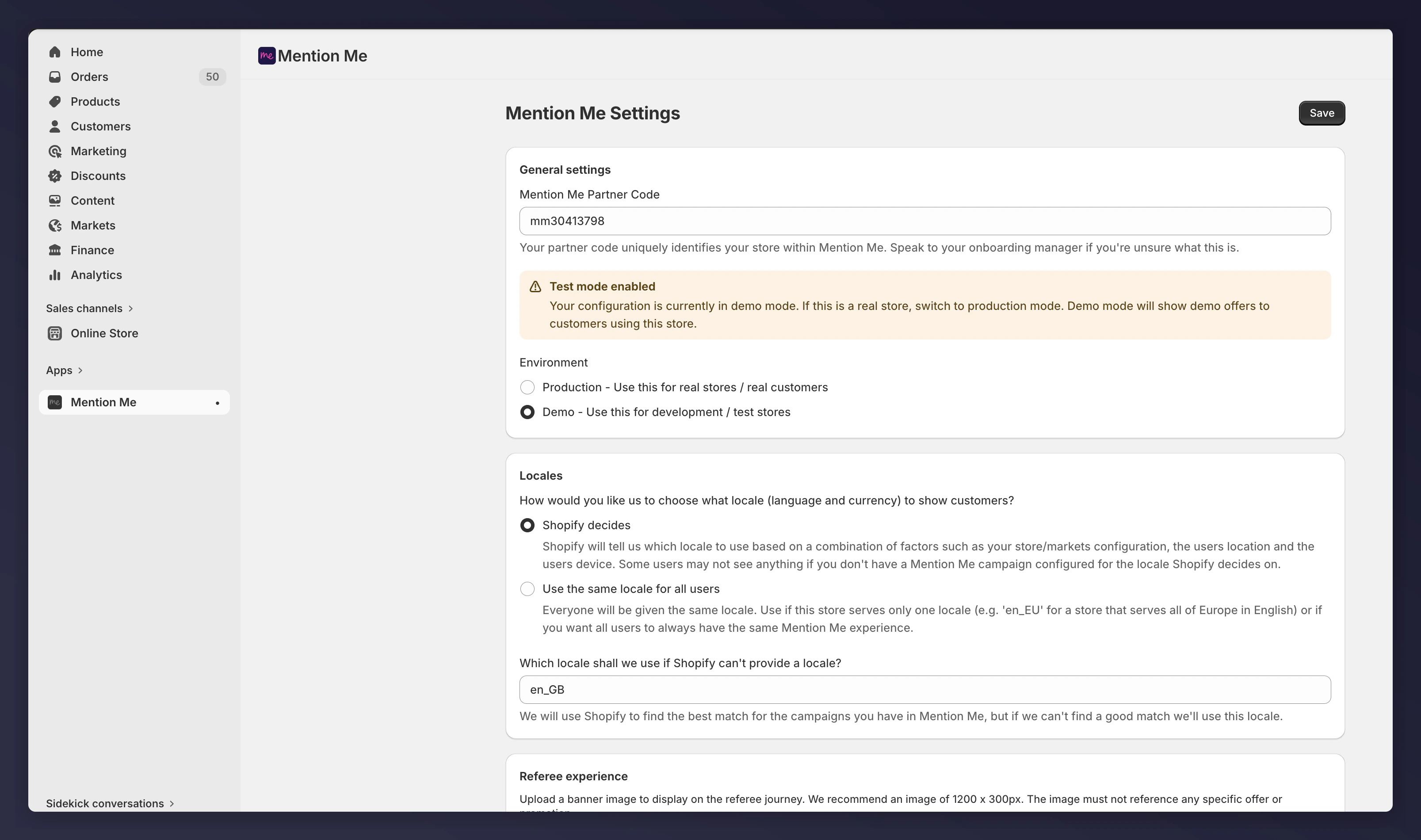
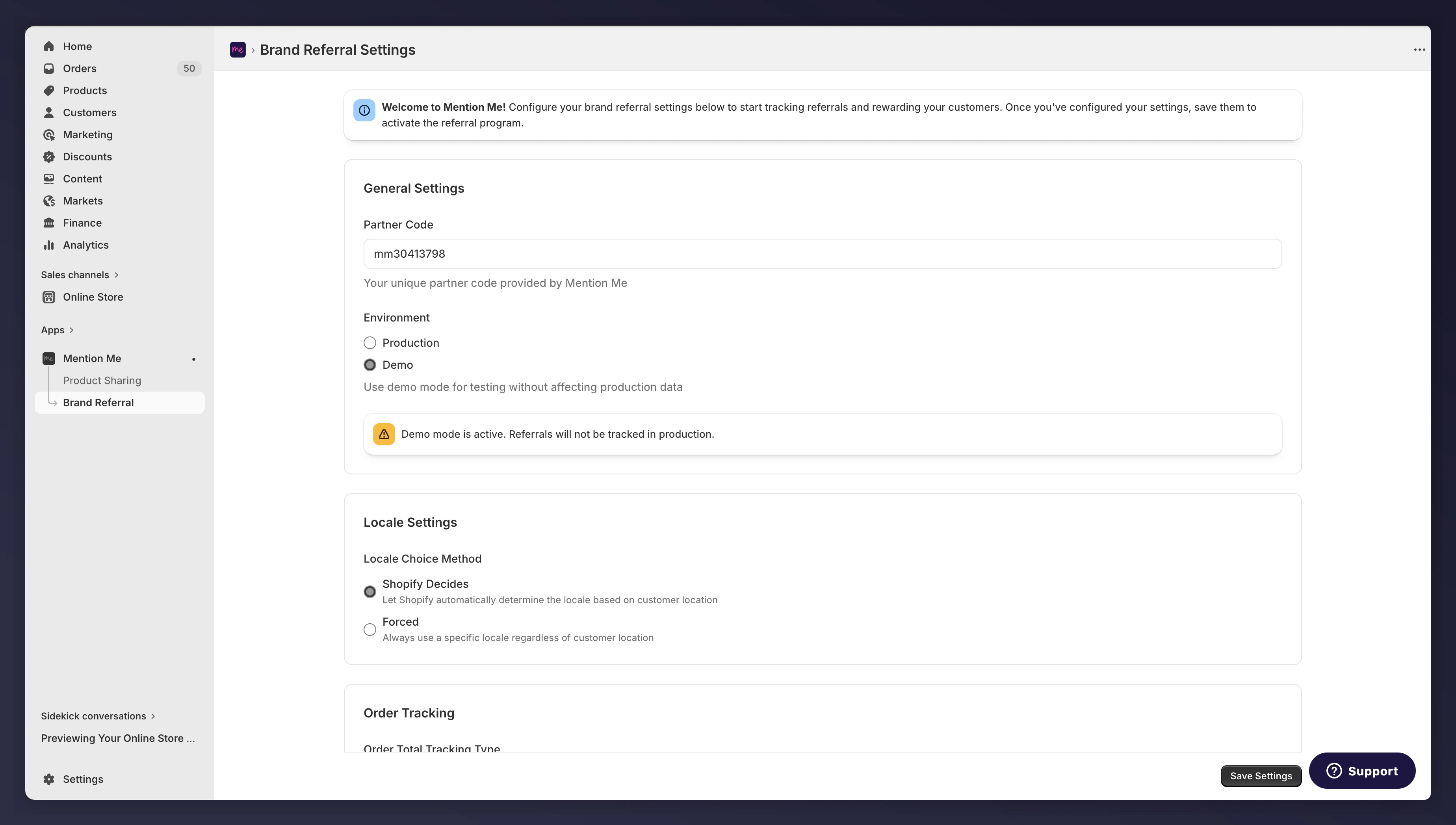
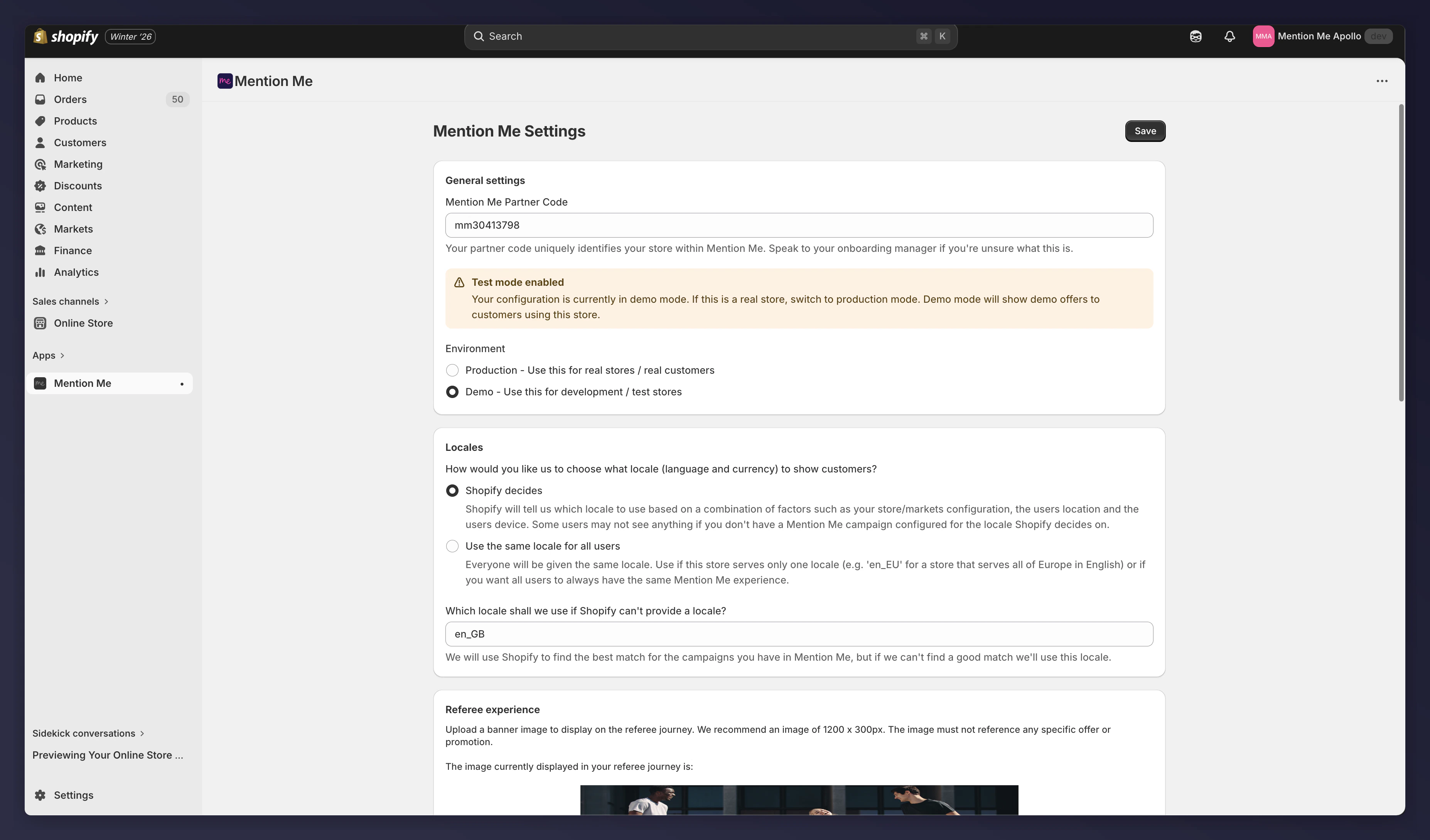
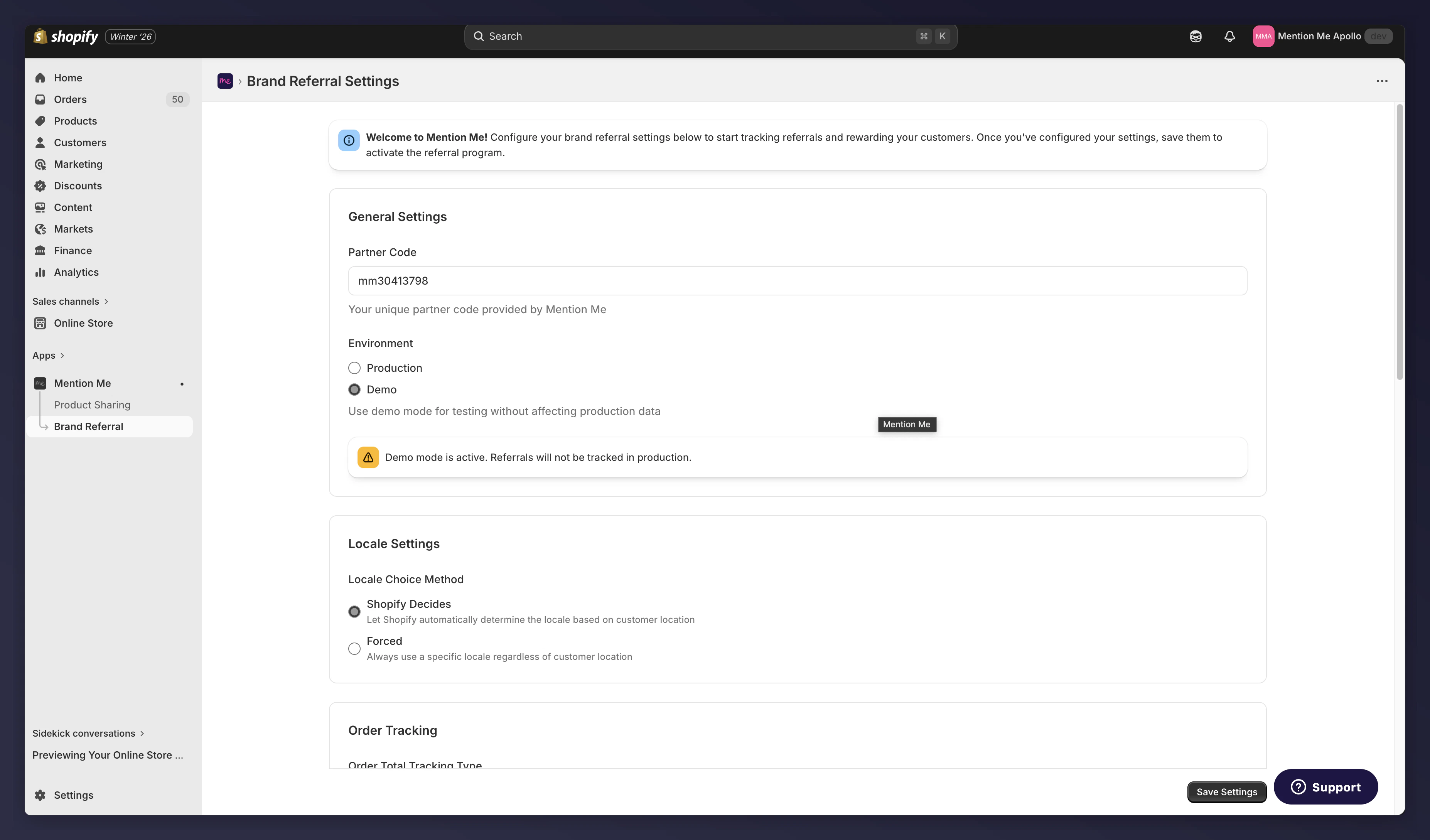
Open Brand Referral settings in the newly installed Mention Me app.
To learn more about why we need this data, visit our [Privacy Policy](https://mention-me.com/help/plg/privacy_policy).
## Configuring Brand Referral
Open Brand Referral settings in the newly installed Mention Me app.
 Go to the old app through the Shopify Apps menu.
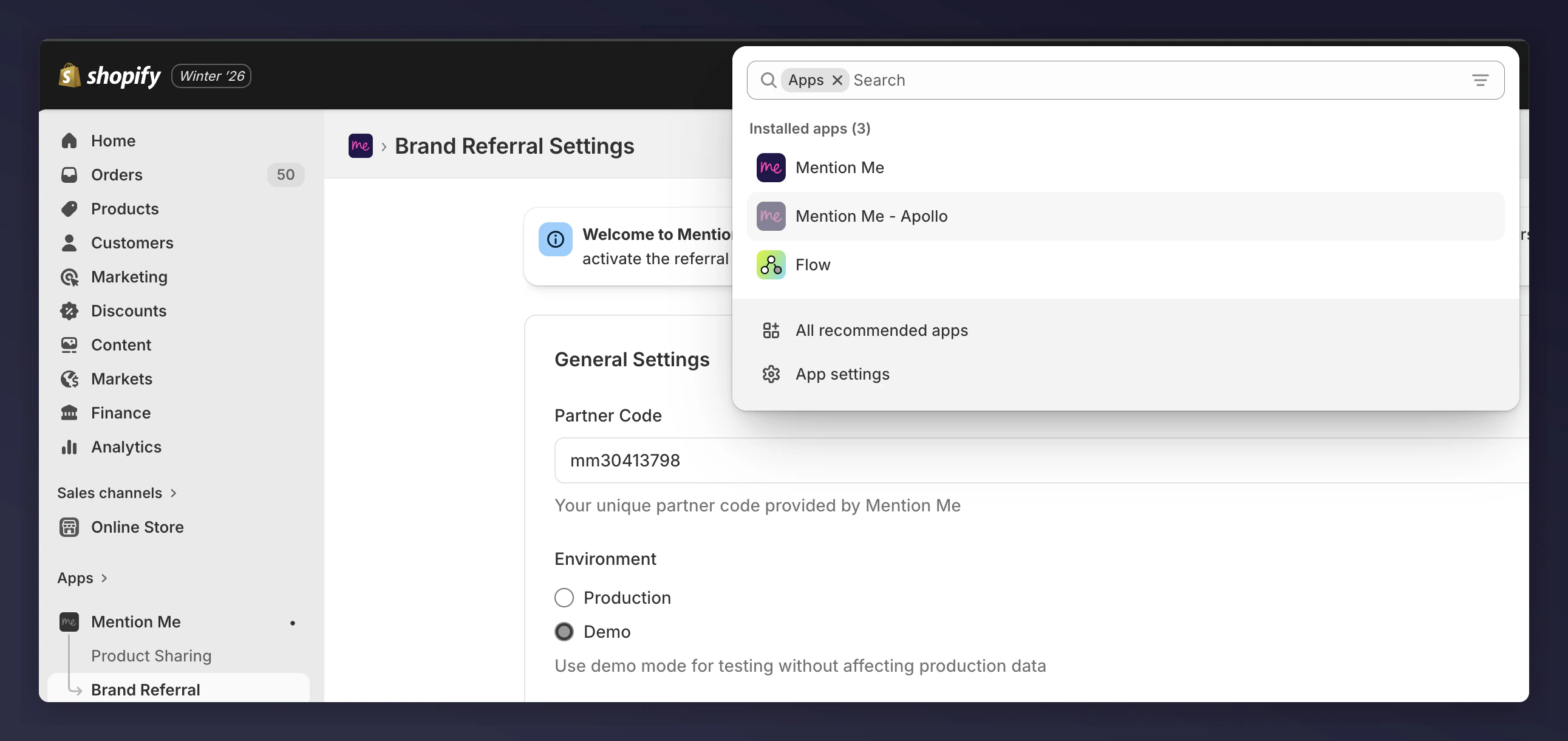 Select the app that starts with "Mention Me" and includes your Store name.
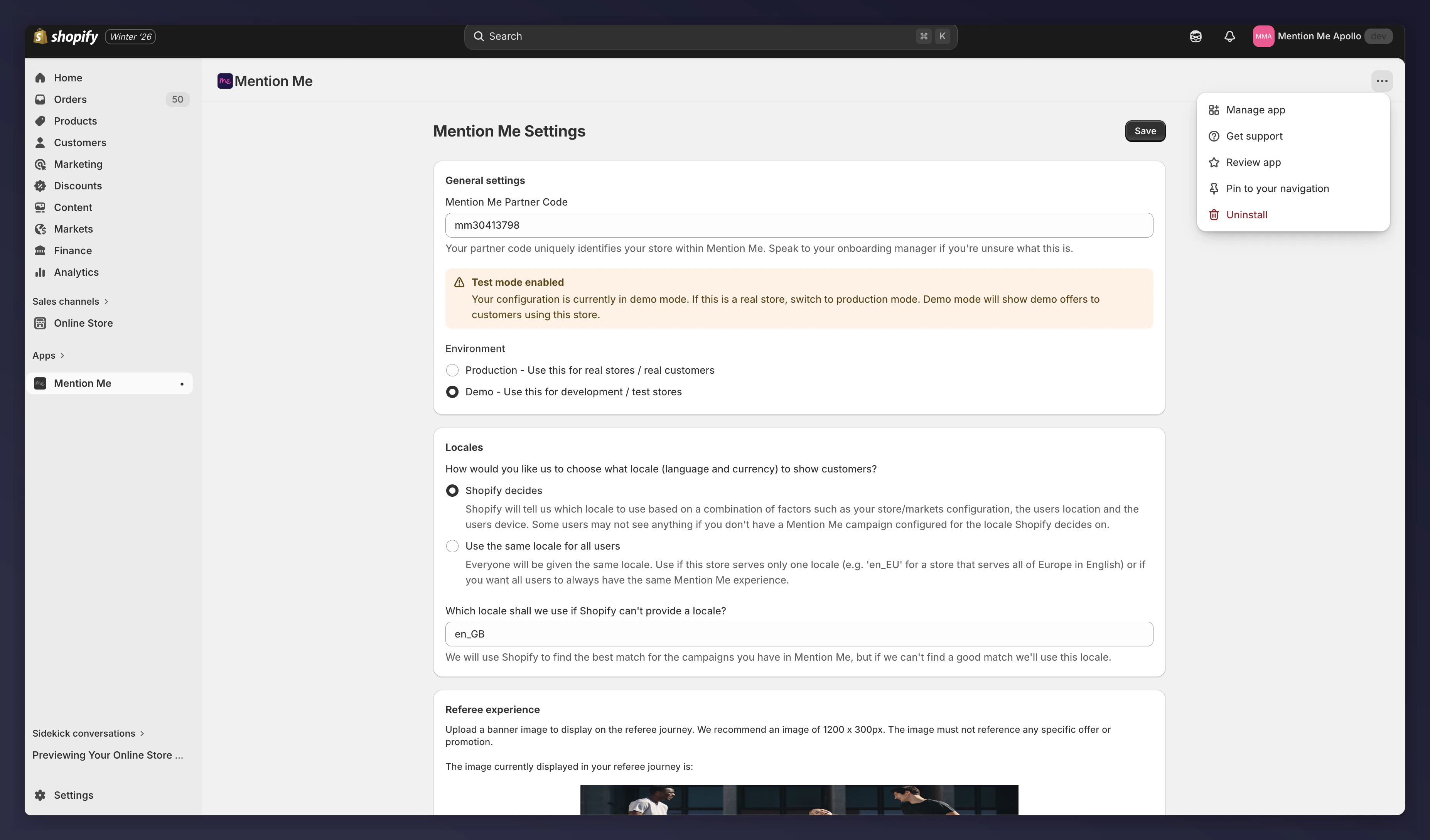
Check that all settings on the old app match the new app.
Select the app that starts with "Mention Me" and includes your Store name.
Check that all settings on the old app match the new app.
 ## Adding the Extensions
Follow the steps in [Shopify App: Installation](/knowledge/shopify/app-installation) to add all the blocks you had with the previous Mention Me app and verify the same settings.
### Example: Mention Me Checkout Journey
After going to the Checkout Editor:
## Adding the Extensions
Follow the steps in [Shopify App: Installation](/knowledge/shopify/app-installation) to add all the blocks you had with the previous Mention Me app and verify the same settings.
### Example: Mention Me Checkout Journey
After going to the Checkout Editor:
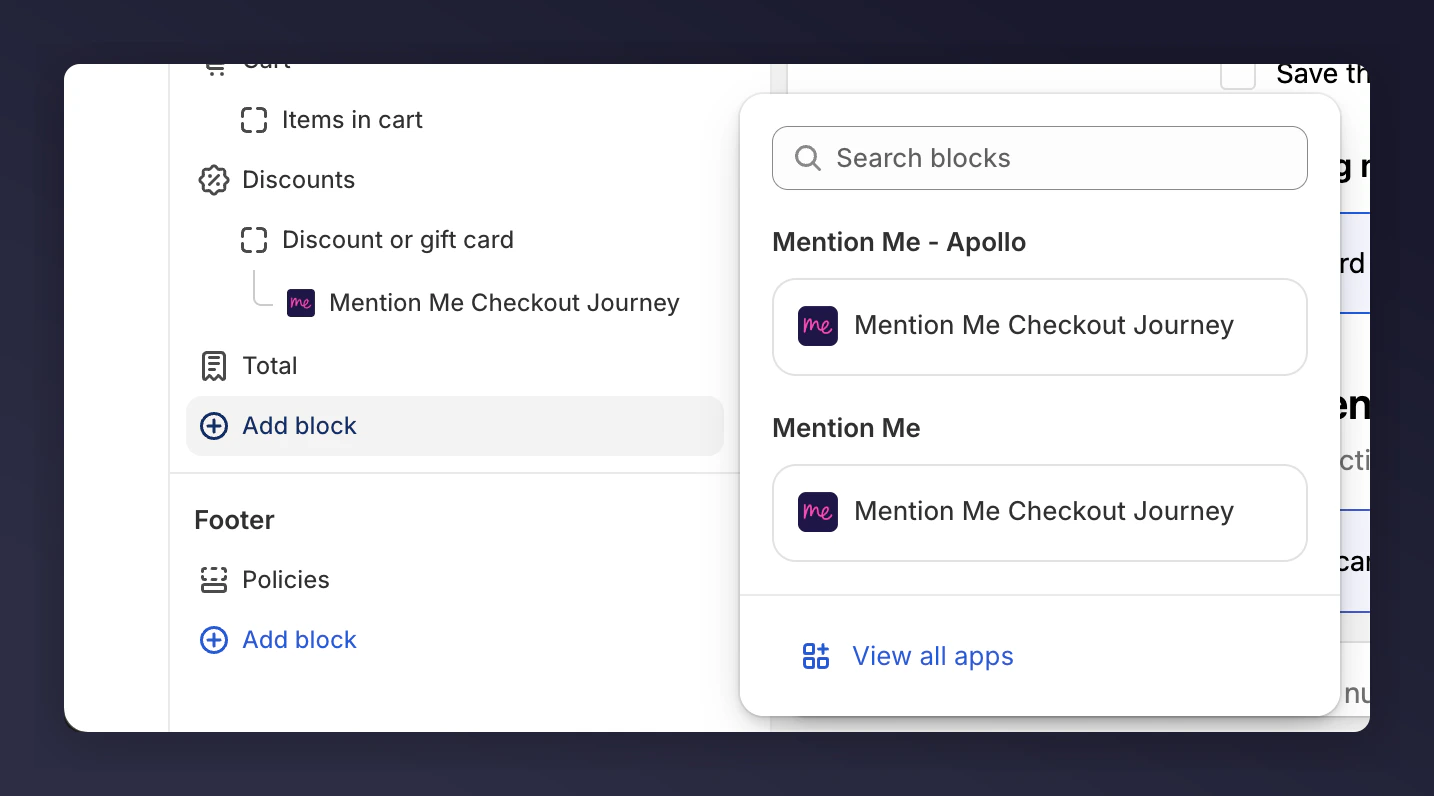 Select the Widget from the App without your brand name. You will now have two blocks on the page.
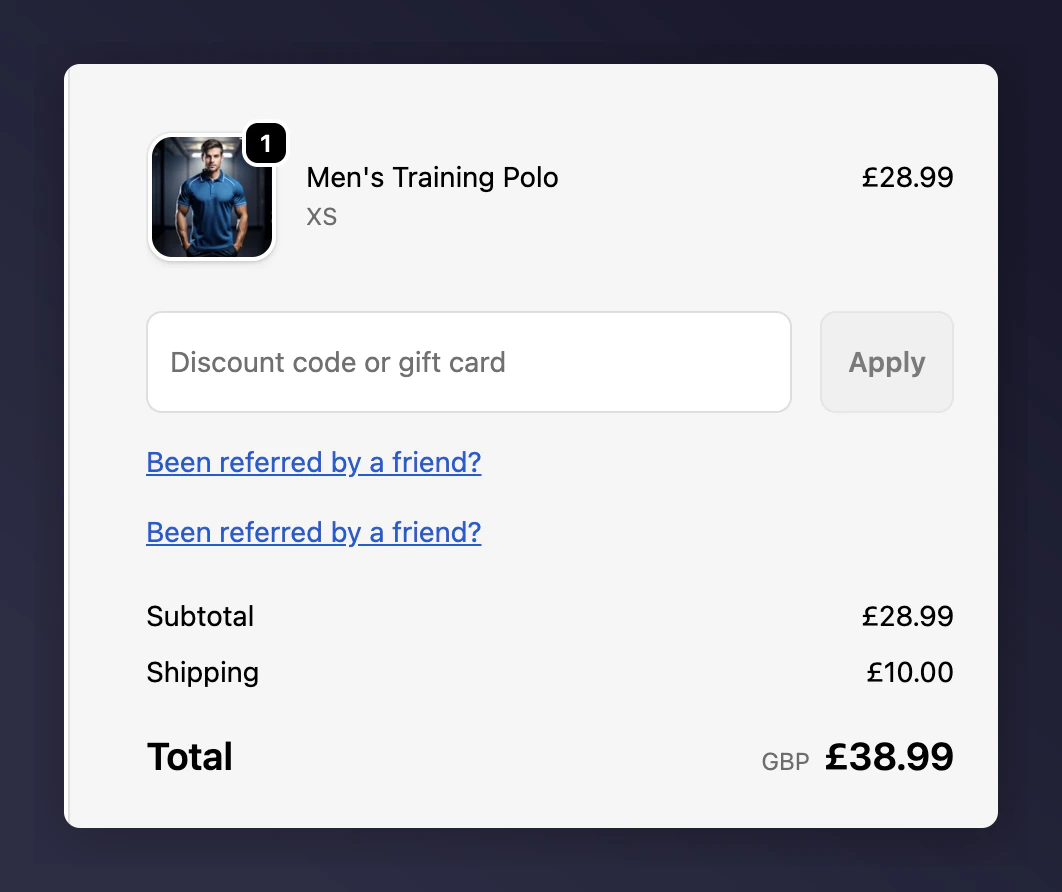 Click on both to make sure the settings match.
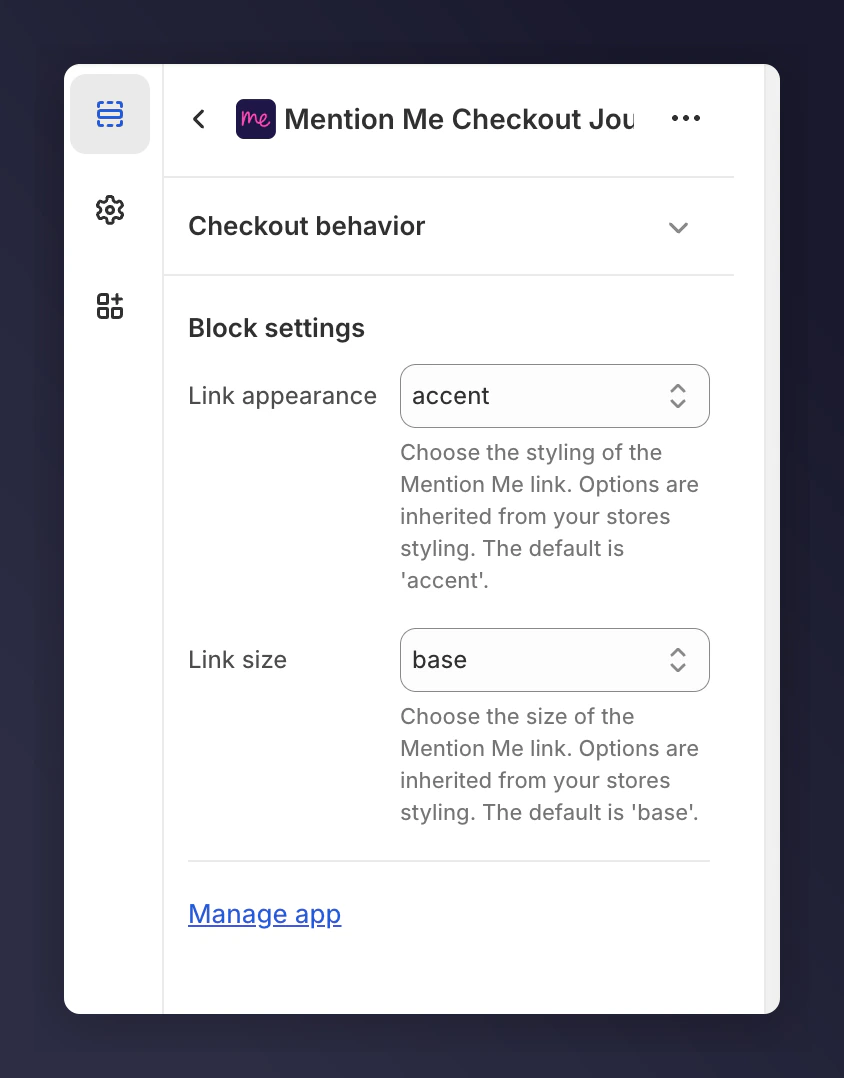 Remove the widget from the old app. If you're immediately uninstalling the old app, you don't need to remove the block right away.
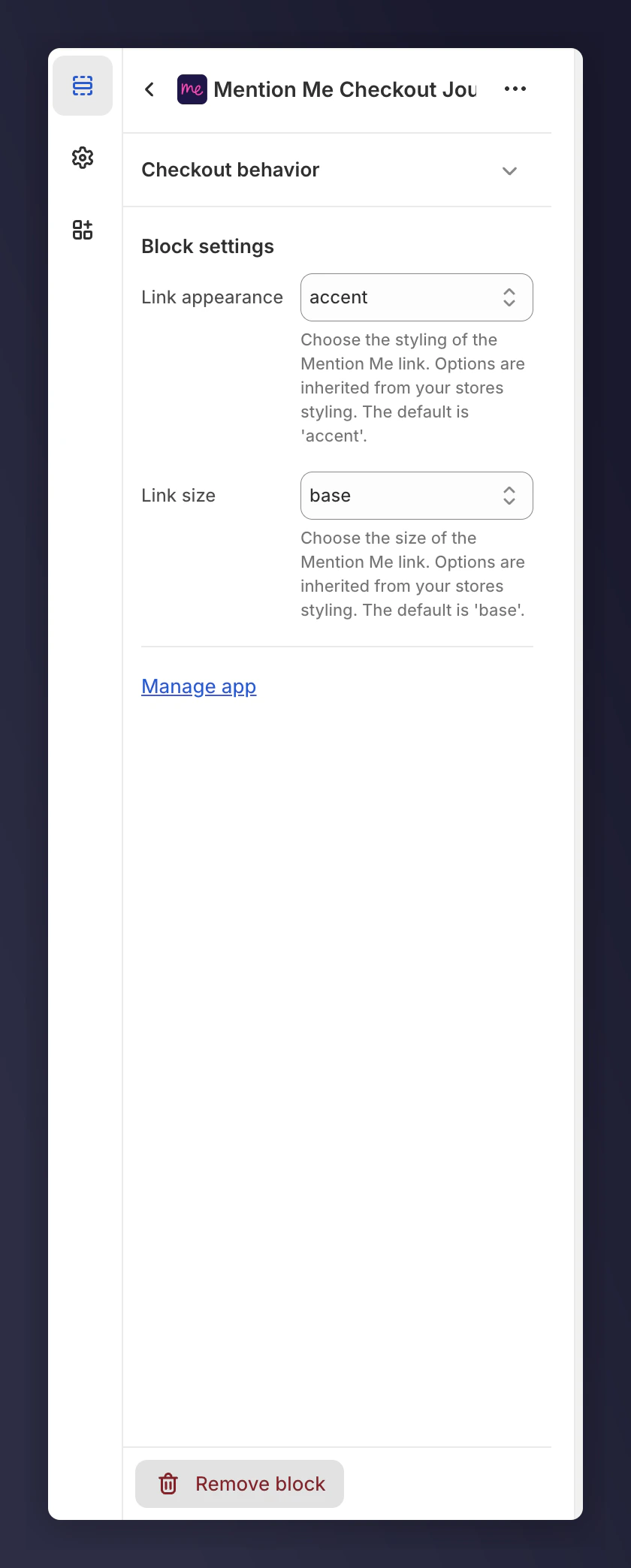 You can identify the old block as it should be the one higher on the page.
### Example: Mention Me Refer a Friend Journey - Announcement
For announcements, there's a limit of 1 block on the Thank You and Order Status pages. You will need to remove the block from the old app before adding the new block. Note any settings before removing the old block.
You can identify the old block as it should be the one higher on the page.
### Example: Mention Me Refer a Friend Journey - Announcement
For announcements, there's a limit of 1 block on the Thank You and Order Status pages. You will need to remove the block from the old app before adding the new block. Note any settings before removing the old block.
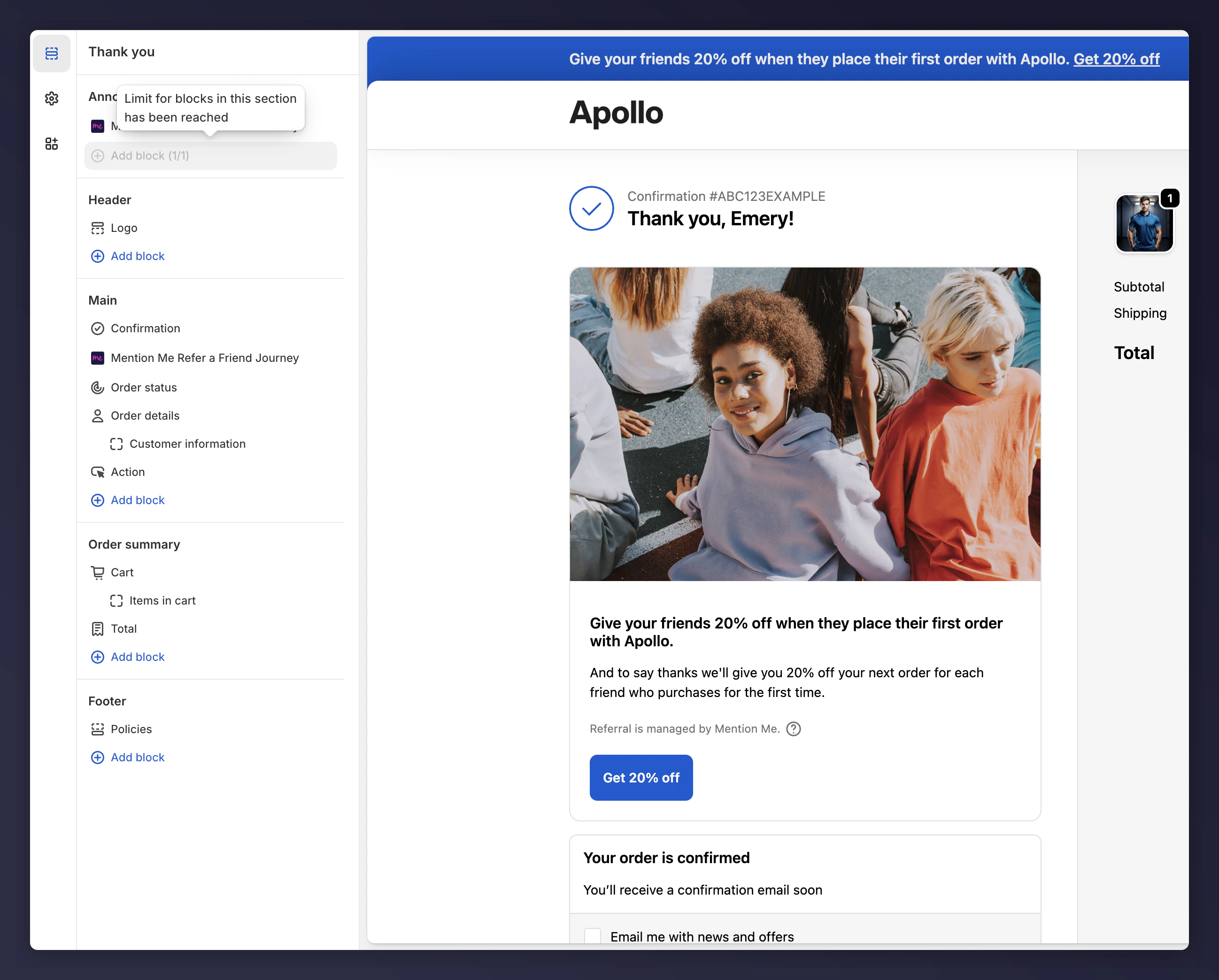
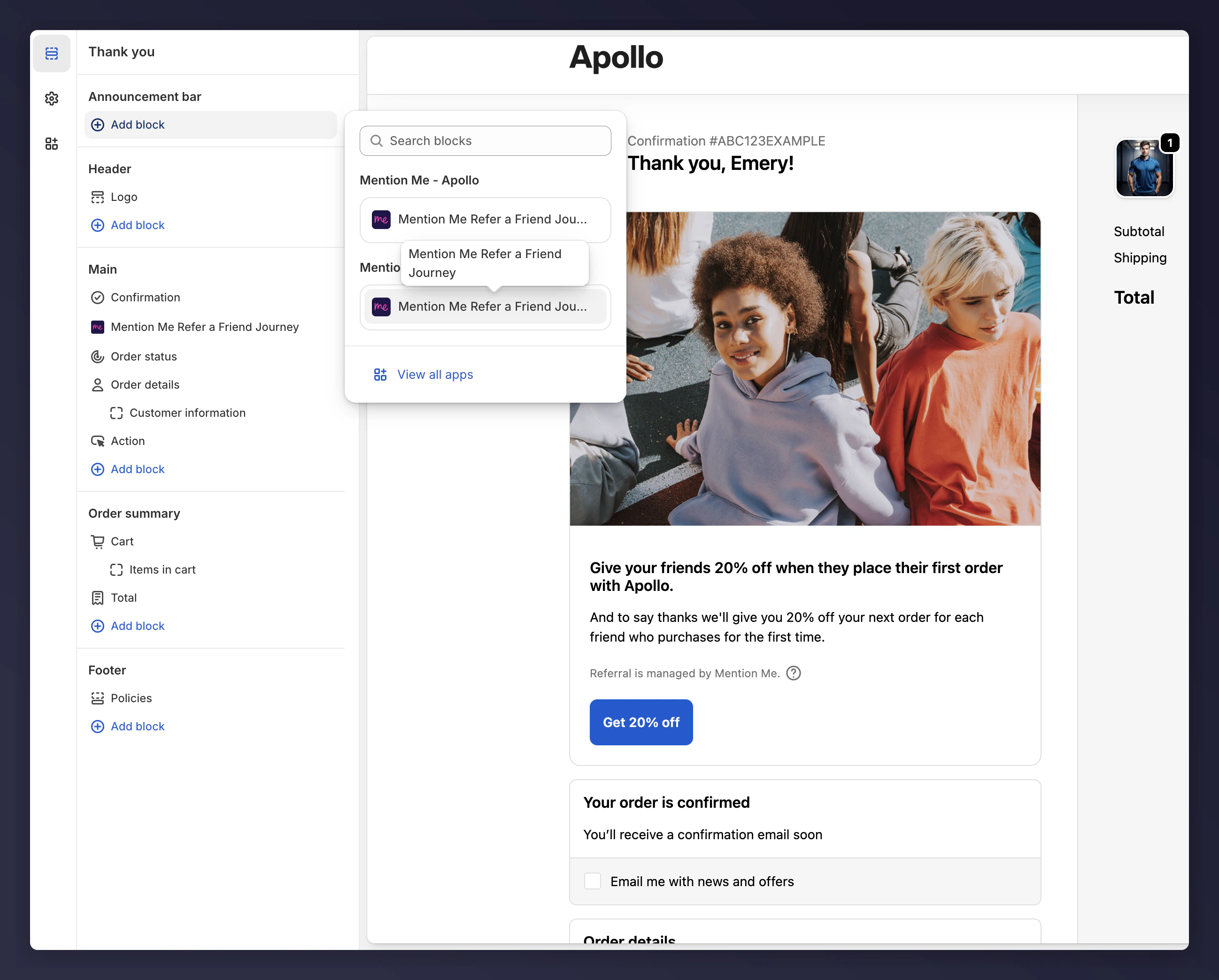 Compare the settings between old and new apps, and adjust if needed.
 ## Uninstall the Old App
Once you've verified the blocks are working correctly in the Checkout Editor, safely uninstall the old app.
## Uninstall the Old App
Once you've verified the blocks are working correctly in the Checkout Editor, safely uninstall the old app.