> ## Documentation Index
> Fetch the complete documentation index at: https://docs.mention-me.com/llms.txt
> Use this file to discover all available pages before exploring further.
# Installation
> Install the Mention Me Shopify App and configure it across your Shopify checkout, thank you, and order status pages.
The Mention Me Shopify App allows you to install the Mention Me experience directly into your Shopify store.
## Installing the App
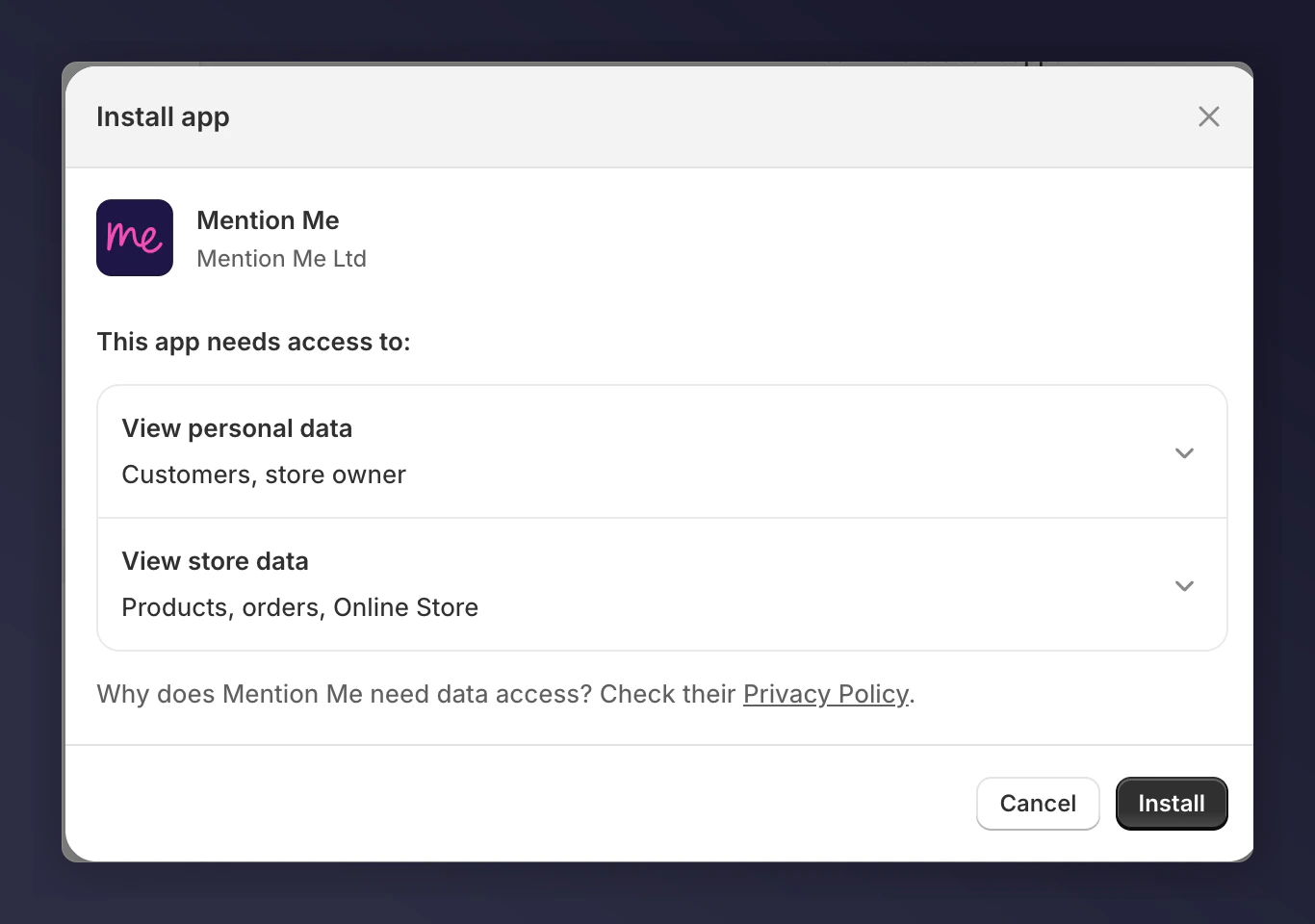
Visit [the Mention Me App in Shopify](https://apps.shopify.com/mention-me) and click **Install**. This may prompt you to log in to your Shopify store. After logging in, you will see the app permissions screen.
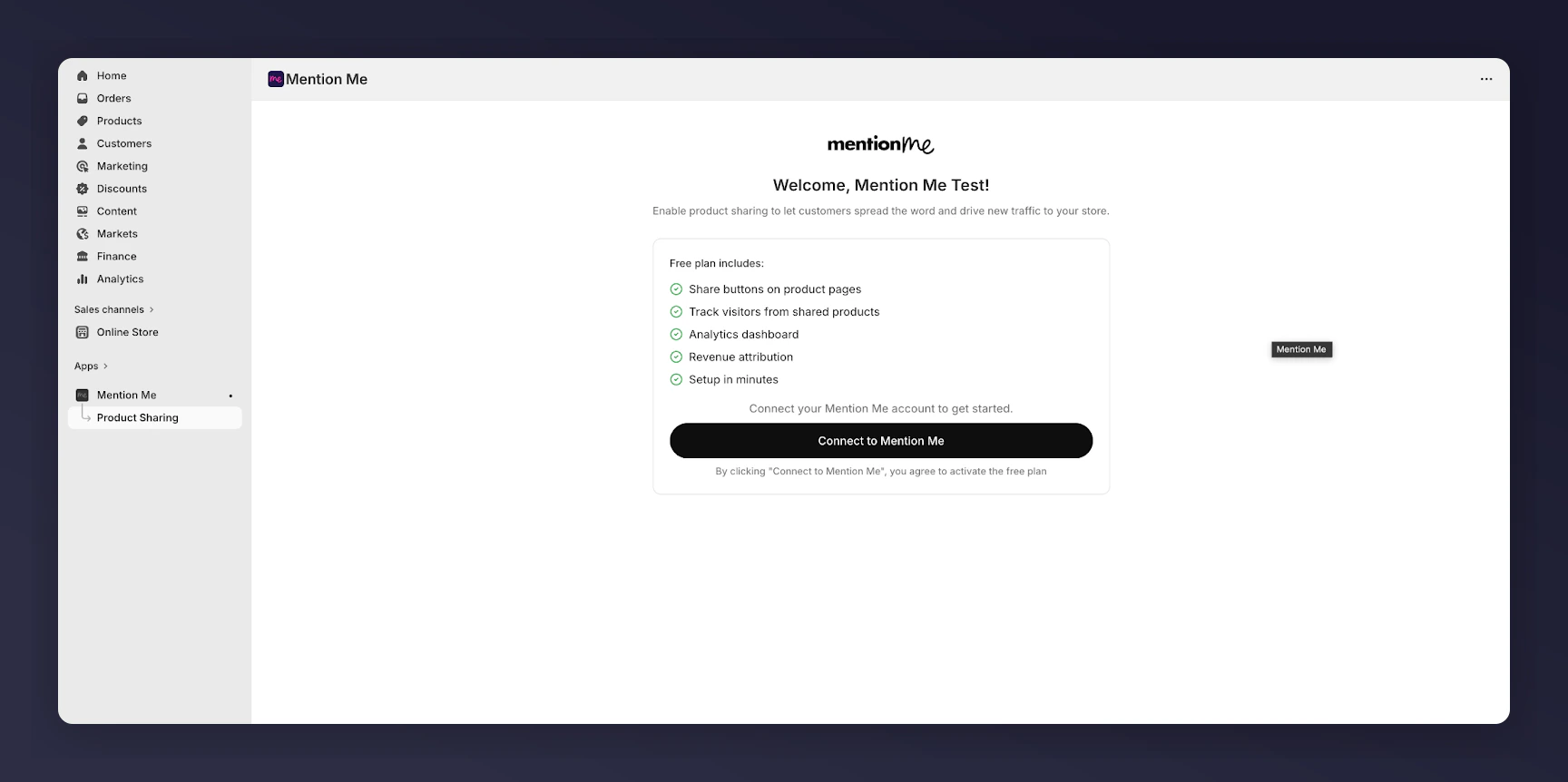
 On the welcome screen, click **Get Started**.
On the Connect to Mention Me screen, click to connect.
On the welcome screen, click **Get Started**.
On the Connect to Mention Me screen, click to connect.
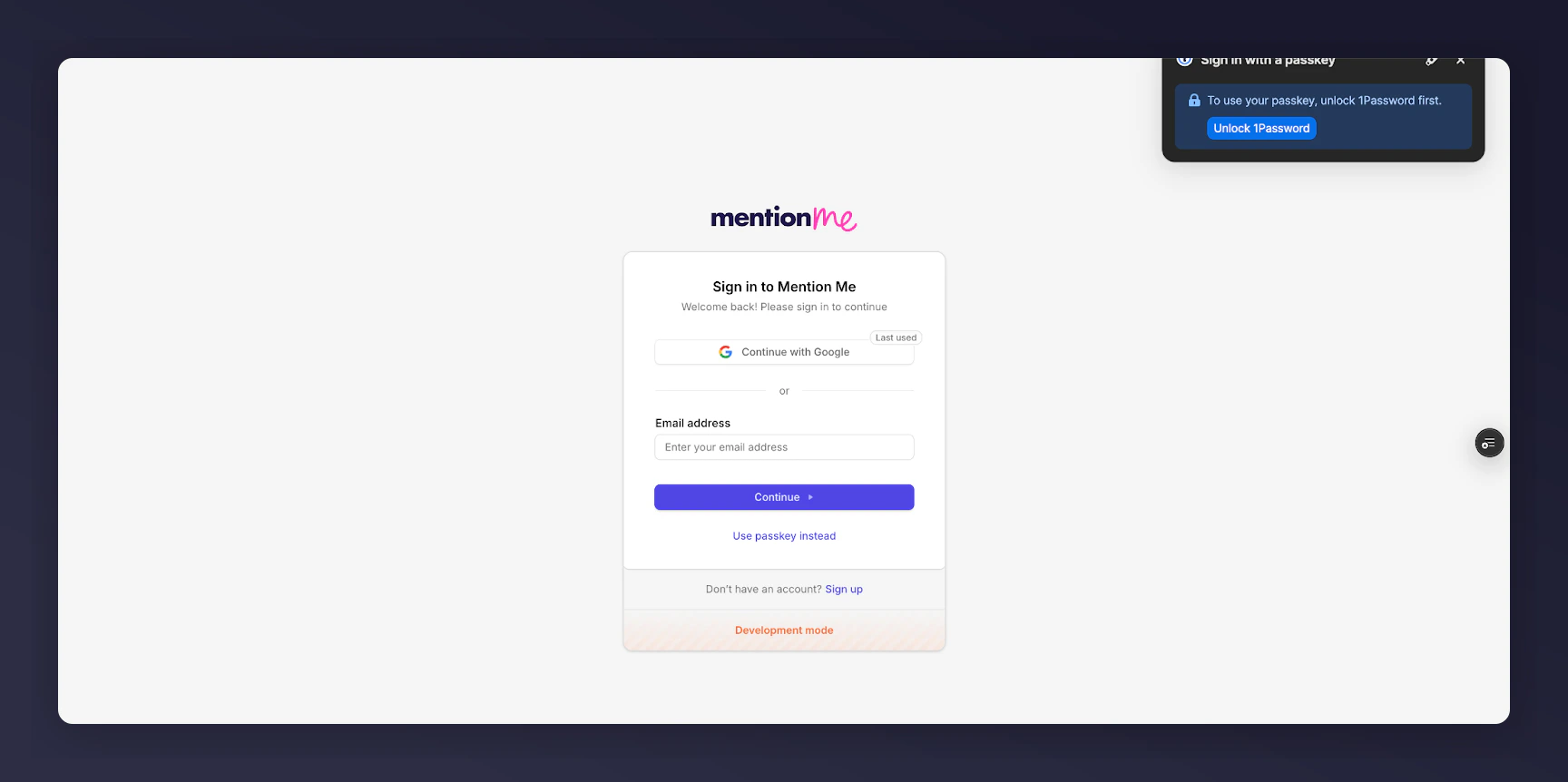
 Sign in or create an account at [app.mention-me.com](http://app.mention-me.com).
 Connect your Account and Organisation (or create one). If you don't see your existing Organization, contact us.
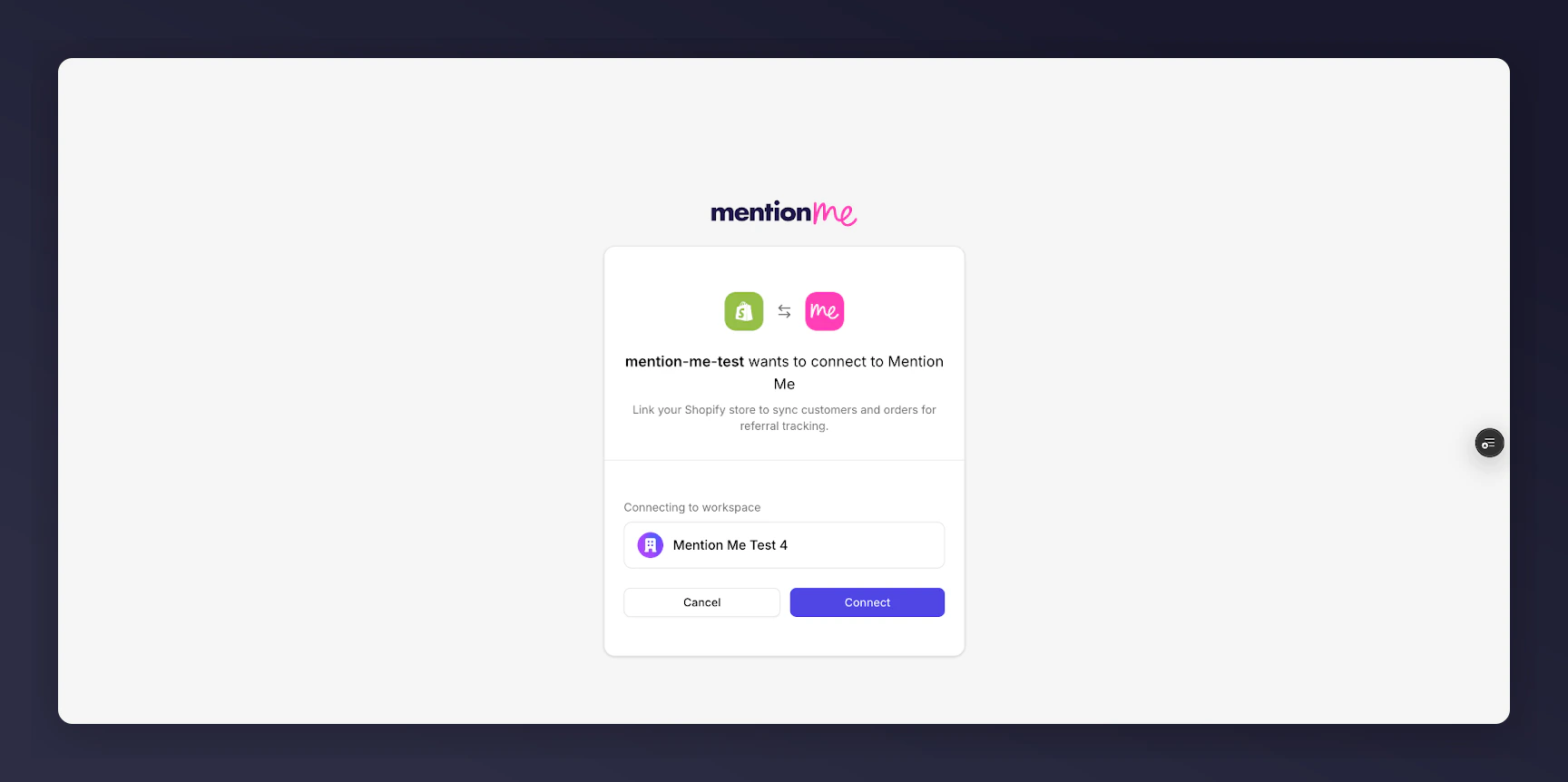 After clicking connect, setup is complete.
The following instructions are for **Brand Referral**, which is **not currently available** on the free Tier of the Shopify App. [Contact us to know more](https://help.mention-me.com/hc/en-gb/requests/new?ticket_form_id=20114637802909).
## Configuring Your Shopify Checkout
There are three locations within the checkout where you can add Mention Me:
* **Checkout** — for the "Been referred by a friend?" experience
* **Thank You** — post-purchase confirmation page
* **Order Status** — for returns and tracking
### 1. Open Checkout Editor
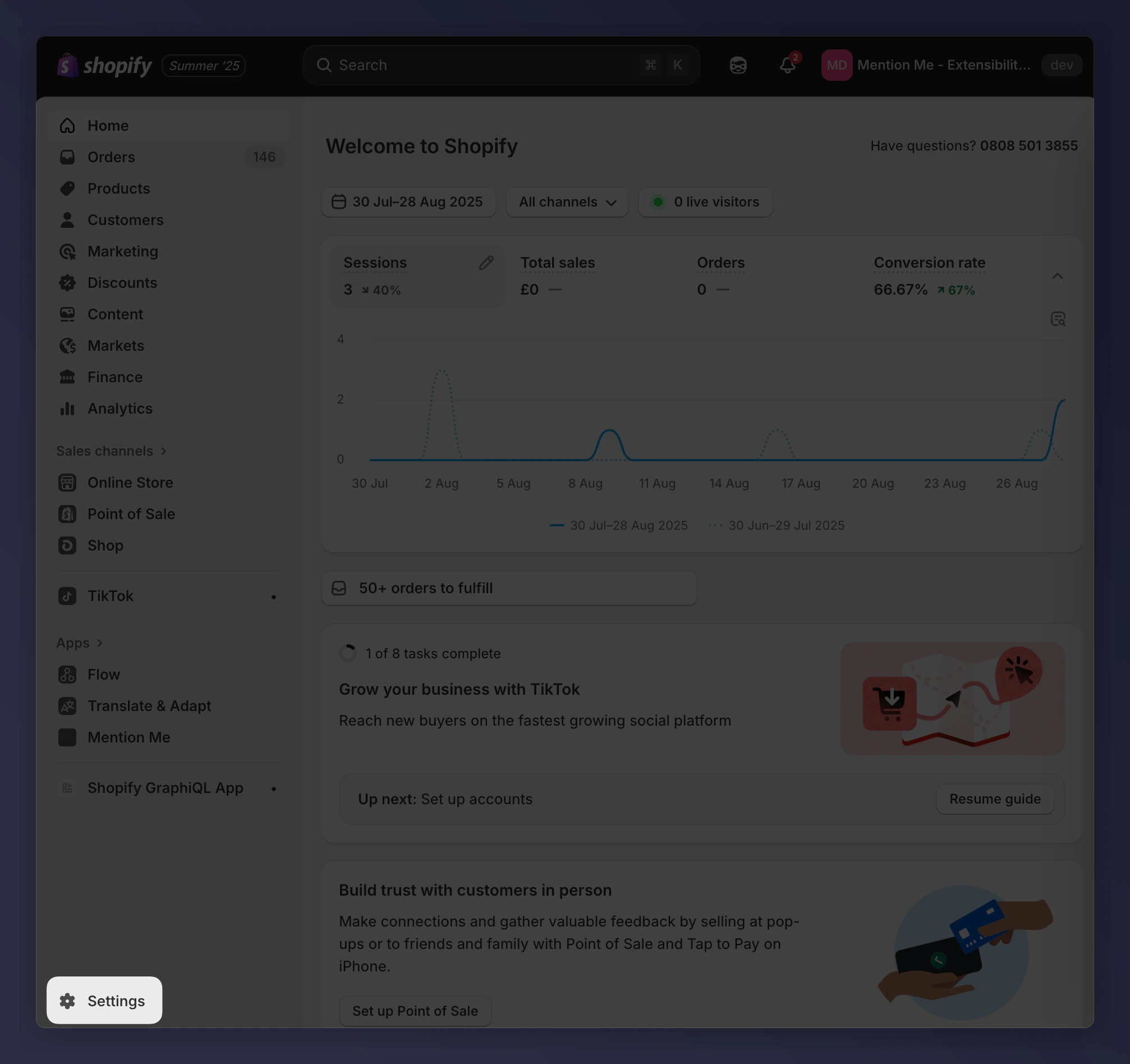
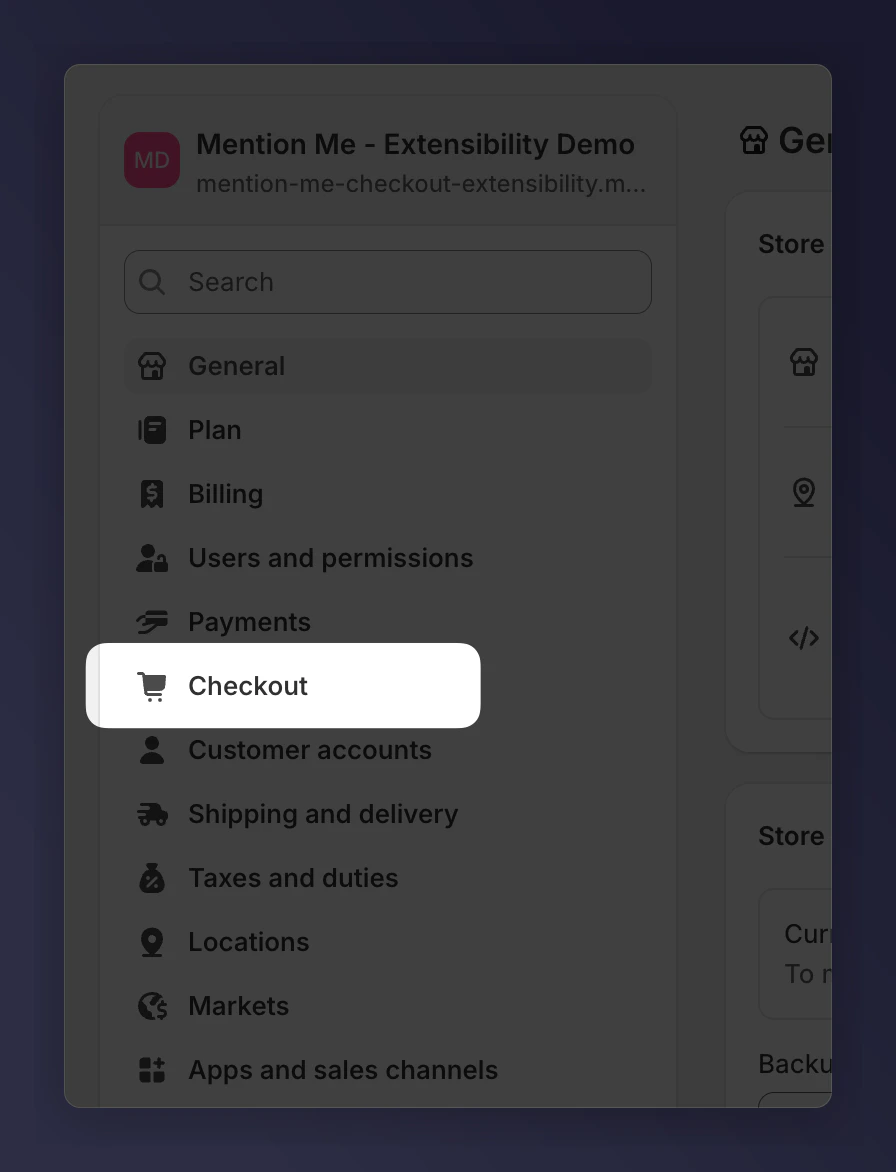
In Shopify Admin, go to **Settings > Checkout**.
After clicking connect, setup is complete.
The following instructions are for **Brand Referral**, which is **not currently available** on the free Tier of the Shopify App. [Contact us to know more](https://help.mention-me.com/hc/en-gb/requests/new?ticket_form_id=20114637802909).
## Configuring Your Shopify Checkout
There are three locations within the checkout where you can add Mention Me:
* **Checkout** — for the "Been referred by a friend?" experience
* **Thank You** — post-purchase confirmation page
* **Order Status** — for returns and tracking
### 1. Open Checkout Editor
In Shopify Admin, go to **Settings > Checkout**.
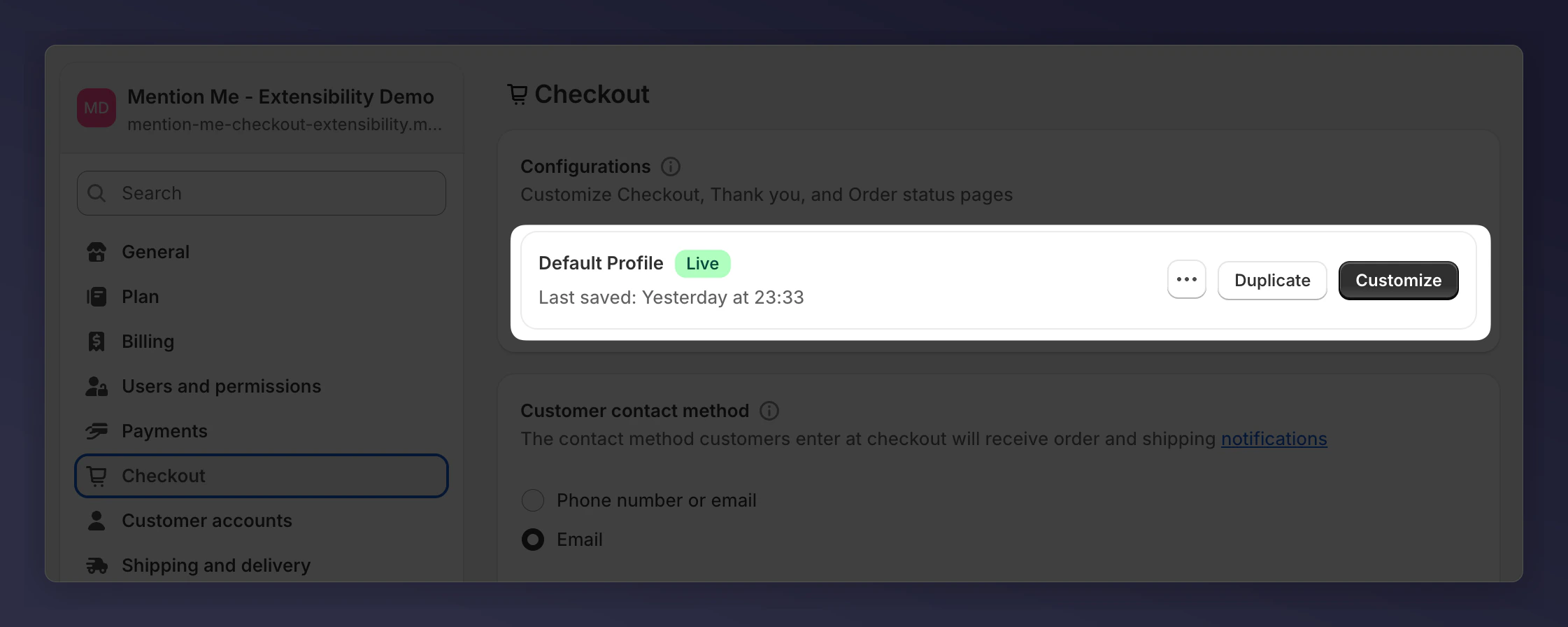
 Click **Customise** to open the checkout editor interface.
 ### 2. Add to Checkout Page
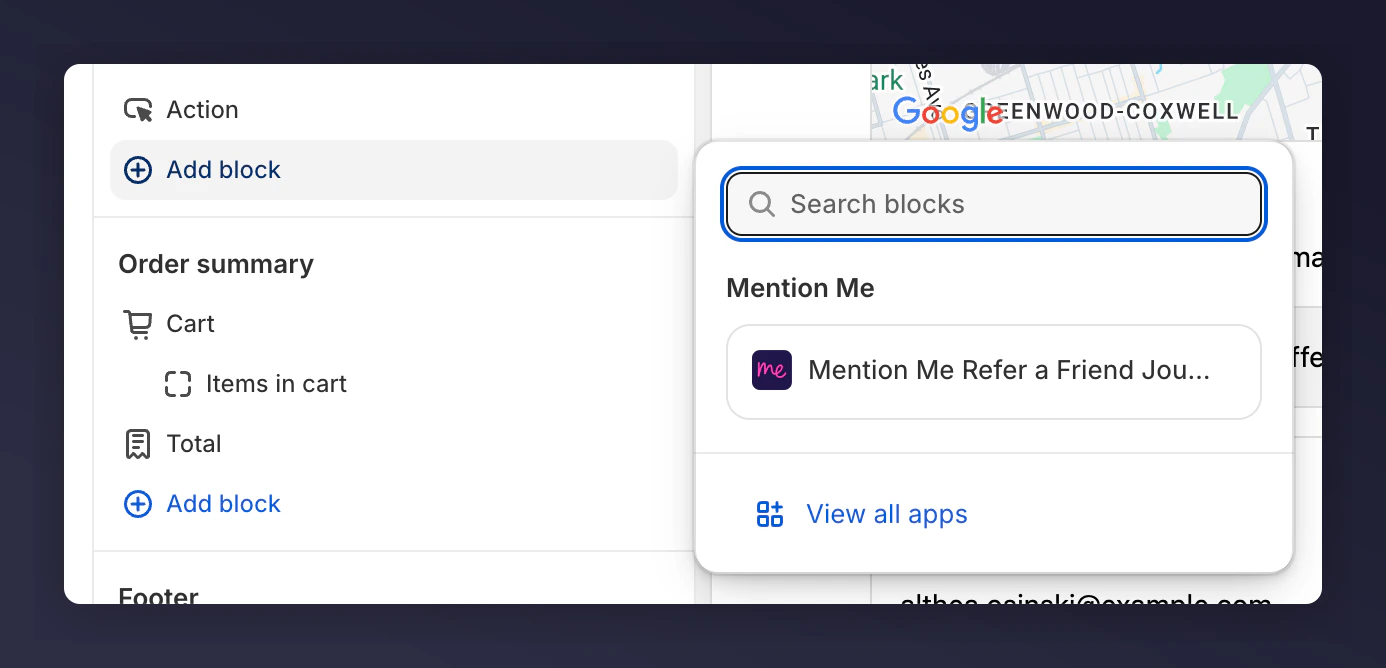
Look for the **Order Summary** section and click **Add block**. Choose **Mention Me Checkout Journey**.
### 2. Add to Checkout Page
Look for the **Order Summary** section and click **Add block**. Choose **Mention Me Checkout Journey**.
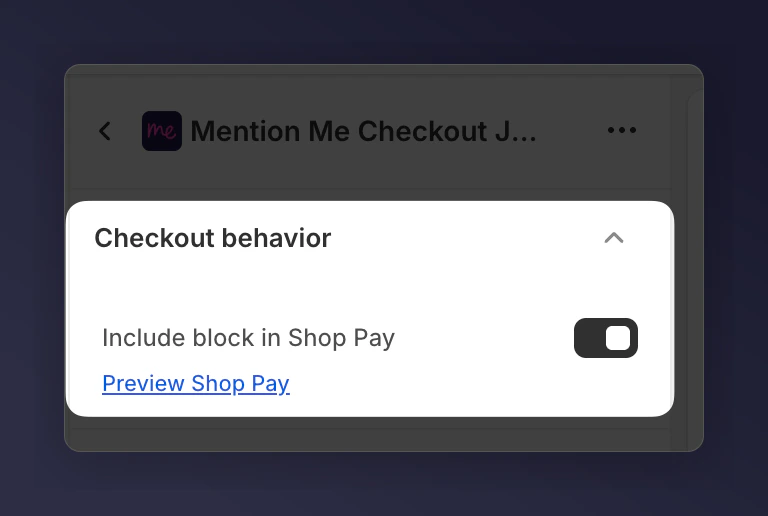
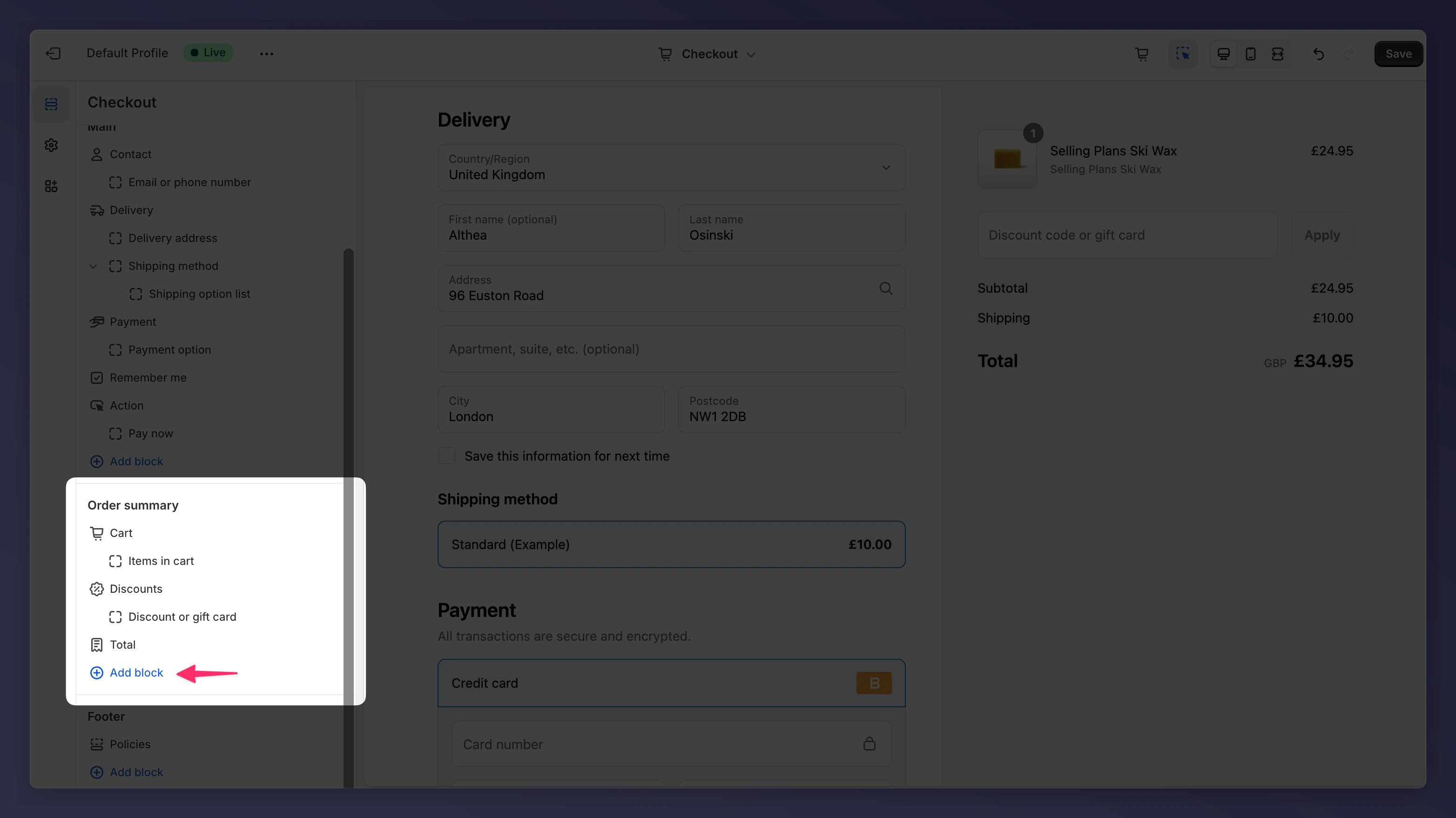 Tick **Include block in Shop Pay**.
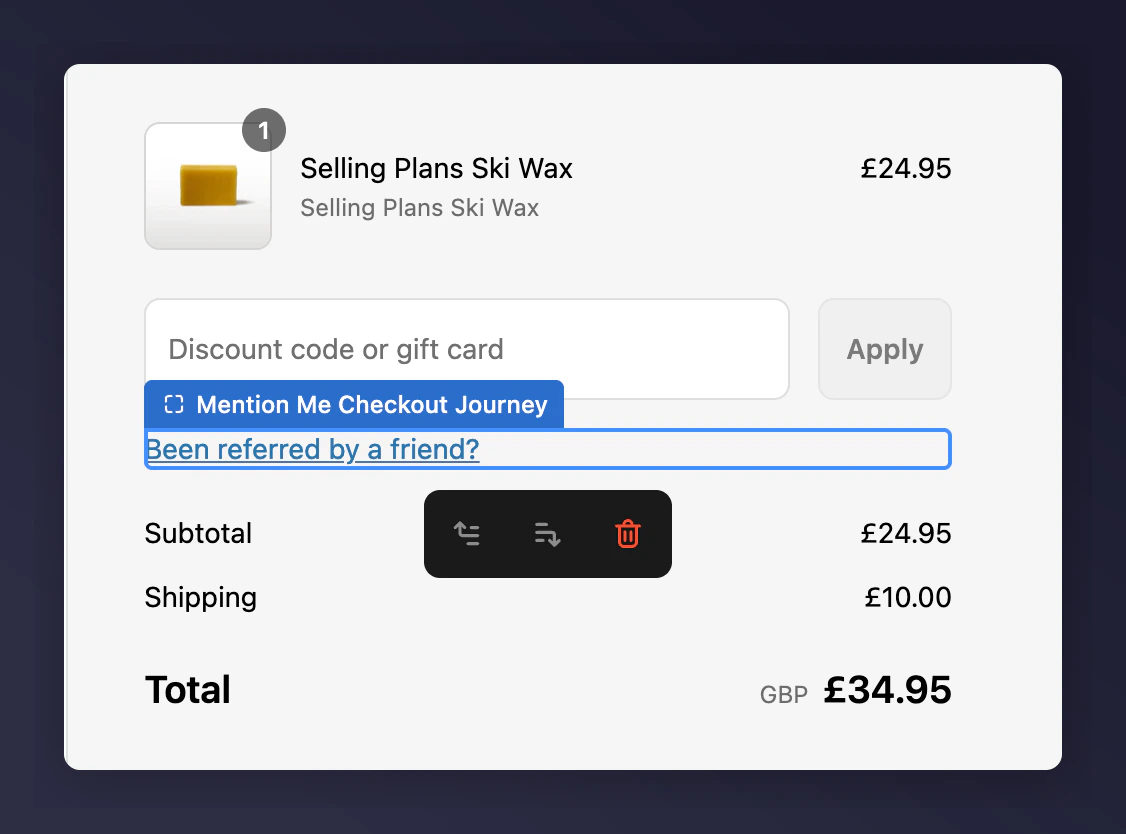
 The Mention Me field will now appear under your discount box.
 ### 3. Add to Thank You Page
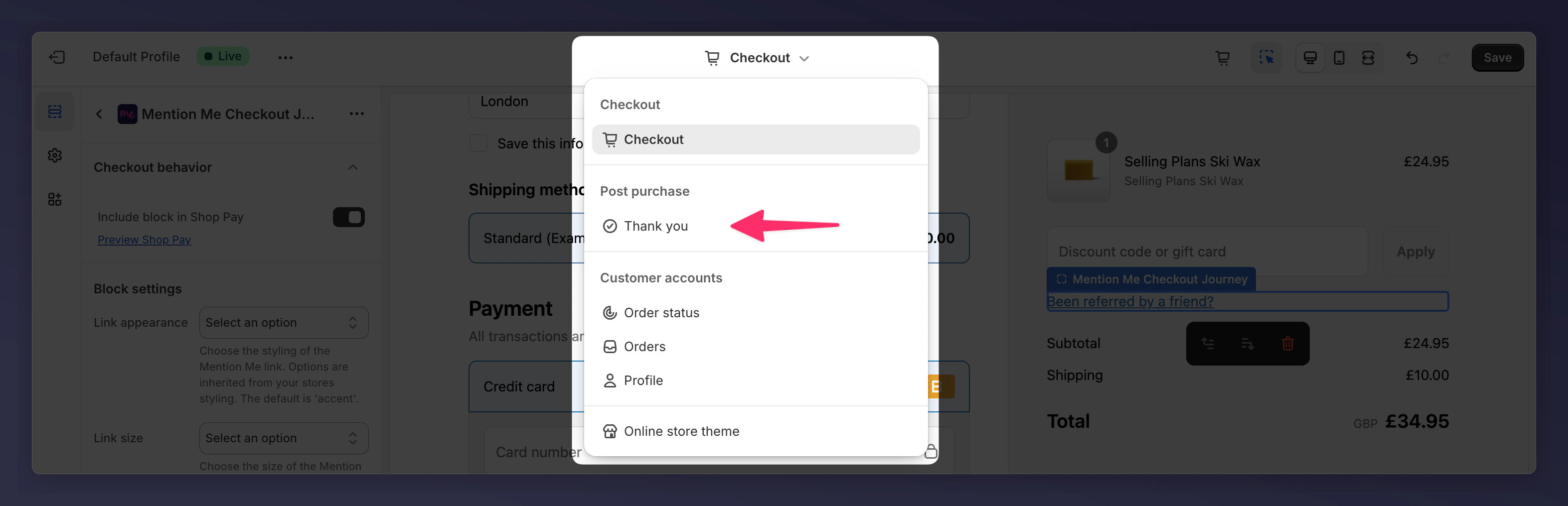
Switch to the **Thank You** page in the editor.
### 3. Add to Thank You Page
Switch to the **Thank You** page in the editor.
 #### A. Add Announcement Block
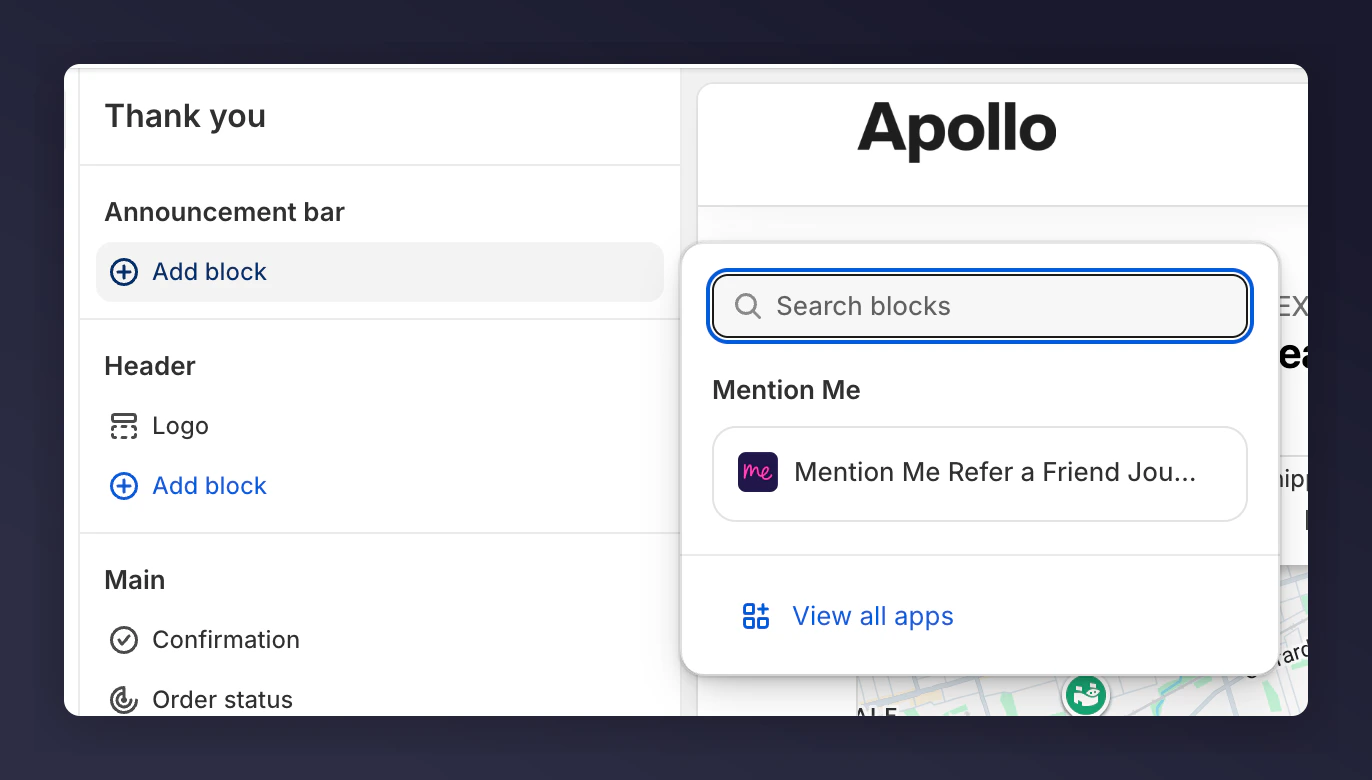
Click **Add block** in the **Announcement bar**. Select **Mention Me Refer a Friend Journey**.
#### A. Add Announcement Block
Click **Add block** in the **Announcement bar**. Select **Mention Me Refer a Friend Journey**.
 #### B. Add Main Content Block
Add another block in the **Main** section and choose **Mention Me Refer a Friend Journey**.
#### B. Add Main Content Block
Add another block in the **Main** section and choose **Mention Me Refer a Friend Journey**.
 Place this block high and on the left. Right-side placement won't show on mobile.
### 4. Add to Order Status Page
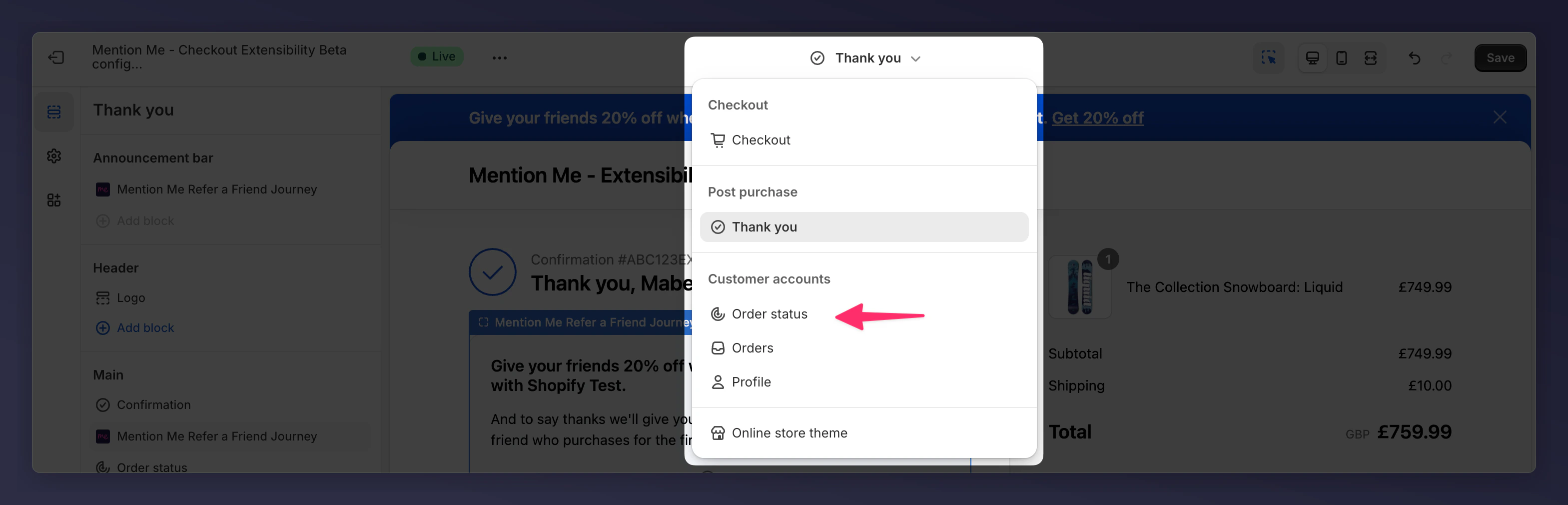
Repeat the steps for the **Order Status** page selector.
Place this block high and on the left. Right-side placement won't show on mobile.
### 4. Add to Order Status Page
Repeat the steps for the **Order Status** page selector.
 #### A. Add Announcement
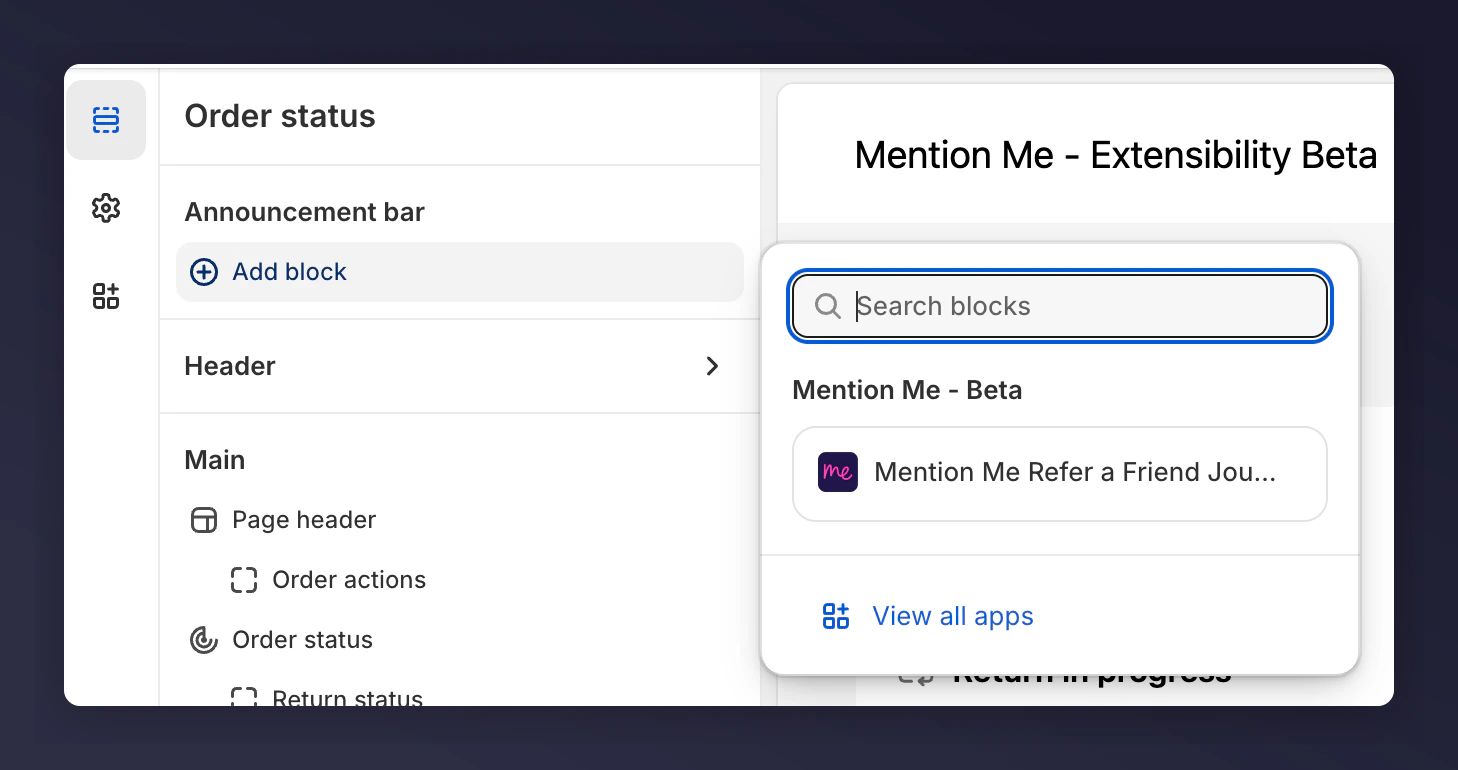
Add a block in **Announcement bar** and choose **Mention Me Refer a Friend Journey**.
#### A. Add Announcement
Add a block in **Announcement bar** and choose **Mention Me Refer a Friend Journey**.
 #### B. Add Main Block
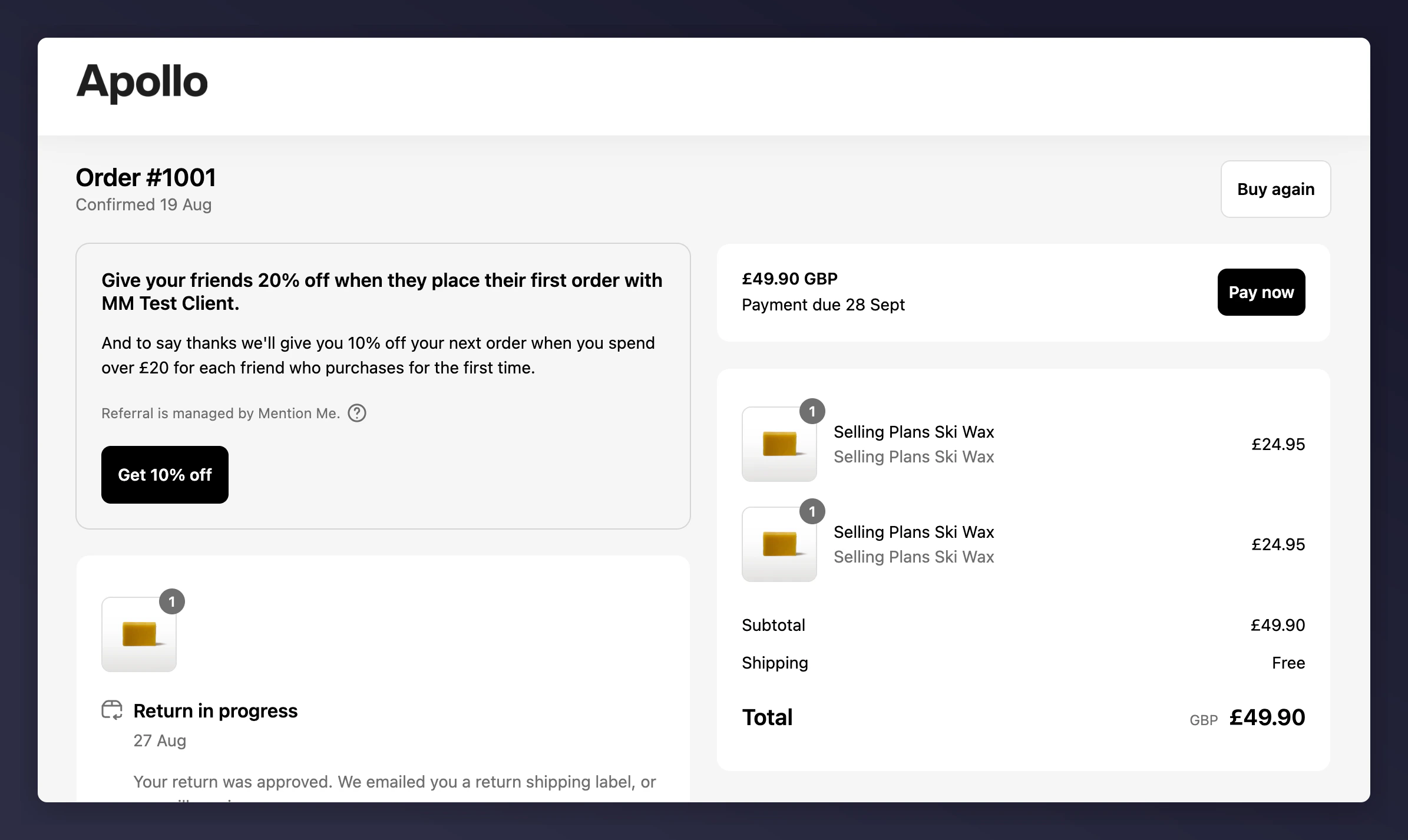
Add another block in **Main** and choose **Mention Me Refer a Friend Journey**.
#### B. Add Main Block
Add another block in **Main** and choose **Mention Me Refer a Friend Journey**.
 If blocks do not appear, verify that the app is active and visibility is set in the Mention Me platform.