> ## Documentation Index
> Fetch the complete documentation index at: https://docs.mention-me.com/llms.txt
> Use this file to discover all available pages before exploring further.
# Adding the Announcement
> How to add the Mention Me announcement banner to your Shopify Thank You and Order Status pages.
The following instructions are for **Brand Referral**, which is **not currently available** on the free Tier of the Shopify App. [Contact us to know more](https://help.mention-me.com/hc/en-gb/requests/new?ticket_form_id=20114637802909).
Shopify [announced](https://shopify.dev/changelog/build-an-announcement-bar-extension-for-the-thank-you-page-or-customer-account-pages) the Announcement banner for Shopify Checkouts on 28 August 2025. If you installed the app before then, follow this guide to add the Announcement to your existing checkout pages.
First-time installer? Follow the [comprehensive Mention Me app setup guide](/knowledge/shopify/app-installation), which includes announcement banner instructions.
## Introduction
The announcement banner is shown to customers upon completing a transaction. It prominently appears in checkout pages and helps increase referral conversions.
 **This process takes less than 5 minutes per store and requires no technical expertise.**
You will need access to customise your Shopify Checkout.
## Configuring Your Checkout
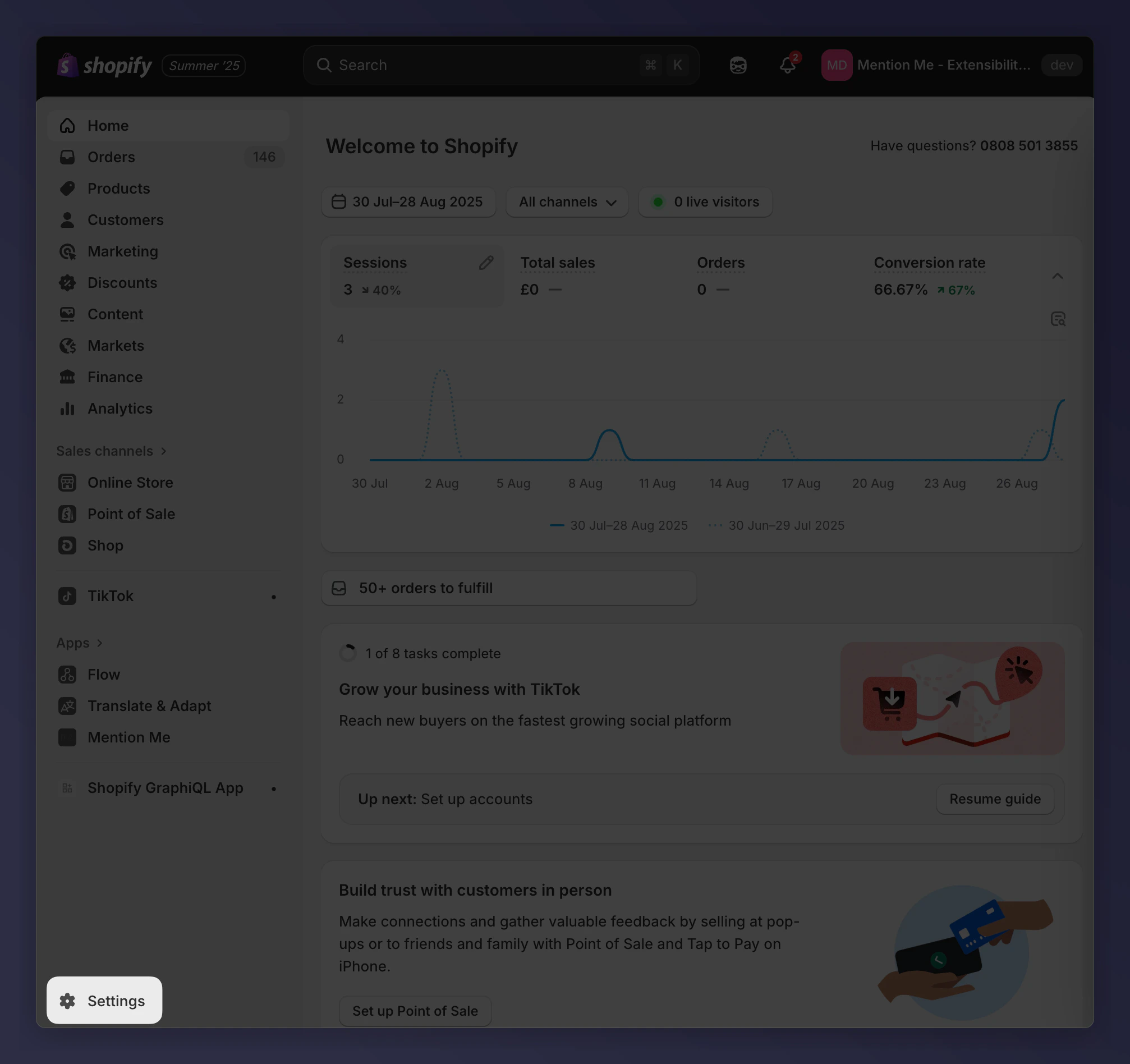
Navigate to **Settings** in your Shopify admin.
**This process takes less than 5 minutes per store and requires no technical expertise.**
You will need access to customise your Shopify Checkout.
## Configuring Your Checkout
Navigate to **Settings** in your Shopify admin.
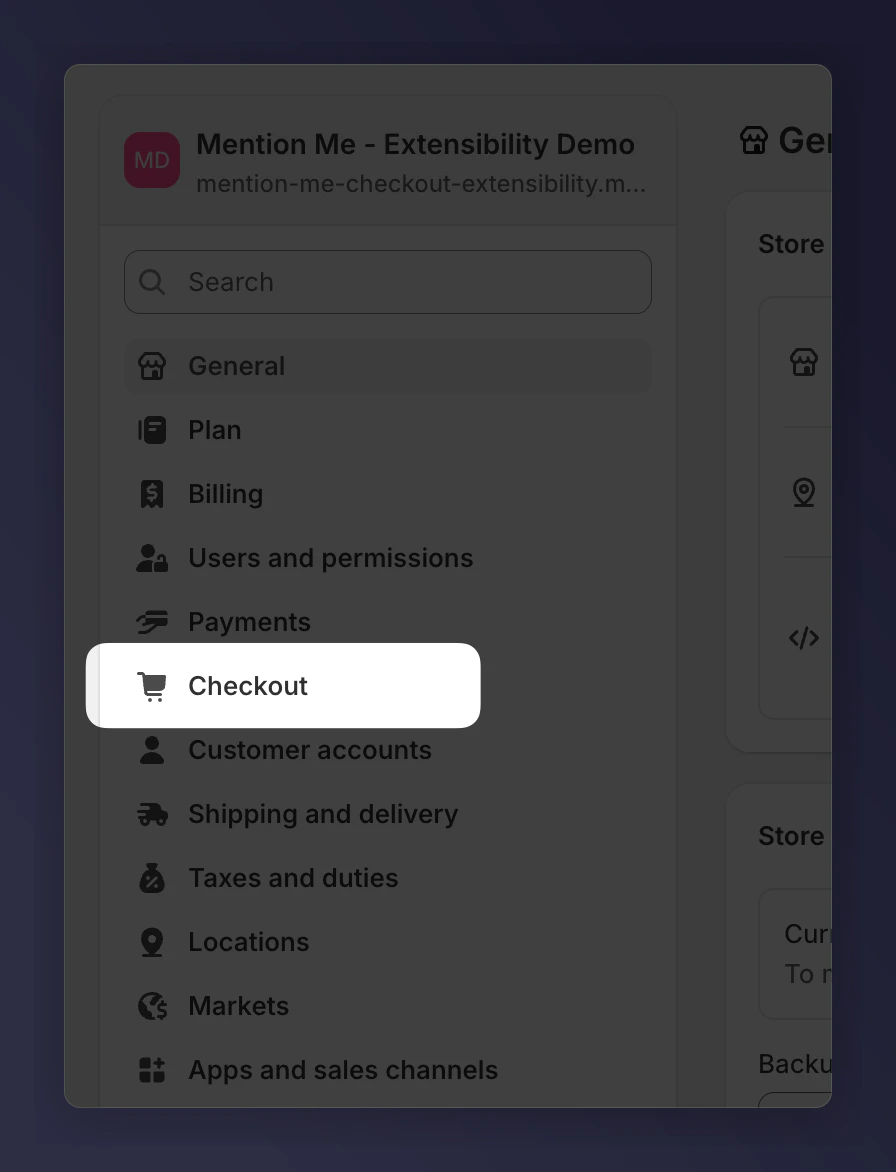
 Click **Checkout**.
 On the Checkout page, click **Customise**.
 ### Where to Add the Announcement
Add the Mention Me Announcement block in two locations:
* **Thank You** page — appears after order confirmation
* **Order Status** page — where customers review their order status
### Adding to Thank You Page
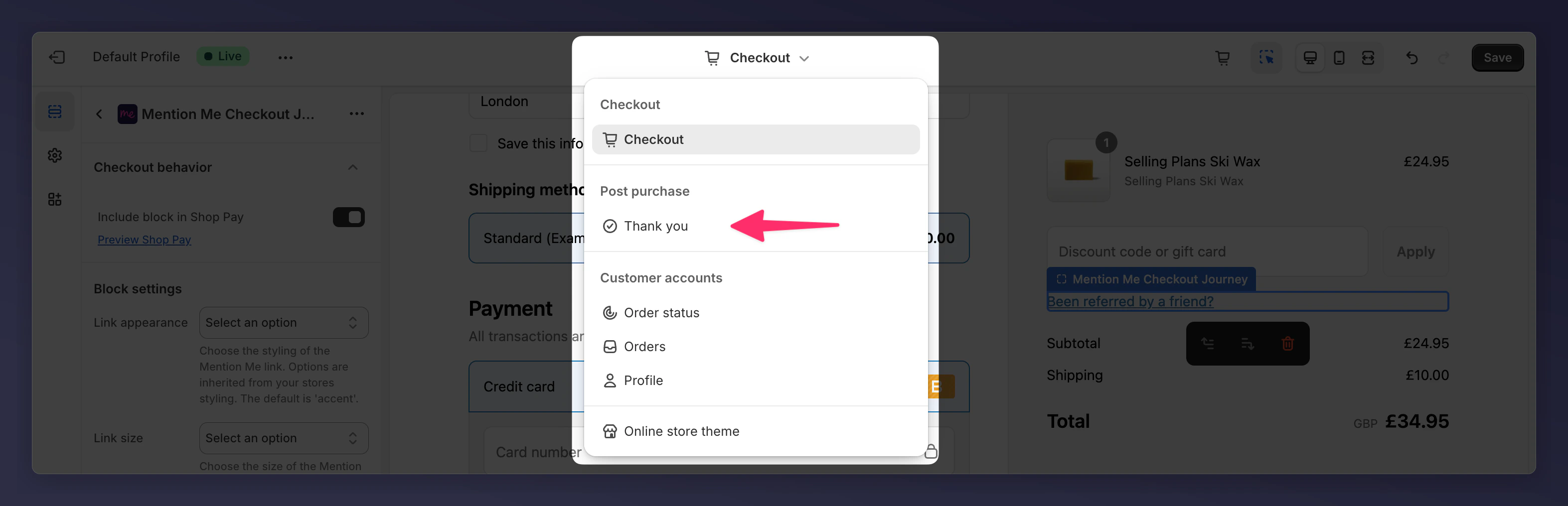
Use the page selector in the design editor to switch to the "Thank You" page.
### Where to Add the Announcement
Add the Mention Me Announcement block in two locations:
* **Thank You** page — appears after order confirmation
* **Order Status** page — where customers review their order status
### Adding to Thank You Page
Use the page selector in the design editor to switch to the "Thank You" page.
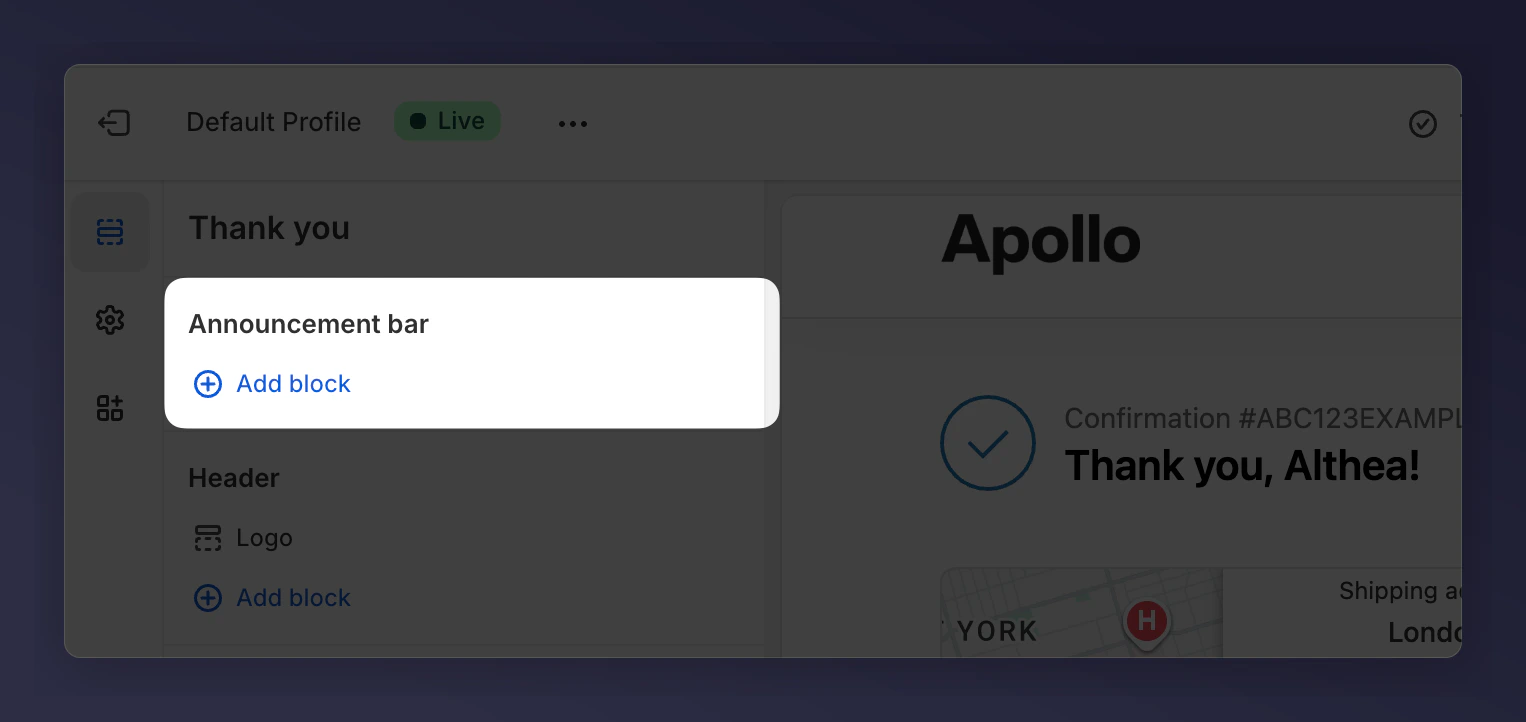
 Click **Add block** under the **Announcement bar** section.
 Select **Mention Me Refer a Friend Journey**.
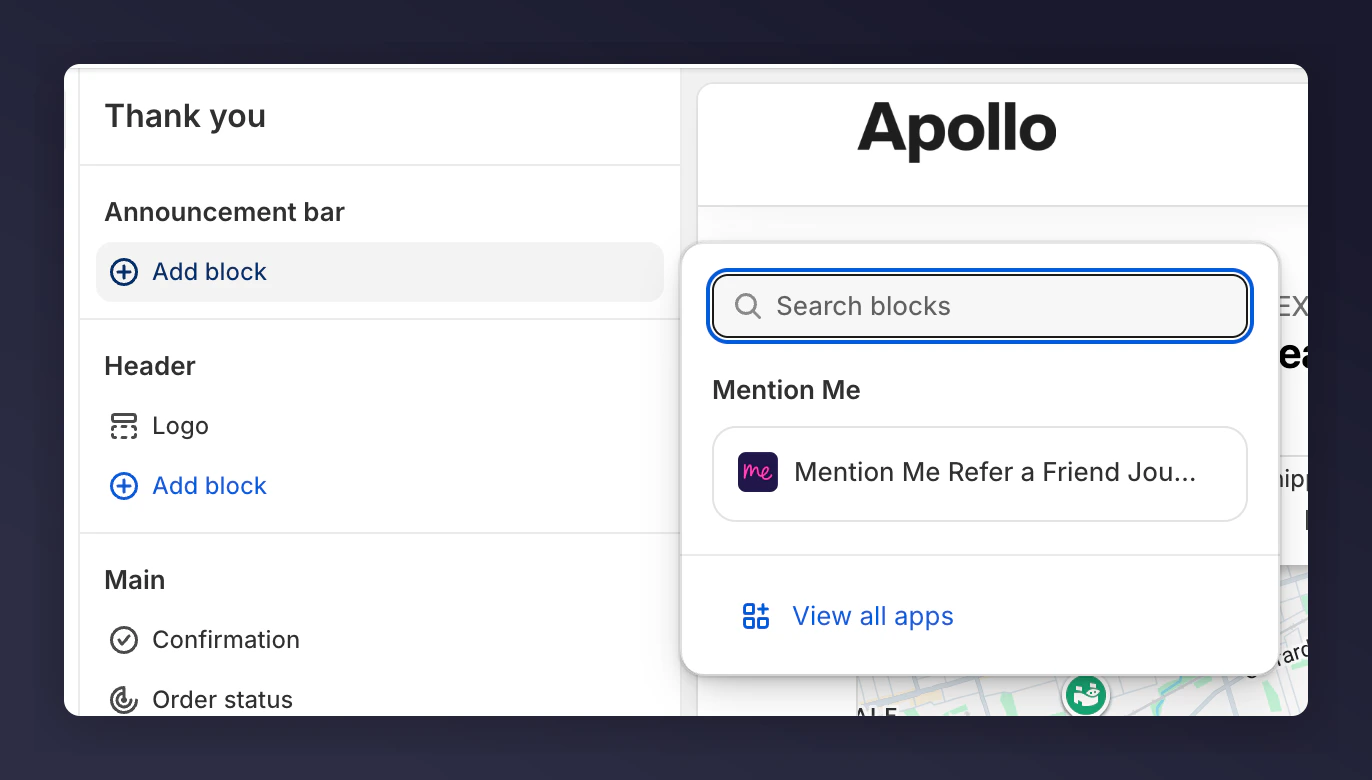 The announcement banner will appear at the top of the page and automatically use your brand colours from the checkout settings.
### Adding to Order Status Page
Use the checkout page selector and select **Order Status**.
The announcement banner will appear at the top of the page and automatically use your brand colours from the checkout settings.
### Adding to Order Status Page
Use the checkout page selector and select **Order Status**.
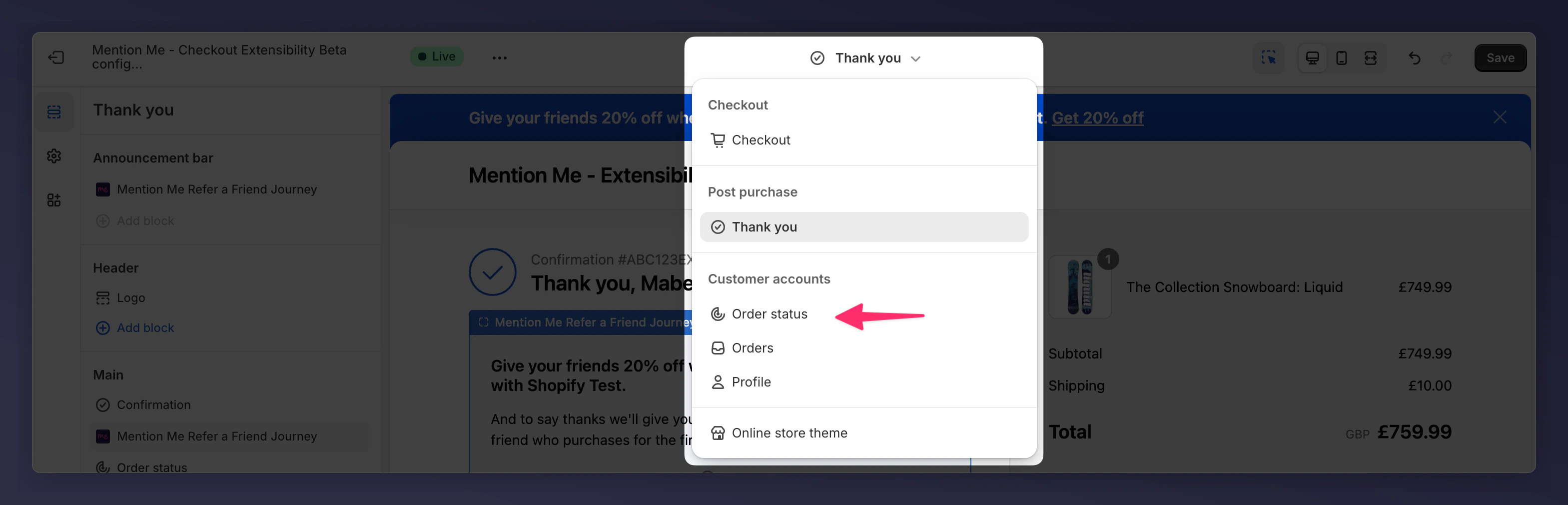 Add the announcement block by clicking **Add block** under **Announcement bar**.
Choose **Mention Me Refer a Friend Journey**.
Add the announcement block by clicking **Add block** under **Announcement bar**.
Choose **Mention Me Refer a Friend Journey**.
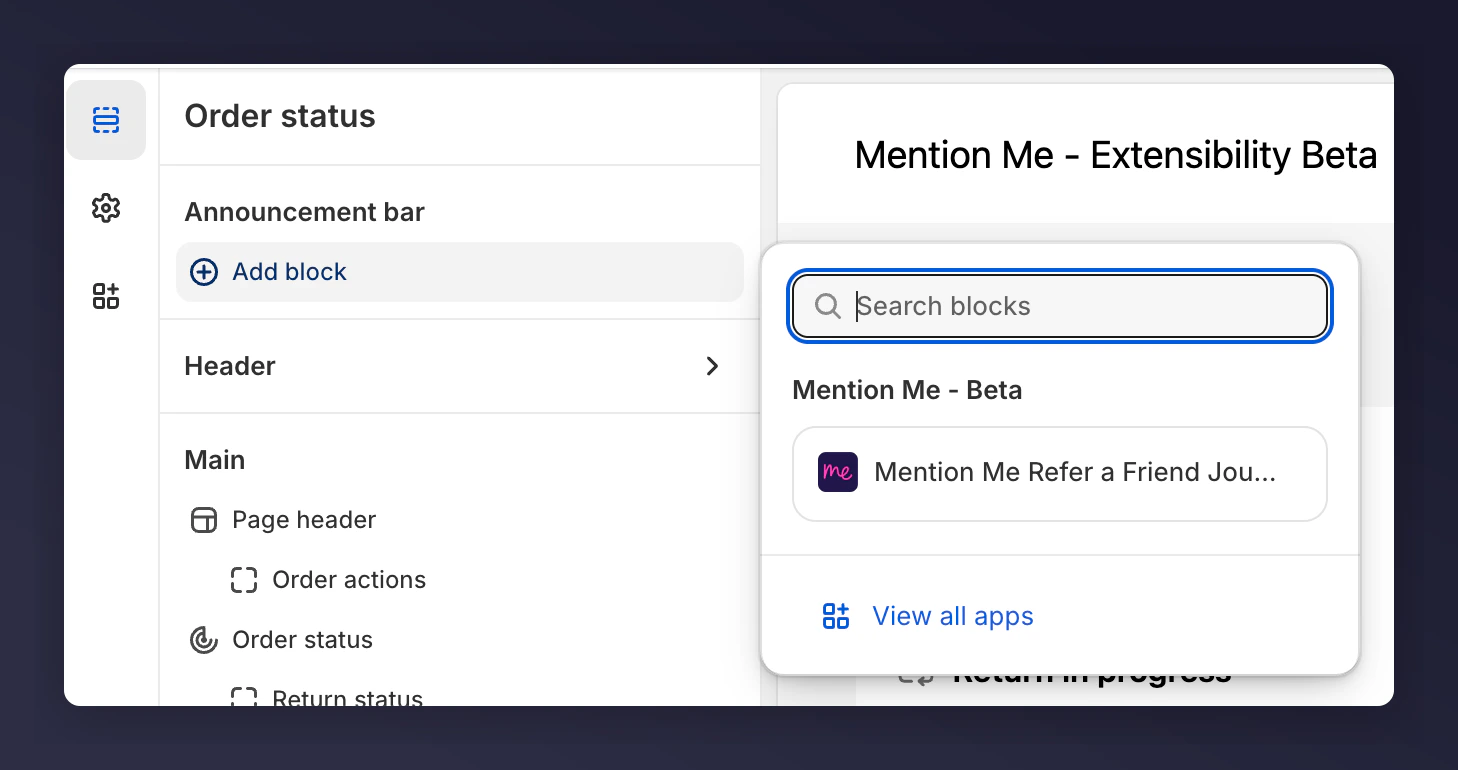 This will place the banner across the top of the order status page using your brand's theme.
 Your Mention Me Announcement banner is now integrated across both the Thank You and Order Status pages. The referral prompt appears immediately after a successful purchase — the optimal time for a customer to share your brand.