> ## Documentation Index
> Fetch the complete documentation index at: https://docs.mention-me.com/llms.txt
> Use this file to discover all available pages before exploring further.
# How to Set Up a Reward
> Step-by-step guide to editing or creating rewards for your campaign experiments in Mention Me.
This guide walks you through editing or creating rewards for your campaign experiments.
## Editing rewards in a campaign
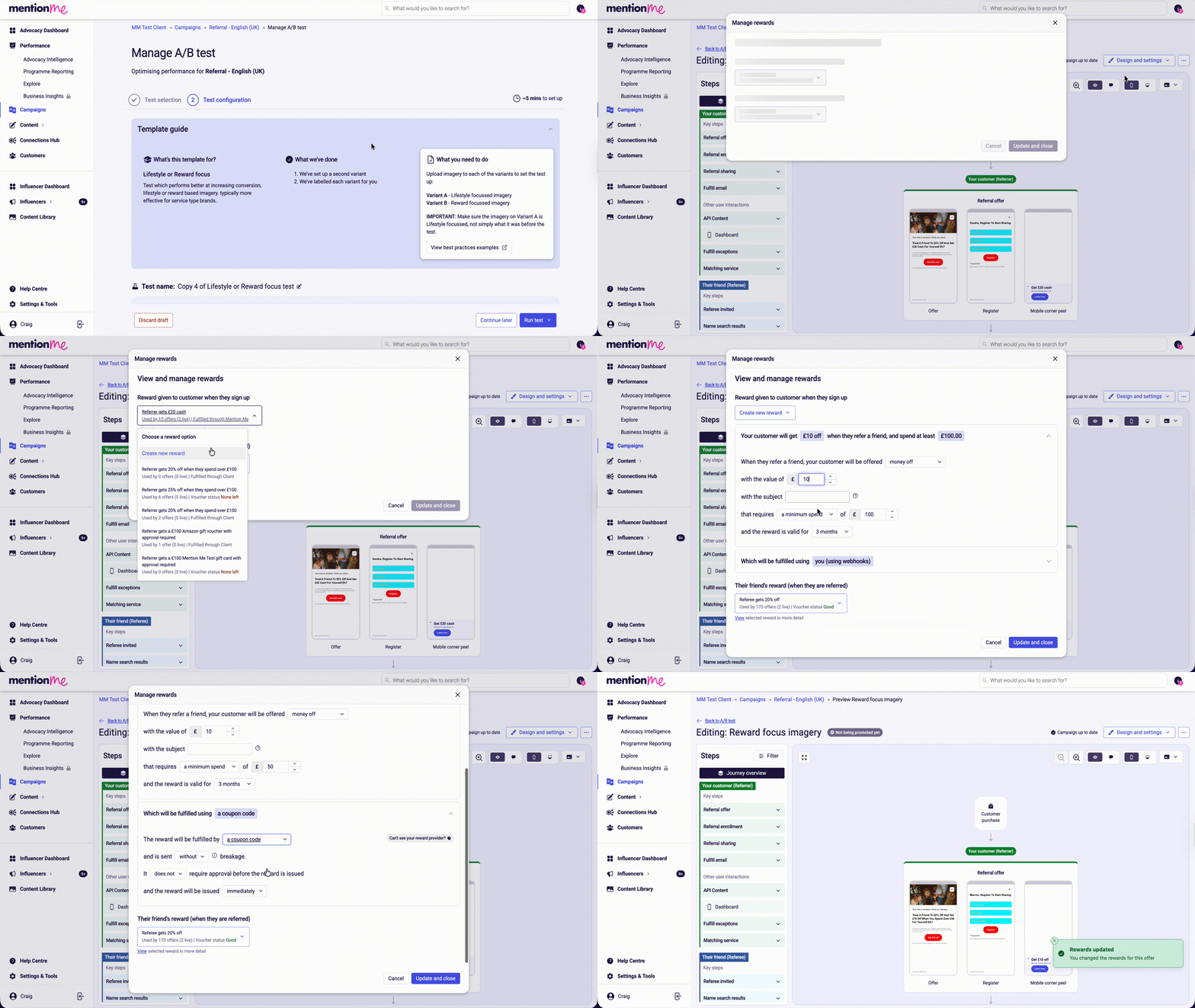
Click **Campaigns**, select the campaign you wish to edit (current or draft), then click **Drafts, Upcoming & History**.
Click **Experiment actions** (three dots). Choose **Duplicate (to draft)** to copy the current experiment, or **Create new A/B test** using one of the existing variations. Then click **Manage test**.
 Click **Full preview** → **Design and settings** → **Rewards**. Select an existing reward from the dropdown, or create a new one.
In the reward setup UI, you can configure:
* Reward type (percentage discount, money off, or free item)
* Discount value
* Minimum spend amount (if required) and the value
* Reward validity period (defaults to your main account settings)
Choose how the reward will be fulfilled (e.g. discount code, discount link, or Shopify). Repeat for both Referrer and Referee rewards as needed, then click **Update and close**.
Click **Full preview** → **Design and settings** → **Rewards**. Select an existing reward from the dropdown, or create a new one.
In the reward setup UI, you can configure:
* Reward type (percentage discount, money off, or free item)
* Discount value
* Minimum spend amount (if required) and the value
* Reward validity period (defaults to your main account settings)
Choose how the reward will be fulfilled (e.g. discount code, discount link, or Shopify). Repeat for both Referrer and Referee rewards as needed, then click **Update and close**.
 ## Using the A/B testing wizard
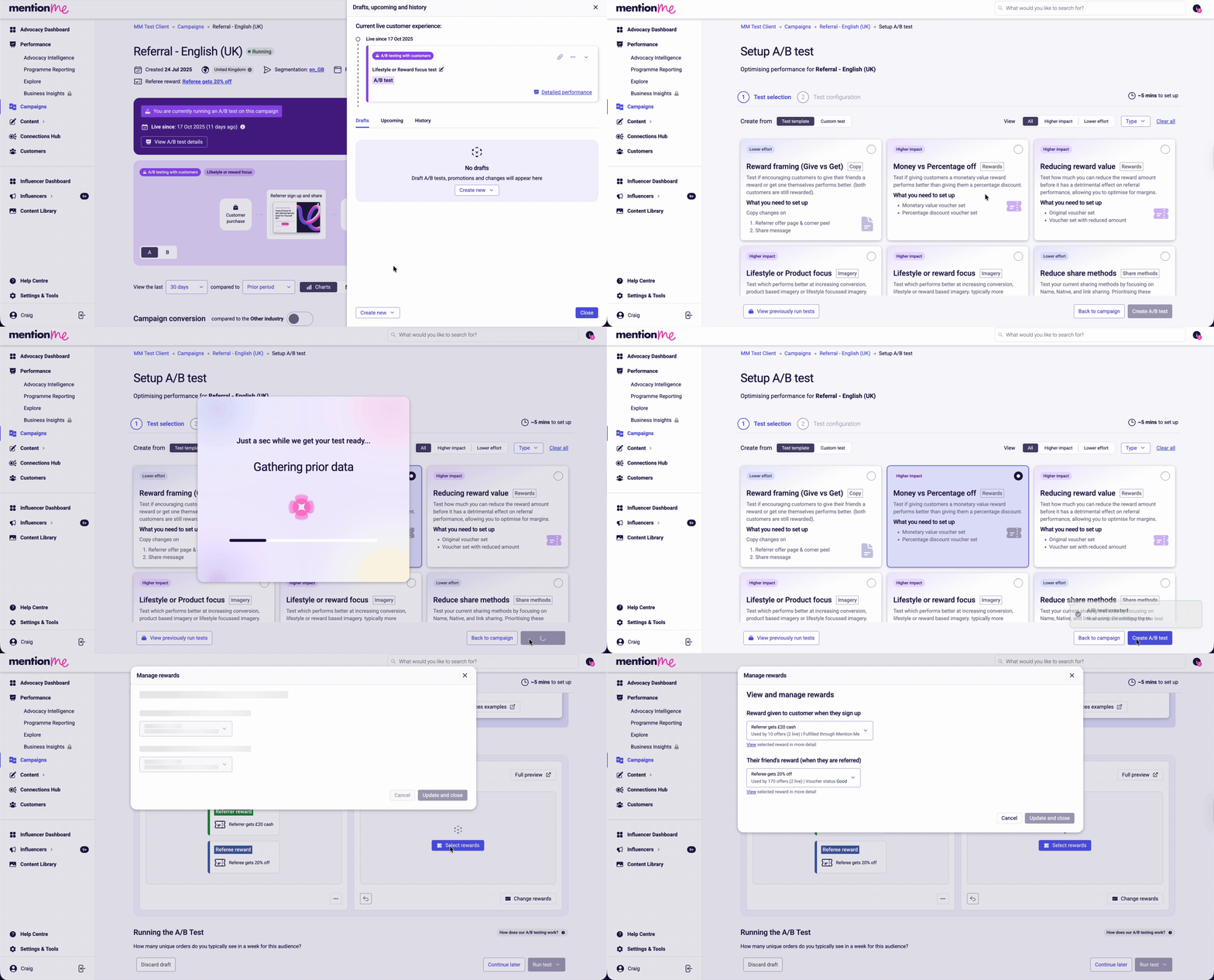
You can also use the A/B testing wizard to set up tests comparing reward types (e.g. money off vs. percentage discount) or to reduce reward value.
After selecting a test, click **Select rewards** and follow the reward setup UI.
## Using the A/B testing wizard
You can also use the A/B testing wizard to set up tests comparing reward types (e.g. money off vs. percentage discount) or to reduce reward value.
After selecting a test, click **Select rewards** and follow the reward setup UI.
 ## Creating a reward in a single experience
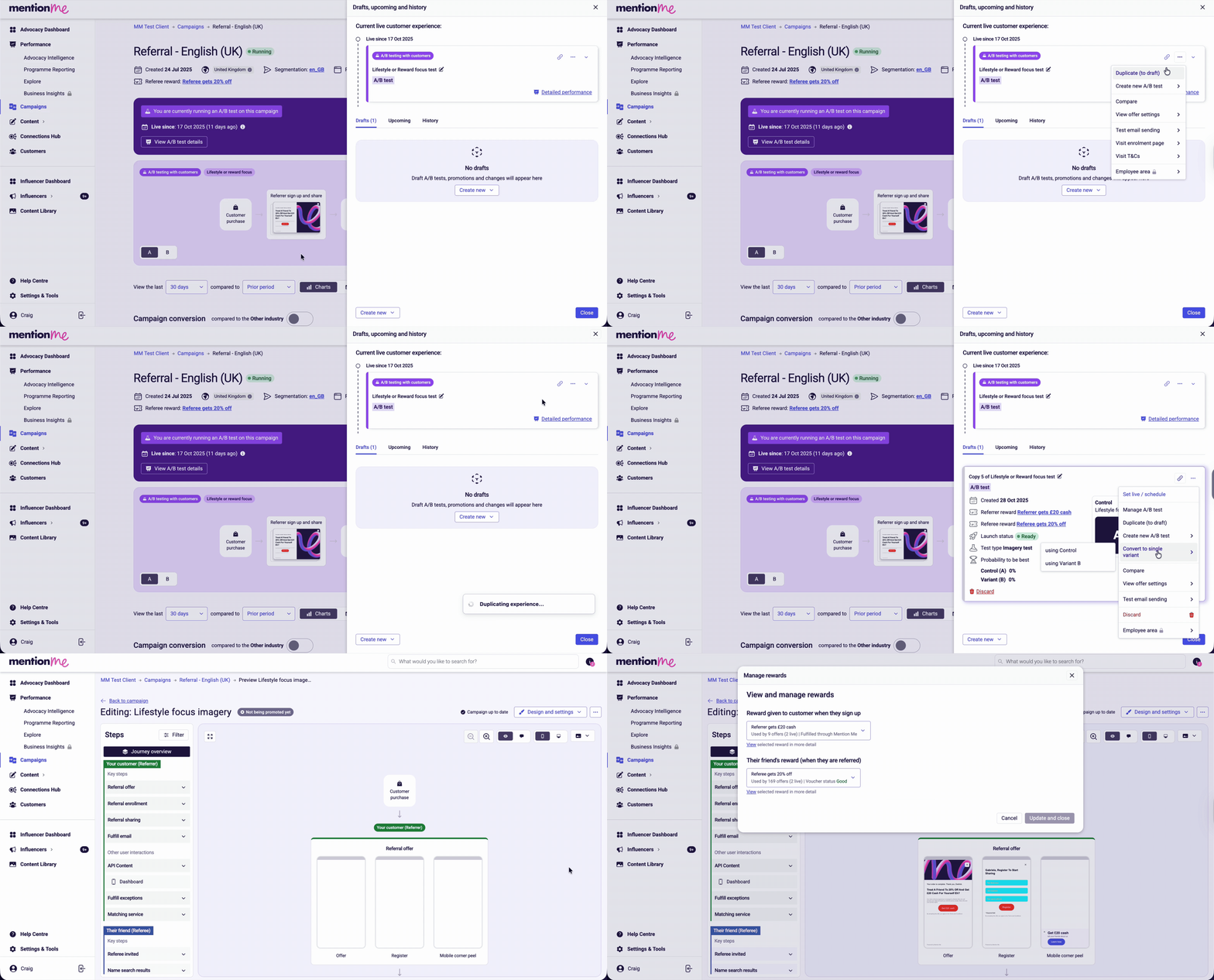
Via **Experiment actions** → **Convert to single variant** → choose variation A (control) or B.
Click **View and edit** → **Design and settings** → **Rewards** and follow the reward setup UI.
## Creating a reward in a single experience
Via **Experiment actions** → **Convert to single variant** → choose variation A (control) or B.
Click **View and edit** → **Design and settings** → **Rewards** and follow the reward setup UI.
 ## Creating a brand new single experience
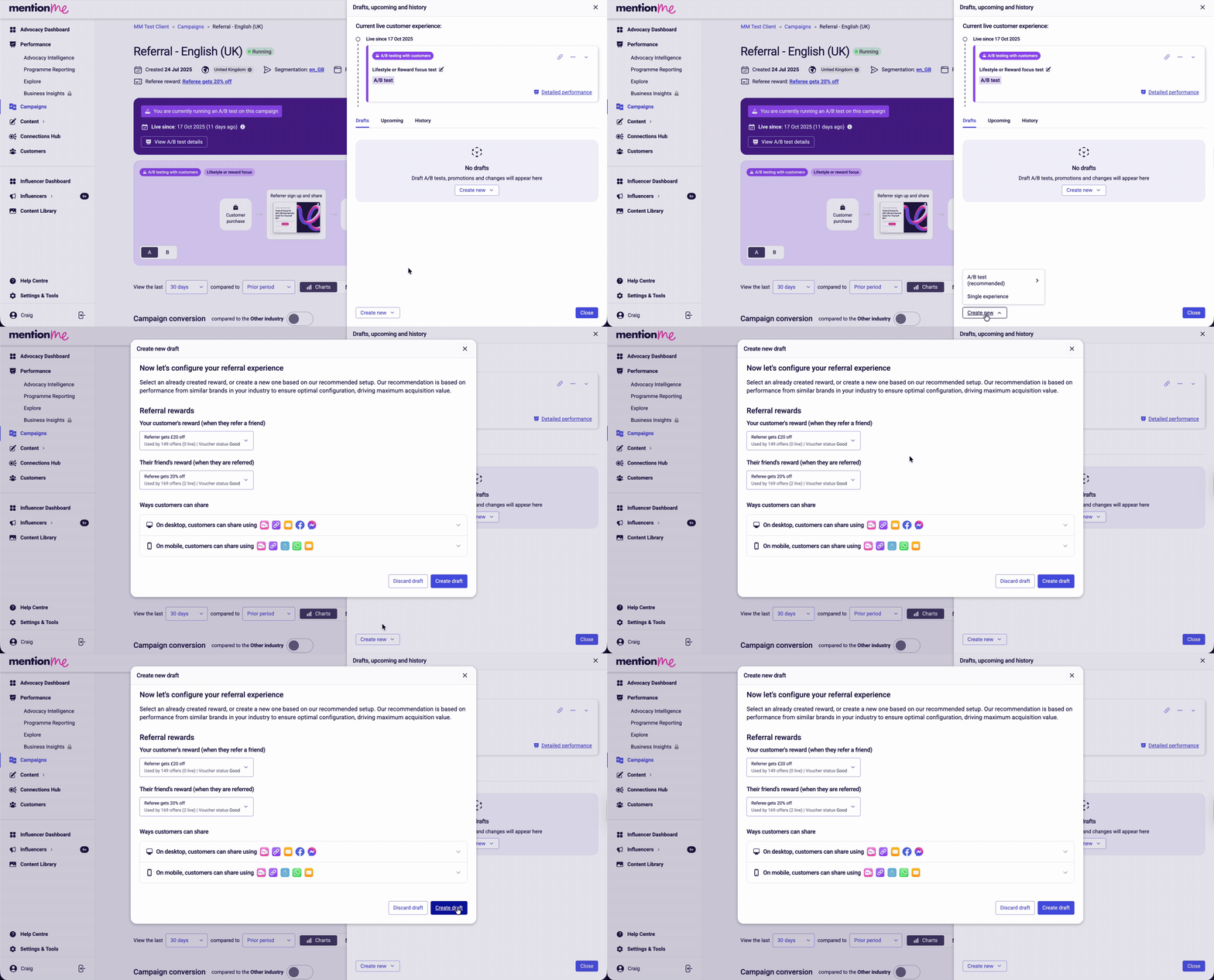
Click **Create new** at the bottom, then select **Single experience**.
Click **View and edit** → **Design and settings** → **Rewards** and follow the reward setup UI.
## Creating a brand new single experience
Click **Create new** at the bottom, then select **Single experience**.
Click **View and edit** → **Design and settings** → **Rewards** and follow the reward setup UI.
 ## Related guides
* [How to Fulfil Rewards](/knowledge/referral/offers/fulfilment)
* [How to Introduce an Eligibility Check before Issuing Rewards](/knowledge/referral/offers/fulfilment)
* [How to Upload New Vouchers](/knowledge/referral/vouchers/upload-vouchers)
## Related guides
* [How to Fulfil Rewards](/knowledge/referral/offers/fulfilment)
* [How to Introduce an Eligibility Check before Issuing Rewards](/knowledge/referral/offers/fulfilment)
* [How to Upload New Vouchers](/knowledge/referral/vouchers/upload-vouchers)