> ## Documentation Index
> Fetch the complete documentation index at: https://docs.mention-me.com/llms.txt
> Use this file to discover all available pages before exploring further.
# How to Restrict Referrer Eligibility to Paying Customers
> Stop non-customers from becoming referrers by setting eligibility rules at the offer or campaign level.
You can stop non-customers from becoming referrers at either the offer or campaign level within the Mention Me platform.
For background on why non-customers can become referrers by default, see [Understanding Non-Paying Referrers](/knowledge/referral/customers/understanding-non-paying-referrers).
## At an Offer Level
Follow these steps to ensure only paying customers can refer friends.
Click **Campaigns**, then click the name of the campaign you wish to amend. Click **Drafts, Upcoming & History**, then click the experiment actions menu (three dots) and select **Duplicate (to draft)** or **Create New A/B Test**.
Click the offer actions menu (three dots), then click **View Offer Settings**.
Click the **Auto-Decline Rules** tab, then click **Add Rule**. Select the **Referrer Must Be a Paying Customer** option.
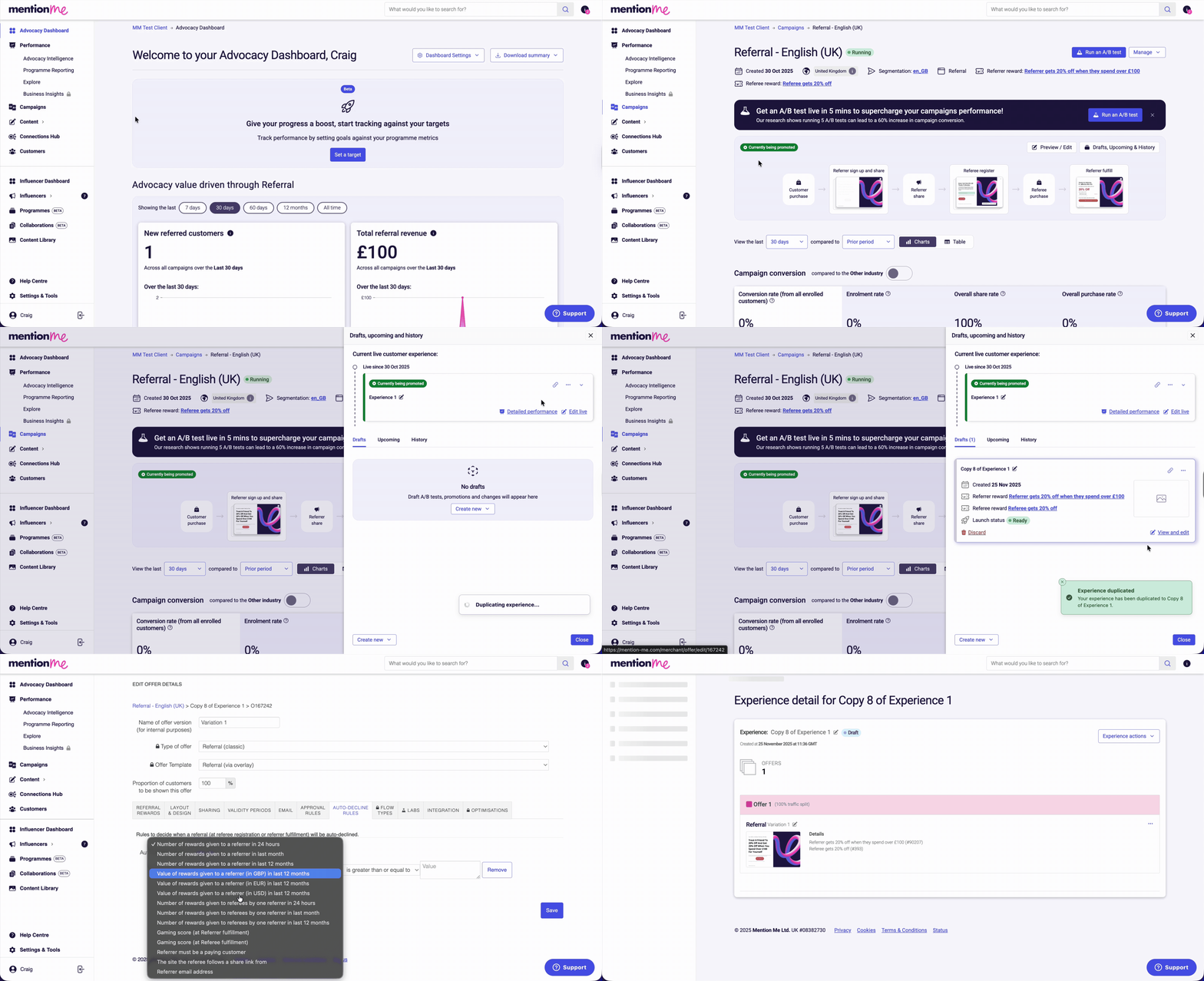 Click **Save**.
## At a Campaign Level
You can block manual registrations for new referrers via the embedded registration page in the campaign settings.
Click **Campaigns**, then click the name of the campaign you wish to amend. Click **Manage**, then click **Settings**.
Click the **Advanced Options** tab, then click the checkbox for **Block manual registrations from new referrers (eg via submitting the form on an embedded registration page)**.
Click **Save**.
## At a Campaign Level
You can block manual registrations for new referrers via the embedded registration page in the campaign settings.
Click **Campaigns**, then click the name of the campaign you wish to amend. Click **Manage**, then click **Settings**.
Click the **Advanced Options** tab, then click the checkbox for **Block manual registrations from new referrers (eg via submitting the form on an embedded registration page)**.
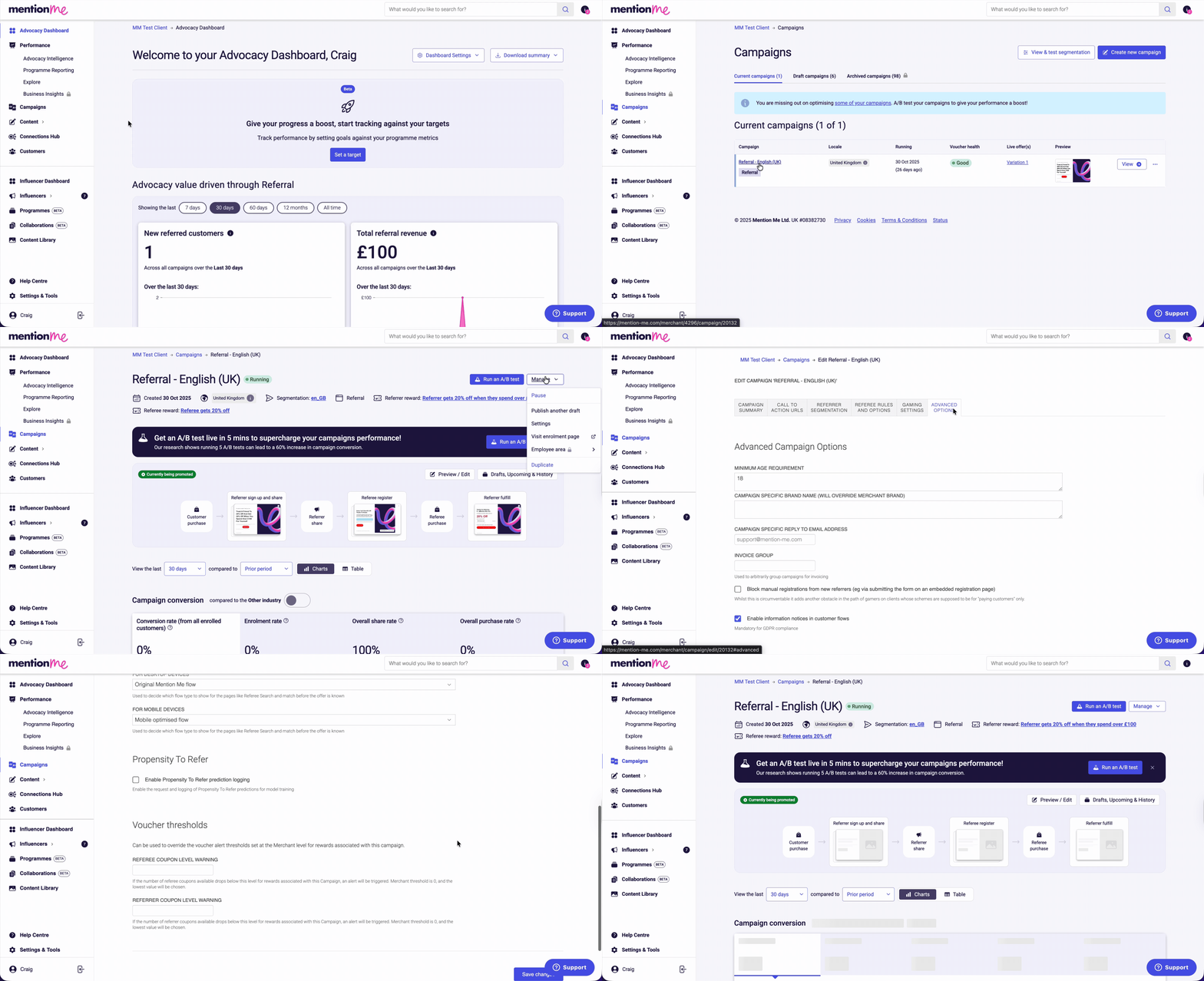 Click **Save Changes**.