> ## Documentation Index
> Fetch the complete documentation index at: https://docs.mention-me.com/llms.txt
> Use this file to discover all available pages before exploring further.
# How to Manage Your Referral Campaign Copy
> Edit your referral campaign copy, leave comments for the Mention Me team, find and fix hardcoded placeholders, and request copy changes.
## Editing Your Offer Copy
Click **Campaigns** and select the name of the relevant campaign. You can create a draft to edit copy without affecting your live experience, or make changes directly to the live experience.
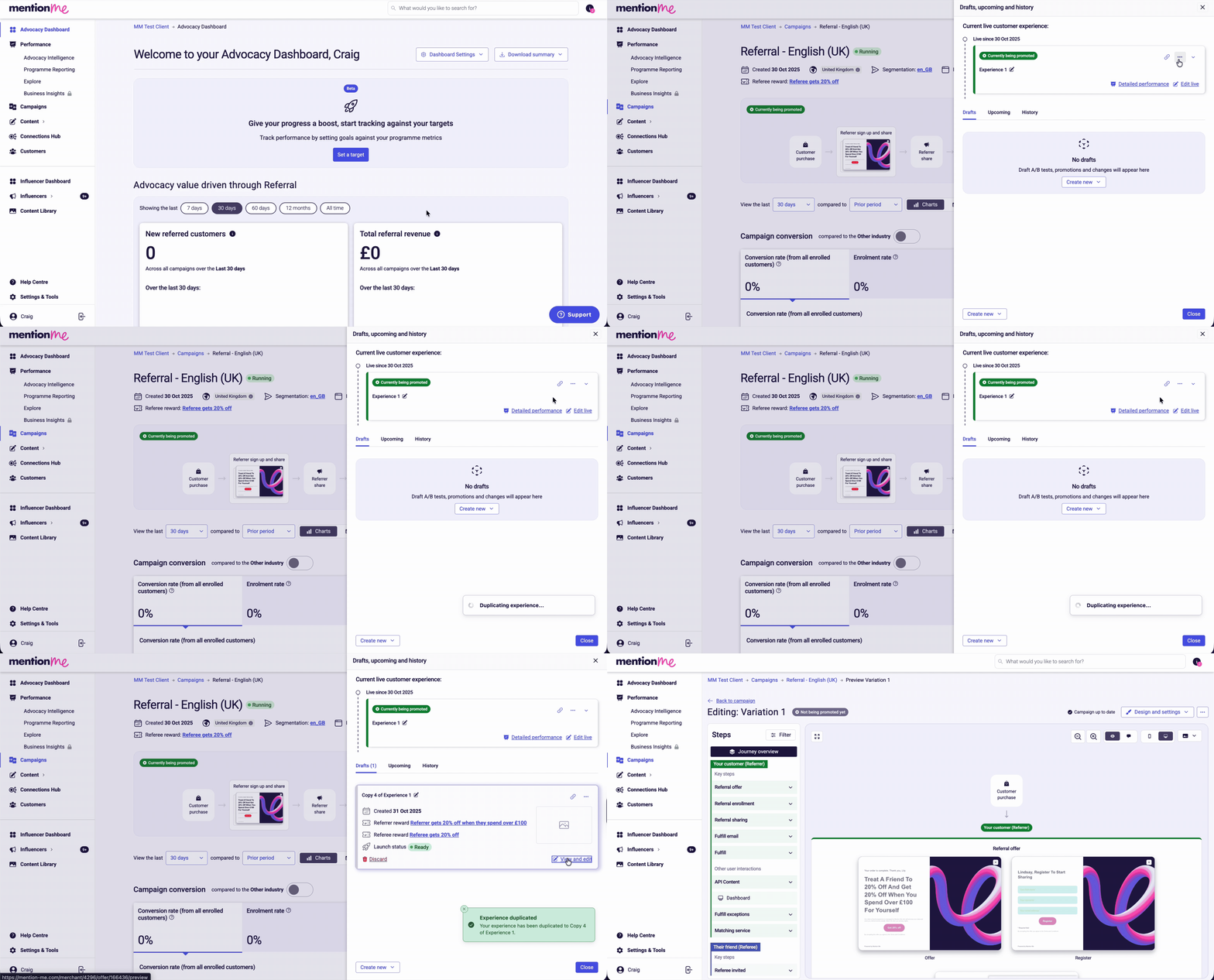
For a live experience, click **Preview / Edit**. For a draft, click **Drafts, Upcoming & History** → **experiment actions** (three dots) → **Duplicate (to draft)** → **View and edit**.
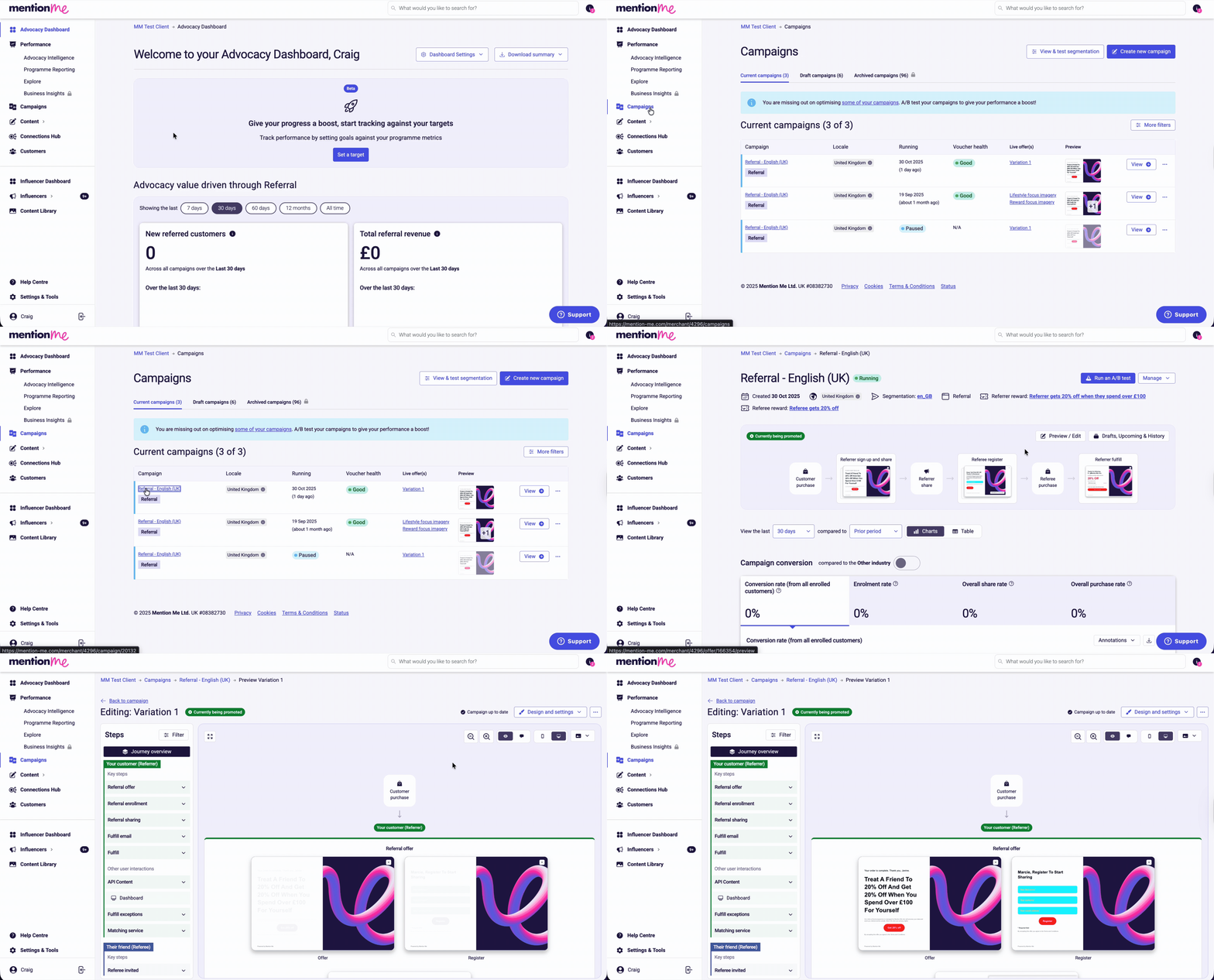
 Choose to edit in mobile or desktop mode using the icons provided. You can also navigate to specific pages using the left-hand journey panel, or scroll through each page individually.
Click the offer page you wish to edit, turn **Edit text** mode on, and click the portion of text you wish to change. You can also drag-and-drop dynamic placeholders into the text.
Click **Edit and don't show again**, update your text, and press **Save and preview** once complete.
Choose to edit in mobile or desktop mode using the icons provided. You can also navigate to specific pages using the left-hand journey panel, or scroll through each page individually.
Click the offer page you wish to edit, turn **Edit text** mode on, and click the portion of text you wish to change. You can also drag-and-drop dynamic placeholders into the text.
Click **Edit and don't show again**, update your text, and press **Save and preview** once complete.
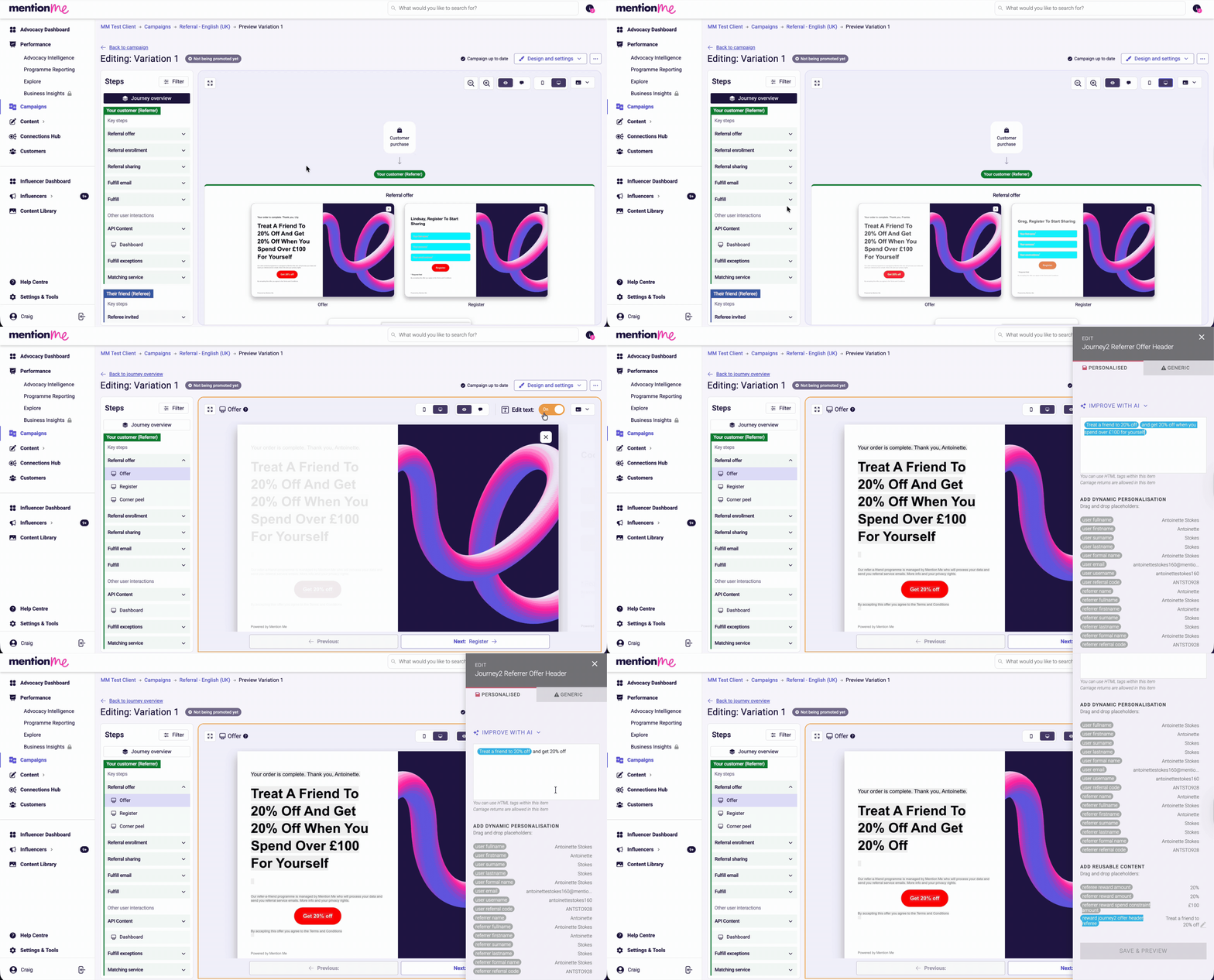 Avoid editing placeholder labels (blue tokens) as this modifies all shared instances.
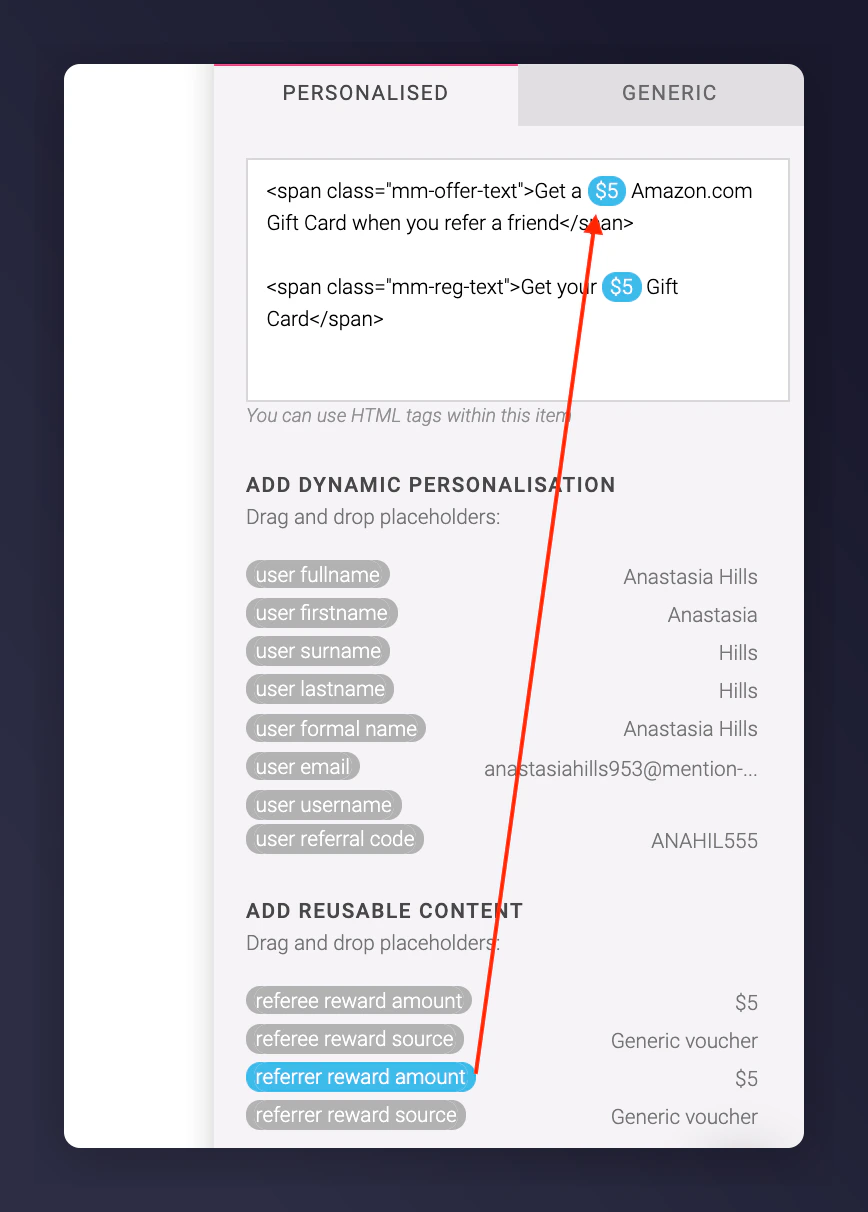 If **Edit text** mode is not available (for example, if the offer is not shareable or the campaign is paused), add `/edit` to the end of the preview URL manually. For example: `https://mention-me.com/merchant/4544/offer/113436/preview/edit?device=mobile`
## Leaving Comments for Content You Can't Edit
Some content is not editable in the front end. In those cases, leave a comment directly on the preview page.
Switch to **Comment mode** at the top of the Preview page.
Click anywhere on the preview to place a comment pin, type your change, and click **Save**. You can move or delete comment pins at any time.
If **Edit text** mode is not available (for example, if the offer is not shareable or the campaign is paused), add `/edit` to the end of the preview URL manually. For example: `https://mention-me.com/merchant/4544/offer/113436/preview/edit?device=mobile`
## Leaving Comments for Content You Can't Edit
Some content is not editable in the front end. In those cases, leave a comment directly on the preview page.
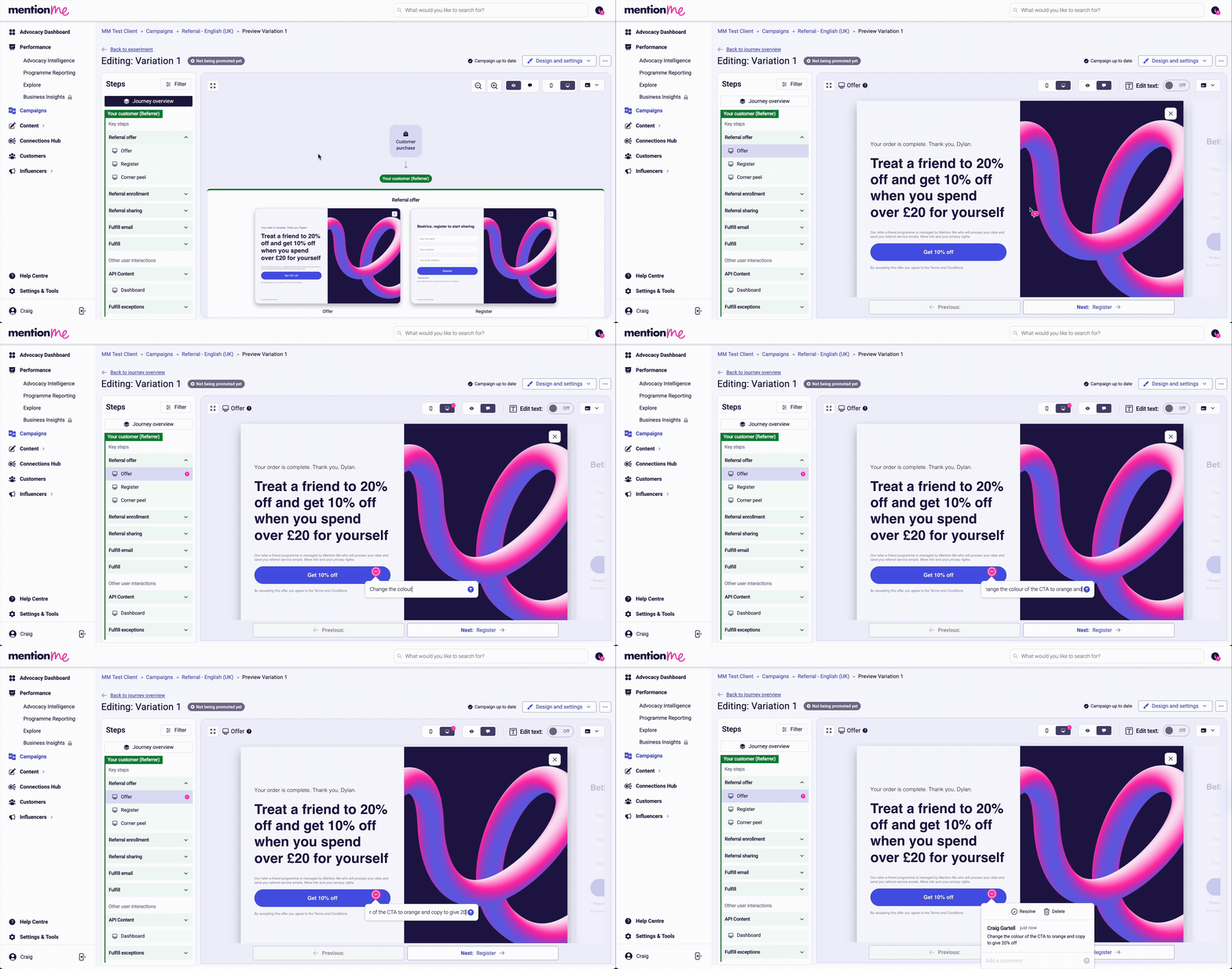
Switch to **Comment mode** at the top of the Preview page.
Click anywhere on the preview to place a comment pin, type your change, and click **Save**. You can move or delete comment pins at any time.
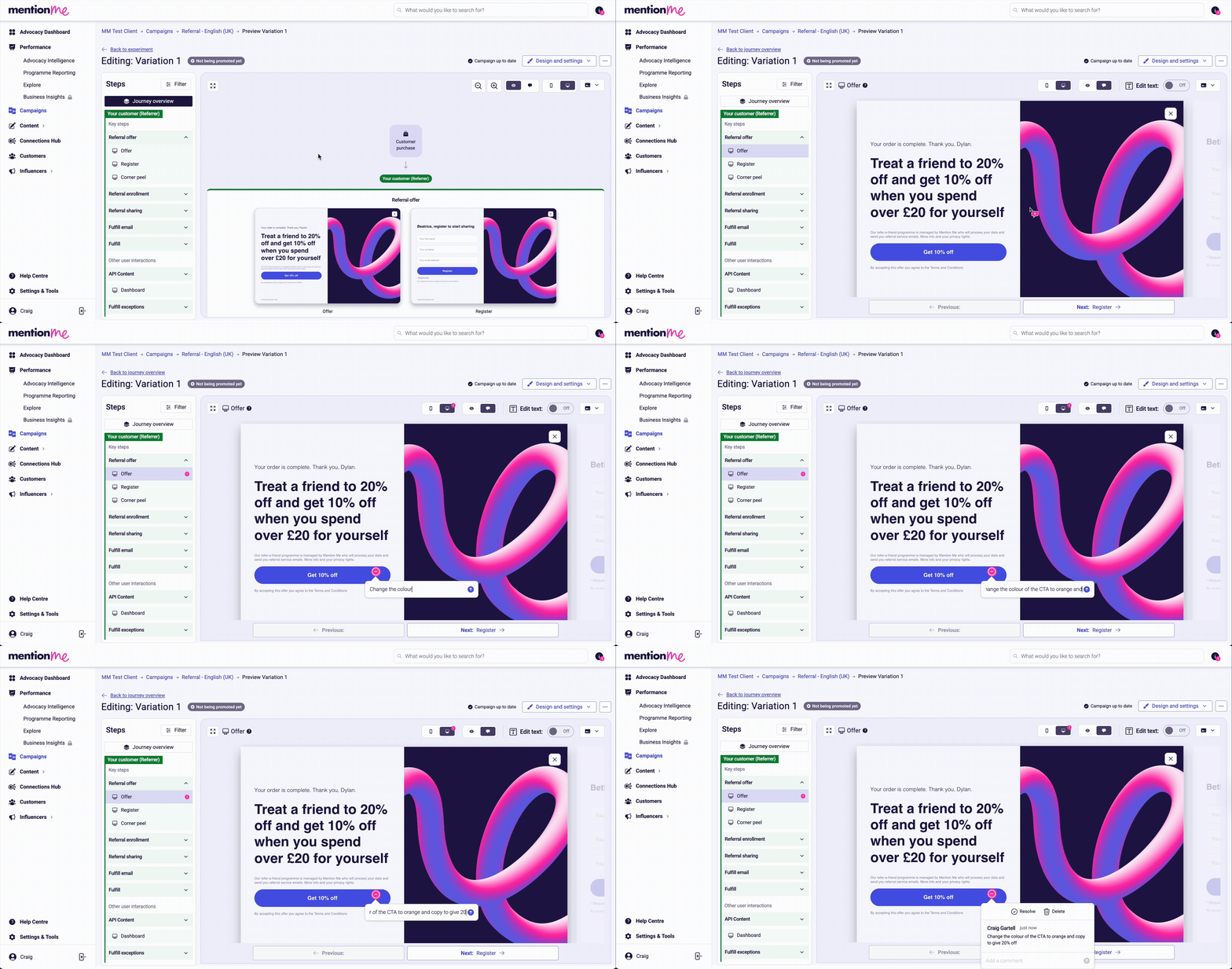 Your comment will automatically be sent to Mention Me Support for review. You'll receive an email notification when it is resolved or replied to.
 ## Pages with the Highest Impact on Conversion
The following pages are editable and have the greatest effect on referral conversion:
* **Referrer — Offer page:** The first view after purchase, which encourages sharing.
* **Referrer — Sharing screen:** Controls the share message text seen by others.
* **Referee — Registration page:** The first brand interaction for new customers.
## Pages with the Highest Impact on Conversion
The following pages are editable and have the greatest effect on referral conversion:
* **Referrer — Offer page:** The first view after purchase, which encourages sharing.
* **Referrer — Sharing screen:** Controls the share message text seen by others.
* **Referee — Registration page:** The first brand interaction for new customers.
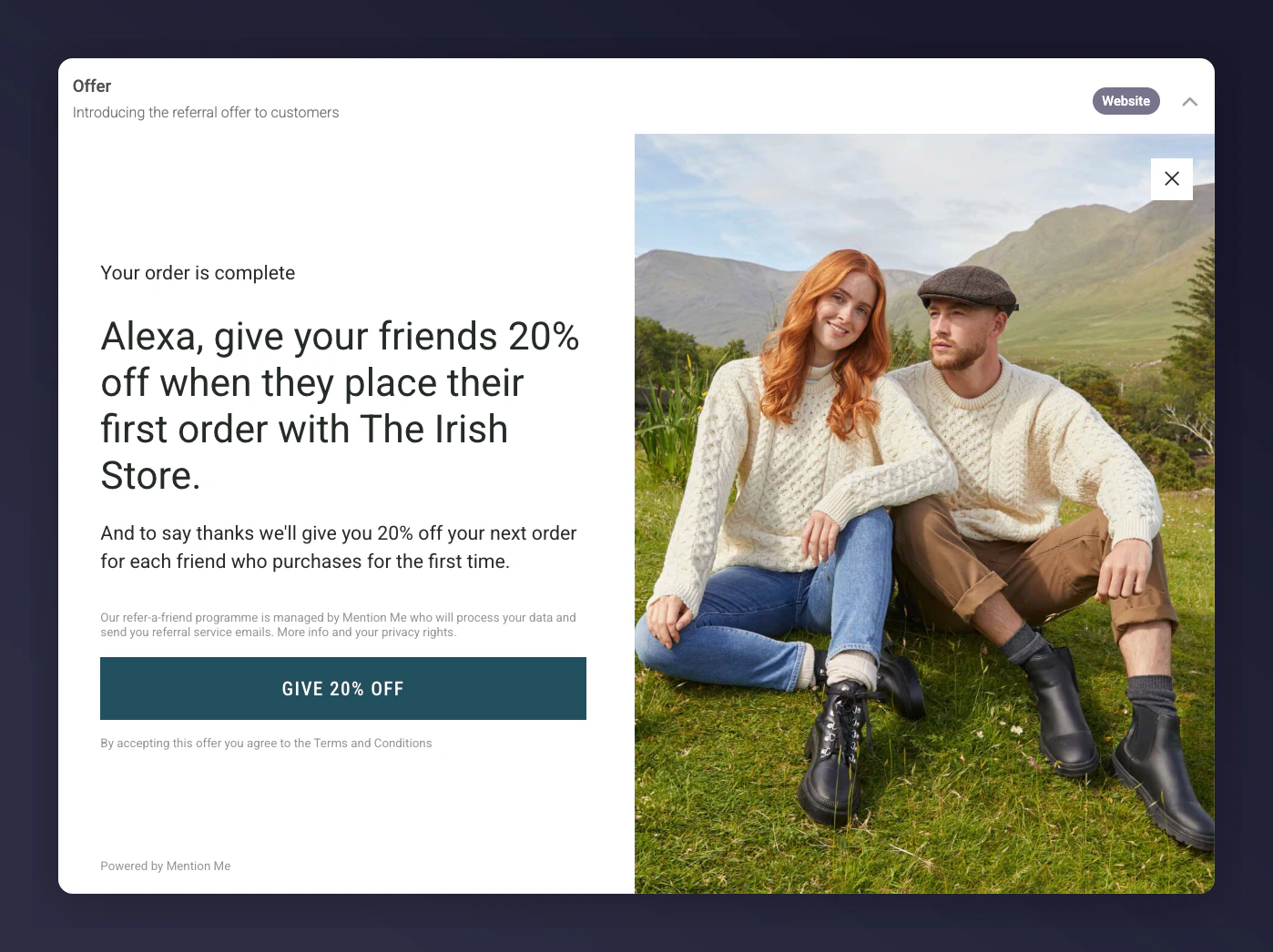 Referrer emails — **Share by email** and **Forwarded email** — share the same copy.
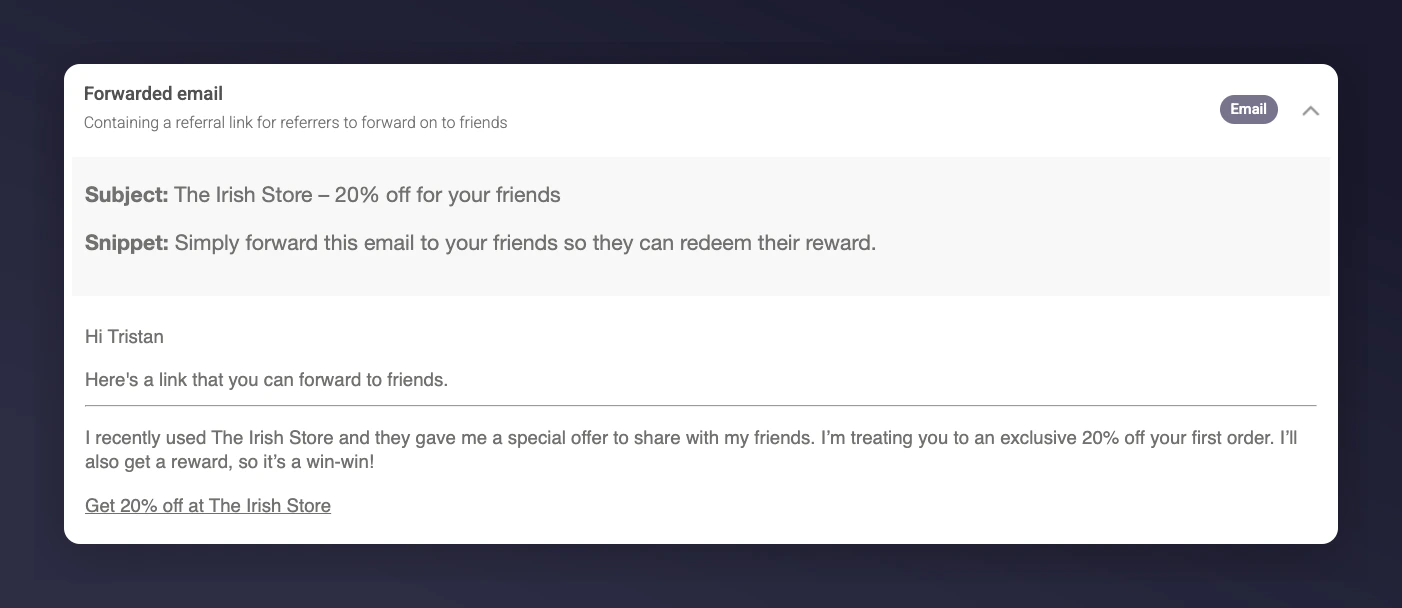
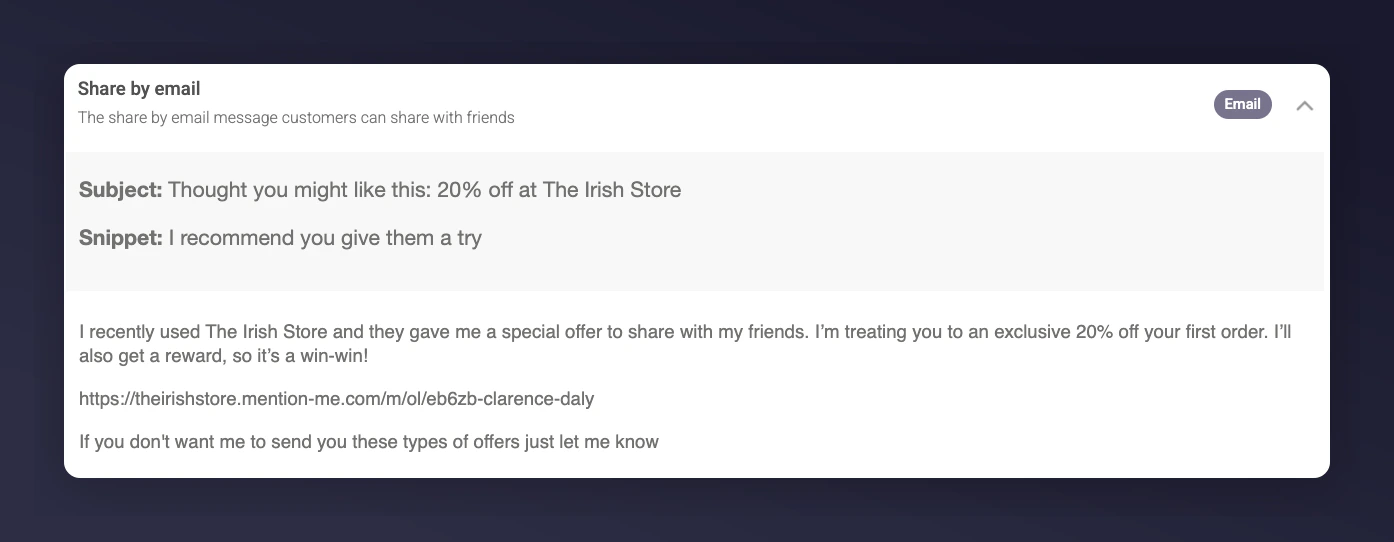
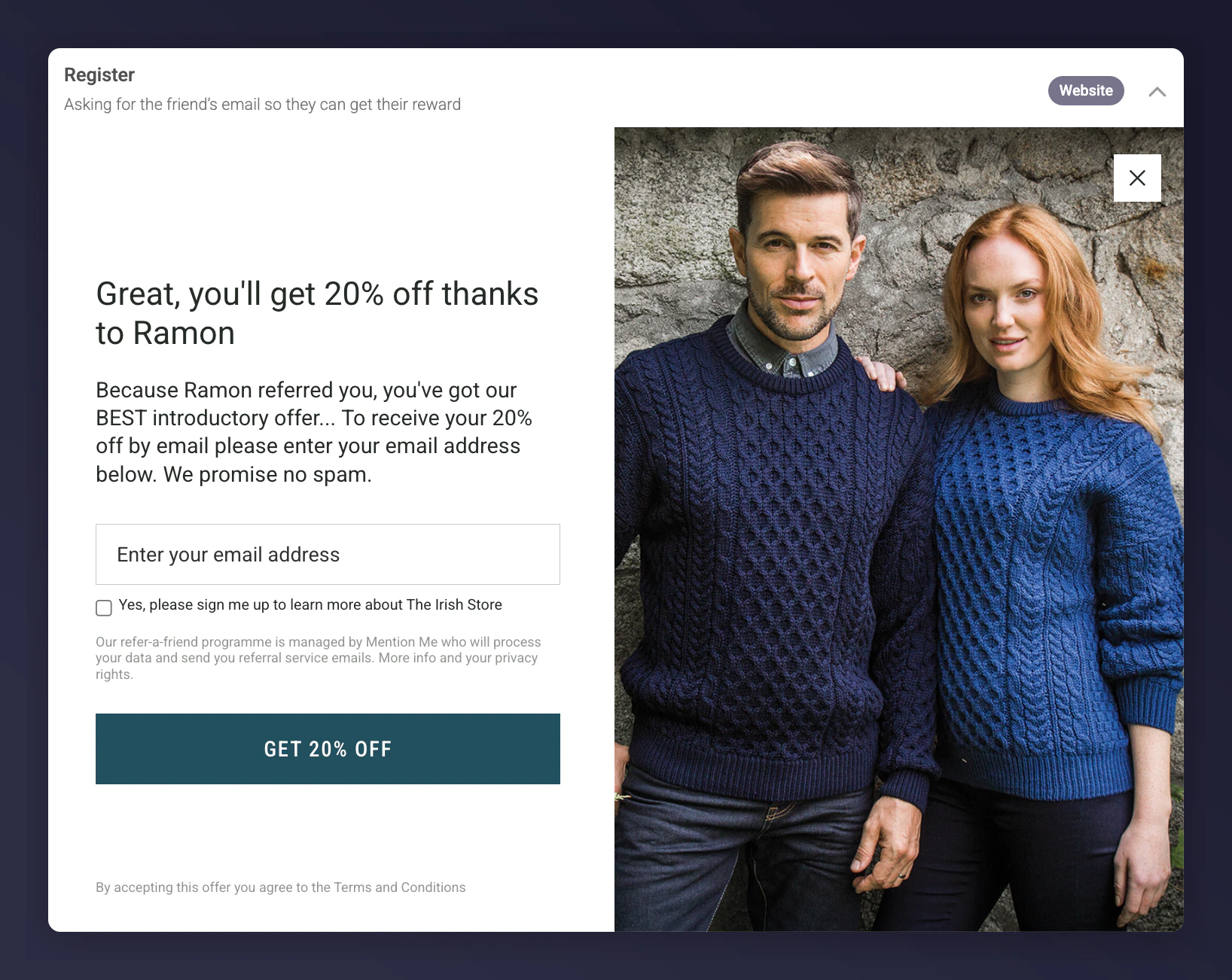 Write copy that sounds like it's from one friend to another — authentic and simple.
## Using HTML in Copy
You can use HTML where enabled, such as on Terms & Conditions pages. Look for areas labelled "You can use HTML tags within this item".
Write copy that sounds like it's from one friend to another — authentic and simple.
## Using HTML in Copy
You can use HTML where enabled, such as on Terms & Conditions pages. Look for areas labelled "You can use HTML tags within this item".
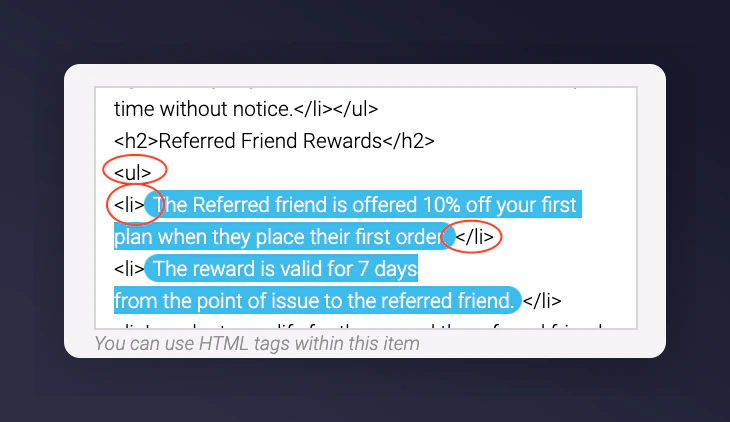 A full list of available HTML tags is available at .
## Finding and Fixing Hardcoded Placeholders
Sometimes reward values such as "\$50" get hardcoded instead of using dynamic placeholders. To find and fix these:
* Duplicate an existing offer and use text editing mode to locate and replace outdated references.
* Use Command+F (or Ctrl+F) to search for legacy reward amounts in preview screens.
* Replace static text with the appropriate dynamic content items to future-proof your campaigns.
* Access the **Review content items** section to update any global content that still references outdated rewards.
If you have questions, contact the Support or On-Demand team via the .
## Requesting a Copy Change
We always recommend customising generic copy in-house to align with your brand's tone of voice using the steps above. If you need help, you can request a copy change in two ways:
1. **Use the comments tool** — Leave a comment directly on the offer preview as described above.
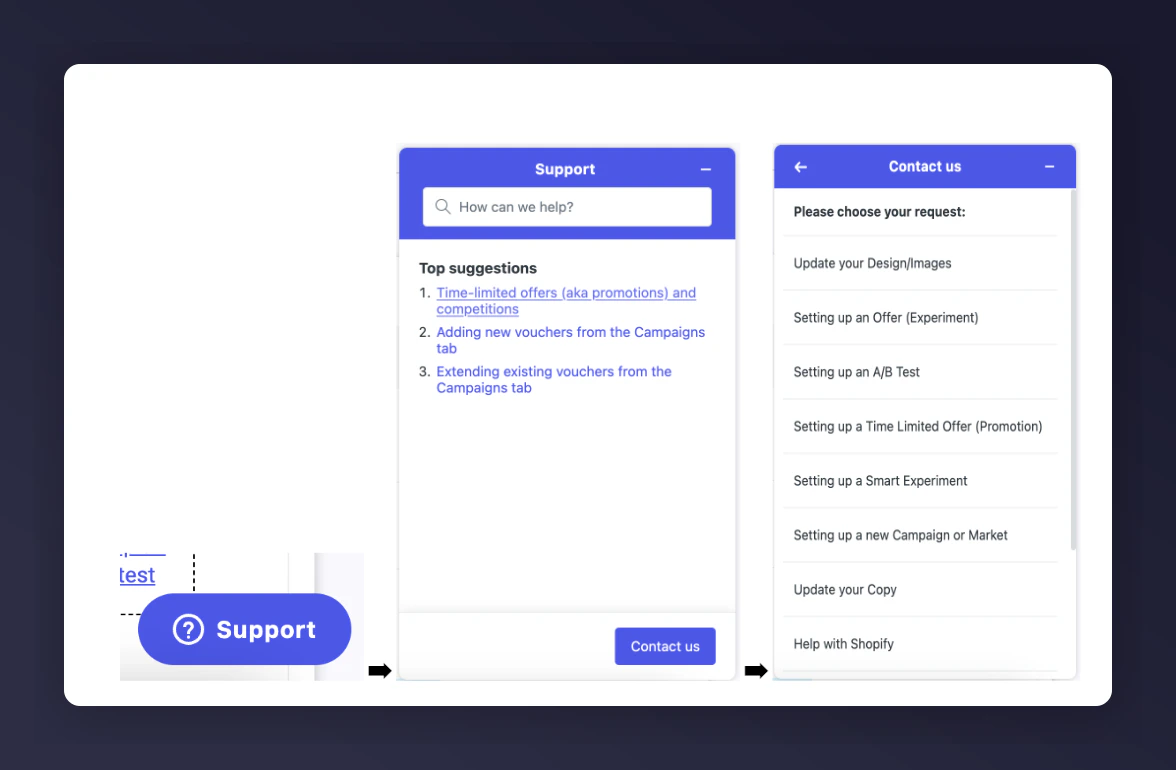
2. **Fill in our dedicated form** — Select the *Help* button in the bottom right corner of your dashboard, or visit the .
The form accepts up to five attachments. For additional files, include a Google Drive link in your submission.
## Need Help?
Contact Mention Me Support via the , or raise a request via the in-platform Support widget.
A full list of available HTML tags is available at .
## Finding and Fixing Hardcoded Placeholders
Sometimes reward values such as "\$50" get hardcoded instead of using dynamic placeholders. To find and fix these:
* Duplicate an existing offer and use text editing mode to locate and replace outdated references.
* Use Command+F (or Ctrl+F) to search for legacy reward amounts in preview screens.
* Replace static text with the appropriate dynamic content items to future-proof your campaigns.
* Access the **Review content items** section to update any global content that still references outdated rewards.
If you have questions, contact the Support or On-Demand team via the .
## Requesting a Copy Change
We always recommend customising generic copy in-house to align with your brand's tone of voice using the steps above. If you need help, you can request a copy change in two ways:
1. **Use the comments tool** — Leave a comment directly on the offer preview as described above.
2. **Fill in our dedicated form** — Select the *Help* button in the bottom right corner of your dashboard, or visit the .
The form accepts up to five attachments. For additional files, include a Google Drive link in your submission.
## Need Help?
Contact Mention Me Support via the , or raise a request via the in-platform Support widget.