> ## Documentation Index
> Fetch the complete documentation index at: https://docs.mention-me.com/llms.txt
> Use this file to discover all available pages before exploring further.
# Unsubscribe a Customer
> Stop all Mention Me referral-related emails for a customer, or re-enable them later.
If a customer no longer wishes to receive emails related to your refer-a-friend programme, you can unsubscribe them directly from the platform. This stops all Mention Me powered emails, including referral reminders and reward fulfilment, while still allowing the customer to receive other marketing communications from your brand.
Turning off emails will stop all communications from Mention Me to the selected customer, including reward fulfilment emails. This will not affect any marketing emails you send directly from your own systems.
## How to Disable Emails for a Customer
Log in to the Mention Me platform and go to the **Customers** section. Search for the customer by name, email, customer ID, or share link, then click on the customer's name to view their profile.
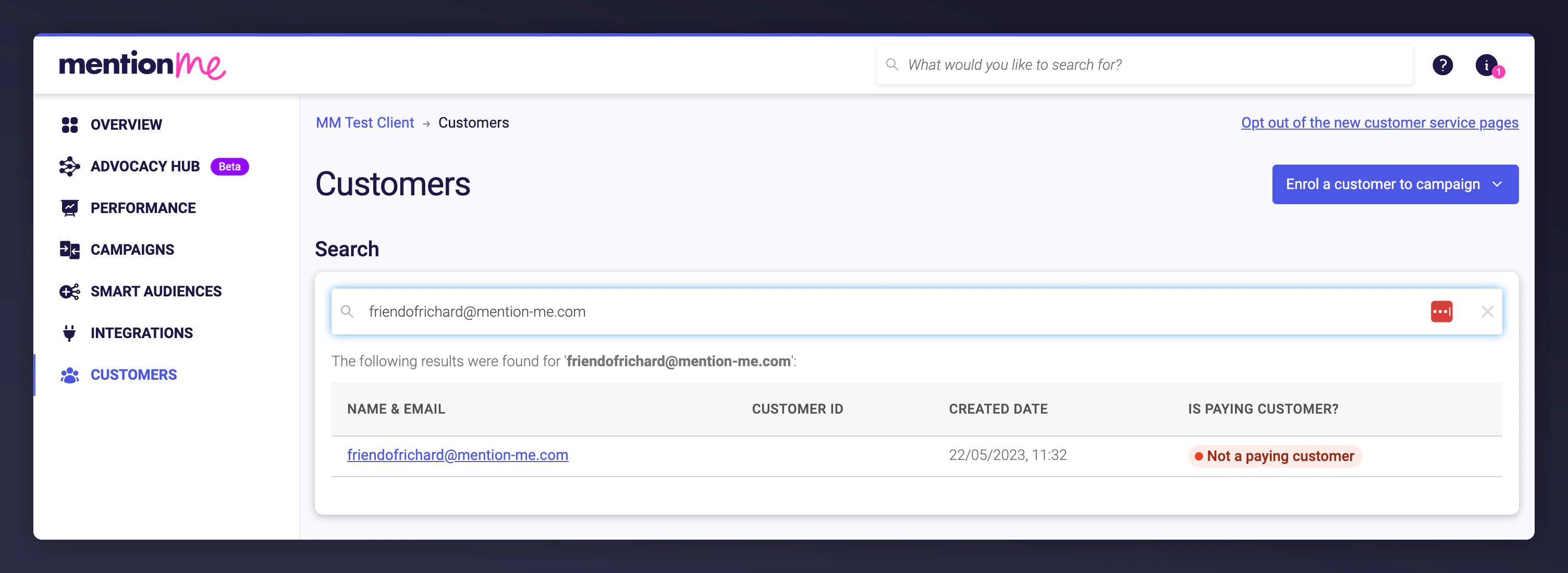 Click **Actions > Turn emails off**.
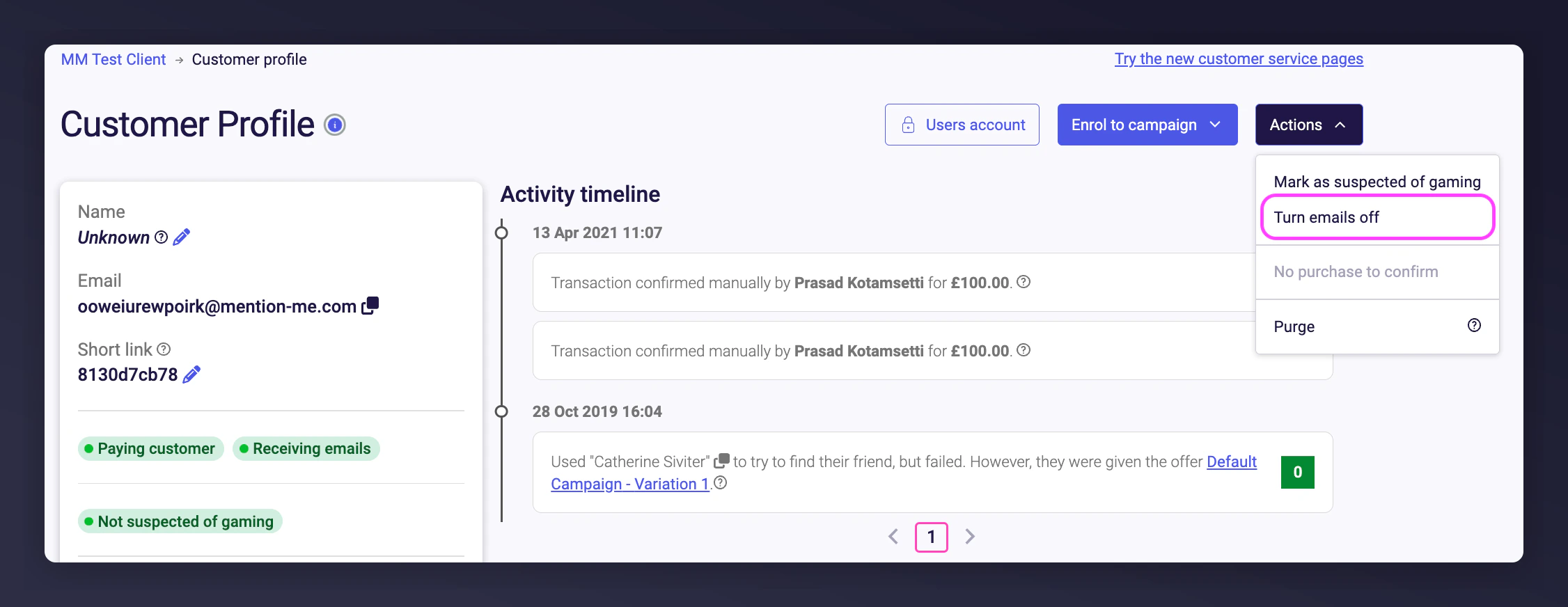 To re-enable emails, repeat the same steps and choose **Turn emails on**.