> ## Documentation Index
> Fetch the complete documentation index at: https://docs.mention-me.com/llms.txt
> Use this file to discover all available pages before exploring further.

# How to Find a Customer's Reward Code

> Reveal a customer's reward code directly from their profile if they can't find it in their fulfilment email.

If a customer can't find their reward code in their email, you can look it up directly from their profile.

<Warning>
  Only users with Customer Support Supervisor access or higher have permission to perform this action. <a href="https://help.mention-me.com/hc/en-gb/articles/360008895418-How-to-Add-Unlock-Users-within-your-Account#h_01JP7F8MPPS982M3C64SXJPKWJ" target="_blank" rel="noopener noreferrer">Learn more about user access and permissions</a>.

  If you don't have the necessary access, you can [resend the customer's fulfilment email](/knowledge/referral/customers/resend-reward-email) instead.
</Warning>

<Steps>
  <Step title="Open the Customers Section">
    Go to the **Customers** section in the Mention Me platform.
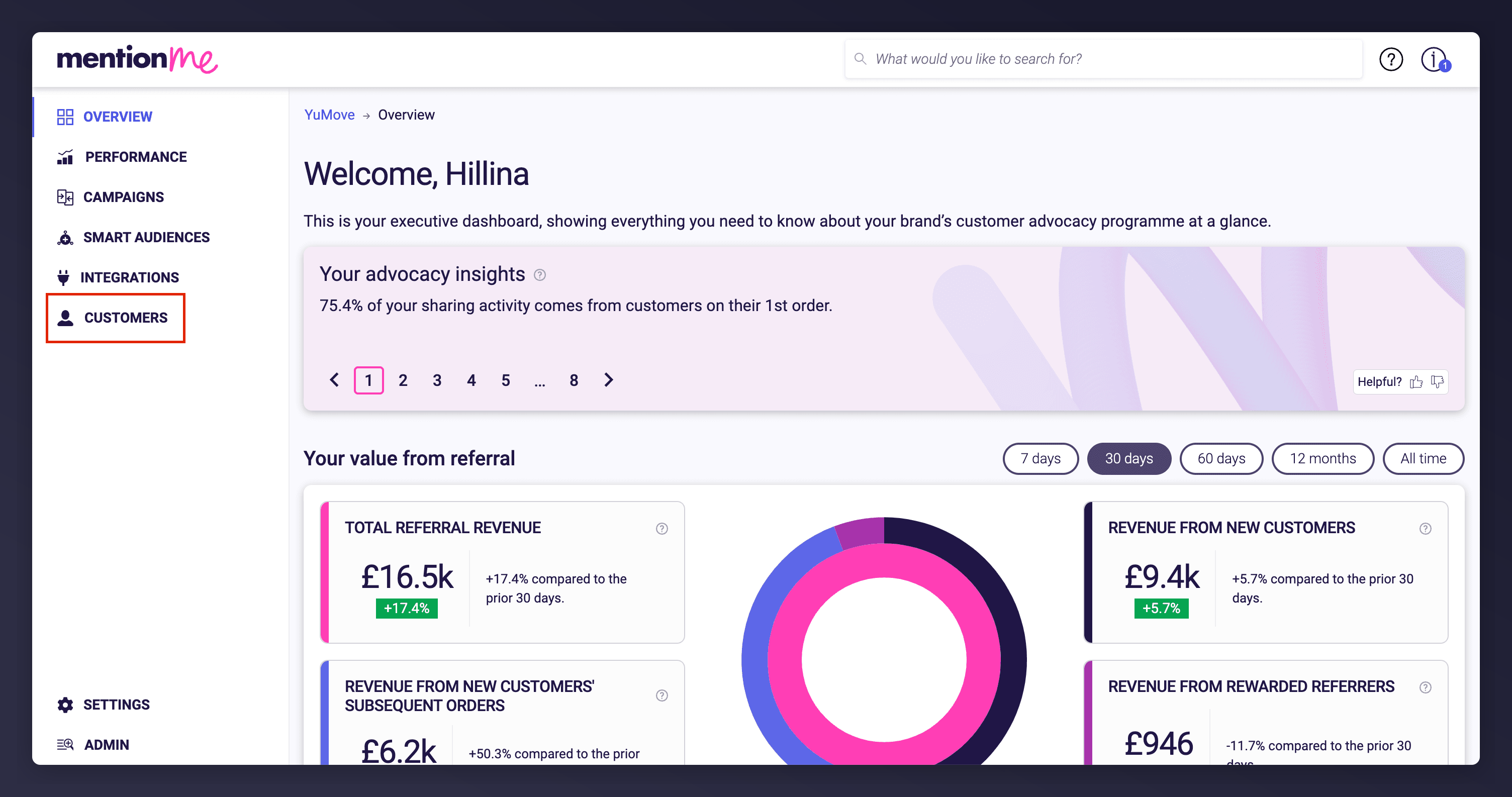
    <Frame caption="Accessing the Customers section from the platform navigation.">
      <img src="https://mintcdn.com/mentionme/1plw06TEDiD7_IVv/images/knowledge/referral/customers/redeem-reward-customers-section.png?fit=max&auto=format&n=1plw06TEDiD7_IVv&q=85&s=81e2eedf82b0269f924ce176aa6b4484" alt="Dashboard navigation to Customers section" width="3008" height="1586" data-path="images/knowledge/referral/customers/redeem-reward-customers-section.png" />
    </Frame>
  </Step>

  <Step title="Search for the Customer">
    Search for the customer using their name, email, customer ID, or share link, then click the matching result to open their profile.
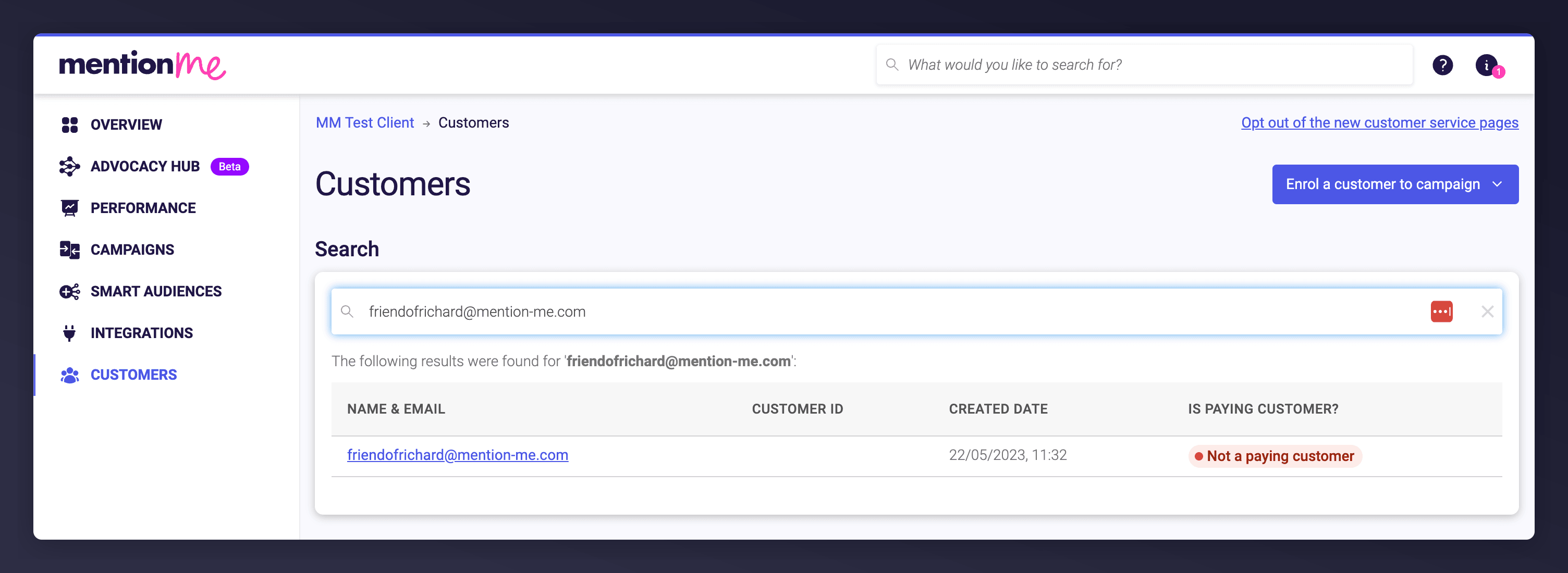
    <Frame caption="Searching for a customer's details.">
      <img src="https://mintcdn.com/mentionme/1plw06TEDiD7_IVv/images/knowledge/referral/customers/redeem-reward-customer-search.png?fit=max&auto=format&n=1plw06TEDiD7_IVv&q=85&s=9e36c372634d6b26fbfbcc3b196b2eb2" alt="Customer search bar and list of results in Mention Me" width="3008" height="1100" data-path="images/knowledge/referral/customers/redeem-reward-customer-search.png" />
    </Frame>
  </Step>

  <Step title="Reveal the Reward Code">
    Scroll to the **Rewards** section, find the code that was issued, and click **Reveal** to display it.
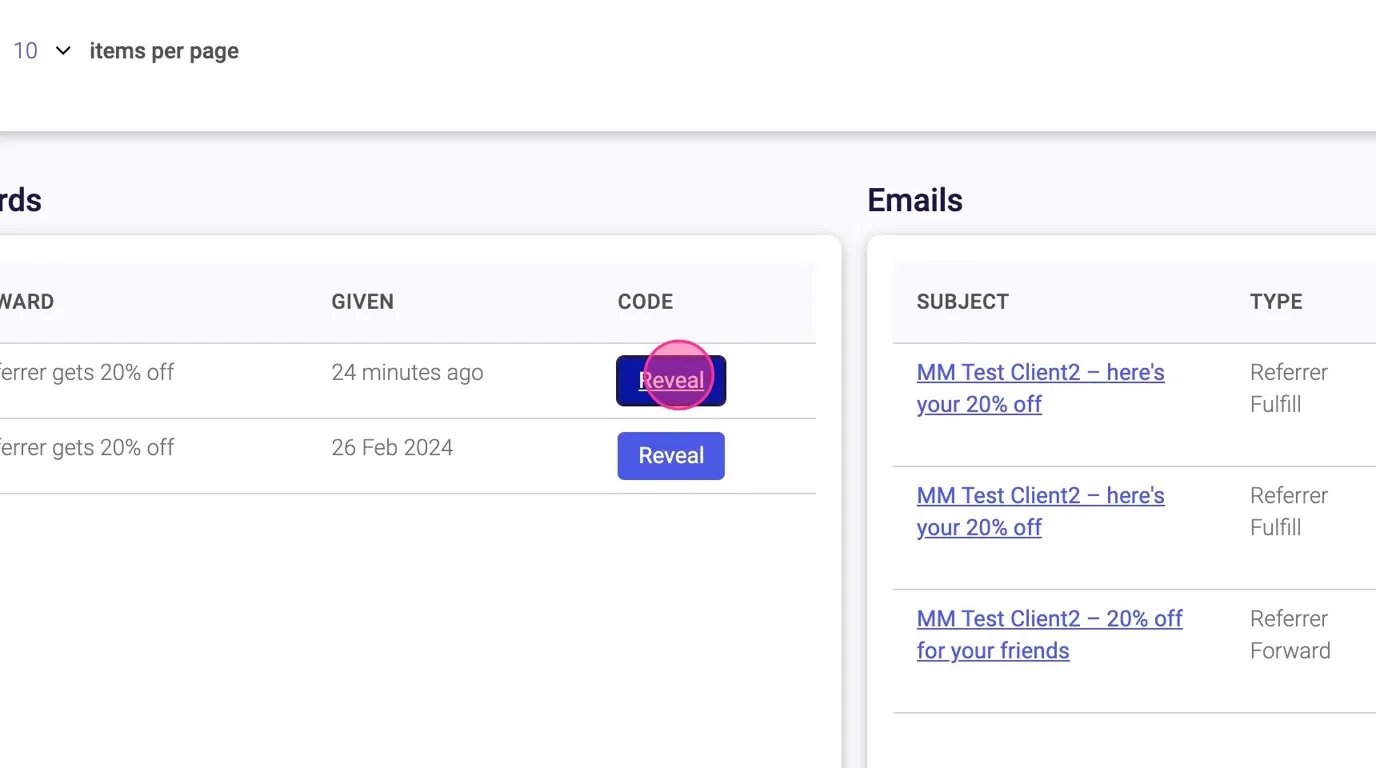
    <Frame caption="Revealing the issued reward code.">
      <img src="https://mintcdn.com/mentionme/066Umth6XEO80C2S/images/knowledge/referral/customers/confirm-purchase-reveal-code.webp?fit=max&auto=format&n=066Umth6XEO80C2S&q=85&s=8ea03c2d7fa3549988584f8ad4bcfc38" alt="Animation showing reward code reveal on Mention Me" width="1376" height="768" data-path="images/knowledge/referral/customers/confirm-purchase-reveal-code.webp" />
    </Frame>
  </Step>
</Steps>

## See Also

<CardGroup cols={2}>
  <Card title="How to Redeem a Customer's Reward" icon="gift" href="/knowledge/referral/customers/redeem-reward">
    Redeem a customer's reward from their Claim Reward email instead of revealing it directly.
  </Card>

  <Card title="How to Confirm a Referral Purchase" icon="check" href="/knowledge/referral/customers/confirm-purchase">
    Manually confirm a referee's purchase so a reward is issued in the first place.
  </Card>
</CardGroup>
