> ## Documentation Index
> Fetch the complete documentation index at: https://docs.mention-me.com/llms.txt
> Use this file to discover all available pages before exploring further.

# How to Redeem a Customer's Reward

> Redeem a customer's reward from their Claim Reward email in the Mention Me platform.

This guide shows you how to redeem a customer's reward from their 'Claim Reward' email.

<Warning>
  Only users with Customer Support Supervisor access or higher have permission to perform this action. <a href="https://help.mention-me.com/hc/en-gb/articles/360008895418-How-to-Add-Unlock-Users-within-your-Account#h_01JP7F8MPPS982M3C64SXJPKWJ" target="_blank" rel="noopener noreferrer">Learn more about user access and permissions</a>.
</Warning>

<Steps>
  <Step title="Open the Customers Section">
    Go to the **Customers** section in the Mention Me platform.
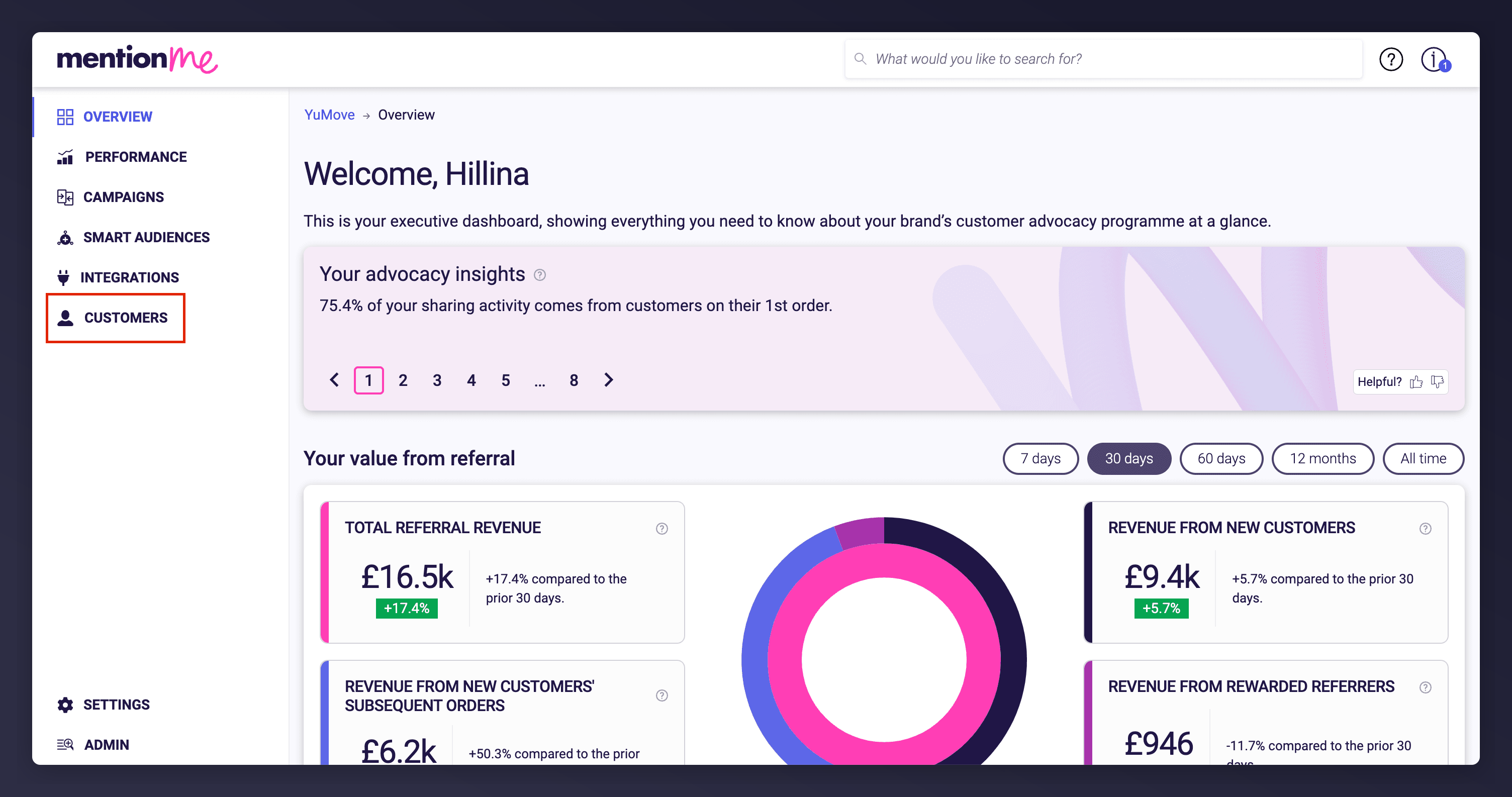
    <Frame caption="Accessing the Customers section from the platform navigation.">
      <img src="https://mintcdn.com/mentionme/1plw06TEDiD7_IVv/images/knowledge/referral/customers/redeem-reward-customers-section.png?fit=max&auto=format&n=1plw06TEDiD7_IVv&q=85&s=81e2eedf82b0269f924ce176aa6b4484" alt="Dashboard navigation to Customers section" width="3008" height="1586" data-path="images/knowledge/referral/customers/redeem-reward-customers-section.png" />
    </Frame>
  </Step>

  <Step title="Search for the Customer">
    Search for the customer using their name, email, customer ID, or share link, then click the matching result to open their profile.
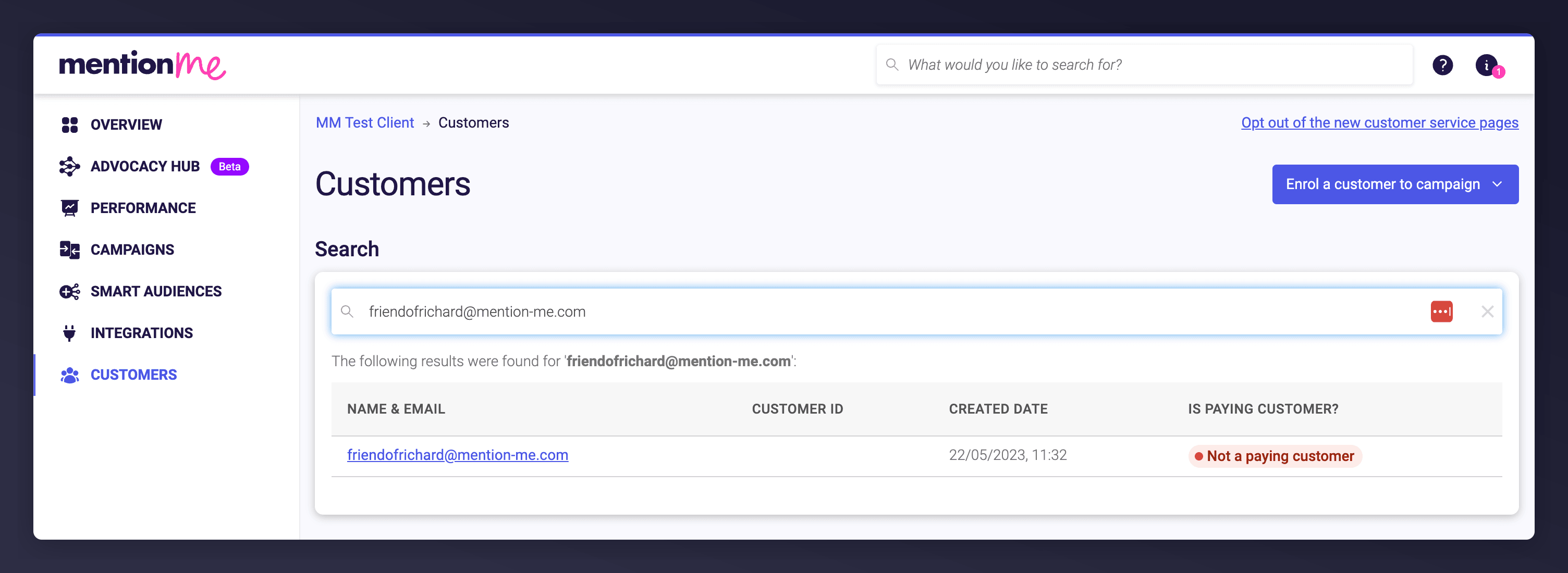
    <Frame caption="Searching for a customer's details.">
      <img src="https://mintcdn.com/mentionme/1plw06TEDiD7_IVv/images/knowledge/referral/customers/redeem-reward-customer-search.png?fit=max&auto=format&n=1plw06TEDiD7_IVv&q=85&s=9e36c372634d6b26fbfbcc3b196b2eb2" alt="Customer search bar and list of results in Mention Me" width="3008" height="1100" data-path="images/knowledge/referral/customers/redeem-reward-customer-search.png" />
    </Frame>
  </Step>

  <Step title="Open the Claim Reward Email">
    Scroll to the Emails section and click on the **'Referrer/Referee Claim Reward'** email link.
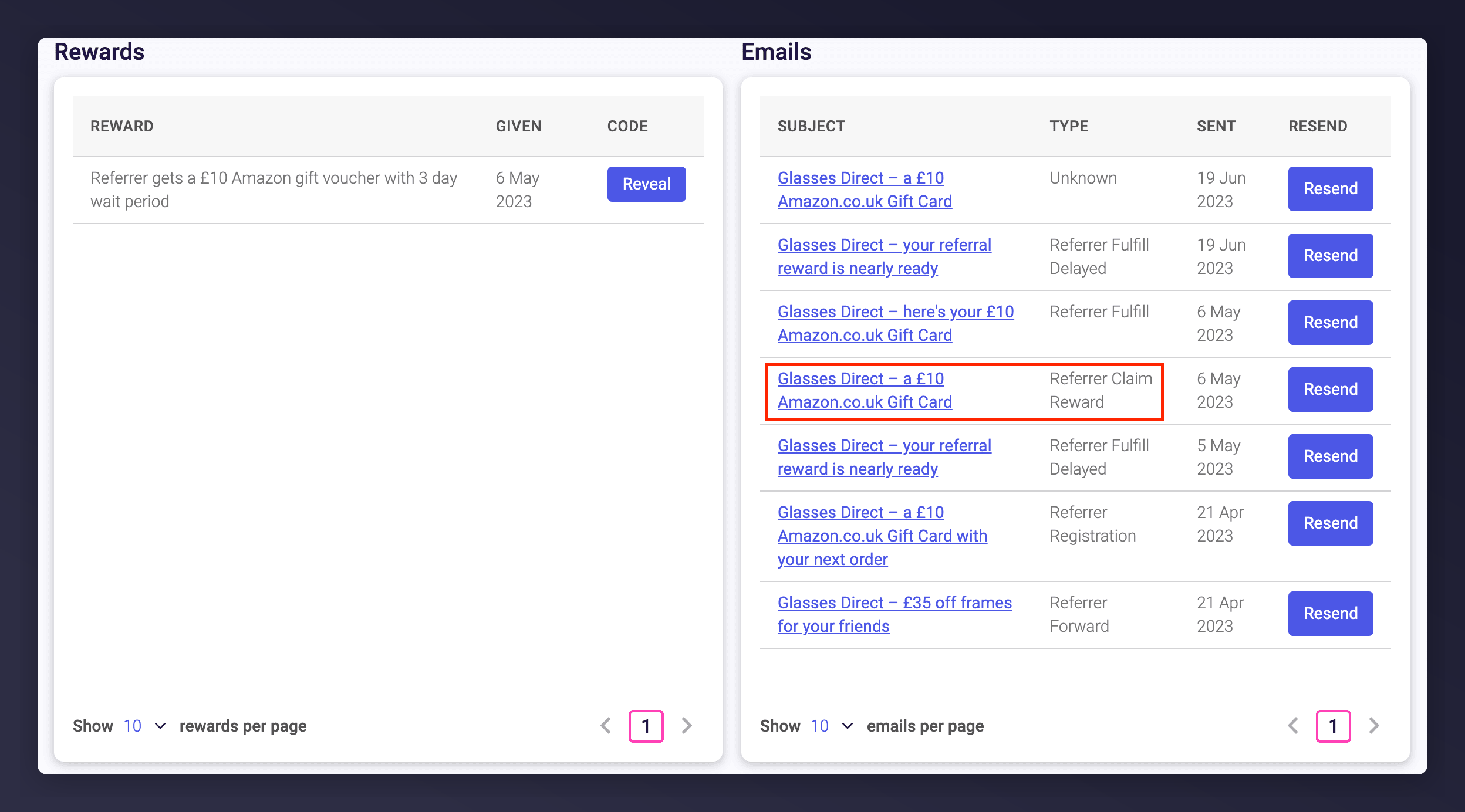
    <Frame caption="Locating and opening the Claim Reward email.">
      <img src="https://mintcdn.com/mentionme/1plw06TEDiD7_IVv/images/knowledge/referral/customers/redeem-reward-claim-email-link.png?fit=max&auto=format&n=1plw06TEDiD7_IVv&q=85&s=f1d6afab0c5f9b5edf3b449c6324ab2c" alt="List of emails shown on customer account" width="2496" height="1384" data-path="images/knowledge/referral/customers/redeem-reward-claim-email-link.png" />
    </Frame>
  </Step>

  <Step title="Click the Call to Action in the Email">
    Click the call to action (for example, 'Claim your reward') in the email.
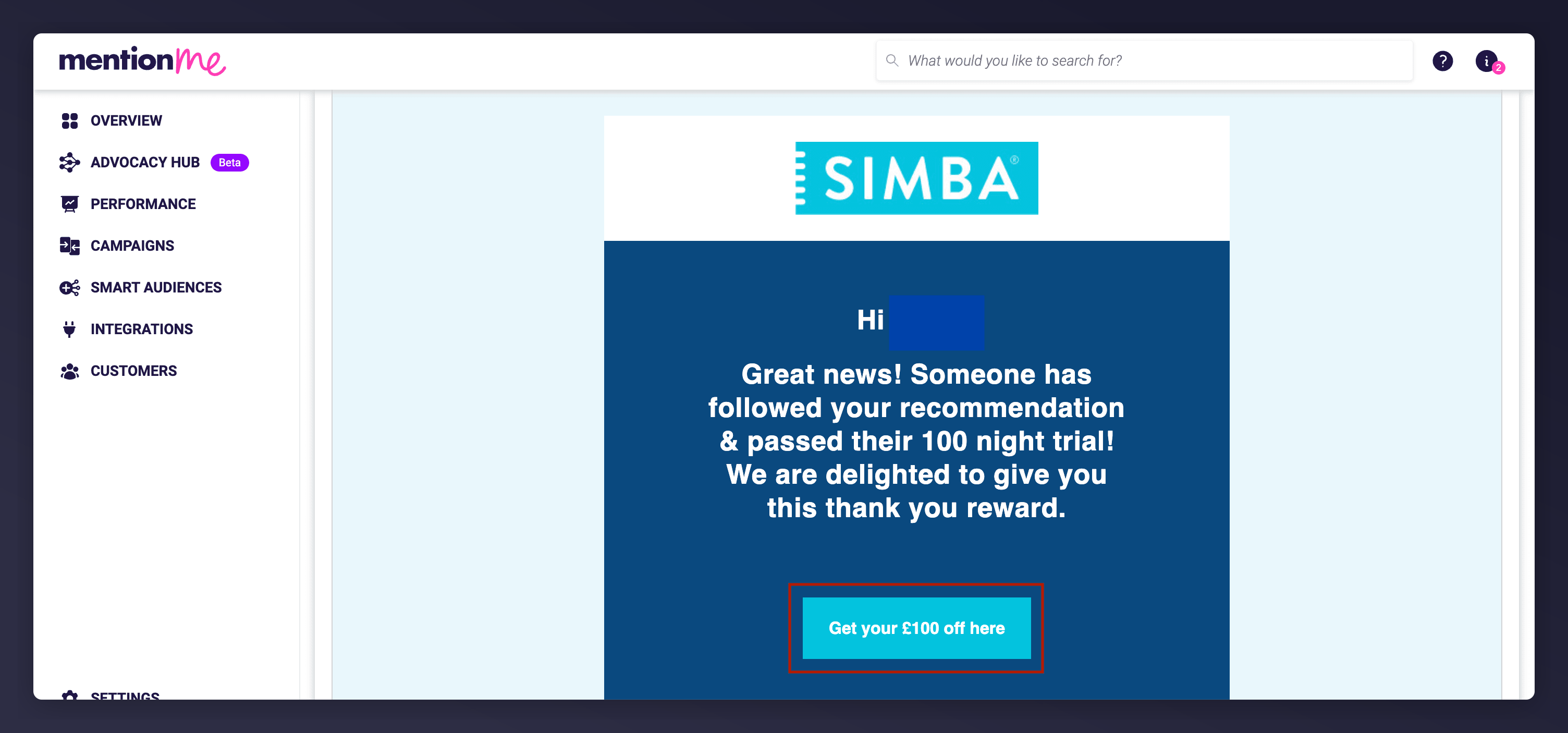
    <Frame caption="Clicking the main call to action in the customer email.">
      <img src="https://mintcdn.com/mentionme/1plw06TEDiD7_IVv/images/knowledge/referral/customers/redeem-reward-cta-example-1.png?fit=max&auto=format&n=1plw06TEDiD7_IVv&q=85&s=ff9c36dd1b9e3348624abacfd1630243" alt="Example CTA button in claim reward email" width="3008" height="1406" data-path="images/knowledge/referral/customers/redeem-reward-cta-example-1.png" />
    </Frame>

    The call to action sometimes appears in a different position within the email:
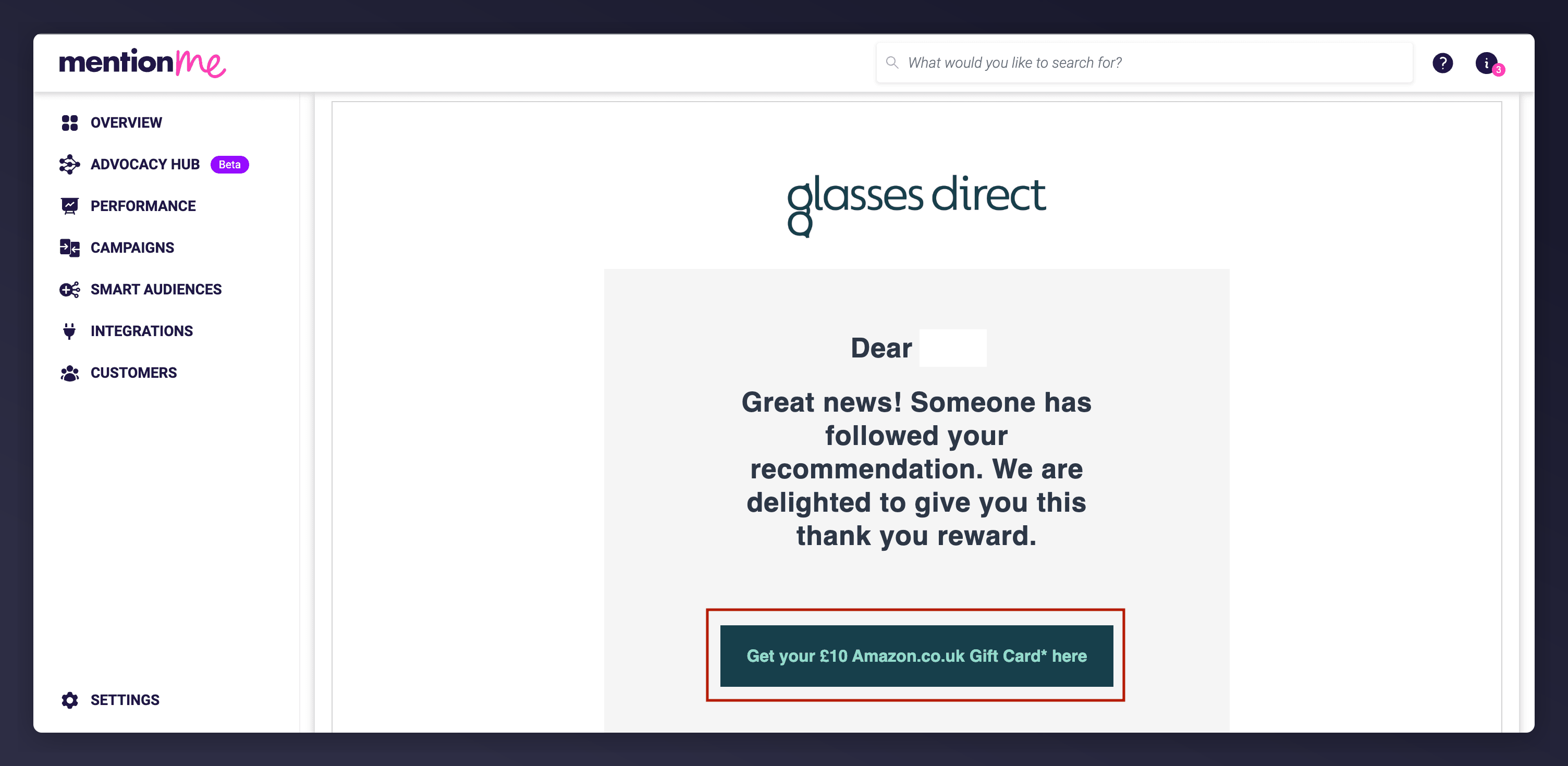
    <Frame caption="An alternate example of where the call to action appears in the email.">
      <img src="https://mintcdn.com/mentionme/1plw06TEDiD7_IVv/images/knowledge/referral/customers/redeem-reward-cta-example-2.png?fit=max&auto=format&n=1plw06TEDiD7_IVv&q=85&s=1e15dd3f9cdaca3a07643ce901c3560a" alt="Another example of claim CTA location" width="3008" height="1470" data-path="images/knowledge/referral/customers/redeem-reward-cta-example-2.png" />
    </Frame>
  </Step>

  <Step title="Confirm the Claim">
    You'll be redirected to a Claim page. Click the call to action to confirm ('Claim your reward' or 'Claim code').
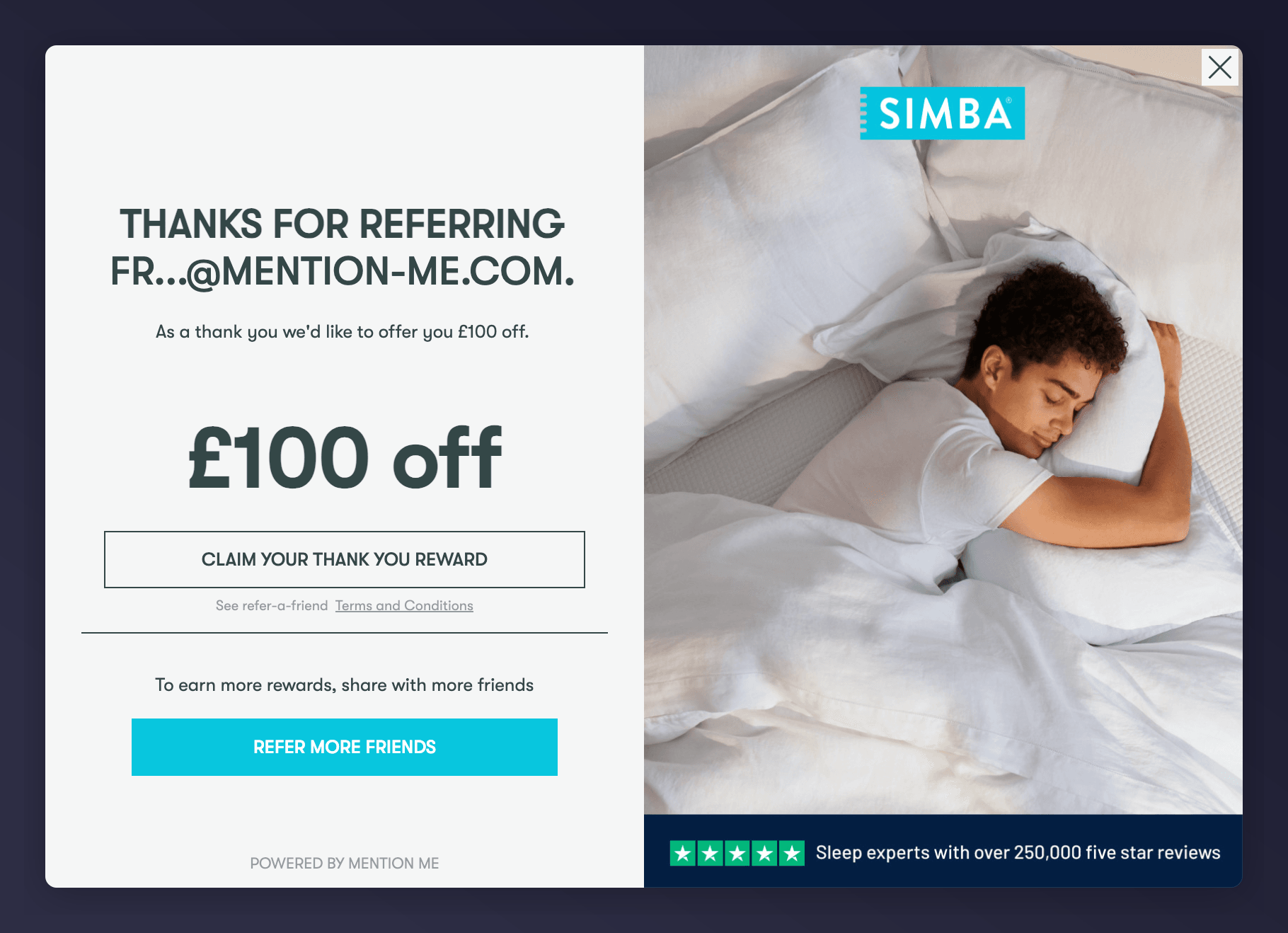
    <Frame caption="The Claim page where reward confirmation happens.">
      <img src="https://mintcdn.com/mentionme/1plw06TEDiD7_IVv/images/knowledge/referral/customers/redeem-reward-claim-page.png?fit=max&auto=format&n=1plw06TEDiD7_IVv&q=85&s=0734dceeb814a431480b33e6b3a33703" alt="Referral code Claim page interface and CTA" width="1820" height="1318" data-path="images/knowledge/referral/customers/redeem-reward-claim-page.png" />
    </Frame>
  </Step>

  <Step title="View the Reward Code">
    You'll be directed to the Fulfil page, showing the reward code.
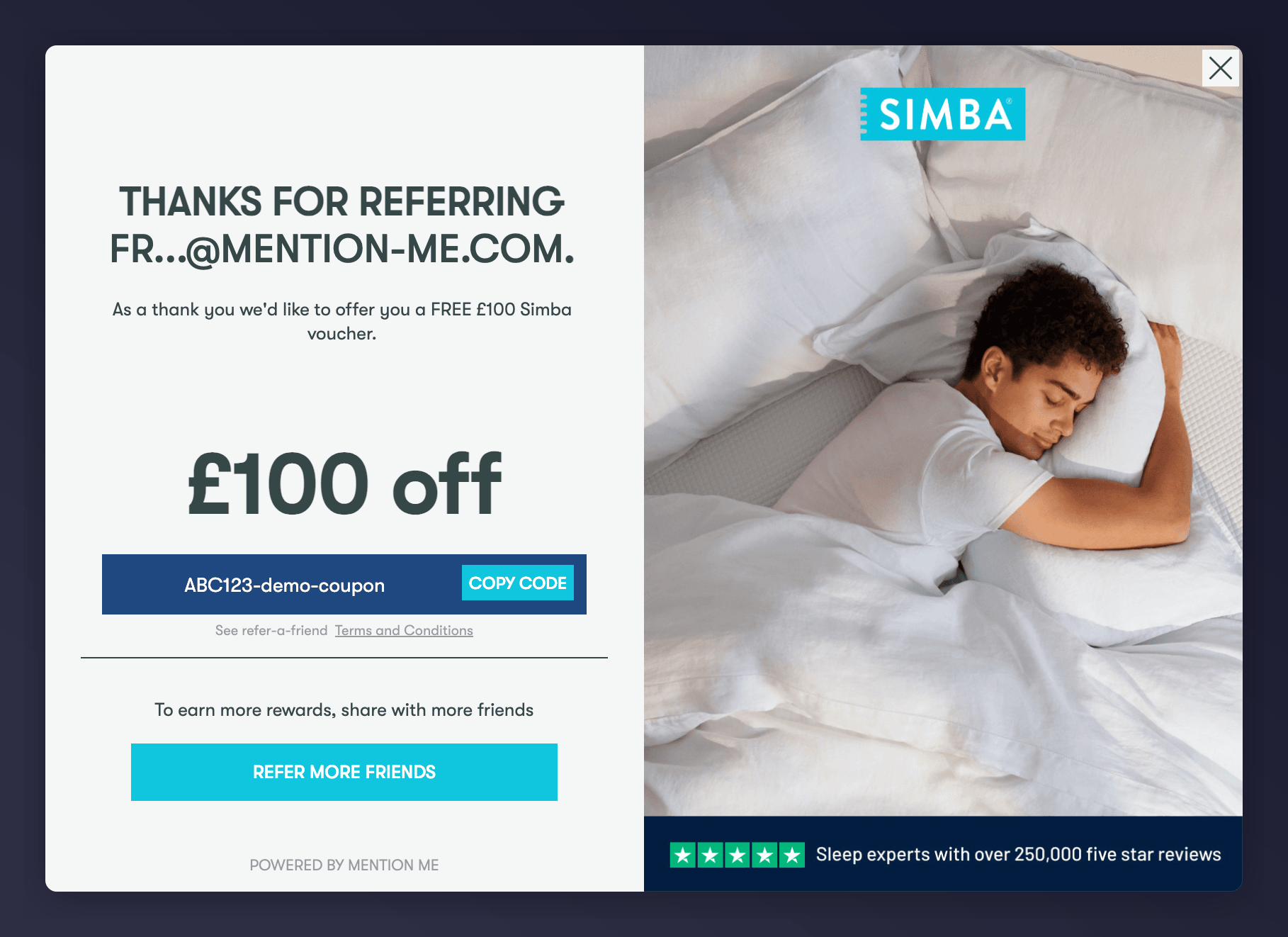
    <Frame caption="An example of a successful reward issuance.">
      <img src="https://mintcdn.com/mentionme/1plw06TEDiD7_IVv/images/knowledge/referral/customers/redeem-reward-fulfil-page.png?fit=max&auto=format&n=1plw06TEDiD7_IVv&q=85&s=b12a49f18bcd62c92a11f62ef2fb14c3" alt="Reward code screen showing successful code fulfilment" width="1818" height="1322" data-path="images/knowledge/referral/customers/redeem-reward-fulfil-page.png" />
    </Frame>
  </Step>

  <Step title="Share the Reward Code">
    The customer will also receive a fulfilment email containing the code, or you can copy the code manually and send it to them.
  </Step>
</Steps>

## Quick Demo GIFs

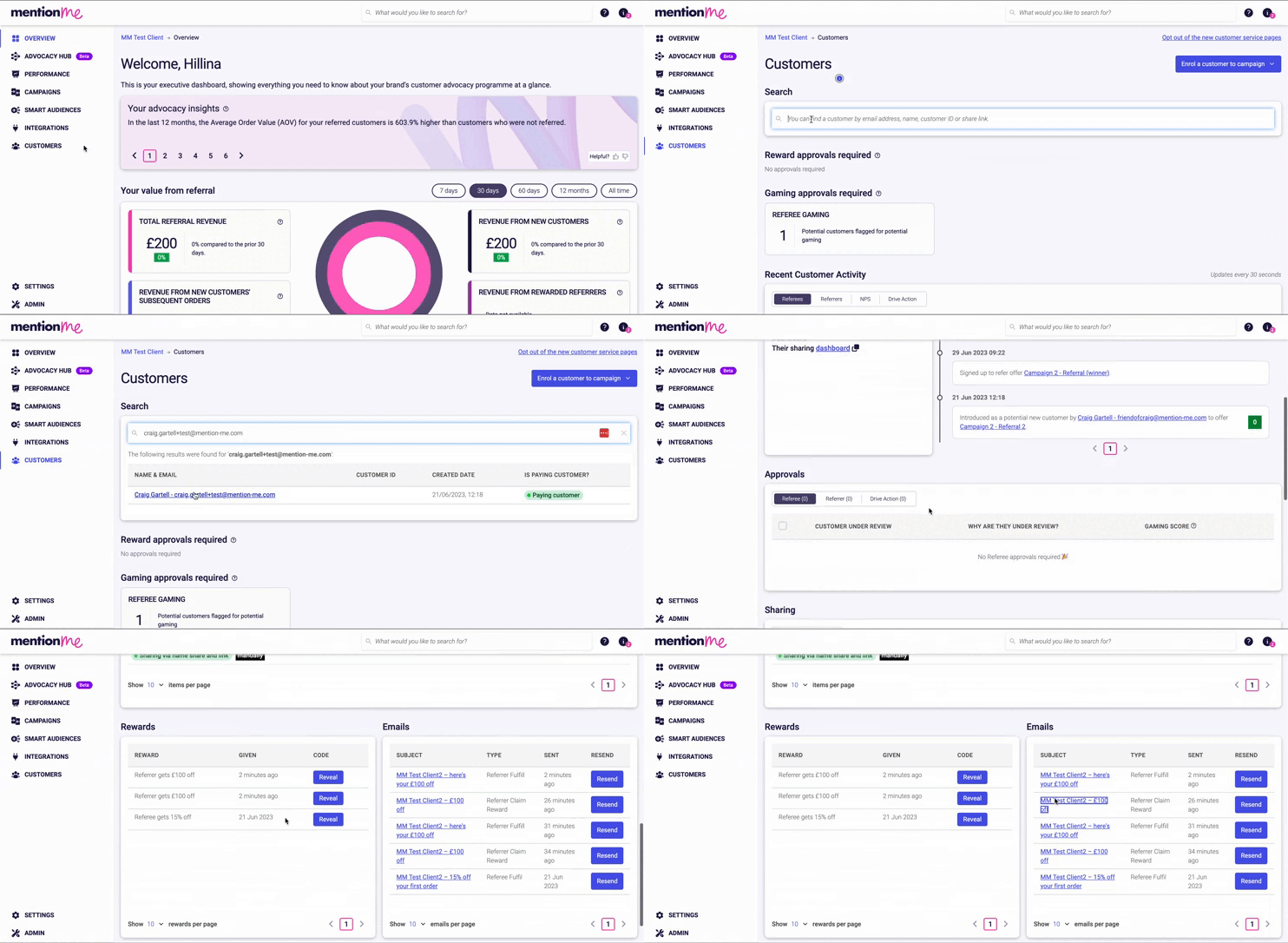
**Steps 1-3:**

<Frame caption="Locating and opening the Claim Reward email.">
  <img src="https://mintcdn.com/mentionme/Y87fuUvUighO0KDa/images/knowledge/referral/customers/redeem-reward-demo-steps-1-3.gif?s=b2504ce920a0a1b6ce5758bec248e299" alt="Animated GIF showing how to find a customer and open the Claim Reward email" width="742" height="362" data-path="images/knowledge/referral/customers/redeem-reward-demo-steps-1-3.gif" />
</Frame>

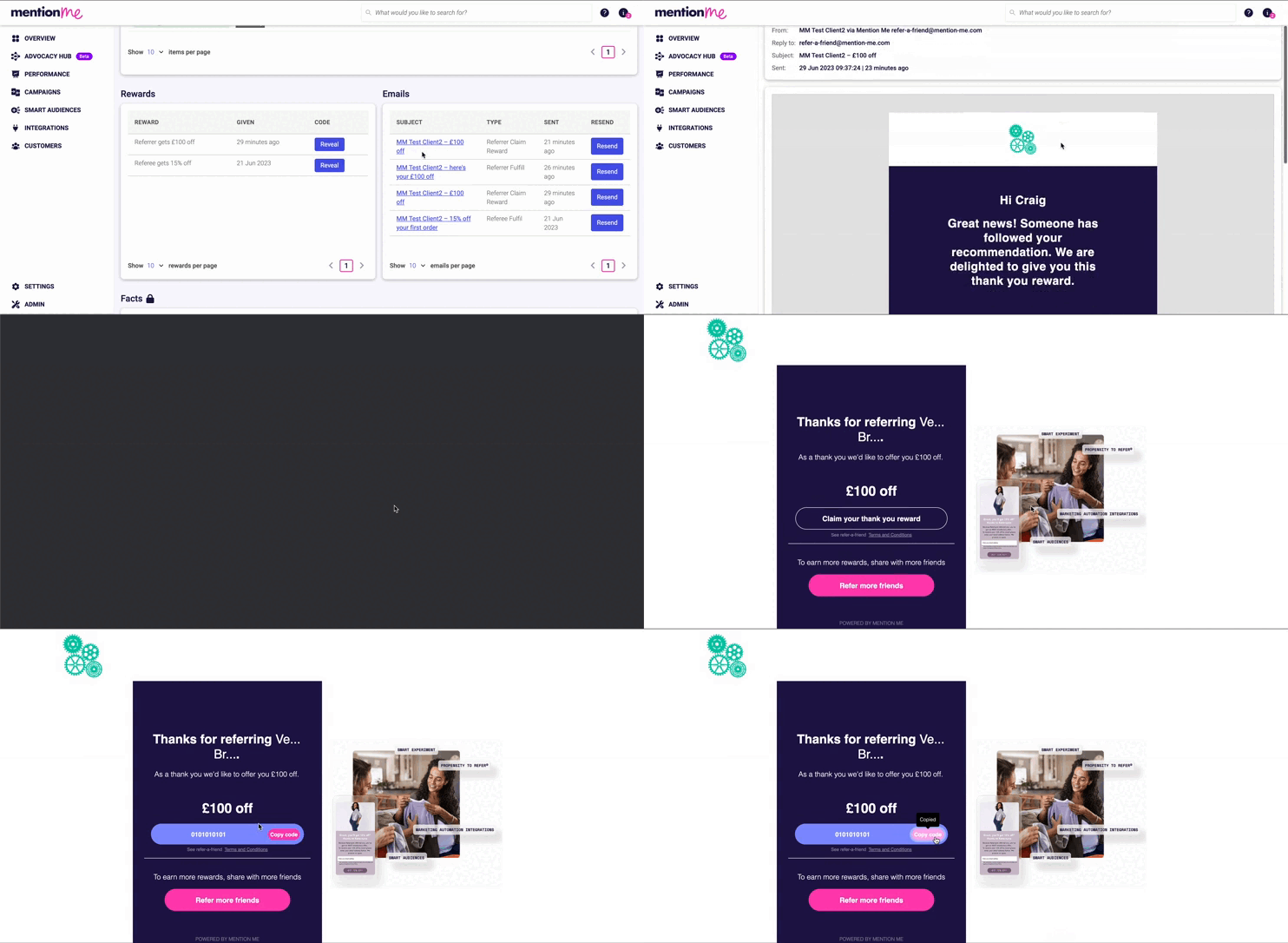
**Steps 4-7:**

<Frame caption="Redeeming the reward from the claim email through to the reward code screen.">
  <img src="https://mintcdn.com/mentionme/Y87fuUvUighO0KDa/images/knowledge/referral/customers/redeem-reward-demo-steps-4-7.gif?s=c1df2a228799f2de10db7d44a2085cde" alt="GIF showing CTA click through to reward code screen" width="742" height="362" data-path="images/knowledge/referral/customers/redeem-reward-demo-steps-4-7.gif" />
</Frame>