> ## Documentation Index
> Fetch the complete documentation index at: https://docs.mention-me.com/llms.txt
> Use this file to discover all available pages before exploring further.
# Move Customers Between Campaigns
> Manually move a customer between campaigns or roll forward a referrer to the latest offer.
## Moving a Customer to a Different Campaign
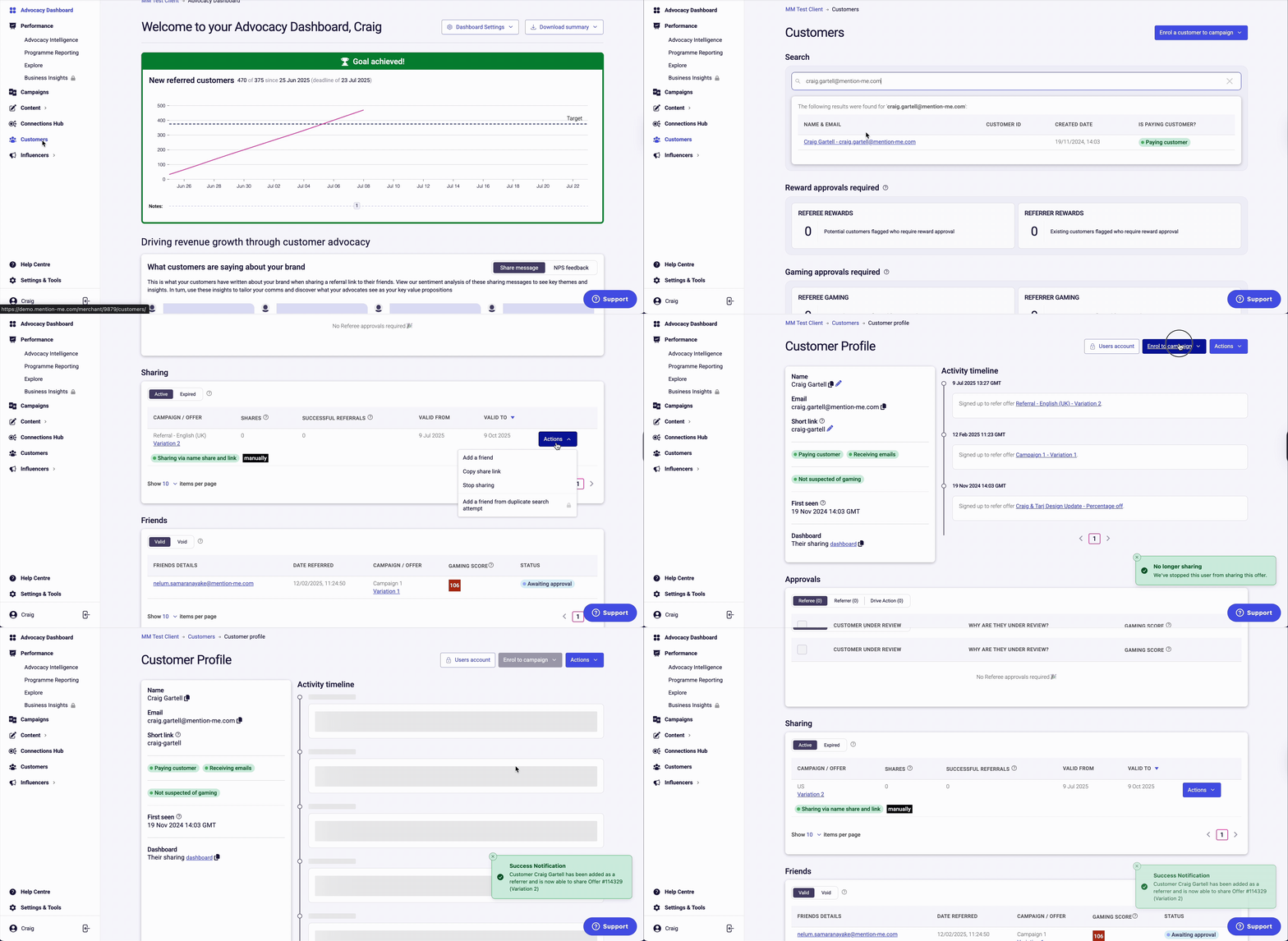
Go to the [Mention Me Merchant Platform](https://merchant.mention-me.com). Click on **Customers** and search for the customer by email, name, customer ID, or share link. Click to open the customer's profile.
Under **Sharing**, click **Actions** and select **Stop Sharing** to remove them from their current campaign.
Click **Enrol to Campaign** and choose the correct campaign from the drop-down menu. You'll get a confirmation that the customer has been enrolled.
 ## Rolling Forward a Referrer to the Latest Offer
Use this to update the referral offer for one individual customer.
### Option 1: Manual Re-enrolment
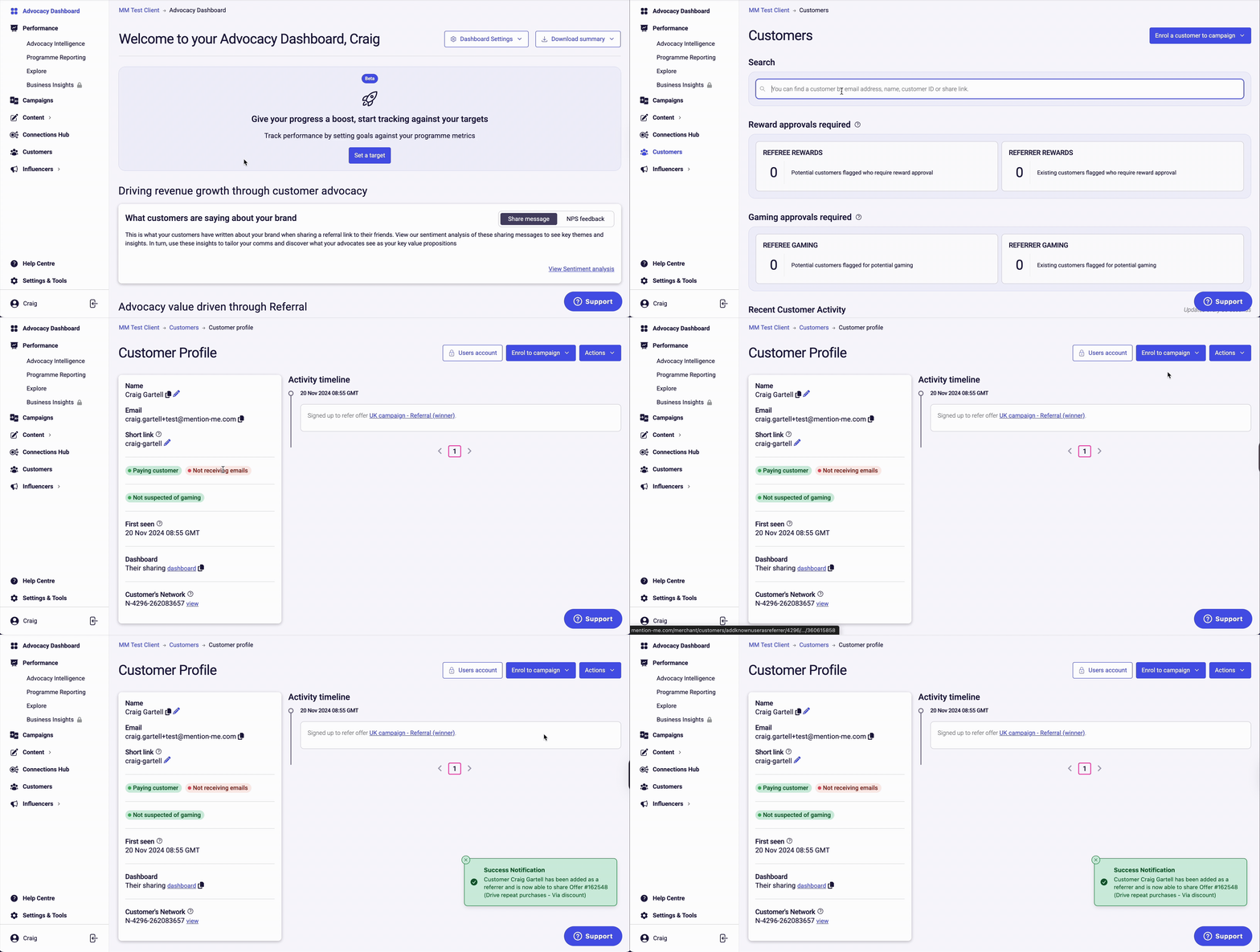
Go to the [Mention Me Merchant Platform](https://login.mention-me.com). Click on **Customers** and search for the customer by email, name, customer ID, or share link. Click on the customer's profile to open it.
Click **Enrol to Campaign** and select the latest referral campaign from the drop-down menu. You'll see a notification confirming successful enrolment.
## Rolling Forward a Referrer to the Latest Offer
Use this to update the referral offer for one individual customer.
### Option 1: Manual Re-enrolment
Go to the [Mention Me Merchant Platform](https://login.mention-me.com). Click on **Customers** and search for the customer by email, name, customer ID, or share link. Click on the customer's profile to open it.
Click **Enrol to Campaign** and select the latest referral campaign from the drop-down menu. You'll see a notification confirming successful enrolment.
 ### Option 2: Actions under Sharing
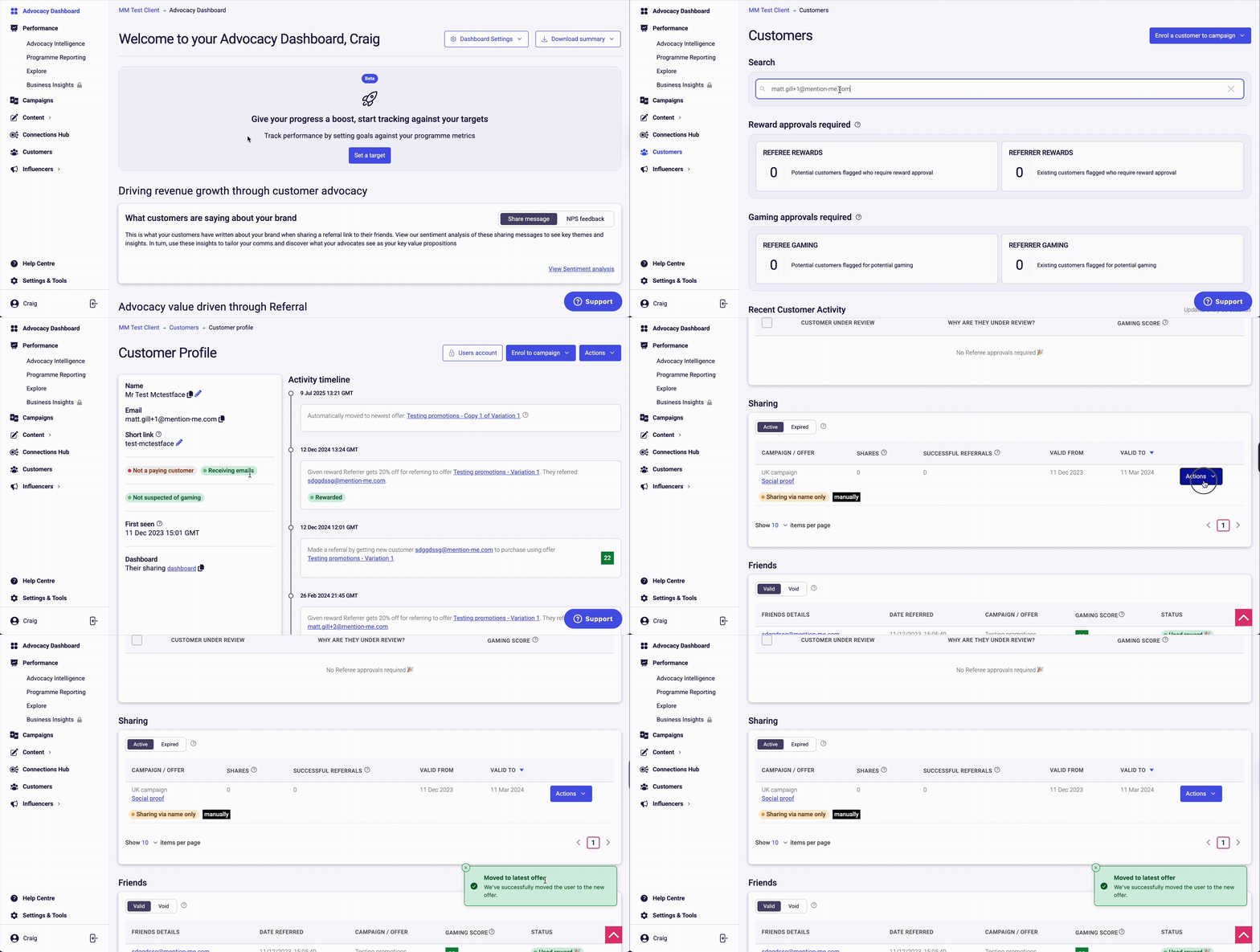
Inside the customer's account view, scroll to the **Sharing** section, click **Actions**, and choose **Move to Latest Offer**. An info notification will confirm they've been rolled forward to the current campaign.
### Option 2: Actions under Sharing
Inside the customer's account view, scroll to the **Sharing** section, click **Actions**, and choose **Move to Latest Offer**. An info notification will confirm they've been rolled forward to the current campaign.