> ## Documentation Index
> Fetch the complete documentation index at: https://docs.mention-me.com/llms.txt
> Use this file to discover all available pages before exploring further.
# How to Organise & Run Campaigns
> A comprehensive guide to setting up campaigns in Mention Me, including locales, triggering rules, customer segmentation, and referee qualification.
Campaigns are a main building block of your referral programme. With campaigns, you can define rules to target specific customer segments. For example, you may want to target only customers who:
* Use a particular language
* Belong to your loyalty scheme
* Have purchased in the last three months
* Have just spent more than £50 on their order
Only customers who meet the criteria will see the referral offer. You can run multiple campaigns simultaneously.
## 1. Setting Up Locales
When creating a new campaign, you can specify a "Locale to Present In" and the expected currency.
Locales are configured according to your contract. To add a new locale or market, contact your Account Manager or the Support team.
## 2. Using Triggering Rules to Promote to Referrers
If you're using campaigns across different locales, use [triggering rules](/knowledge/referral/campaigns/triggering-rules) to ensure the right offer is shown to the right customer.
Add a new rule by clicking **Add Group**:
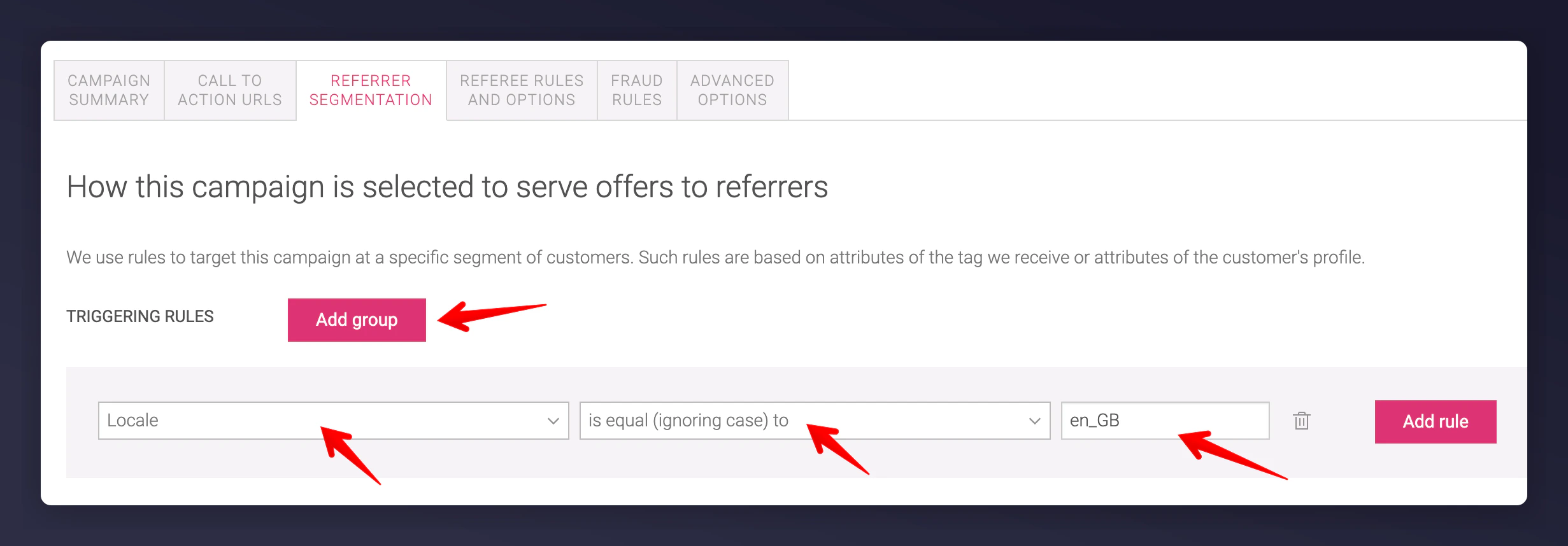 For example, to serve an offer to high spenders, define a rule setting the Order Total greater than a specific amount. This uses the order subtotal from your tag and ignores currency.
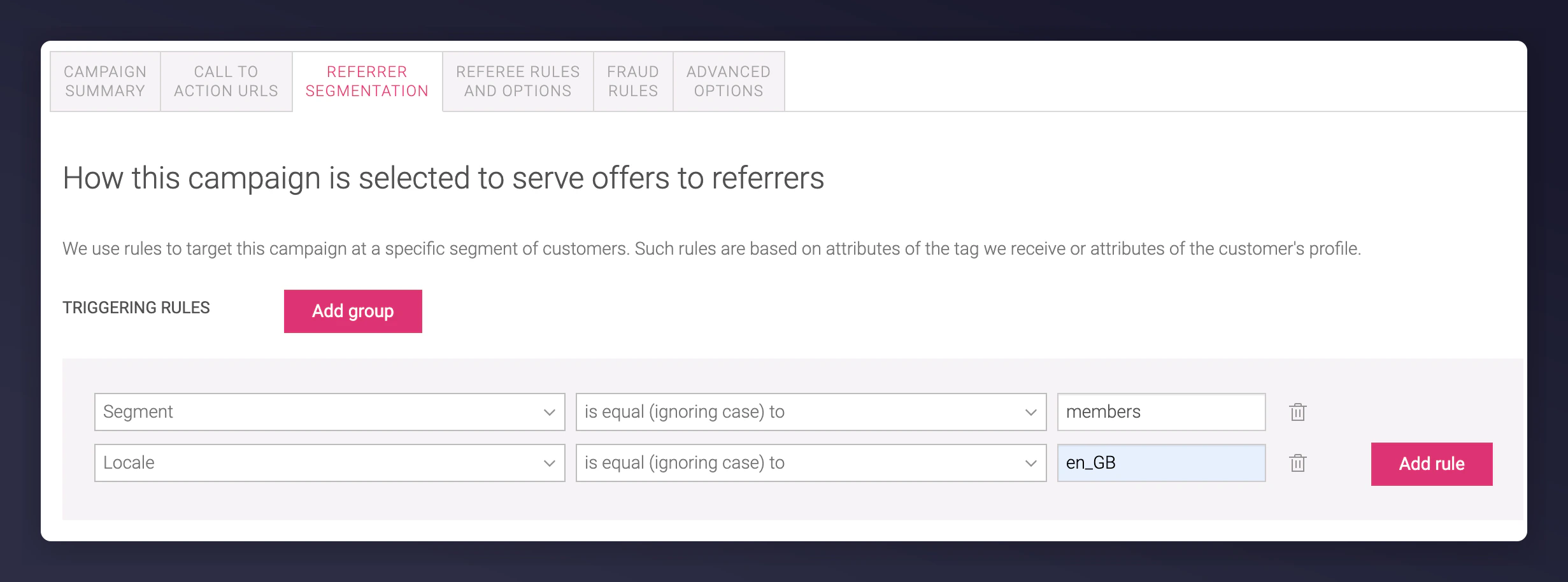
 Combine rules using the **Add Rule** button - the offer is only shown if both rule 1 AND rule 2 are satisfied:
 For example, requiring the customer to be using locale en\_GB and to have spent more than 100.
You can also use multiple groups (Group 1 OR Group 2) for broader targeting logic.
## 3. Customer Segmentation
Triggering rules can leverage customer data to serve offers to specific segments. For instance, target single-order vs. subscription customers with different campaigns.
Use the **segment** parameter in your referrer or order tag:
For example, requiring the customer to be using locale en\_GB and to have spent more than 100.
You can also use multiple groups (Group 1 OR Group 2) for broader targeting logic.
## 3. Customer Segmentation
Triggering rules can leverage customer data to serve offers to specific segments. For instance, target single-order vs. subscription customers with different campaigns.
Use the **segment** parameter in your referrer or order tag:
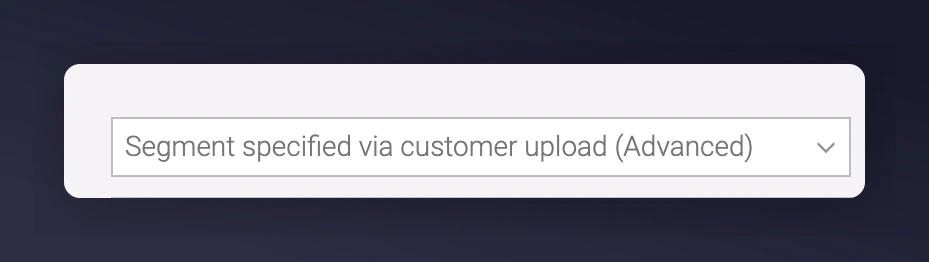
 You can also import a batch of customers under a segment to enrol them into a campaign, assuming you have customer consent. [Learn how to upload tags](/knowledge/admin/upload-tags).
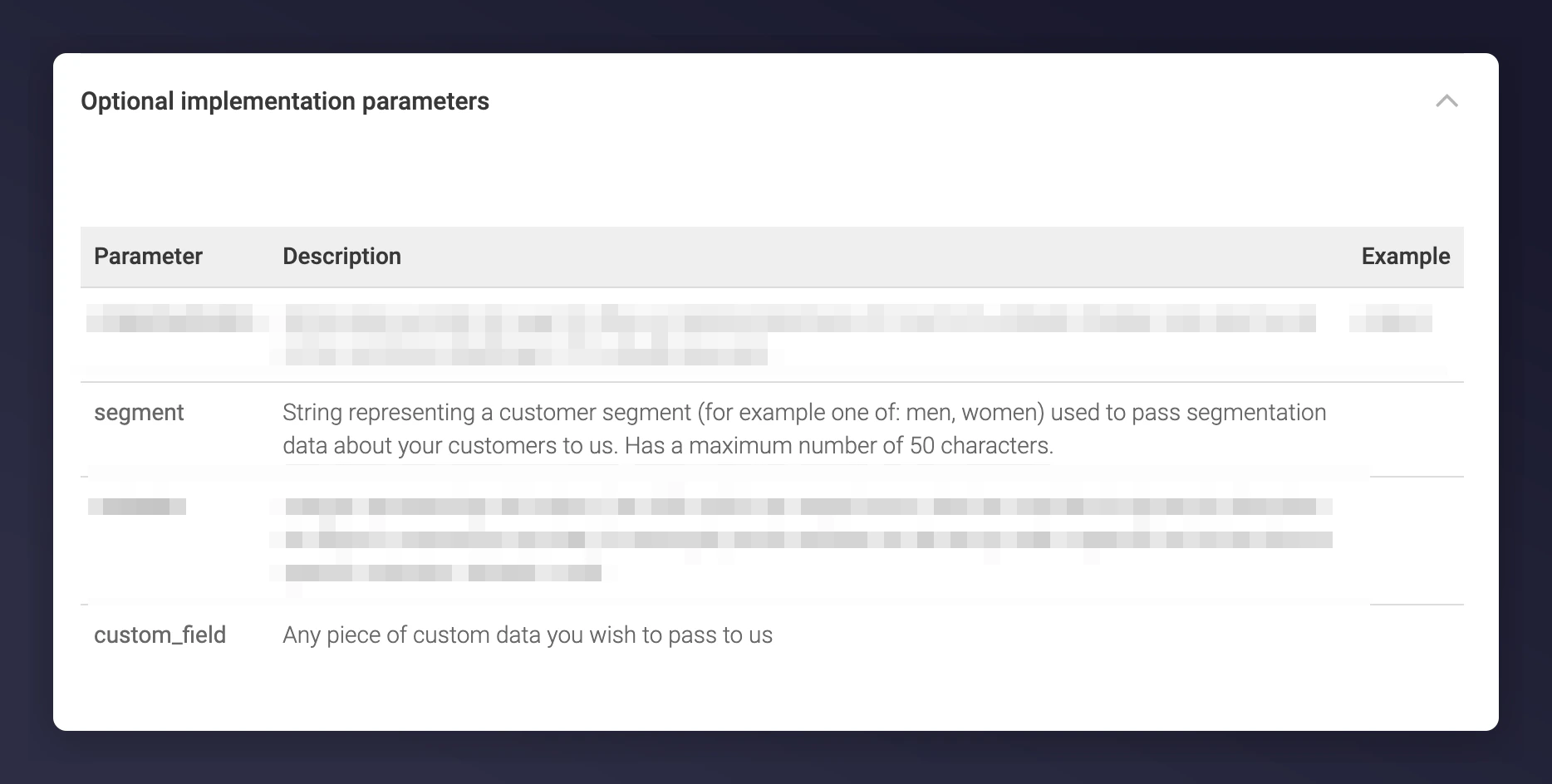
 Another approach: use the **custom\_field** parameter in your post-purchase or order tag to serve offers based on product category (e.g. "dresses").
 Ensure your tags include the **segment** or **custom\_field** values if using these rules. The `custom_field` is only available on post-purchase and order tags. Regex is used to match values within the string.
 ## 4. Referee Qualification
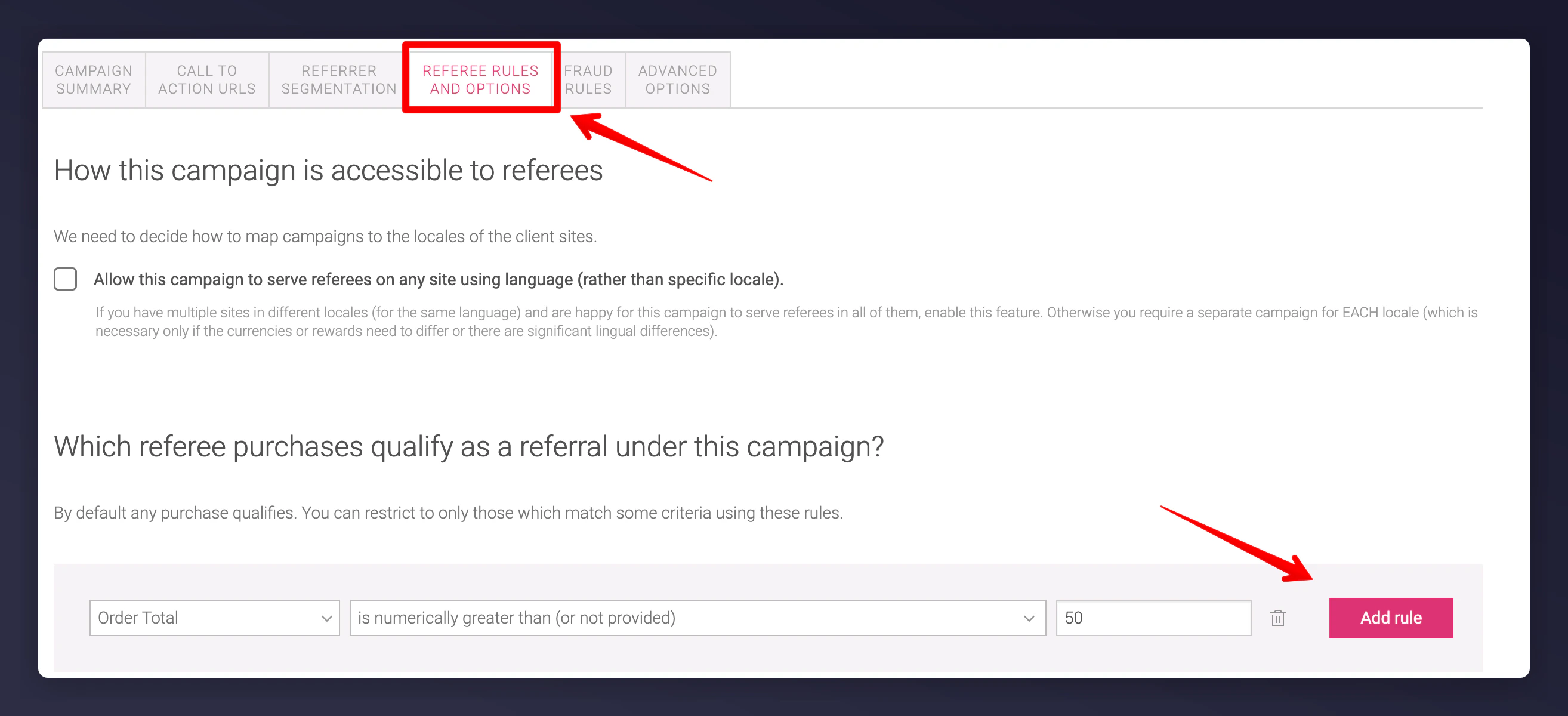
You can define who qualifies as a "referee", which affects whether a referrer is rewarded.
For example, require that a referee's order value is higher than £50 to trigger a successful referral:
## 4. Referee Qualification
You can define who qualifies as a "referee", which affects whether a referrer is rewarded.
For example, require that a referee's order value is higher than £50 to trigger a successful referral:
 Most referral programmes do not use referee rules by default. Adding them may reduce the number of successful referrals. Understand the implications before applying restrictions.
## 5. Advanced Gaming Rules
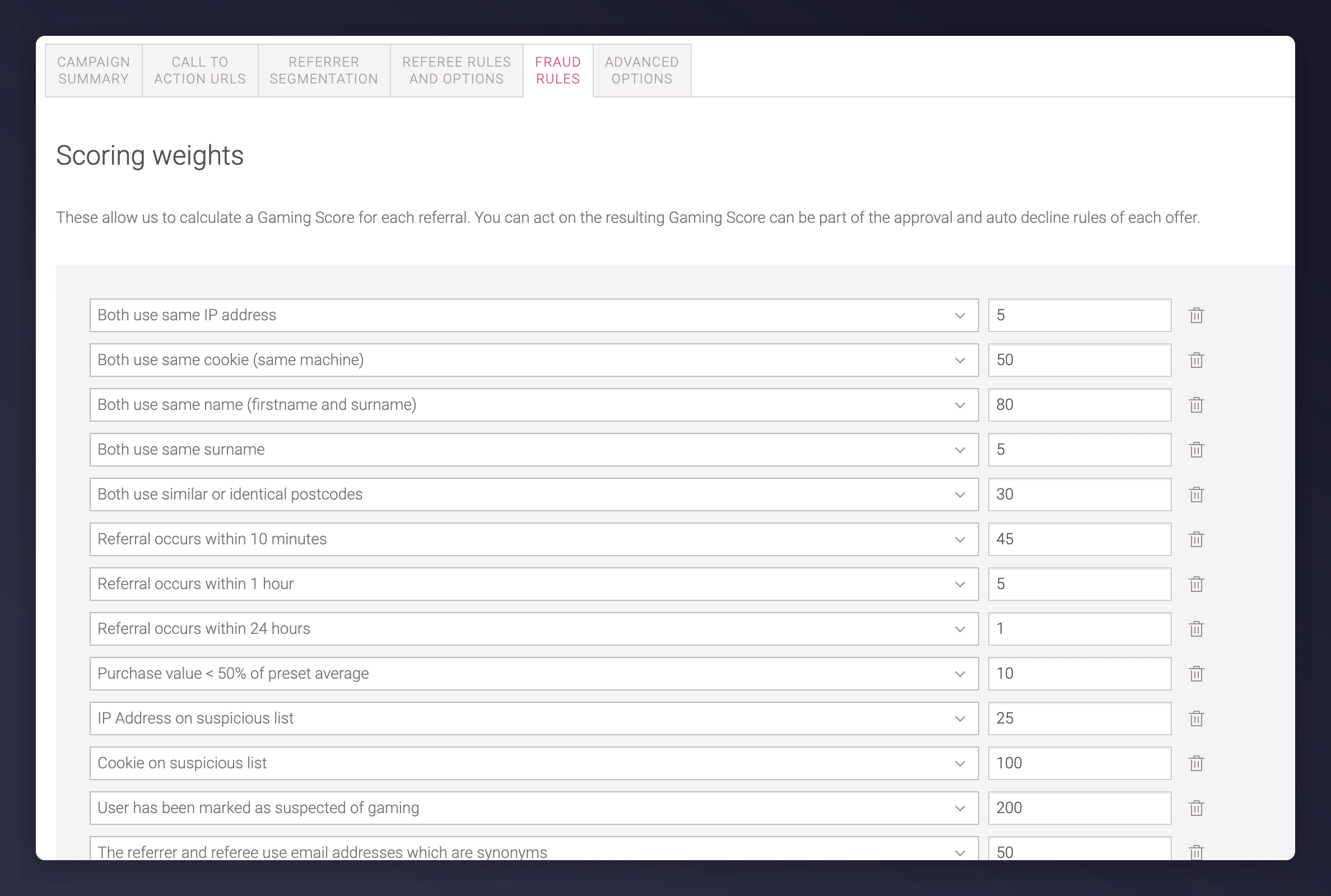
You can configure Gaming Rules under the **Fraud Rules** section of the campaign to impact a customer's gaming score.
These settings help detect abuse and should not be changed for new programme launches. Only modify with the help of the Mention Me team.
Read more about [managing gaming](/knowledge/referral/gaming/managing-gaming).
Most referral programmes do not use referee rules by default. Adding them may reduce the number of successful referrals. Understand the implications before applying restrictions.
## 5. Advanced Gaming Rules
You can configure Gaming Rules under the **Fraud Rules** section of the campaign to impact a customer's gaming score.
These settings help detect abuse and should not be changed for new programme launches. Only modify with the help of the Mention Me team.
Read more about [managing gaming](/knowledge/referral/gaming/managing-gaming).