> ## Documentation Index
> Fetch the complete documentation index at: https://docs.mention-me.com/llms.txt
> Use this file to discover all available pages before exploring further.
# Love2Shop
> Set up the Love2Shop voucher integration with Mention Me and manage API secret key rotation.
## About the integration
Integrating with Love2Shop lets you issue Love2Shop vouchers as part of your referral programme rewards in real-time via the Mention Me platform.
## Setting up the integration
### Step 1 — Request API credentials
Send an email to your Love2Shop representative requesting the following credentials:
> Dear Love2Shop,
>
> We hereby authorise Mention Me to call the Love2Shop voucher API to issue voucher codes in real-time.
>
> Please can you create the relevant credentials for Mention Me.
>
> Can you please supply us with the following information:
>
> * Client Id
> * Client Secret
> * Account Id
> * Subscription Key
Love2Shop will generate the credentials and send them via a secure method.
If you have multiple brands with Love2Shop:
* **Single Love2Shop account across all brands** — the API credentials can be used across all brands in Mention Me.
* **Separate Love2Shop account per brand** — credentials for each account need to be requested individually.
### Step 2 — Save credentials in Mention Me
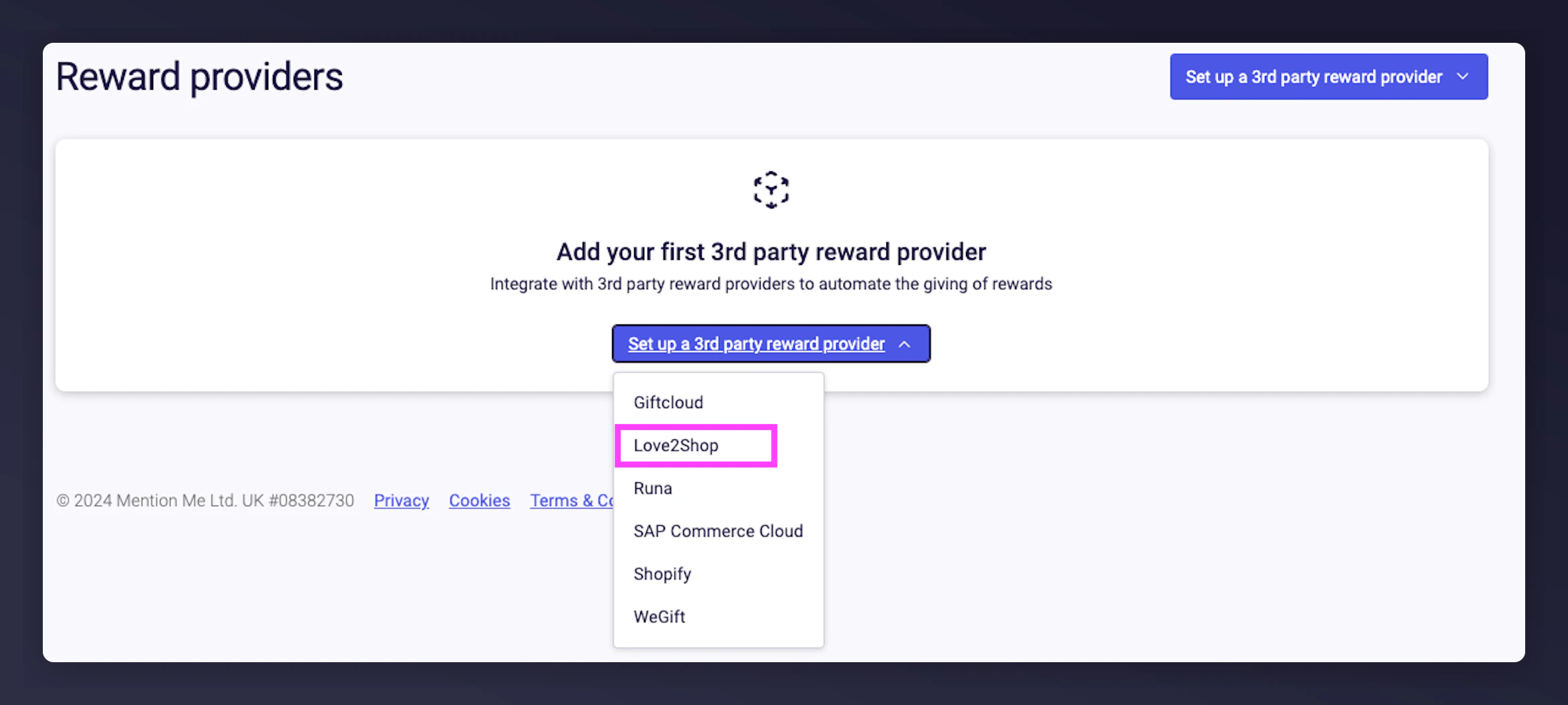
On the [Mention Me platform](https://mention-me.com/merchant/~/reward-providers), click **Set-up new 3rd Party Provider** and select **Love2Shop**.
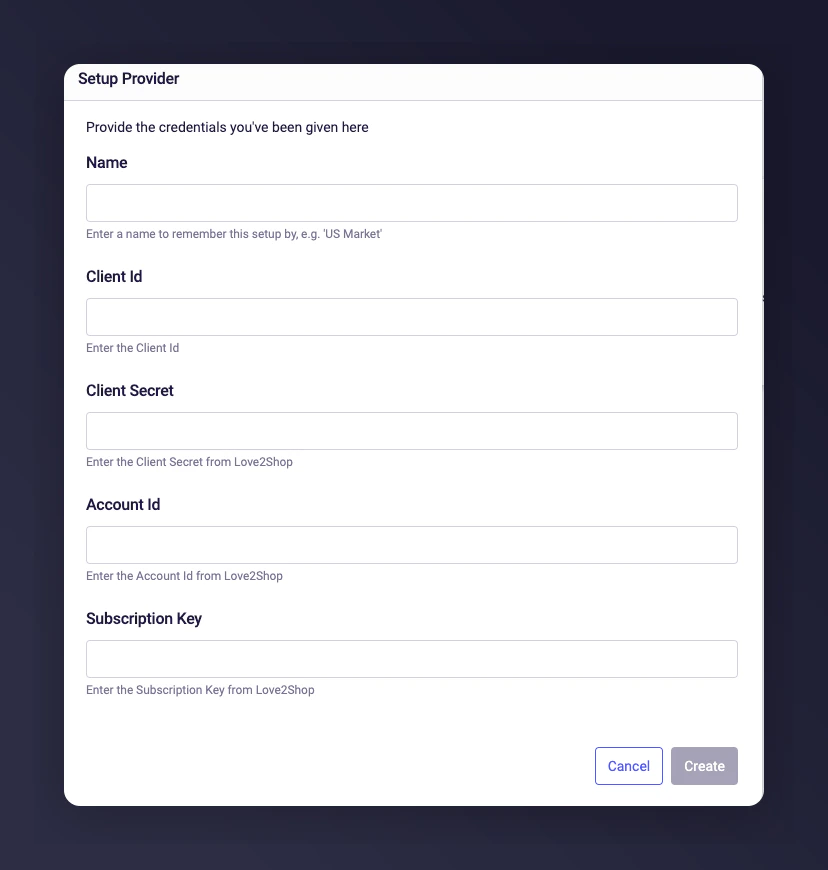
 Enter a name and the credentials from Step 1, then click **Create**.
 Inform your Mention Me onboarding project manager, CSM, or [Mention Me support](https://help.mention-me.com/hc/en-gb/requests/new) so they can complete the setup.
## Updating the API Secret Key
Love2Shop rotates its API secret every **12 months**. When it's time to update, you will receive an email from Love2Shop with a **one-time link** to your new secret key. Update it promptly to avoid interruptions to reward delivery.
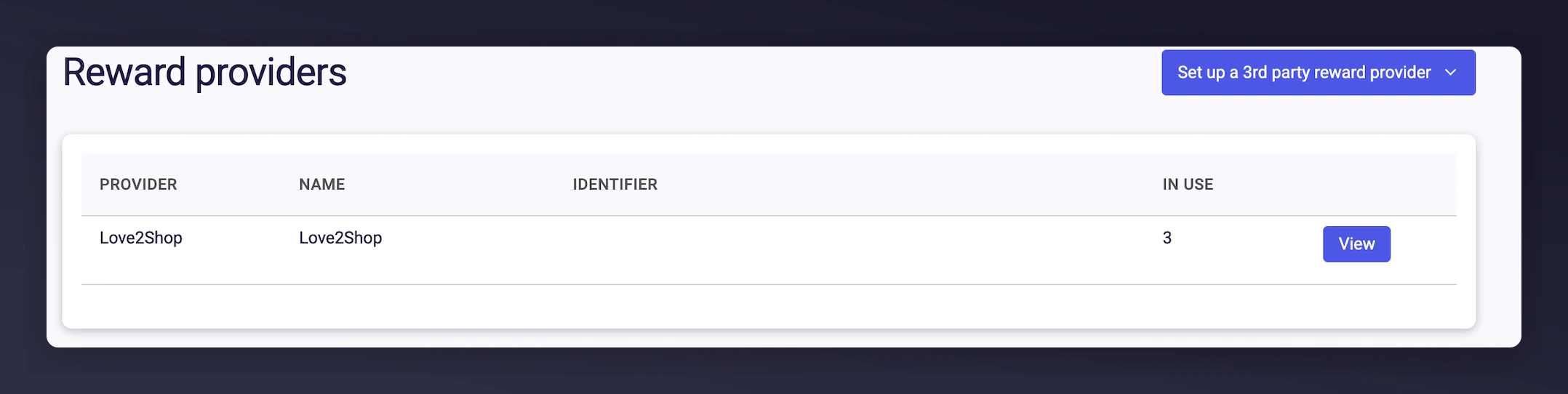
Log in to the [Mention Me platform](https://mention-me.com/merchant/~/reward-providers) and click **View** next to your Love2Shop Reward Provider.
Inform your Mention Me onboarding project manager, CSM, or [Mention Me support](https://help.mention-me.com/hc/en-gb/requests/new) so they can complete the setup.
## Updating the API Secret Key
Love2Shop rotates its API secret every **12 months**. When it's time to update, you will receive an email from Love2Shop with a **one-time link** to your new secret key. Update it promptly to avoid interruptions to reward delivery.
Log in to the [Mention Me platform](https://mention-me.com/merchant/~/reward-providers) and click **View** next to your Love2Shop Reward Provider.
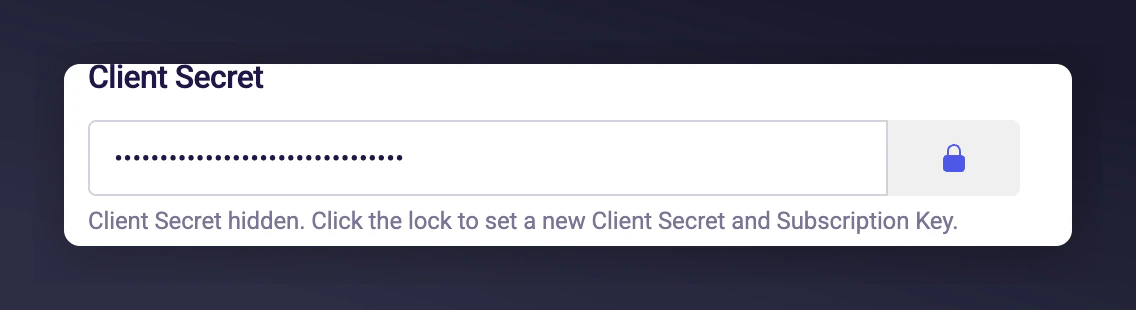
 In the **Client Secret** section, click the padlock icon to set a new secret.
 Open the link from your Love2Shop email to access the new secret. This link can only be accessed once.
If the link has expired, contact the Love2Shop API Team at [APITeam@love2shop.co.uk](mailto:APITeam@love2shop.co.uk).
Paste the new secret into the **Client Secret** box. Ensure all other settings remain unchanged, then press **Save changes**.
Open the link from your Love2Shop email to access the new secret. This link can only be accessed once.
If the link has expired, contact the Love2Shop API Team at [APITeam@love2shop.co.uk](mailto:APITeam@love2shop.co.uk).
Paste the new secret into the **Client Secret** box. Ensure all other settings remain unchanged, then press **Save changes**.
 Repeat these steps for each Mention Me account connected to Love2Shop for voucher issuance.