> ## Documentation Index
> Fetch the complete documentation index at: https://docs.mention-me.com/llms.txt
> Use this file to discover all available pages before exploring further.
# Setting Up and Configuring Influencer Emails
> Configure all influencer-related emails in the Mention Me platform, including invitation, application, approval, rejection, and login link emails.
The Mention Me Influencer platform provides several preconfigured emails, triggered automatically when an influencer completes certain actions. You can edit the copy and images for each email.
## Accessing the email setup
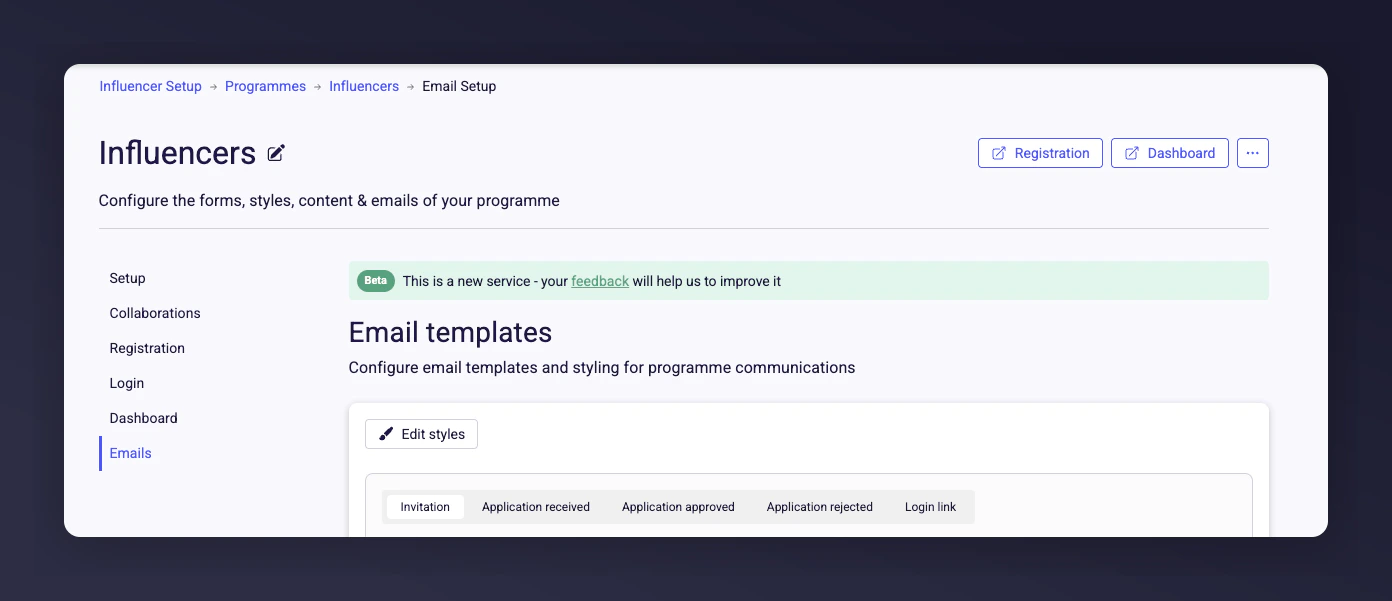
Log in to the [Mention Me platform](https://mention-me.com/merchant/~/influencers/programmes), select **Manage** for the programme you want to change, and navigate to the **Emails** section.
 ## Available influencer emails
| Email | Purpose |
| ------------------------ | -------------------------------------------------------------------------- |
| **Invitation Email** | Invite influencers to join your programme. |
| **Application Received** | Confirm that an application has been received and is under review. |
| **Application Approved** | Notify the influencer of approval and link to their dashboard. |
| **Application Rejected** | Notify unsuccessful applicants, with an option to encourage reapplication. |
| **Login Link Email** | Provide a secure sign-in button for passwordless dashboard access. |
## Editing and customising emails
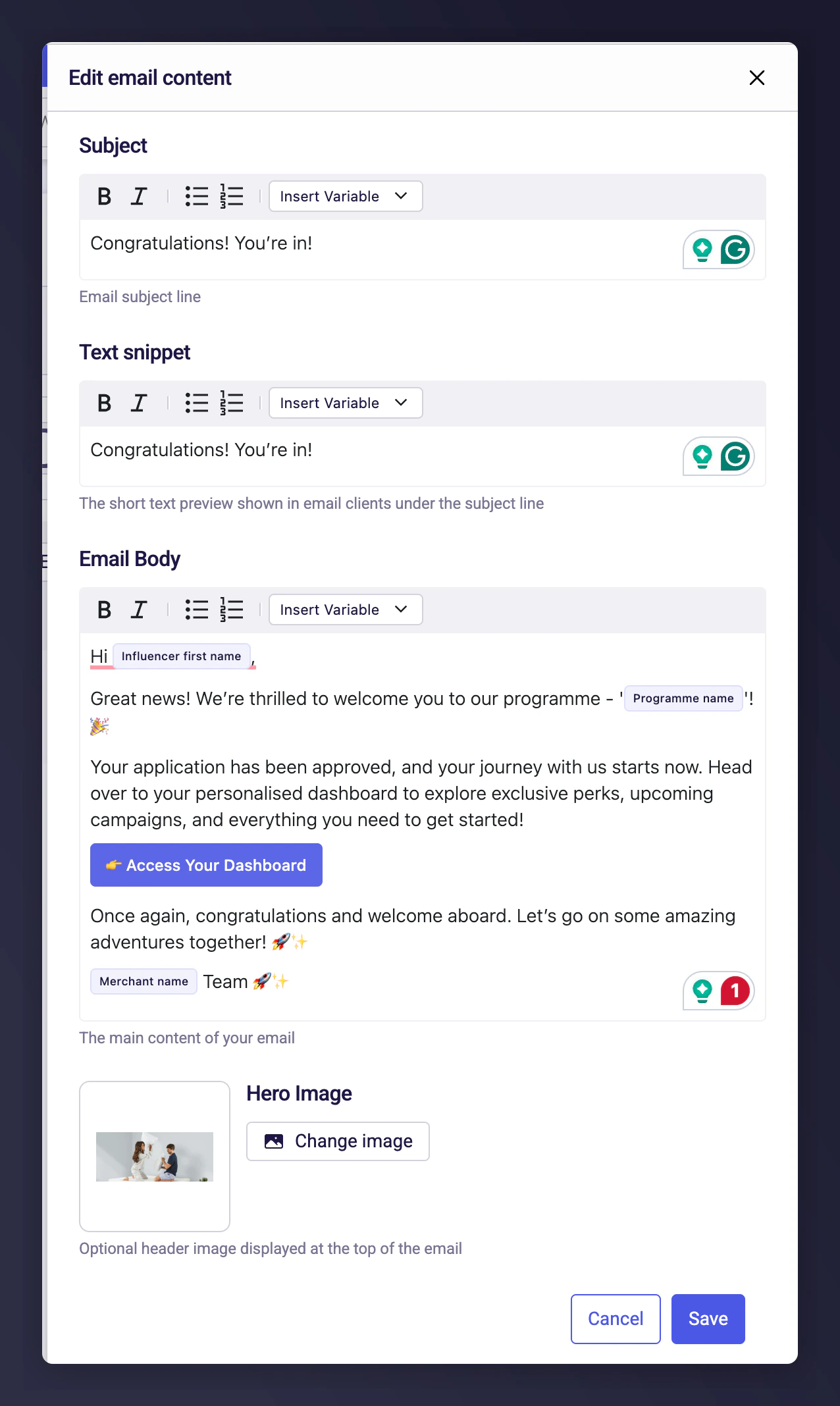
All emails are fully editable. You can change the subject line, preview text, and main body copy. Each email comes with a preconfigured example to make customisation easier.
### Styles
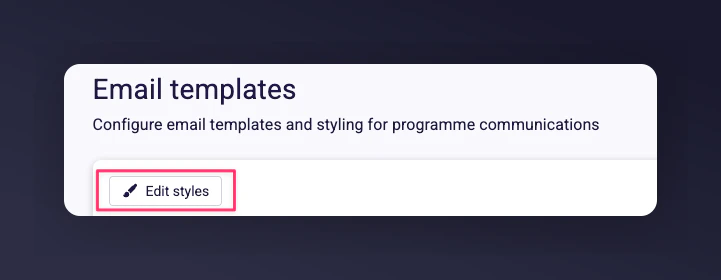
Email styles (text and button colours) are set under the **Edit Styles** button and apply across all emails.
## Available influencer emails
| Email | Purpose |
| ------------------------ | -------------------------------------------------------------------------- |
| **Invitation Email** | Invite influencers to join your programme. |
| **Application Received** | Confirm that an application has been received and is under review. |
| **Application Approved** | Notify the influencer of approval and link to their dashboard. |
| **Application Rejected** | Notify unsuccessful applicants, with an option to encourage reapplication. |
| **Login Link Email** | Provide a secure sign-in button for passwordless dashboard access. |
## Editing and customising emails
All emails are fully editable. You can change the subject line, preview text, and main body copy. Each email comes with a preconfigured example to make customisation easier.
### Styles
Email styles (text and button colours) are set under the **Edit Styles** button and apply across all emails.
 ### Editable elements
* **Subject Line** -- set an attention-grabbing subject that matches your brand.
* **Preview Text** -- adjust the snippet shown in the recipient's inbox.
* **Email Body** -- customise the message content. Built-in variables let you add personalised information such as the influencer's email address, your merchant name, or the programme name.
* **Images** -- upload a header image to display at the top of the email.
* **Buttons** -- edit button colours and text for calls to action.
## Customisation options for each email
### Invitation email
Customise the subject, preview text, body copy, and add a header image. Pre-set variables let you include the influencer's name, your brand, and a registration button.
### Editable elements
* **Subject Line** -- set an attention-grabbing subject that matches your brand.
* **Preview Text** -- adjust the snippet shown in the recipient's inbox.
* **Email Body** -- customise the message content. Built-in variables let you add personalised information such as the influencer's email address, your merchant name, or the programme name.
* **Images** -- upload a header image to display at the top of the email.
* **Buttons** -- edit button colours and text for calls to action.
## Customisation options for each email
### Invitation email
Customise the subject, preview text, body copy, and add a header image. Pre-set variables let you include the influencer's name, your brand, and a registration button.
 ### Application received email
Edit the subject, preview text, and body. Upload a custom header image. The email informs the applicant that their registration has been received and is under review.
### Application received email
Edit the subject, preview text, and body. Upload a custom header image. The email informs the applicant that their registration has been received and is under review.
 ### Application approved email
Customise the text and add an image. The email provides a link to the influencer dashboard where influencers can access their unique referral code.
### Application approved email
Customise the text and add an image. The email provides a link to the influencer dashboard where influencers can access their unique referral code.
 ### Application rejected email
Edit the wording to reflect your brand's tone. Optionally include a message encouraging the influencer to reapply. A header image can be added.
### Application rejected email
Edit the wording to reflect your brand's tone. Optionally include a message encouraging the influencer to reapply. A header image can be added.
 ### Login link email
Customise the email and add a relevant image. This email includes a secure sign-in button giving influencers easy access to their dashboard without requiring a password.
### Login link email
Customise the email and add a relevant image. This email includes a secure sign-in button giving influencers easy access to their dashboard without requiring a password.
 ## Saving and applying your changes
Once you save your edits to any email, the changes are applied immediately. All future emails will use your latest version automatically.
## Saving and applying your changes
Once you save your edits to any email, the changes are applied immediately. All future emails will use your latest version automatically.