> ## Documentation Index
> Fetch the complete documentation index at: https://docs.mention-me.com/llms.txt
> Use this file to discover all available pages before exploring further.
# Customising Your Influencer Dashboard
> Set up and brand the influencer dashboard where your influencers view earnings, manage their profile, and access collaborations.
The dashboard is where your influencers log in to view their earnings, manage their profile, see available collaborations, and access their unique referral code. A default styling and copy is created for you on programme creation.
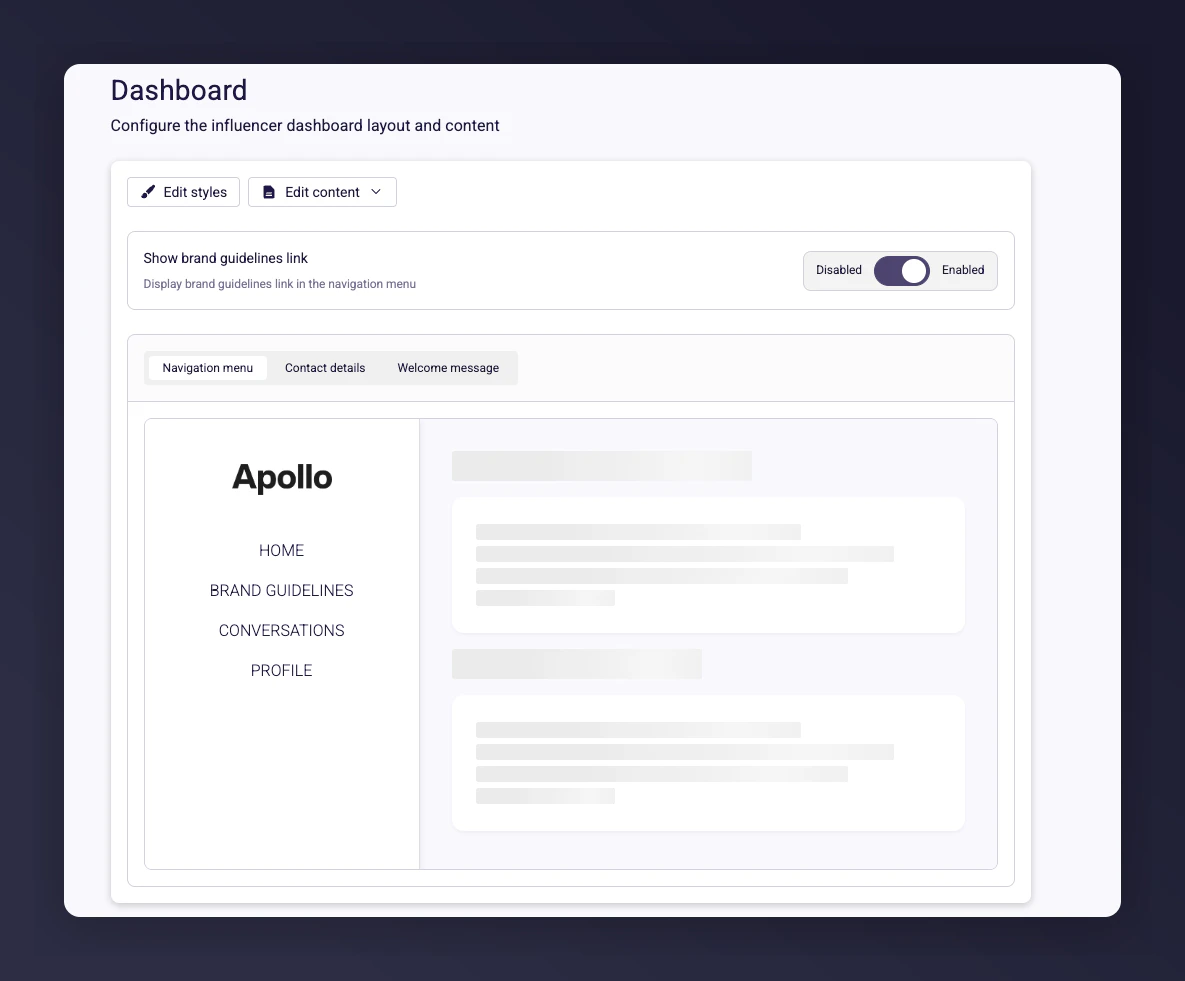 We recommend leaving the **Brand Profile in Navigation** option enabled.
## Styles and colours
The **Style** section under **Editor Content** lets you change colours, text colour, and fonts beyond the preset options.
We recommend leaving the **Brand Profile in Navigation** option enabled.
## Styles and colours
The **Style** section under **Editor Content** lets you change colours, text colour, and fonts beyond the preset options.
 ## Page content
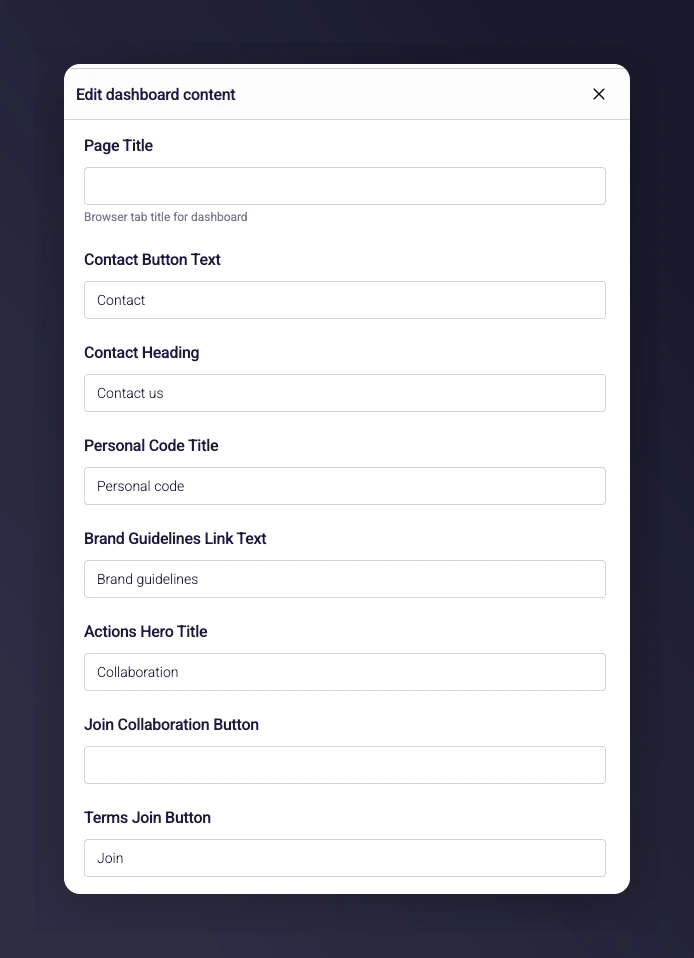
The **Page Content** section is where you edit the text shown to your influencers. Use this to reflect your brand's tone of voice, or keep the suggested default text.
## Page content
The **Page Content** section is where you edit the text shown to your influencers. Use this to reflect your brand's tone of voice, or keep the suggested default text.
 ## Welcome message
Include a welcome message to provide information or additional guidelines about the programme, along with any relevant links. All elements can be customised to match your brand's style.
## Welcome message
Include a welcome message to provide information or additional guidelines about the programme, along with any relevant links. All elements can be customised to match your brand's style.
 ## Contact details
The **Contact Details** section is where you add your team's information. This is also used as the reply-to email for messages sent from the platform.
We recommend you include:
* Your contact name (e.g., "Joanne Smith")
* Your contact email address
* An image
This helps influencers know who to contact if they have any issues.
## Contact details
The **Contact Details** section is where you add your team's information. This is also used as the reply-to email for messages sent from the platform.
We recommend you include:
* Your contact name (e.g., "Joanne Smith")
* Your contact email address
* An image
This helps influencers know who to contact if they have any issues.
 ## Brand guidelines
Include a link to your brand guidelines in the **Page Content** section. This provides specific instructions on how you want your influencers to post, including what they can or cannot do.
Host your guidelines on a secure location like Google Drive, Dropbox, or your website and link to it. You cannot upload the actual brand guidelines document or PDF directly -- you must provide a link.
## Brand guidelines
Include a link to your brand guidelines in the **Page Content** section. This provides specific instructions on how you want your influencers to post, including what they can or cannot do.
Host your guidelines on a secure location like Google Drive, Dropbox, or your website and link to it. You cannot upload the actual brand guidelines document or PDF directly -- you must provide a link.
