> ## Documentation Index
> Fetch the complete documentation index at: https://docs.mention-me.com/llms.txt
> Use this file to discover all available pages before exploring further.
# Updating Discount Settings in a Live Collaboration
> How to change the discount value, minimum spend, or customer eligibility on a collaboration that already has enrolled influencers.
You can change the discount value, minimum spend, or customer eligibility on a collaboration that already has enrolled influencers. Shopify discount codes will be automatically updated, but manually assigned codes require separate attention.
## Steps
Navigate to the collaboration's edit page.
On the **Actions** step, modify the **Follower incentive** settings:
* Incentive type (percentage or fixed amount)
* Discount value
* Minimum spend
* Customer eligibility (Shopify only)
Review the **coupon source card** that appears below the incentive form to understand the impact on existing codes.
Save your changes.
## Understanding the coupon source card
When a live collaboration has enrolled influencers with discount codes, a card appears showing how the codes break down:
| Icon | Meaning |
| -------------------------- | --------------------------------- |
| Shopify logo (green) | All codes are Shopify-managed |
| Ticket icon (grey) | All codes are manually assigned |
| Shopify + ticket (stacked) | A mix of Shopify and manual codes |
The card shows counts for each type and explains what will happen:
* **Shopify codes:** Automatically updated to reflect your changes (new value, eligibility, etc.)
* **Manual codes:** Not updated automatically. You'll need to update these in your own system and reflect the changes in Mention Me.
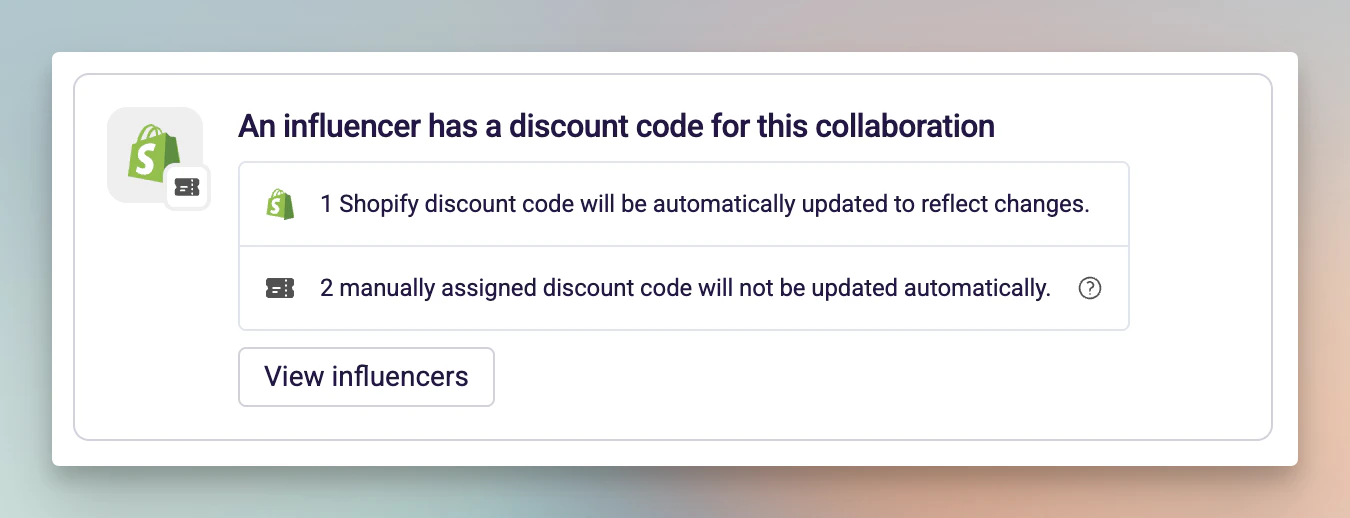 Click **View influencers** to see a full list of enrolled influencers and their codes.
## Things to know
* A notice is displayed when editing a live collaboration to remind you of the impact.
* Changes take effect immediately for Shopify codes -- discounts are updated in real time.
* The coupon source card only appears when there are enrolled influencers with assigned codes.
* If all codes are Shopify-managed, you can edit with confidence that everything stays in sync.
Click **View influencers** to see a full list of enrolled influencers and their codes.
## Things to know
* A notice is displayed when editing a live collaboration to remind you of the impact.
* Changes take effect immediately for Shopify codes -- discounts are updated in real time.
* The coupon source card only appears when there are enrolled influencers with assigned codes.
* If all codes are Shopify-managed, you can edit with confidence that everything stays in sync.