> ## Documentation Index
> Fetch the complete documentation index at: https://docs.mention-me.com/llms.txt
> Use this file to discover all available pages before exploring further.
# Setting Up Automatic Shopify Discount Code Generation
> Connect your Shopify store to Mention Me and configure automatic discount code generation for influencer collaborations.
This tutorial walks you through setting up automatic Shopify discount code generation for your influencer collaborations. By the end, you'll have Shopify creating and managing discount codes for you.
## What you'll achieve
* Connect your Shopify store to Mention Me's influencer discount system
* Configure a discount code template used to generate codes on request
* Create a collaboration that generates Shopify discount codes for enrolled influencers
* Verify that discount codes appear in your Shopify admin
## Before you begin
You'll need:
* A Shopify store with admin access
* A Mention Me account with the Influencers product enabled
* Merchant dashboard access with permission to manage influencer settings
If you haven't already installed the Mention Me app on your Shopify store:
1. Visit the [Mention Me app on the Shopify App Store](https://apps.shopify.com/mention-me)
2. Click **Add app** and follow the prompts to install it on your store
If the app is already installed but you're seeing warnings about missing permissions, you'll need to re-authenticate. See [Troubleshooting Shopify discount provider issues](/knowledge/influencer/incentives/troubleshooting).
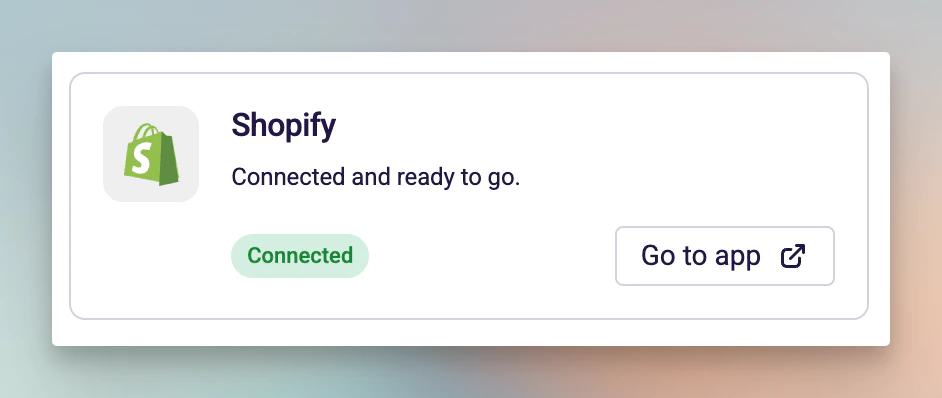
In the Mention Me dashboard, navigate to **Influencers > Settings > General**, select **Shopify** under **Default discount provider**, and check the connection status card that appears.
| Status | What it means |
| ------------------------------------ | ------------------------------------------------------------------------- |
| **Connected** (green) | Your Shopify store is connected and ready to create discount codes |
| **Installed, with warnings** (amber) | The app is installed but needs re-authentication for discount permissions |
| **Not connected** (red) | The Shopify app is not installed on your store |
You need a green **Connected** status to proceed.
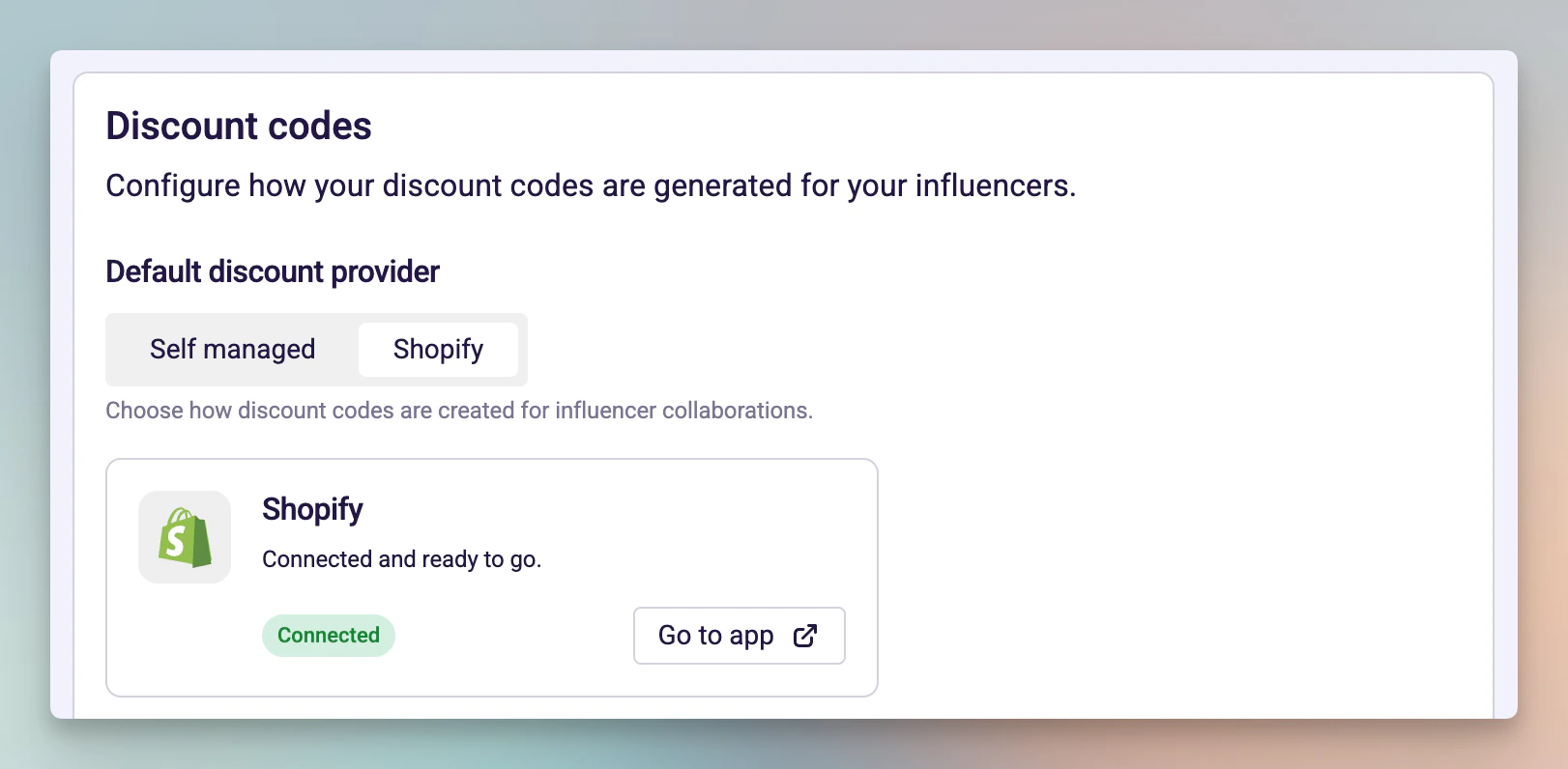
 On the **General** settings page, find the **Default discount provider** field, select **Shopify** (instead of "Self managed"), and click **Save**.
Once saved, all collaborations with a discount incentive will automatically generate Shopify discount codes when influencers are enrolled.
On the **General** settings page, find the **Default discount provider** field, select **Shopify** (instead of "Self managed"), and click **Save**.
Once saved, all collaborations with a discount incentive will automatically generate Shopify discount codes when influencers are enrolled.
 Switching to Shopify does not affect existing collaborations. Influencers who already have manually assigned codes will keep them. You can convert individual codes later -- see [Converting manual codes to Shopify discounts](/knowledge/influencer/incentives/edit-discount-code).
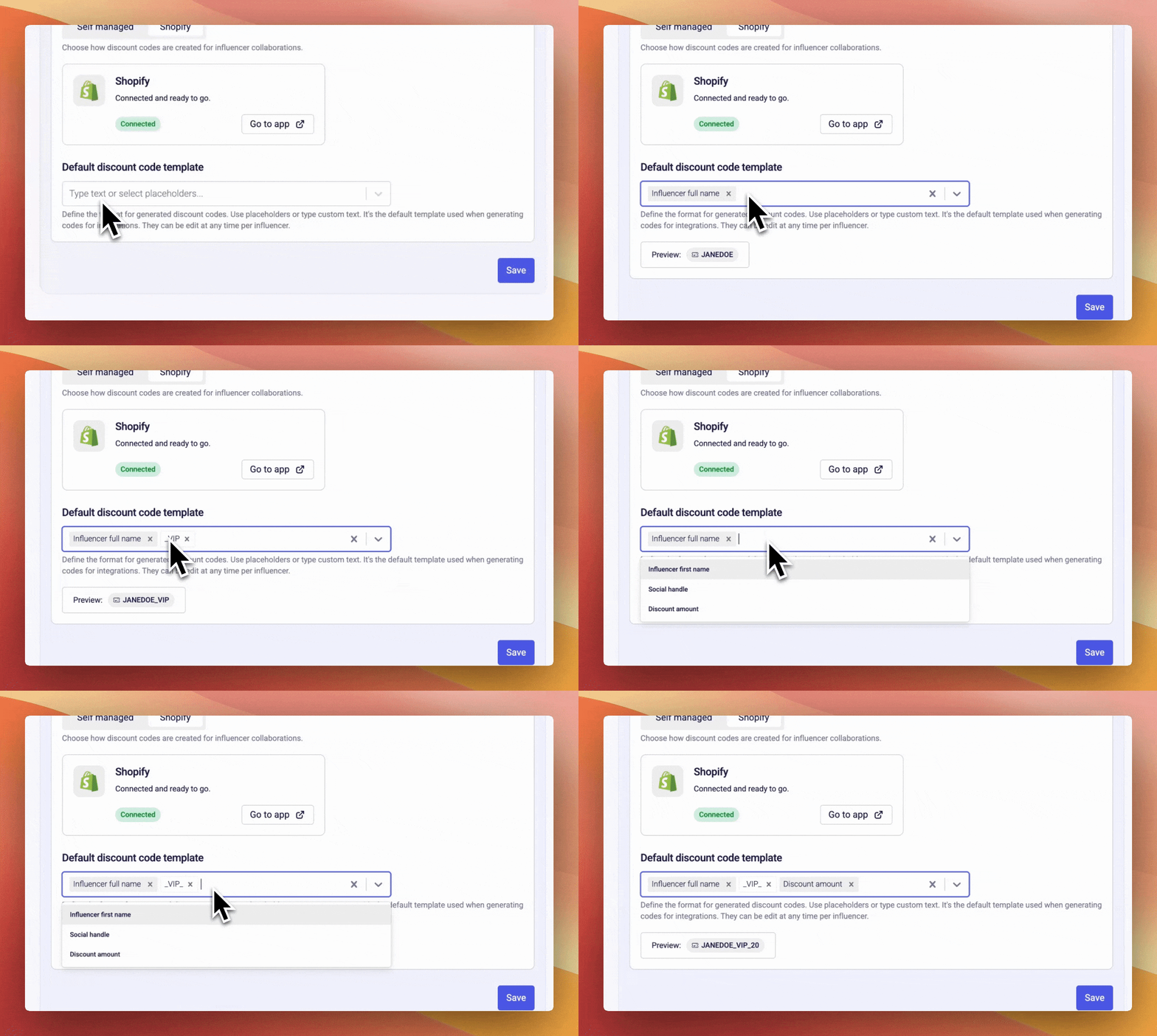
The discount code template defines the format used when generating codes. You can combine free text with dynamic placeholders.
1. On the **General** settings page, find the **Default discount code template** field
2. Click into the input to see available placeholders:
* **Influencer full name** -- e.g. `JANEDOE`
* **Influencer first name** -- e.g. `JANE`
* **Social handle** -- e.g. `JANEDOE` (from their linked social profile)
* **Discount amount** -- e.g. `20`
3. Select placeholders and/or type custom text to build your template
4. Check the **Preview** below the input
5. Click **Save**
Switching to Shopify does not affect existing collaborations. Influencers who already have manually assigned codes will keep them. You can convert individual codes later -- see [Converting manual codes to Shopify discounts](/knowledge/influencer/incentives/edit-discount-code).
The discount code template defines the format used when generating codes. You can combine free text with dynamic placeholders.
1. On the **General** settings page, find the **Default discount code template** field
2. Click into the input to see available placeholders:
* **Influencer full name** -- e.g. `JANEDOE`
* **Influencer first name** -- e.g. `JANE`
* **Social handle** -- e.g. `JANEDOE` (from their linked social profile)
* **Discount amount** -- e.g. `20`
3. Select placeholders and/or type custom text to build your template
4. Check the **Preview** below the input
5. Click **Save**
 Example templates:
| Template | Preview |
| ------------------------------------------ | ------------- |
| `{FIRST_NAME}` + `{AMOUNT}` | `JANE20` |
| `{HANDLE}` + `-VIP` | `JANEDOE-VIP` |
| `SAVE` + `{AMOUNT}` + `-` + `{FIRST_NAME}` | `SAVE20-JANE` |
Codes are automatically converted to uppercase and stripped of special characters. The template is a default -- you can edit individual codes per influencer at any time.
1. Navigate to **Influencers > Programmes** and select a programme (or create a new one)
2. Click **Create collaboration**
3. In the collaboration wizard, on the **Actions** step, select the action type **Give discount**
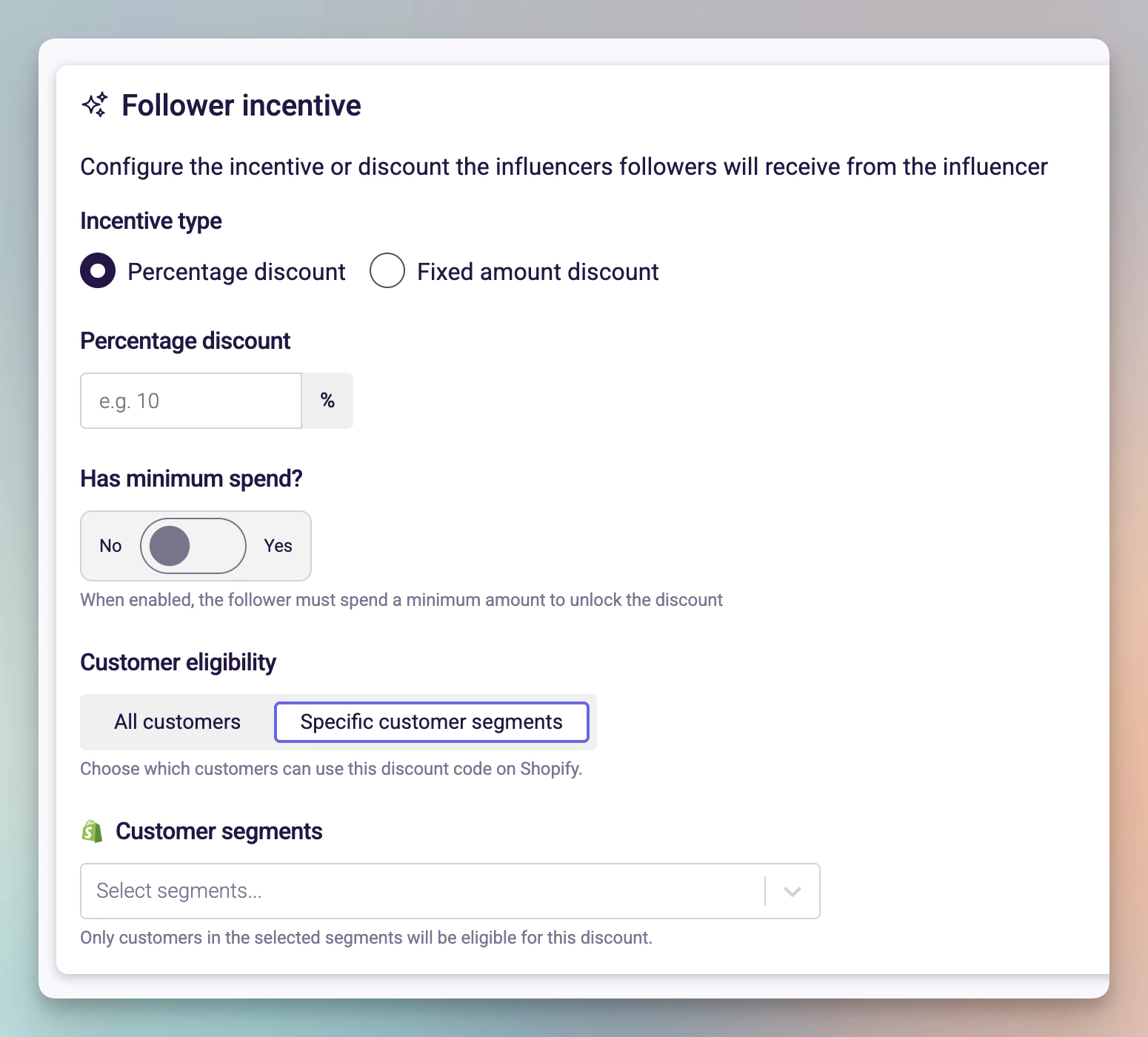
4. Configure the **Follower incentive** section:
* **Incentive type:** Choose "Percentage discount" or "Fixed amount discount"
* **Value:** Enter the discount amount (e.g. 10 for 10%)
* **Has minimum spend:** Toggle on if you want a minimum order value
5. Configure the **Customer eligibility** section:
* **All customers:** The discount code works for anyone
* **Specific customer segments:** Restrict to specific Shopify customer segments
6. Complete the remaining wizard steps and publish the collaboration
Example templates:
| Template | Preview |
| ------------------------------------------ | ------------- |
| `{FIRST_NAME}` + `{AMOUNT}` | `JANE20` |
| `{HANDLE}` + `-VIP` | `JANEDOE-VIP` |
| `SAVE` + `{AMOUNT}` + `-` + `{FIRST_NAME}` | `SAVE20-JANE` |
Codes are automatically converted to uppercase and stripped of special characters. The template is a default -- you can edit individual codes per influencer at any time.
1. Navigate to **Influencers > Programmes** and select a programme (or create a new one)
2. Click **Create collaboration**
3. In the collaboration wizard, on the **Actions** step, select the action type **Give discount**
4. Configure the **Follower incentive** section:
* **Incentive type:** Choose "Percentage discount" or "Fixed amount discount"
* **Value:** Enter the discount amount (e.g. 10 for 10%)
* **Has minimum spend:** Toggle on if you want a minimum order value
5. Configure the **Customer eligibility** section:
* **All customers:** The discount code works for anyone
* **Specific customer segments:** Restrict to specific Shopify customer segments
6. Complete the remaining wizard steps and publish the collaboration
 When an influencer enrols, Mention Me will automatically generate a unique code using your template, create the discount in Shopify, and assign the code to the influencer.
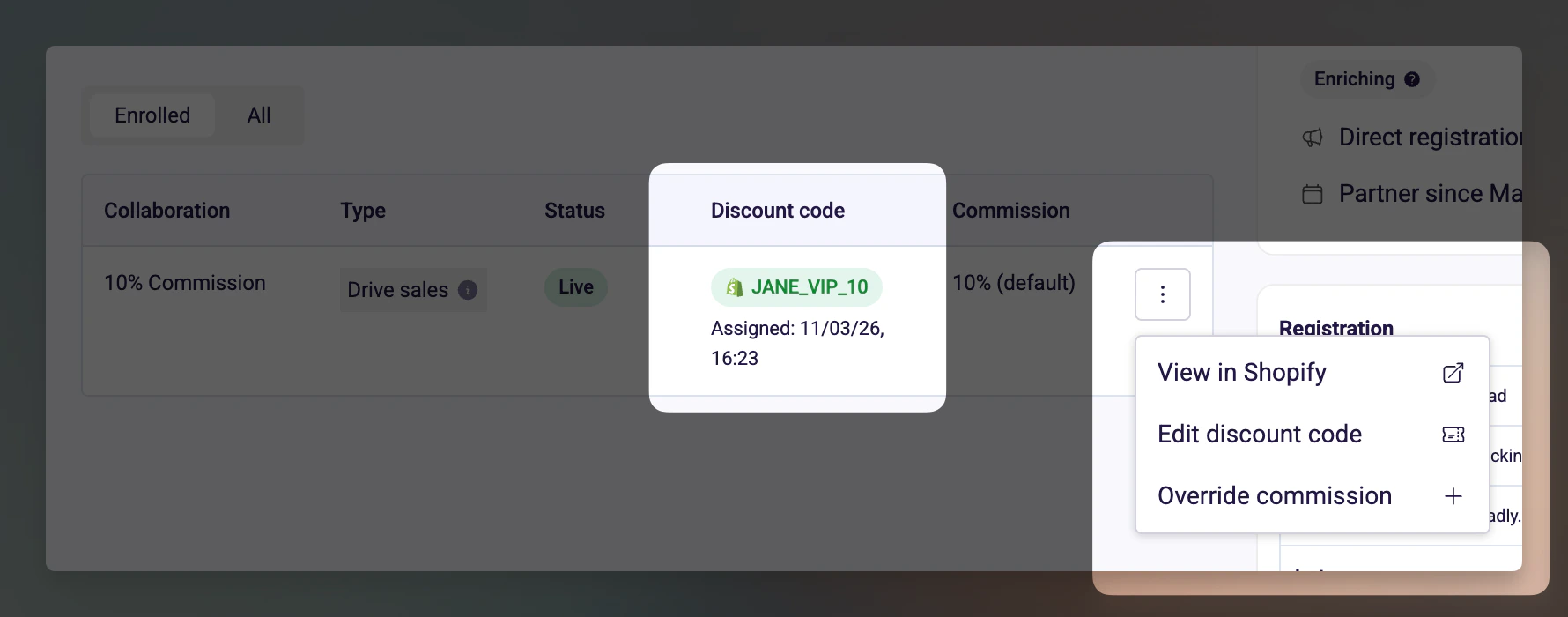
After an influencer enrols:
1. Go to the influencer's profile page in Mention Me
2. Find their collaboration in the **Collaborations** tab
3. You'll see their discount code displayed with a green Shopify badge
4. Click the actions menu next to the collaboration
5. Select **View in Shopify** to open the discount in your Shopify admin
When an influencer enrols, Mention Me will automatically generate a unique code using your template, create the discount in Shopify, and assign the code to the influencer.
After an influencer enrols:
1. Go to the influencer's profile page in Mention Me
2. Find their collaboration in the **Collaborations** tab
3. You'll see their discount code displayed with a green Shopify badge
4. Click the actions menu next to the collaboration
5. Select **View in Shopify** to open the discount in your Shopify admin
 The discount in Shopify will have the generated code as both the title and redemption code, the configured discount value, customer eligibility rules, and minimum spend requirement (if configured).
## Next steps
Understand how eligibility rules apply to Shopify discount codes.
Change an influencer's discount code after it's been created.
Modify discount settings on an active collaboration.
Resolve common Shopify discount provider issues.
The discount in Shopify will have the generated code as both the title and redemption code, the configured discount value, customer eligibility rules, and minimum spend requirement (if configured).
## Next steps
Understand how eligibility rules apply to Shopify discount codes.
Change an influencer's discount code after it's been created.
Modify discount settings on an active collaboration.
Resolve common Shopify discount provider issues.