> ## Documentation Index
> Fetch the complete documentation index at: https://docs.mention-me.com/llms.txt
> Use this file to discover all available pages before exploring further.
# Editing and Converting Influencer Discount Codes
> How to edit an influencer's discount code and how to convert manually assigned codes to Shopify-managed discounts.
You can change an influencer's discount code at any time. If you've switched your discount provider to Shopify, you can also convert existing manually assigned codes to Shopify-managed discounts so they stay in sync.
## Editing a discount code
### Steps
Navigate to the influencer's profile page and open the **Collaborations** tab.
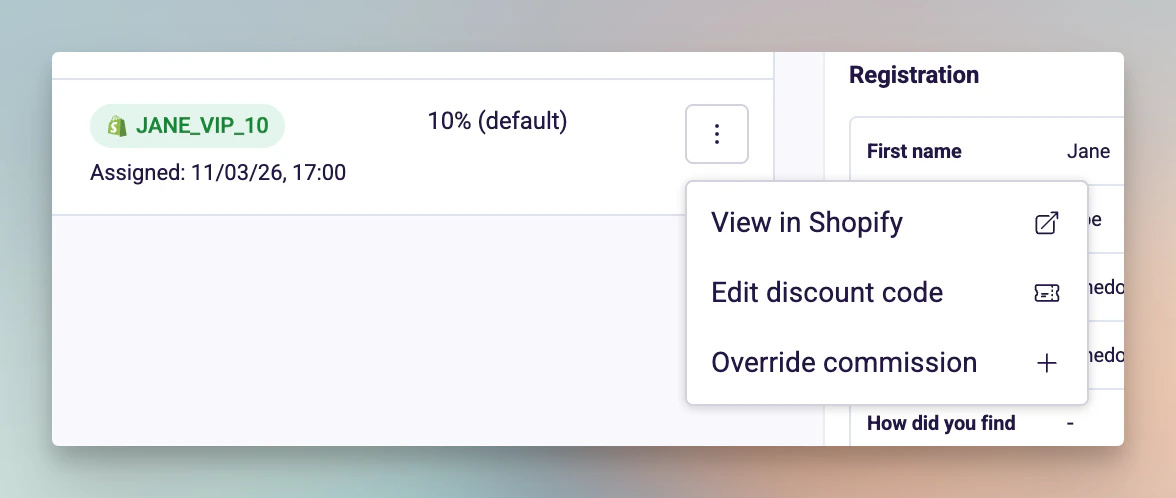
Find the collaboration, click the actions menu on the right, and select **Edit discount code**.
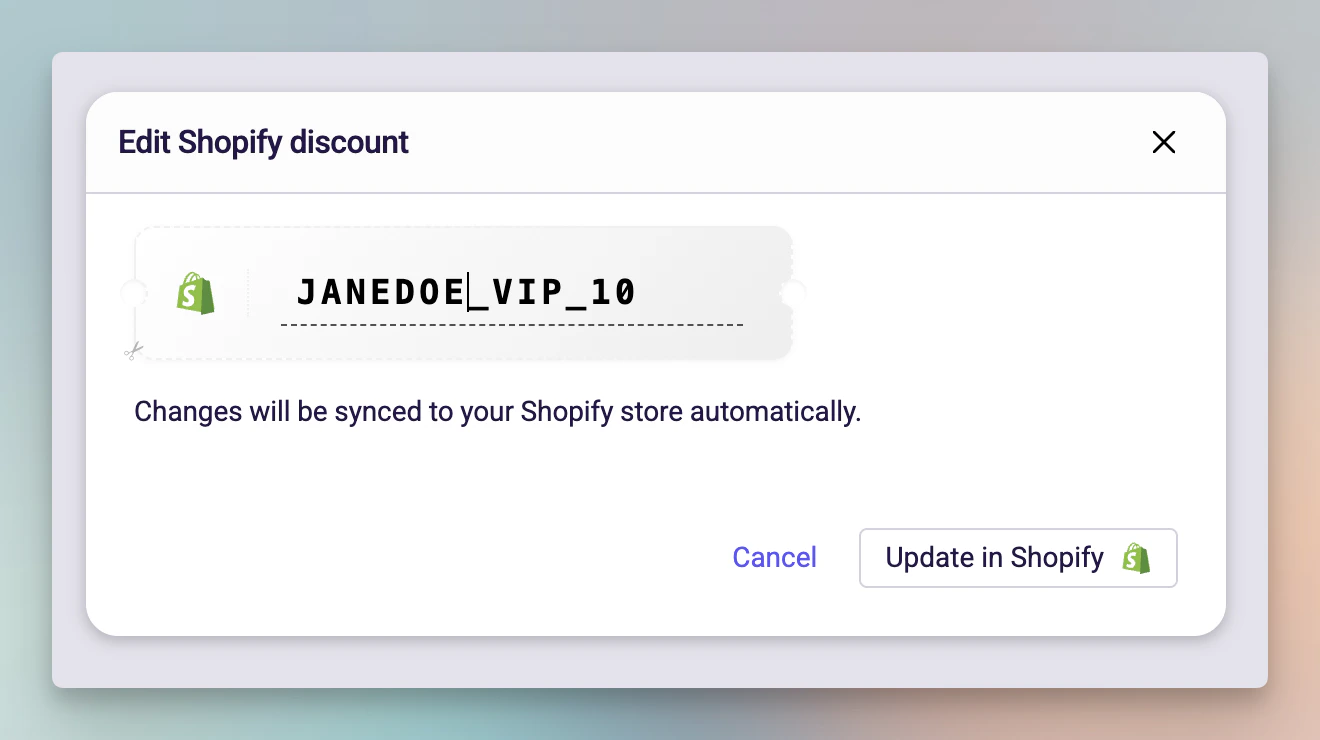
Enter the new code in the modal and click **Save**.
 ### What happens when you save
The behaviour depends on the type of discount:
**Shopify discount codes (green Shopify badge):**
* If the code exists in Shopify, the existing discount is **renamed** to the new code.
* If the code doesn't exist in Shopify (e.g. it was deleted from Shopify admin), a **new discount** is created with the new code and the original settings.
* The change is reflected immediately in your Shopify admin.
**Manually assigned codes (grey ticket badge):**
* The code is updated in Mention Me only.
* No changes are made in any external system -- you'll need to update the code in whatever system you manage discounts in.
### Things to know
* If the new code already exists in Shopify, you'll see an error. Choose a different code.
* Editing a code does not change the discount value, eligibility, or other settings -- only the code itself.
* You can assign a code to an influencer who doesn't have one yet by selecting **Assign discount code** from the actions menu.
## Converting a manual code to a Shopify discount
If you've switched your discount provider to Shopify but have influencers with existing manually assigned codes, you can convert them individually to keep them in sync going forward.
### Prerequisites
* Your discount provider must be set to **Shopify** in **Influencers > Settings > General**
* Your Shopify connection must show **Connected** status
### Steps
Navigate to the influencer's profile page and open the **Collaborations** tab.
Find the collaboration with a manually assigned code (shown with a grey ticket icon).
Click the actions menu on the right and select **Convert to Shopify discount**.
### What happens when you save
The behaviour depends on the type of discount:
**Shopify discount codes (green Shopify badge):**
* If the code exists in Shopify, the existing discount is **renamed** to the new code.
* If the code doesn't exist in Shopify (e.g. it was deleted from Shopify admin), a **new discount** is created with the new code and the original settings.
* The change is reflected immediately in your Shopify admin.
**Manually assigned codes (grey ticket badge):**
* The code is updated in Mention Me only.
* No changes are made in any external system -- you'll need to update the code in whatever system you manage discounts in.
### Things to know
* If the new code already exists in Shopify, you'll see an error. Choose a different code.
* Editing a code does not change the discount value, eligibility, or other settings -- only the code itself.
* You can assign a code to an influencer who doesn't have one yet by selecting **Assign discount code** from the actions menu.
## Converting a manual code to a Shopify discount
If you've switched your discount provider to Shopify but have influencers with existing manually assigned codes, you can convert them individually to keep them in sync going forward.
### Prerequisites
* Your discount provider must be set to **Shopify** in **Influencers > Settings > General**
* Your Shopify connection must show **Connected** status
### Steps
Navigate to the influencer's profile page and open the **Collaborations** tab.
Find the collaboration with a manually assigned code (shown with a grey ticket icon).
Click the actions menu on the right and select **Convert to Shopify discount**.
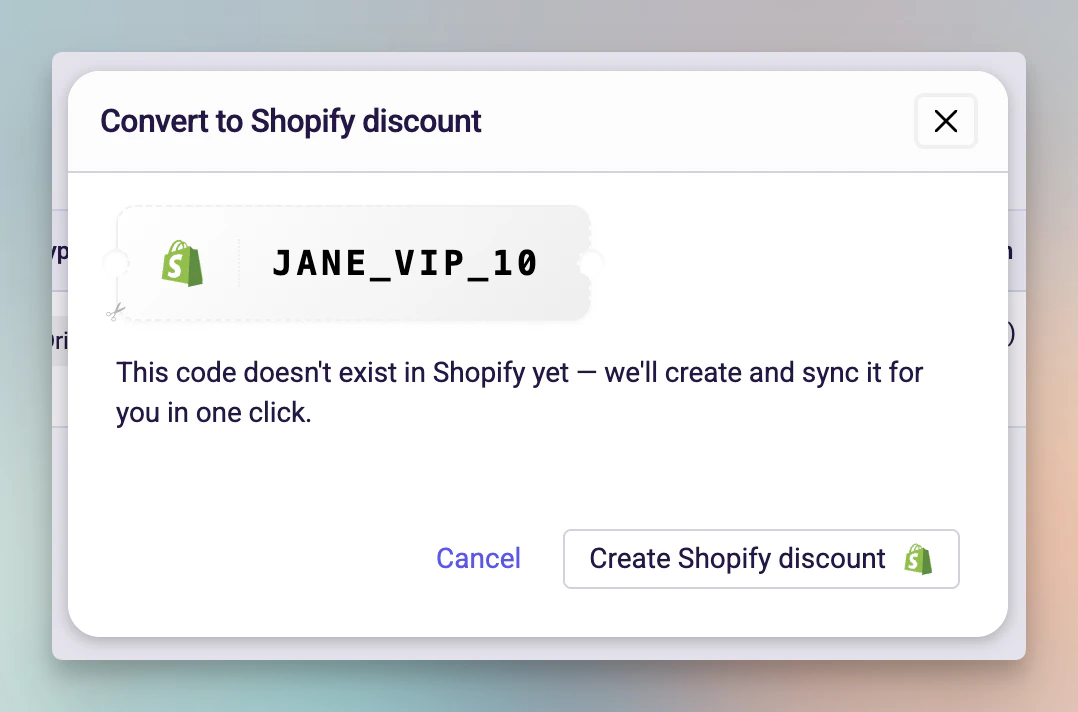
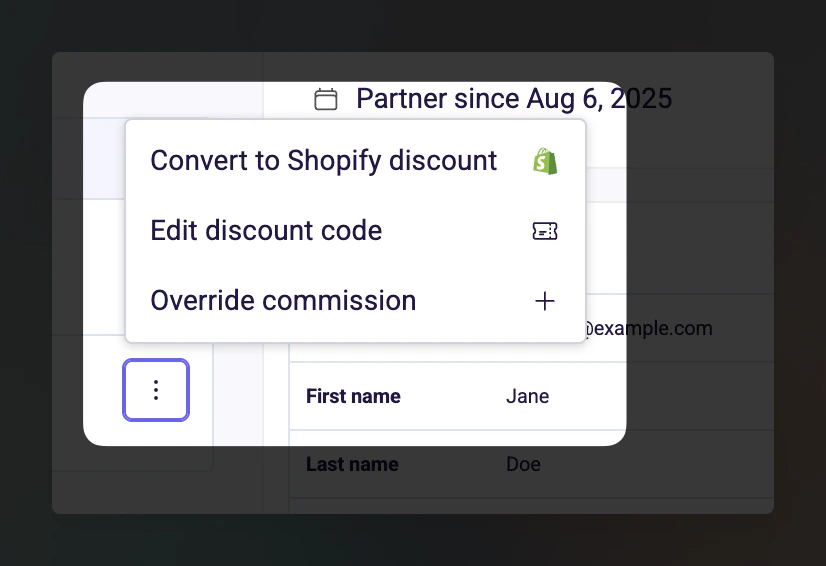 A modal appears showing the current discount code and one of two scenarios:
#### The code already exists in Shopify
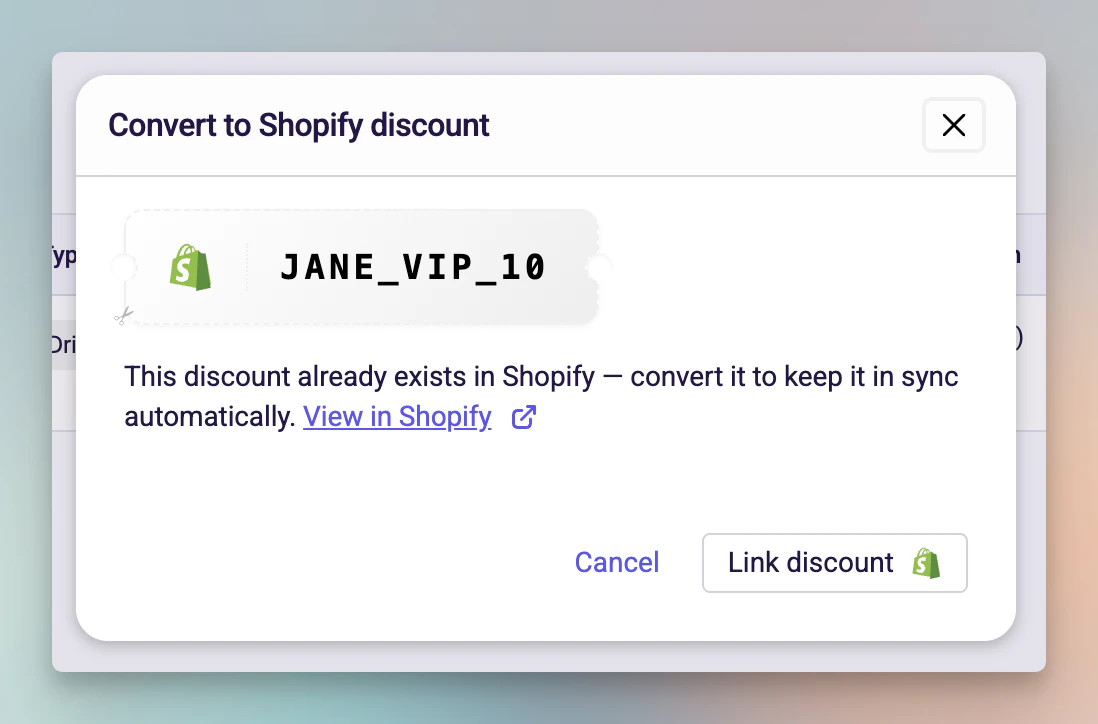
The modal shows the code was found in your Shopify store. Click **Link discount** to connect the existing Shopify discount to this influencer. From this point, edits in Mention Me will sync to this Shopify discount.
A modal appears showing the current discount code and one of two scenarios:
#### The code already exists in Shopify
The modal shows the code was found in your Shopify store. Click **Link discount** to connect the existing Shopify discount to this influencer. From this point, edits in Mention Me will sync to this Shopify discount.
 #### The code doesn't exist in Shopify
Click **Create Shopify discount** to create a new discount in your Shopify store with the same code, value, and settings from the collaboration.
#### The code doesn't exist in Shopify
Click **Create Shopify discount** to create a new discount in your Shopify store with the same code, value, and settings from the collaboration.
 ### After conversion
* The code badge changes from grey (manual) to green (Shopify).
* The **View in Shopify** action becomes available in the actions menu.
* Future edits to this code will automatically sync to Shopify.
* The discount in Shopify will have the value and eligibility settings from the collaboration.
### Things to know
* Conversion is per-influencer, not bulk -- you convert one code at a time.
* The discount code itself doesn't change during conversion, only where it's managed.
* If the conversion fails (e.g. network issue), no changes are made -- you can try again.
### After conversion
* The code badge changes from grey (manual) to green (Shopify).
* The **View in Shopify** action becomes available in the actions menu.
* Future edits to this code will automatically sync to Shopify.
* The discount in Shopify will have the value and eligibility settings from the collaboration.
### Things to know
* Conversion is per-influencer, not bulk -- you convert one code at a time.
* The discount code itself doesn't change during conversion, only where it's managed.
* If the conversion fails (e.g. network issue), no changes are made -- you can try again.