> ## Documentation Index
> Fetch the complete documentation index at: https://docs.mention-me.com/llms.txt
> Use this file to discover all available pages before exploring further.
# Share Again Reminder Journey in SFMC
> Create an SFMC journey to encourage referrers to keep sharing with friends and earn additional rewards.
## About this journey
With this journey, you can encourage your top brand advocates to keep sharing with friends to receive additional rewards.
By implementing this journey, you can:
* Increase active customer revenue
* Increase premium customer revenue
* Increase retention
The journey utilises data sent from Mention Me to SFMC through the integration and the Journey Builder functionality of SFMC.
## Prerequisites
1. An active Mention Me referral program that rewards existing customers
2. A Mention Me / SFMC enabled integration
3. Knowledge of [SFMC AMPscript Variables](https://developer.salesforce.com/docs/marketing/marketing-cloud-ampscript/overview)
## Supported channels
* Email
## Basic workflow
1. An advocate of your brand successfully refers a friend.
2. A reminder email (subject to consent) is sent to them to share again with their unique share link.
 ## Steps to create the journey
### Step 1: Create the journey flow
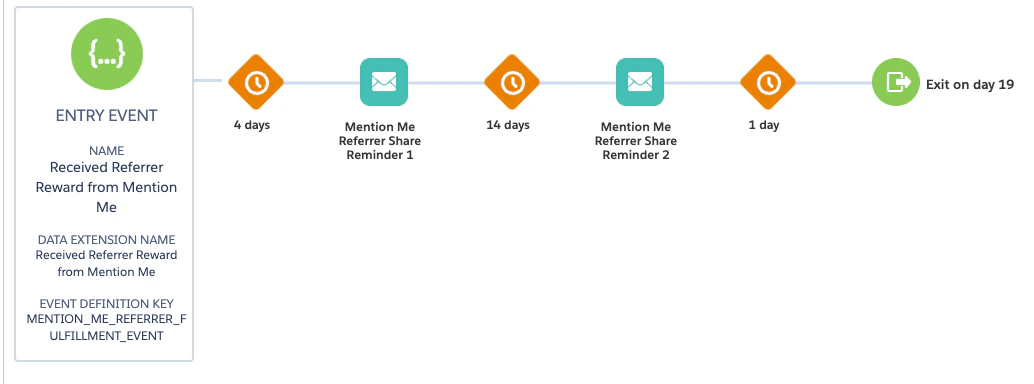
1. Add an **API Event** as the Trigger type with **Received Referrer reward from Mention Me** as the trigger event
## Steps to create the journey
### Step 1: Create the journey flow
1. Add an **API Event** as the Trigger type with **Received Referrer reward from Mention Me** as the trigger event
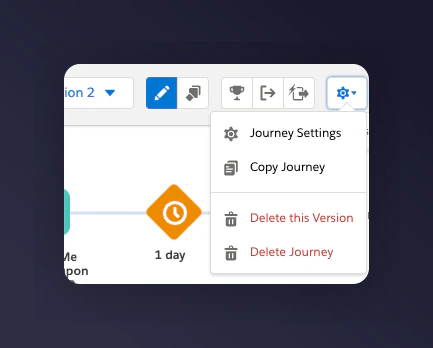
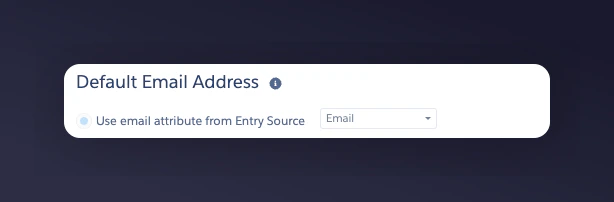
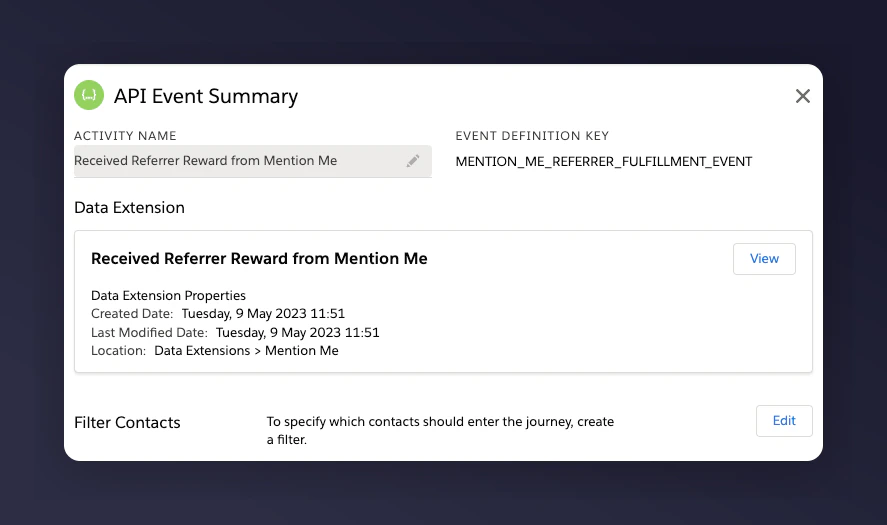 2. In Journey Settings, set the Default Email address to be from **Entry Source**
 3. Add a wait period before the email. Suggested wait periods:
* 1st email -- 4 days after the event trigger
* 2nd email -- 14 days after the 1st email is sent
### Step 2: Add content to each email
1. Update the images and styling to suit your brand
2. Under **Add content**, set the data extension to **Received Referrer reward from Mention Me** to allow for message personalisation
3. Add a wait period before the email. Suggested wait periods:
* 1st email -- 4 days after the event trigger
* 2nd email -- 14 days after the 1st email is sent
### Step 2: Add content to each email
1. Update the images and styling to suit your brand
2. Under **Add content**, set the data extension to **Received Referrer reward from Mention Me** to allow for message personalisation
 #### Example reminders
| Example Reminder 1 | Example Reminder 2 |
| -------------------------------------------------------------------------------------------------------------------------------- | ------------------------------------------------------------------------------------------------------------------------------------------------ |
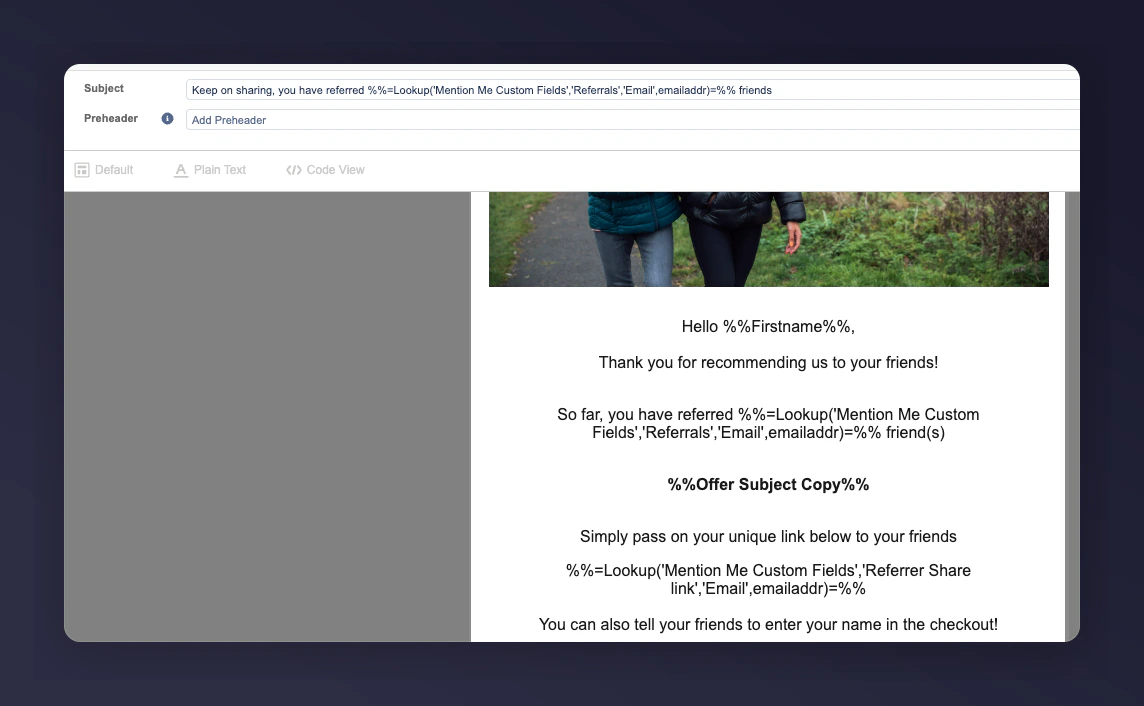
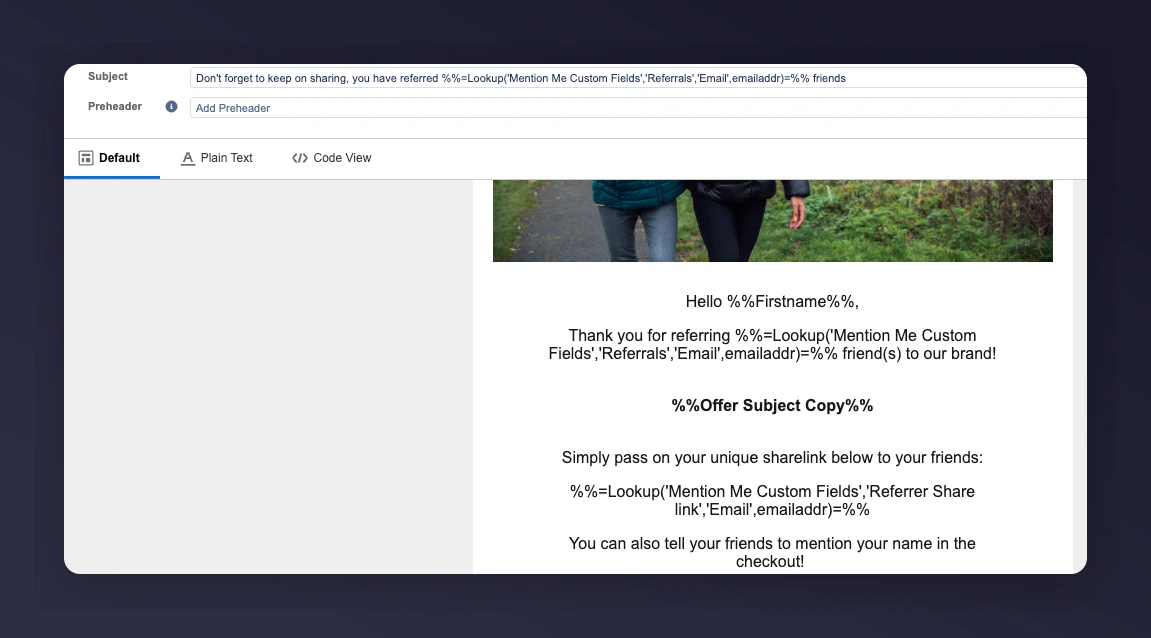
| **Subject:** Keep on sharing, you have referred `%%=Lookup('Mention Me Custom Fields','Referrals','Email',emailaddr)=%%` friends | **Subject:** Don't forget to keep on sharing, you have referred `%%=Lookup('Mention Me Custom Fields','Referrals','Email',emailaddr)=%%` friends |
**Example Reminder 1:**
#### Example reminders
| Example Reminder 1 | Example Reminder 2 |
| -------------------------------------------------------------------------------------------------------------------------------- | ------------------------------------------------------------------------------------------------------------------------------------------------ |
| **Subject:** Keep on sharing, you have referred `%%=Lookup('Mention Me Custom Fields','Referrals','Email',emailaddr)=%%` friends | **Subject:** Don't forget to keep on sharing, you have referred `%%=Lookup('Mention Me Custom Fields','Referrals','Email',emailaddr)=%%` friends |
**Example Reminder 1:**
 **Example Reminder 2:**
 #### SFMC variables
| SFMC variable | Description | Example |
| ---------------------------------------------------------------------------------- | -------------------------------------------------------------------- | -------------------------------------------------------------------------------------------------------------- |
| `%%Firstname%%` | The first name of the referrer | Ryder |
| `%%=Lookup('Mention Me Custom Fields','Referrals','Email',emailaddr)=%%` | The total number of successful referrals | 5 |
| `%%=Lookup('Mention Me Custom Fields','Referrer Share link','Email',emailaddr)=%%` | The unique referral share link | [https://demo.mention-me.com/m/olb/se8fp-adrian-parris](https://demo.mention-me.com/m/olb/se8fp-adrian-parris) |
| `%%Offer Subject Copy%%` | Customer-friendly offer description shown on the referrer offer page | Treat a friend to 10% off and get £10 off for yourself |
### Step 3: Test the preview
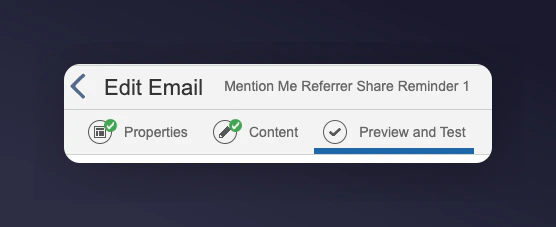
1. Test each email in the Preview and Test tab in the **Edit Email** section
#### SFMC variables
| SFMC variable | Description | Example |
| ---------------------------------------------------------------------------------- | -------------------------------------------------------------------- | -------------------------------------------------------------------------------------------------------------- |
| `%%Firstname%%` | The first name of the referrer | Ryder |
| `%%=Lookup('Mention Me Custom Fields','Referrals','Email',emailaddr)=%%` | The total number of successful referrals | 5 |
| `%%=Lookup('Mention Me Custom Fields','Referrer Share link','Email',emailaddr)=%%` | The unique referral share link | [https://demo.mention-me.com/m/olb/se8fp-adrian-parris](https://demo.mention-me.com/m/olb/se8fp-adrian-parris) |
| `%%Offer Subject Copy%%` | Customer-friendly offer description shown on the referrer offer page | Treat a friend to 10% off and get £10 off for yourself |
### Step 3: Test the preview
1. Test each email in the Preview and Test tab in the **Edit Email** section
 2. Select the **Received Referrer reward from Mention Me** Data Extension and a customer who meets the criteria.
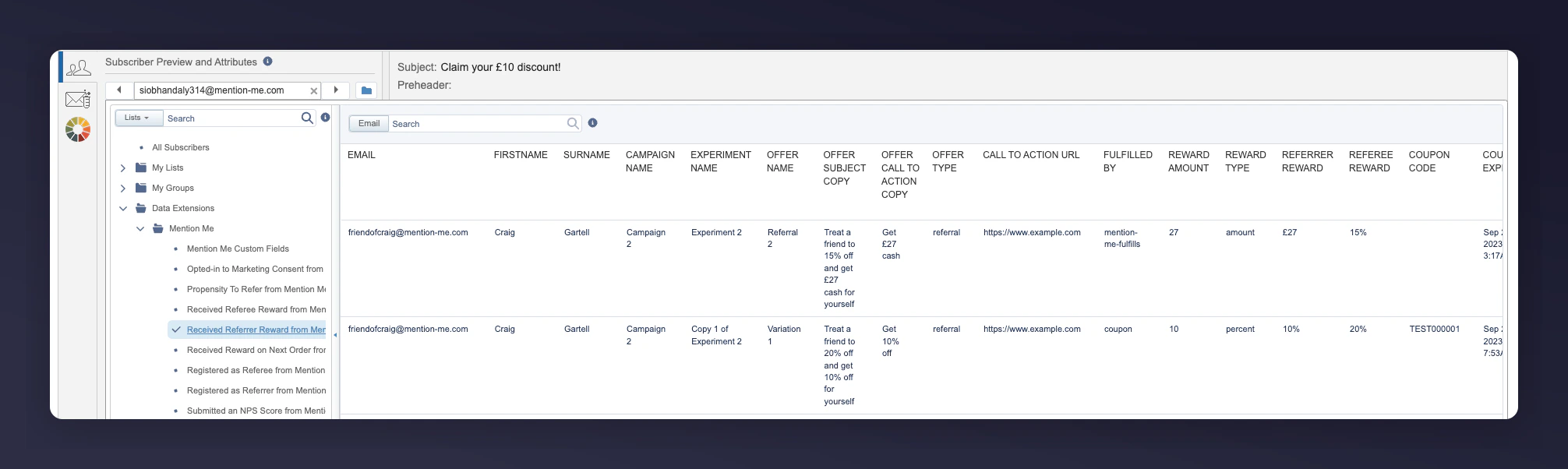 3. The email will be populated with the relevant event information
**Example Reminder 1:**
3. The email will be populated with the relevant event information
**Example Reminder 1:**
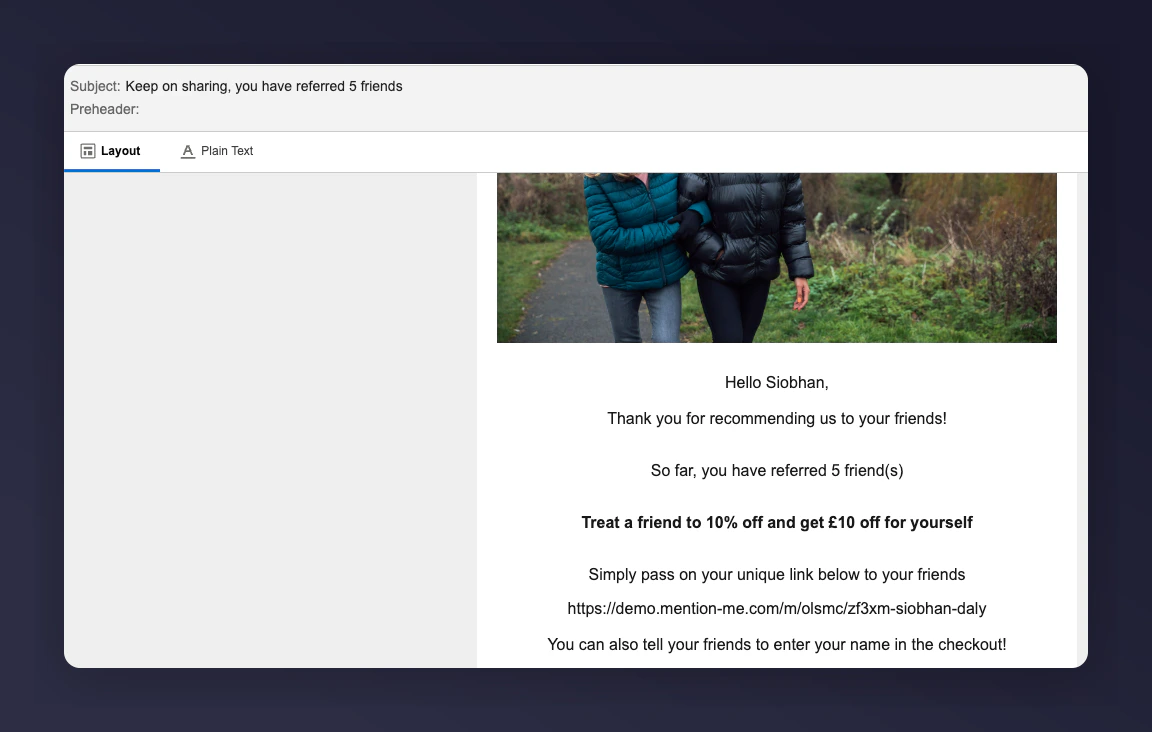 **Example Reminder 2:**
 ### Step 4: Activate the journey
1. Once you are happy with the content and have tested the emails, activate the journey
2. Click the **Activate** button
### Step 4: Activate the journey
1. Once you are happy with the content and have tested the emails, activate the journey
2. Click the **Activate** button