> ## Documentation Index
> Fetch the complete documentation index at: https://docs.mention-me.com/llms.txt
> Use this file to discover all available pages before exploring further.
# Coupon Reminder Journeys in SFMC
> Create Salesforce Marketing Cloud journeys to remind referrers and referees to use their Mention Me coupon codes.
## About these journeys
These SFMC journeys remind customers to use their Mention Me coupon codes. The referee journey targets prospective customers, while the referrer journey targets existing customers who earned a reward for referring a friend.
The journeys utilise data sent from Mention Me to SFMC through the integration and the Journey Builder functionality of SFMC.
## Prerequisites
1. An active Mention Me referral program
2. A Mention Me / SFMC enabled integration
3. Knowledge of [SFMC AMPscript Variables](https://developer.salesforce.com/docs/marketing/marketing-cloud-ampscript/overview)
## Supported channels
* Email
## Referee journey
Remind prospective customers (referees) to use their coupon codes received from being introduced to your brand.
Goals:
* Drive first purchase
* Increase average order value
### Basic workflow
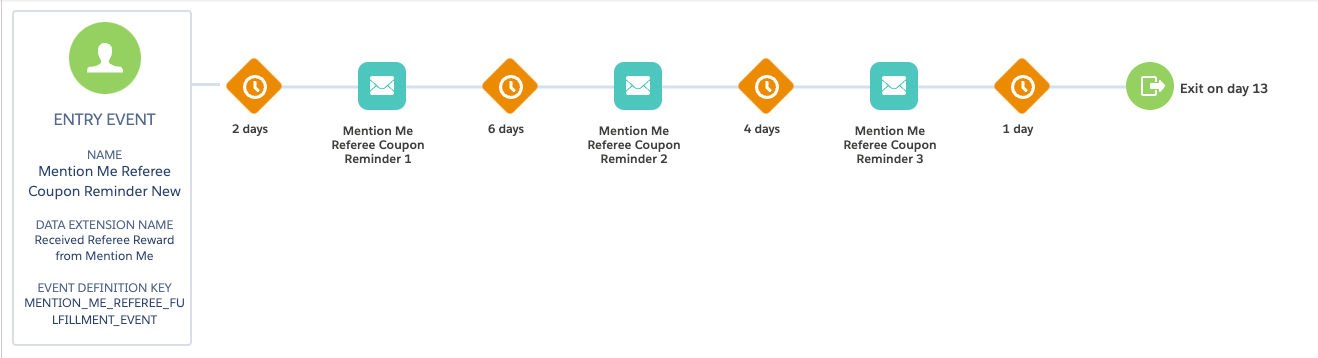
1. A prospective customer gets a coupon when their friend introduces them (email sent by Mention Me).
2. A reminder email (subject to consent) is sent to use the coupon if they have not purchased yet.
3. Further reminders are sent at different times to encourage coupon usage (if you have purchase events flowing into SFMC).
 ### Step 1: Create the journey flow
1. Add an **API Event** as the Trigger type with **Received Referee reward from Mention Me** as the trigger event
### Step 1: Create the journey flow
1. Add an **API Event** as the Trigger type with **Received Referee reward from Mention Me** as the trigger event
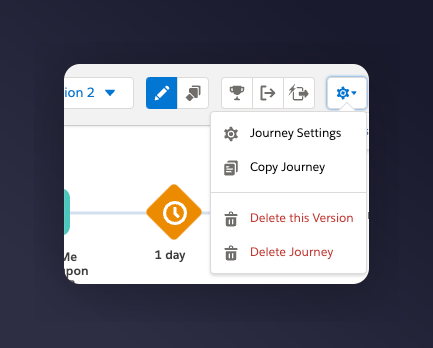
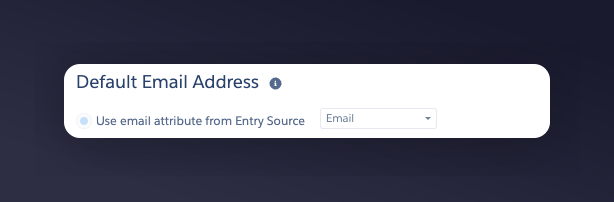
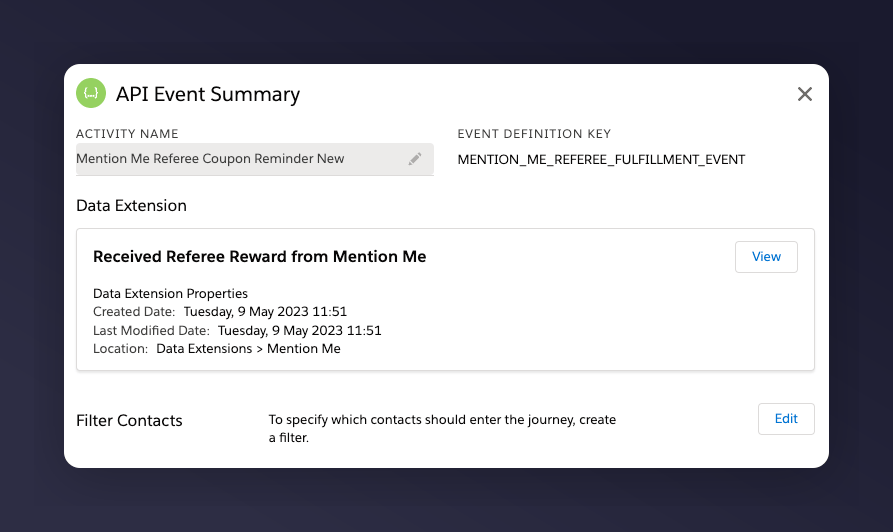 2. In Journey Settings, set the Default Email address to be from **Entry Source**
 3. Add a wait period before the email. Suggested wait periods:
* 1st email -- 2 days after the event trigger
* 2nd email -- 6 days after the 1st email is sent
* 3rd email -- 4 days after the 2nd email is sent
If you are unsure of your reward validity period, reach out to your Mention Me CSM or [Mention Me support](https://help.mention-me.com/hc/en-gb/requests/new).
4. Add a conditional split to check that the referee has purchased in the last x days (if you have purchase events flowing into SFMC)
### Step 2: Add content to each email
1. Update the images and styling to suit your brand
2. Include product recommendations to increase conversion
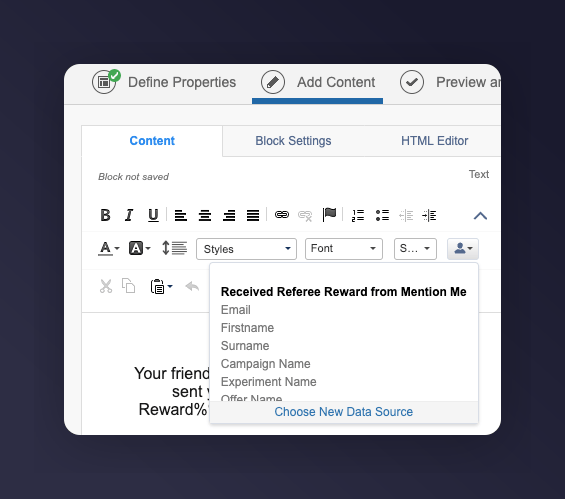
3. Under **Add content**, set the data extension to **Received Referee reward from Mention Me** to allow for message personalisation
3. Add a wait period before the email. Suggested wait periods:
* 1st email -- 2 days after the event trigger
* 2nd email -- 6 days after the 1st email is sent
* 3rd email -- 4 days after the 2nd email is sent
If you are unsure of your reward validity period, reach out to your Mention Me CSM or [Mention Me support](https://help.mention-me.com/hc/en-gb/requests/new).
4. Add a conditional split to check that the referee has purchased in the last x days (if you have purchase events flowing into SFMC)
### Step 2: Add content to each email
1. Update the images and styling to suit your brand
2. Include product recommendations to increase conversion
3. Under **Add content**, set the data extension to **Received Referee reward from Mention Me** to allow for message personalisation
 #### Example reminders
| Example Reminder 1 | Example Reminder 2 | Example Reminder 3 |
| ---------------------------------------------------- | ------------------------------------------------------------------ | ------------------------------------------------------------------------ |
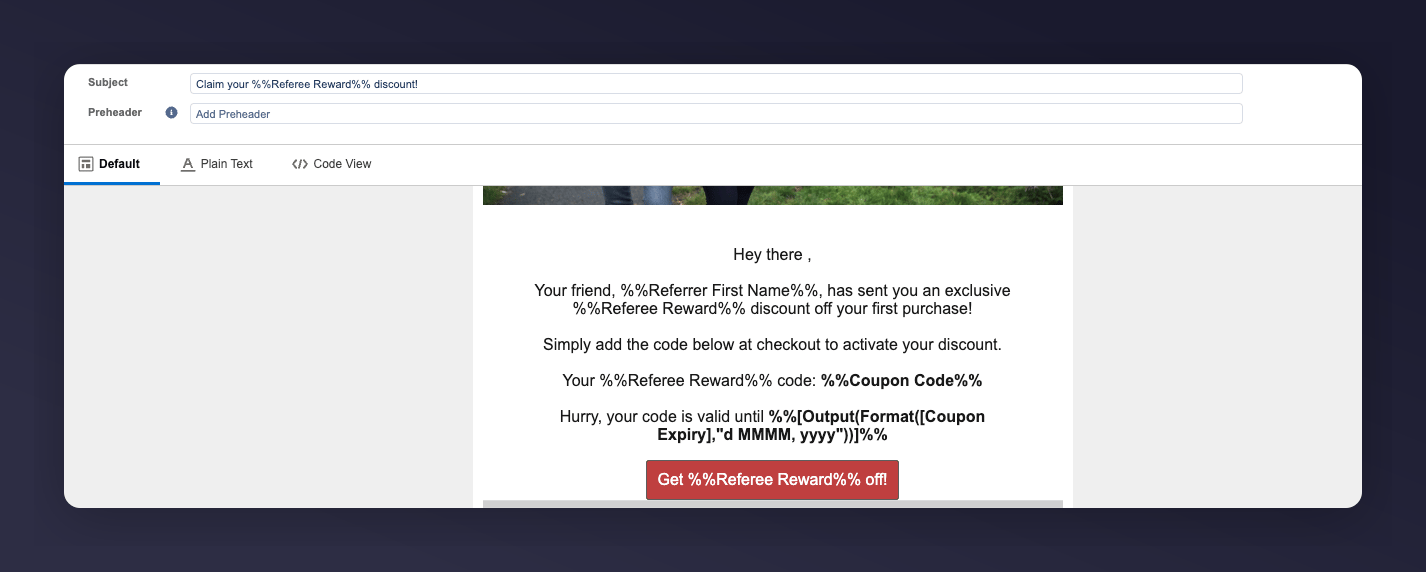
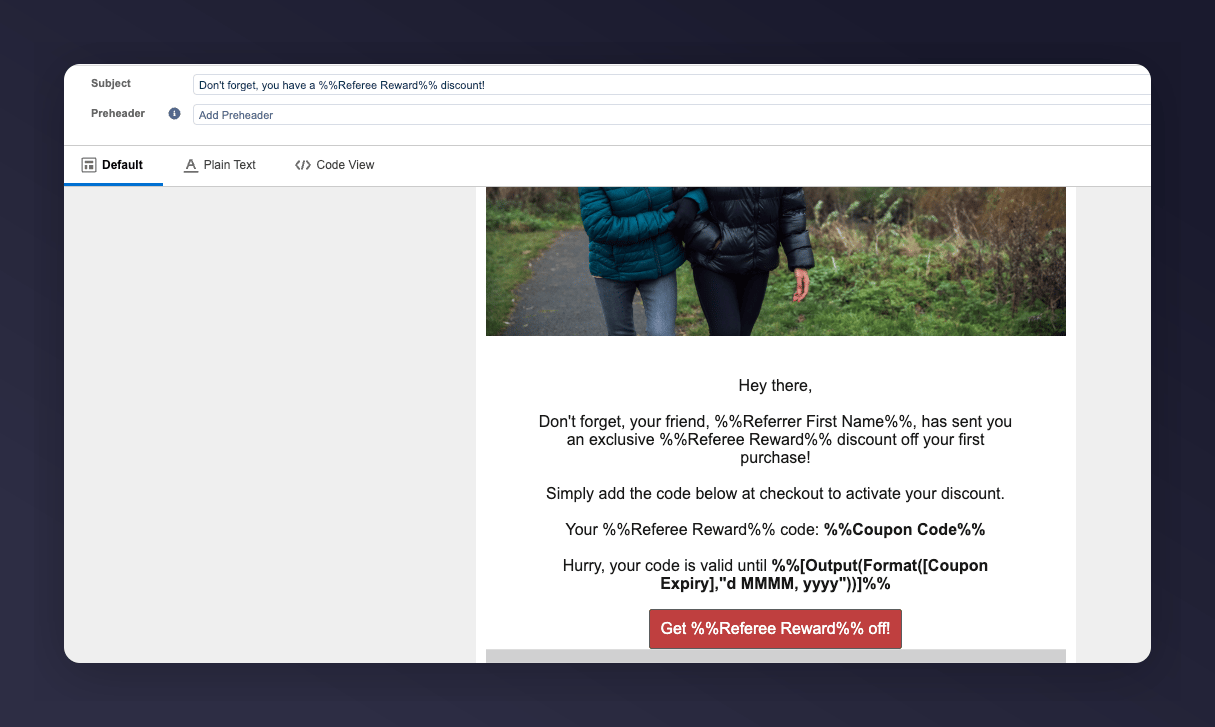
| **Subject:** Claim your %%Referee Reward%% discount! | **Subject:** Don't forget, you have a %%Referee Reward%% discount! | **Subject:** Last chance, your %%Referee Reward%% discount expires soon! |
**Example Reminder 1:**
#### Example reminders
| Example Reminder 1 | Example Reminder 2 | Example Reminder 3 |
| ---------------------------------------------------- | ------------------------------------------------------------------ | ------------------------------------------------------------------------ |
| **Subject:** Claim your %%Referee Reward%% discount! | **Subject:** Don't forget, you have a %%Referee Reward%% discount! | **Subject:** Last chance, your %%Referee Reward%% discount expires soon! |
**Example Reminder 1:**
 **Example Reminder 2:**
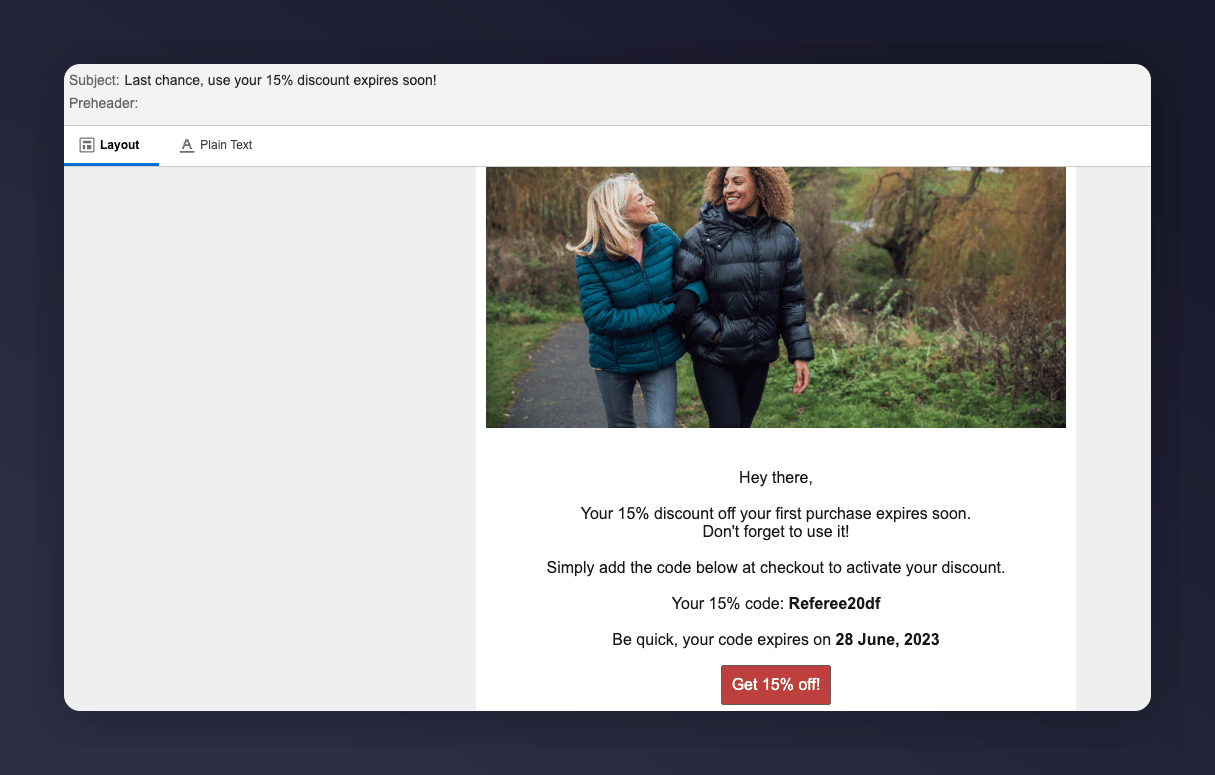
 **Example Reminder 3:**
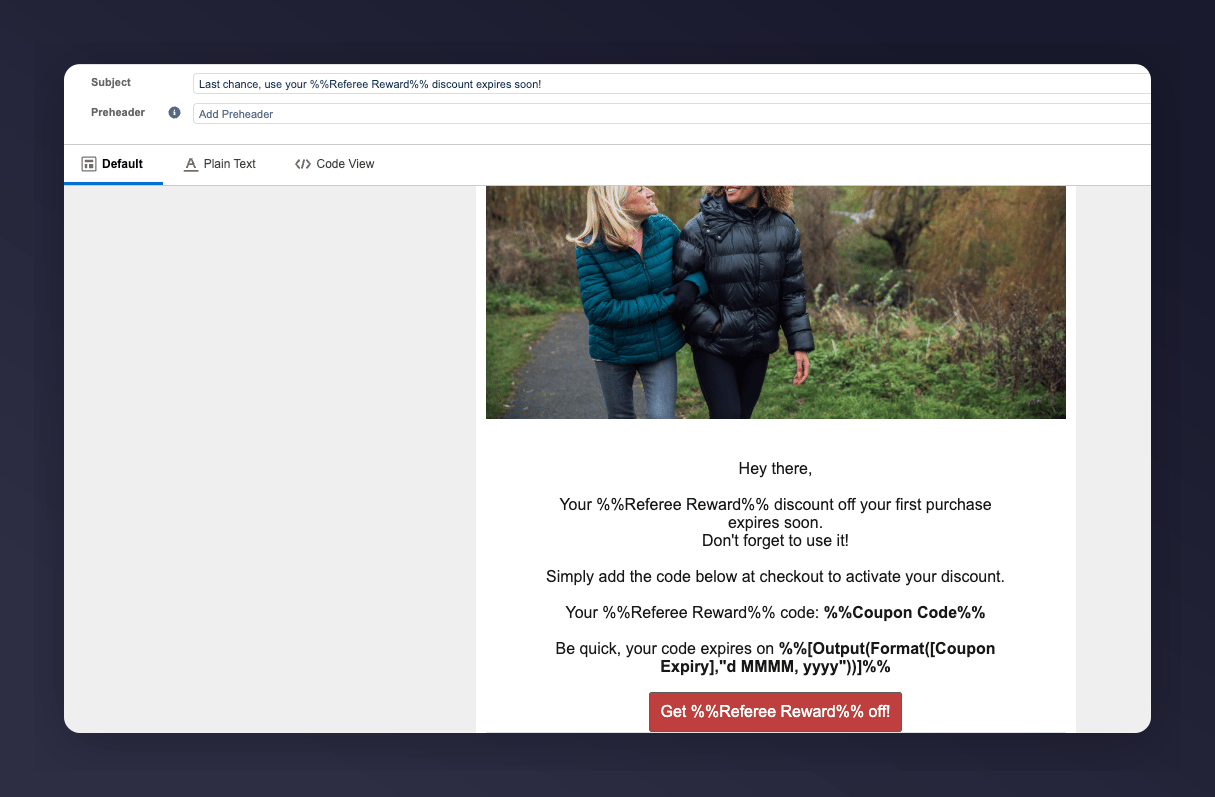 #### SFMC variables
| SFMC variable | Description | Example |
| ------------------------------------------------------ | -------------------------------------------------------------------------------------------------------------------------------------------------------- | ----------------------------------------------- |
| `%%Referrer First Name%%` | The first name of the friend who referred the referee | Ryder |
| `%%Referrer Last Name%%` | The surname of the friend who referred the referee | Collins |
| `%%Referee Reward%%` | Combined reward shaping variable showing discount or benefit | £15 or 30% |
| `%%Coupon Code%%` | The generated coupon given to the referee | 10USDOFF-RXAAURVZ |
| `%%[Output(Format([Coupon Expiry],"d MMMM, yyyy"))]%%` | The expiry date of the coupon. See [SFMC Date Formatting](https://developer.salesforce.com/docs/marketing/marketing-cloud/guide/dateTimeFormatting.html) | 19 July 2023 |
| `%%Call to Action URL%%` | Link that directs user to make purchase | [www.mention-me.com](http://www.mention-me.com) |
### Step 3: Test the preview
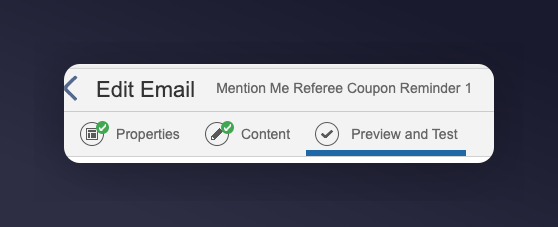
1. Test each email in the Preview and Test tab under **Edit Email**
#### SFMC variables
| SFMC variable | Description | Example |
| ------------------------------------------------------ | -------------------------------------------------------------------------------------------------------------------------------------------------------- | ----------------------------------------------- |
| `%%Referrer First Name%%` | The first name of the friend who referred the referee | Ryder |
| `%%Referrer Last Name%%` | The surname of the friend who referred the referee | Collins |
| `%%Referee Reward%%` | Combined reward shaping variable showing discount or benefit | £15 or 30% |
| `%%Coupon Code%%` | The generated coupon given to the referee | 10USDOFF-RXAAURVZ |
| `%%[Output(Format([Coupon Expiry],"d MMMM, yyyy"))]%%` | The expiry date of the coupon. See [SFMC Date Formatting](https://developer.salesforce.com/docs/marketing/marketing-cloud/guide/dateTimeFormatting.html) | 19 July 2023 |
| `%%Call to Action URL%%` | Link that directs user to make purchase | [www.mention-me.com](http://www.mention-me.com) |
### Step 3: Test the preview
1. Test each email in the Preview and Test tab under **Edit Email**
 2. Use the **Received Referee reward from Mention Me** Data Extension and filter to a qualified test entry
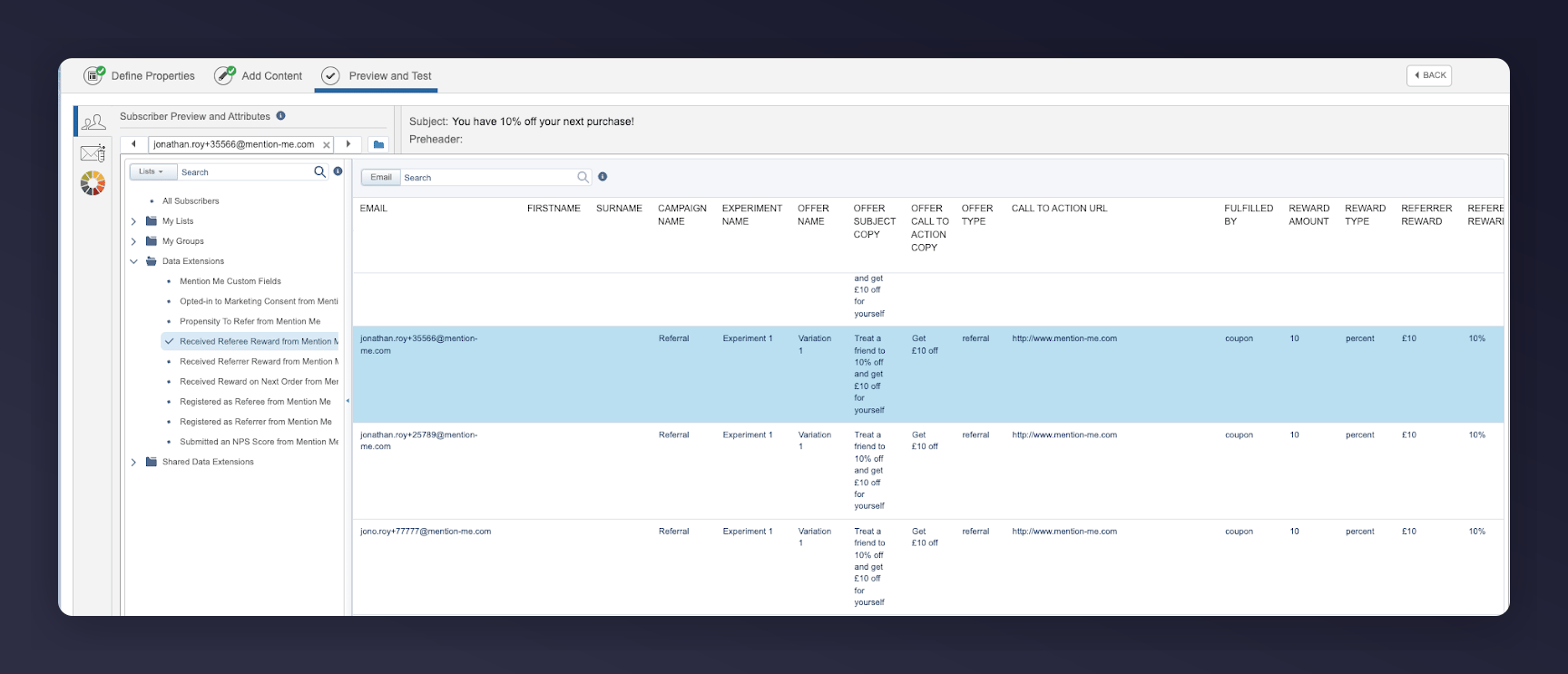 3. Ensure fields populate correctly from the journey event
**Example Reminder 1:**
3. Ensure fields populate correctly from the journey event
**Example Reminder 1:**
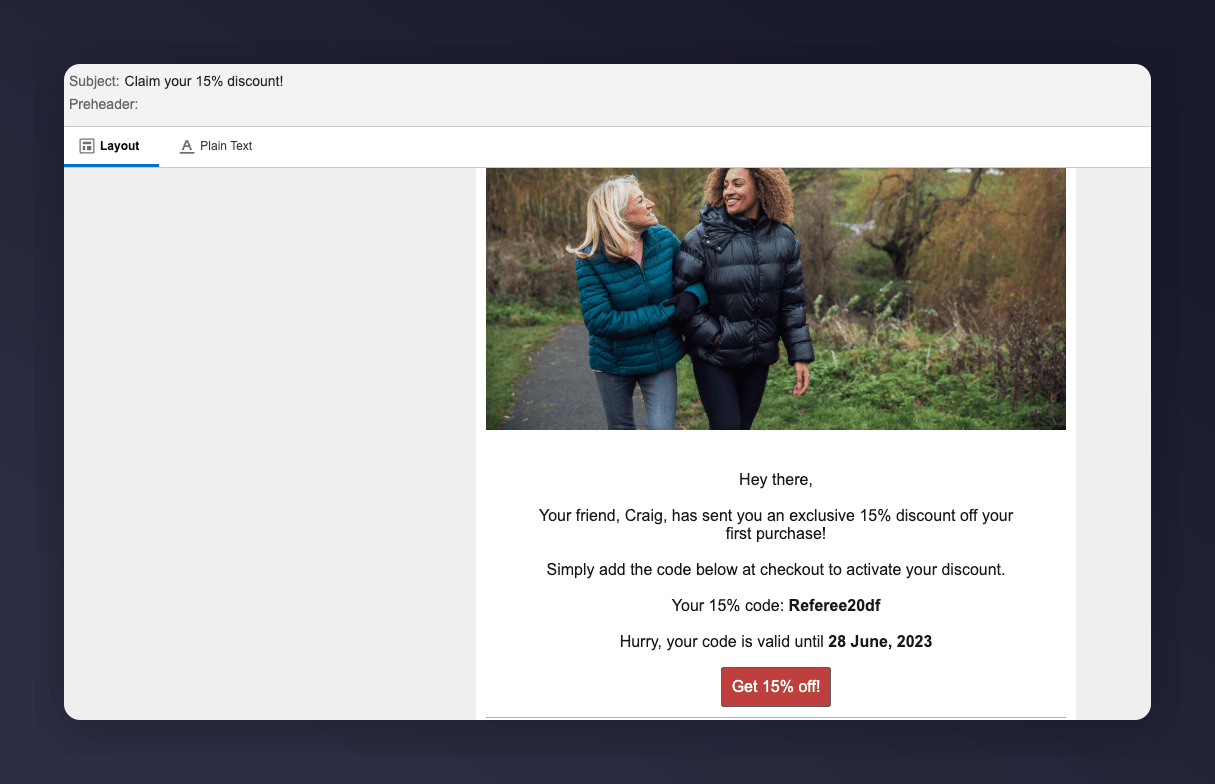 **Example Reminder 2:**
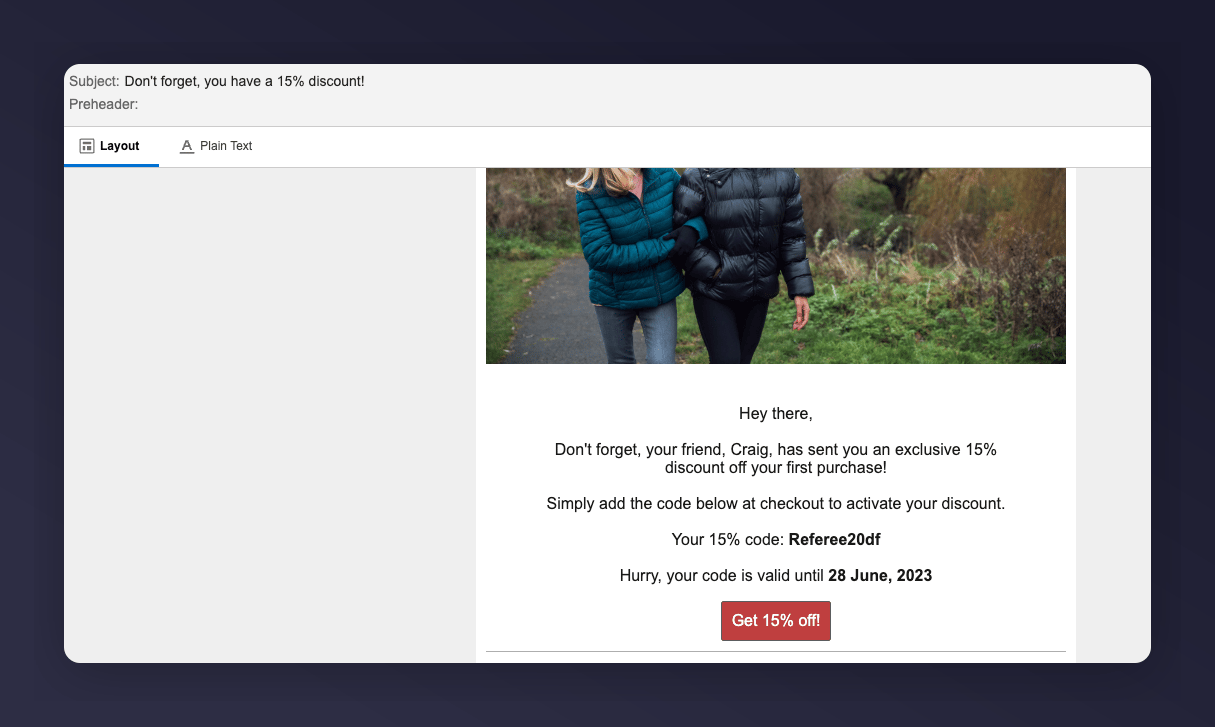 **Example Reminder 3:**
 ### Step 4: Activate the journey
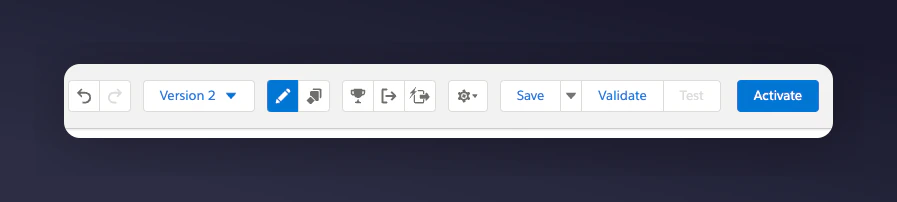
1. Confirm all content, logic, and tests pass
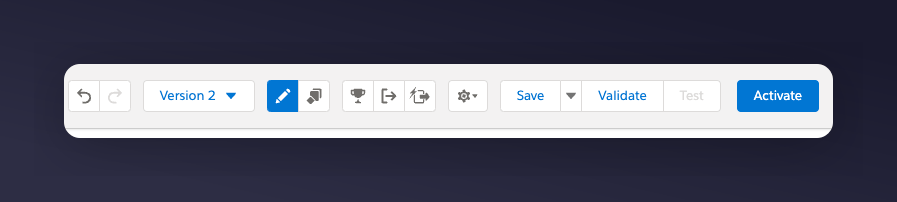
2. Click the **Activate** button
### Step 4: Activate the journey
1. Confirm all content, logic, and tests pass
2. Click the **Activate** button
 ## Referrer journey
Remind existing customers (referrers) to use their coupon codes received from introducing a friend to your brand.
Goals:
* Increase active customer revenue
* Increase premium customer revenue
* Increase retention
### Basic workflow
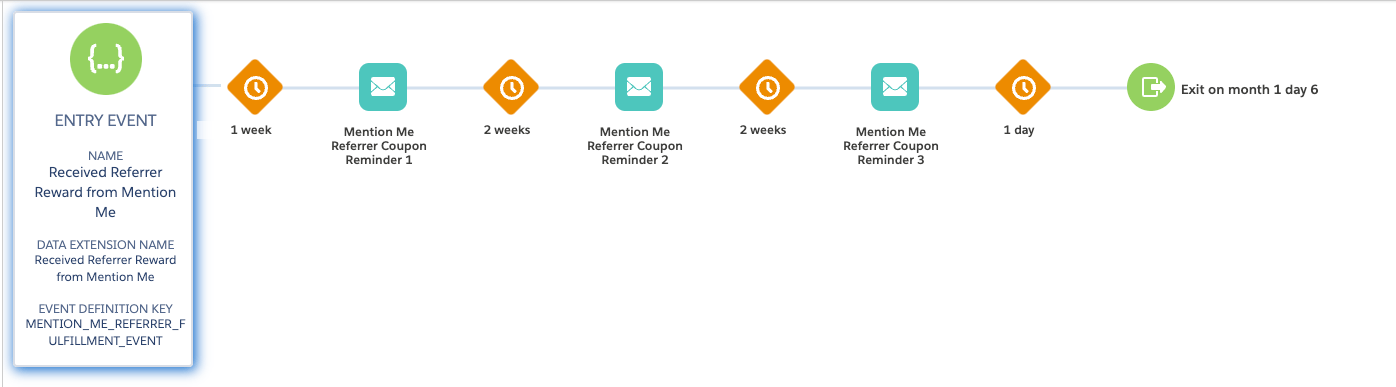
1. An existing customer gets a coupon when they introduce a friend (email sent by Mention Me).
2. A reminder email (subject to consent) is sent to use the coupon if they have not purchased yet.
3. Further reminders are sent at different times to encourage coupon usage.
## Referrer journey
Remind existing customers (referrers) to use their coupon codes received from introducing a friend to your brand.
Goals:
* Increase active customer revenue
* Increase premium customer revenue
* Increase retention
### Basic workflow
1. An existing customer gets a coupon when they introduce a friend (email sent by Mention Me).
2. A reminder email (subject to consent) is sent to use the coupon if they have not purchased yet.
3. Further reminders are sent at different times to encourage coupon usage.
 ### Step 1: Create the journey flow
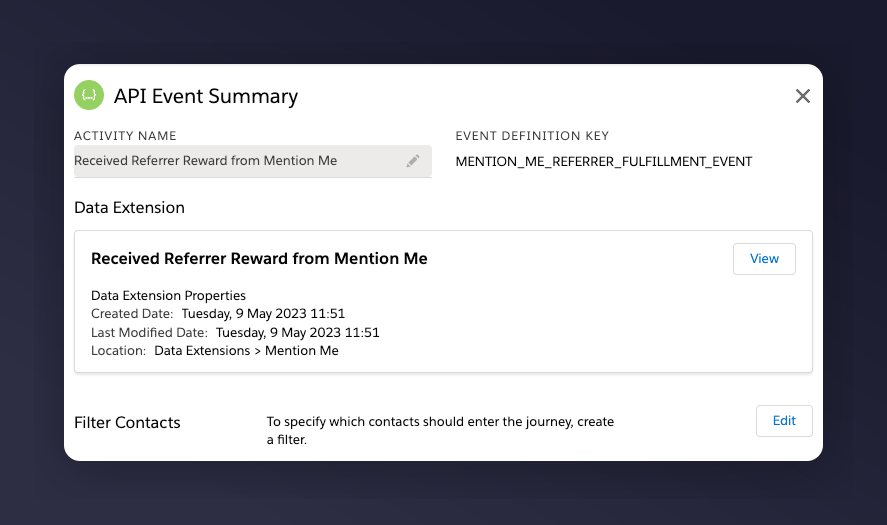
1. Add an **API Event** as the Trigger type with **Received Referrer reward from Mention Me** as the trigger event
### Step 1: Create the journey flow
1. Add an **API Event** as the Trigger type with **Received Referrer reward from Mention Me** as the trigger event
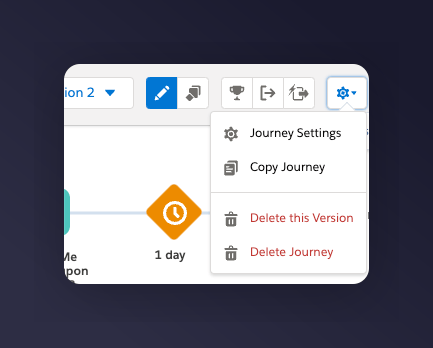
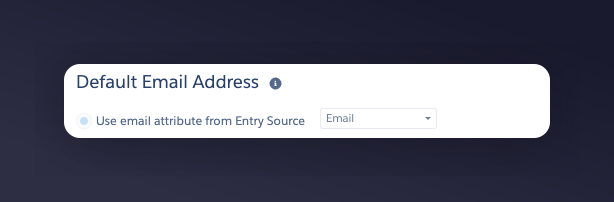
 2. In Journey Settings, set the Default Email address to be from **Entry Source**
 3. Add a wait period before the email. Suggested wait periods:
* 1st email -- 7 days after the event trigger
* 2nd email -- 14 days after the 1st email is sent
* 3rd email -- 14 days after the 2nd email is sent
If you are unsure of your reward validity period, reach out to your Mention Me CSM or [Mention Me support](https://help.mention-me.com/hc/en-gb/requests/new).
4. Add a conditional split to check that the referrer has purchased in the last x days (if you have purchase events flowing into SFMC)
### Step 2: Add content to each email
1. Update the images and styling to suit your brand
2. Include product recommendations to increase conversion
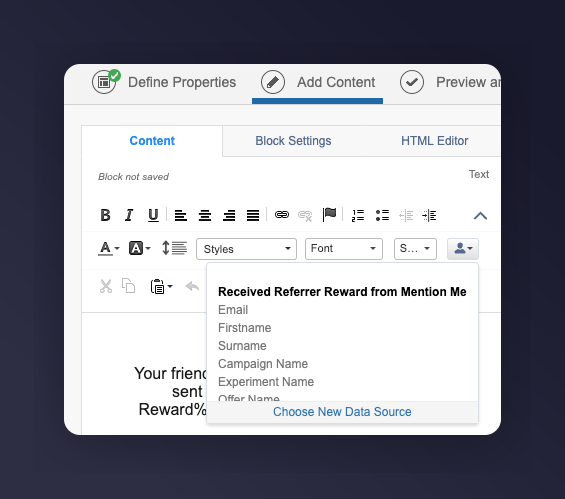
3. Under **Add content**, set the data extension to **Received Referrer reward from Mention Me** to allow for message personalisation
3. Add a wait period before the email. Suggested wait periods:
* 1st email -- 7 days after the event trigger
* 2nd email -- 14 days after the 1st email is sent
* 3rd email -- 14 days after the 2nd email is sent
If you are unsure of your reward validity period, reach out to your Mention Me CSM or [Mention Me support](https://help.mention-me.com/hc/en-gb/requests/new).
4. Add a conditional split to check that the referrer has purchased in the last x days (if you have purchase events flowing into SFMC)
### Step 2: Add content to each email
1. Update the images and styling to suit your brand
2. Include product recommendations to increase conversion
3. Under **Add content**, set the data extension to **Received Referrer reward from Mention Me** to allow for message personalisation
 #### Example reminders
| Example Reminder 1 | Example Reminder 2 | Example Reminder 3 |
| ----------------------------------------------------- | ------------------------------------------------------------------- | ---------------------------------------------------------------- |
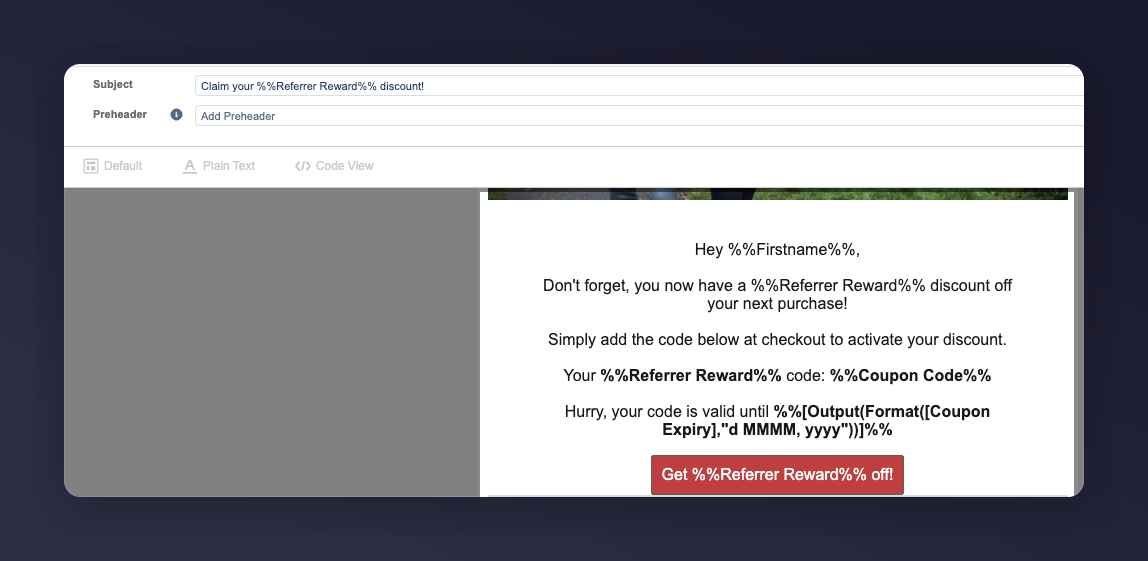
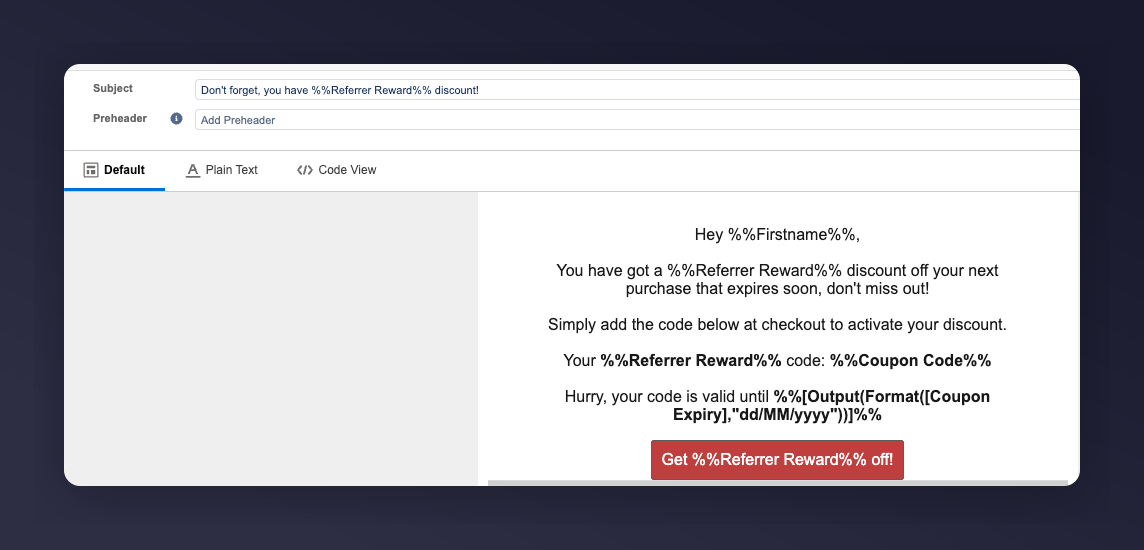
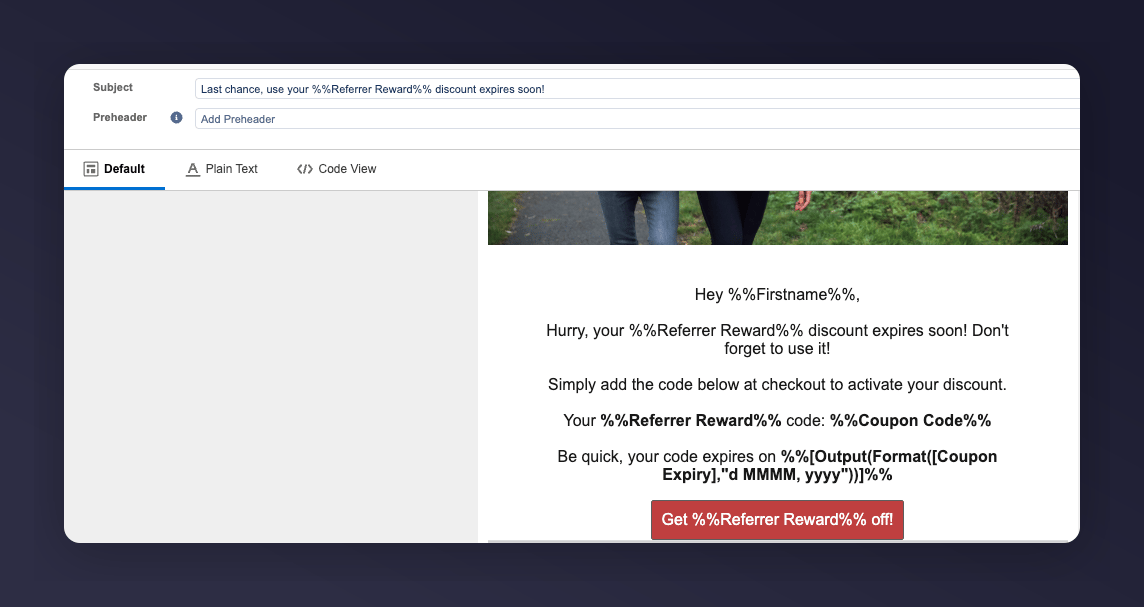
| **Subject:** Claim your %%Referrer Reward%% discount! | **Subject:** Don't forget, you have a %%Referrer Reward%% discount! | **Subject:** Last chance, use your %%Referrer Reward%% discount! |
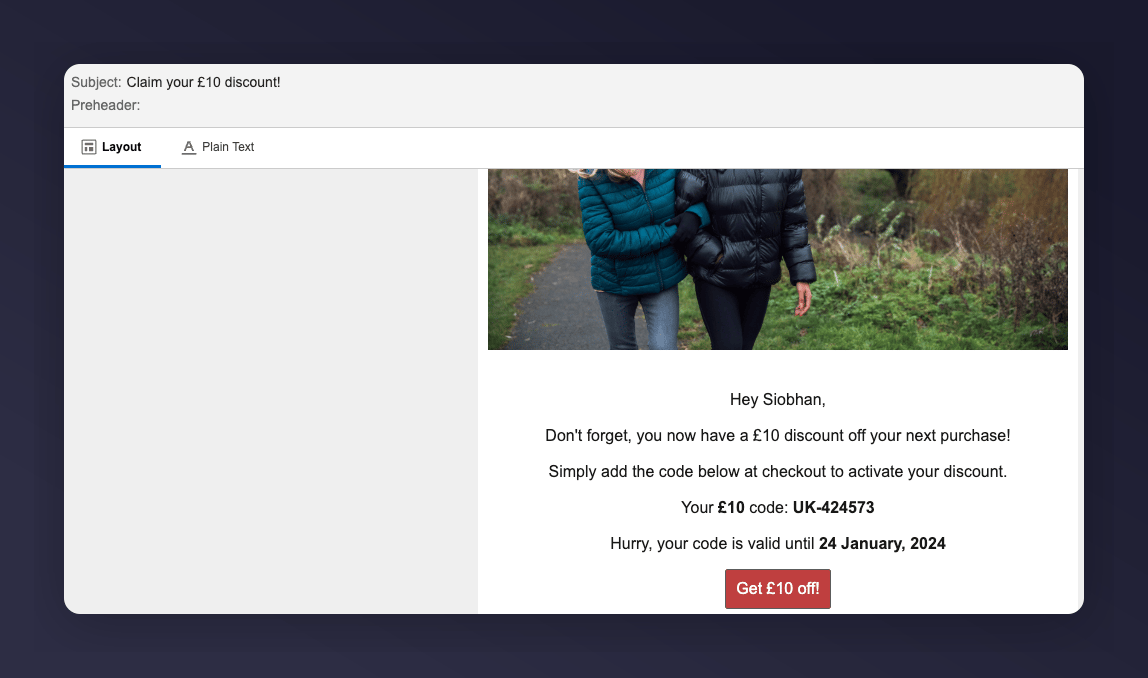
**Example Reminder 1:**
#### Example reminders
| Example Reminder 1 | Example Reminder 2 | Example Reminder 3 |
| ----------------------------------------------------- | ------------------------------------------------------------------- | ---------------------------------------------------------------- |
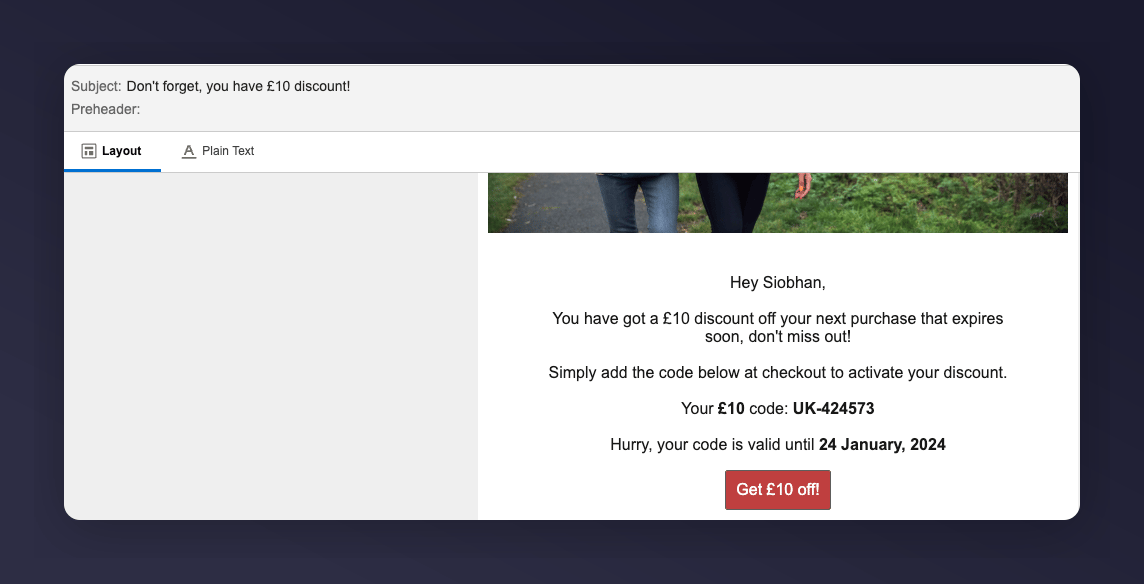
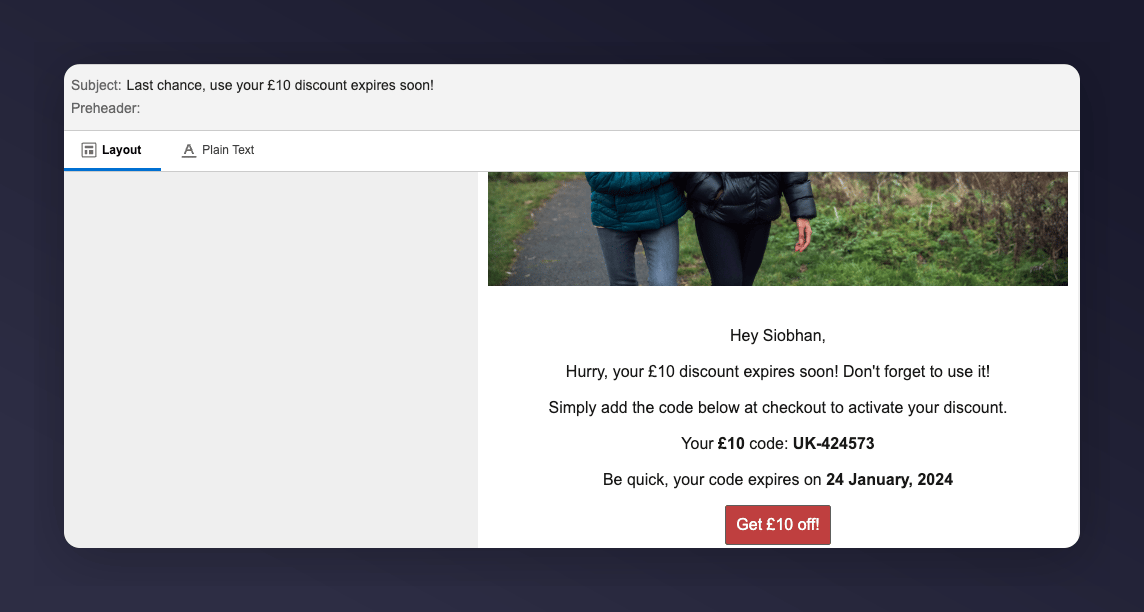
| **Subject:** Claim your %%Referrer Reward%% discount! | **Subject:** Don't forget, you have a %%Referrer Reward%% discount! | **Subject:** Last chance, use your %%Referrer Reward%% discount! |
**Example Reminder 1:**
 **Example Reminder 2:**
 **Example Reminder 3:**
 #### SFMC variables
| SFMC variable | Description | Example |
| ------------------------------------------------------ | --------------------------------------------------------------------------------------------------------------------------------------------------------- | ----------------------------------------------- |
| `%%Referrer First Name%%` | The first name of the referrer | Ryder |
| `%%Referrer Last Name%%` | The surname of the referrer | Collins |
| `%%Referree Reward%%` | The reward the referrer will receive | £15 or 30% |
| `%%Coupon Code%%` | The coupon code the referrer receives | 10USDOFF-RXAAURVZ |
| `%%[Output(Format([Coupon Expiry],"d MMMM, yyyy"))]%%` | The expiry date of the coupon. See [SFMC Date Formatting](https://developer.salesforce.com/docs/marketing/marketing-cloud/guide/dateTimeFormatting.html). | 19 July 2023 |
| `%%Call to Action URL%%` | The destination URL to spend the coupon | [www.mention-me.com](http://www.mention-me.com) |
### Step 3: Test the preview
1. Test each email in the Preview and Test tab in the **Edit Email** section
#### SFMC variables
| SFMC variable | Description | Example |
| ------------------------------------------------------ | --------------------------------------------------------------------------------------------------------------------------------------------------------- | ----------------------------------------------- |
| `%%Referrer First Name%%` | The first name of the referrer | Ryder |
| `%%Referrer Last Name%%` | The surname of the referrer | Collins |
| `%%Referree Reward%%` | The reward the referrer will receive | £15 or 30% |
| `%%Coupon Code%%` | The coupon code the referrer receives | 10USDOFF-RXAAURVZ |
| `%%[Output(Format([Coupon Expiry],"d MMMM, yyyy"))]%%` | The expiry date of the coupon. See [SFMC Date Formatting](https://developer.salesforce.com/docs/marketing/marketing-cloud/guide/dateTimeFormatting.html). | 19 July 2023 |
| `%%Call to Action URL%%` | The destination URL to spend the coupon | [www.mention-me.com](http://www.mention-me.com) |
### Step 3: Test the preview
1. Test each email in the Preview and Test tab in the **Edit Email** section
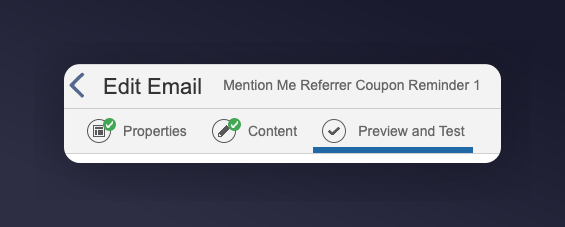 2. Select the **Received Referrer reward from Mention Me** Data Extension and filter by a customer who matches the trigger criteria.
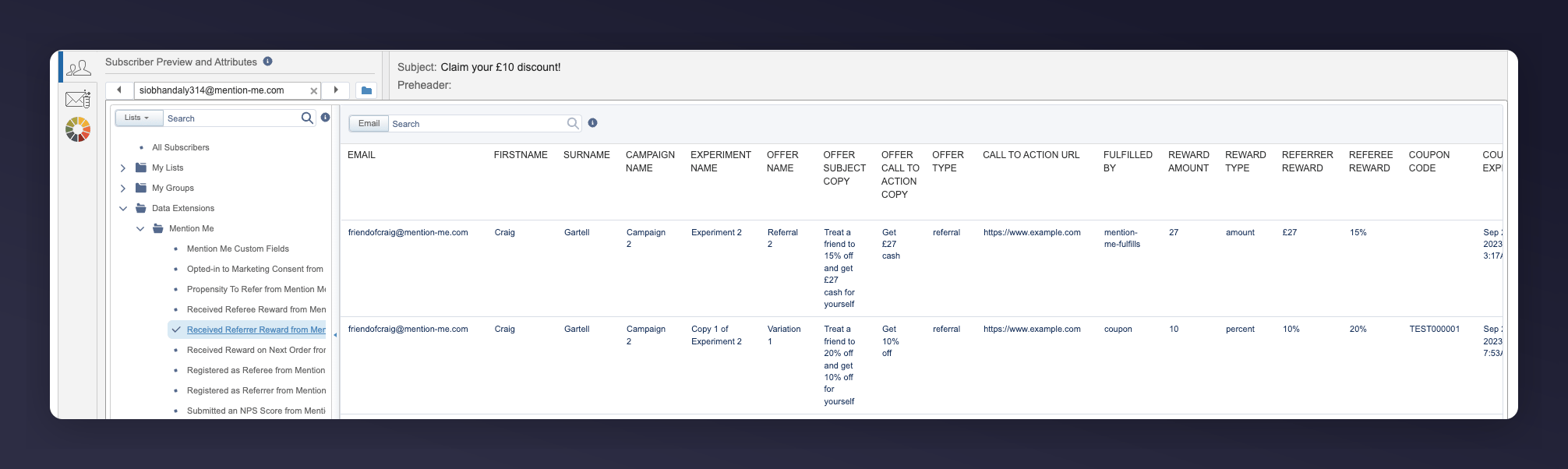 3. The email will be populated with the relevant event information
 ### Step 4: Activate the journey
1. Once you are happy with the content and have tested the emails, activate the journey
2. Click the **Activate** button
### Step 4: Activate the journey
1. Once you are happy with the content and have tested the emails, activate the journey
2. Click the **Activate** button