> ## Documentation Index
> Fetch the complete documentation index at: https://docs.mention-me.com/llms.txt
> Use this file to discover all available pages before exploring further.
# Set Up Ometria with Mention Me
> Connect your Ometria account to Mention Me to sync referral data and opt-ins.
## About the integration
Activate your biggest fans by feeding first-party advocacy data directly into Ometria to deliver higher engagement, retention, and revenue across your customer base.
## Integration capabilities
* Send contact data and opt-ins from Mention Me referred customers to Ometria in real-time
* Use referral data to create coupon email reminders
* Enhance other marketing channels using referral and advocacy data to segment and target high-value customers
## Prerequisites
* **Ometria** — Ability to [create private API Keys](https://support.ometria.com/hc/en-gb/articles/9882706389917-Creating-a-new-API-key).
* **Mention Me** — Access to the [Mention Me platform](https://mention-me.com/login). Contact your Mention Me CSM or [submit a support request](https://help.mention-me.com/hc/en-gb/requests/new) if needed.
## Step 1: Sign the contract amendment
This step is only required in some cases. Mention Me will let you know if it applies.
## Step 2: Create an API key for Mention Me
Log in to [Ometria](https://app.ometria.com/login) as an Admin.
Go to Settings > API Keys.
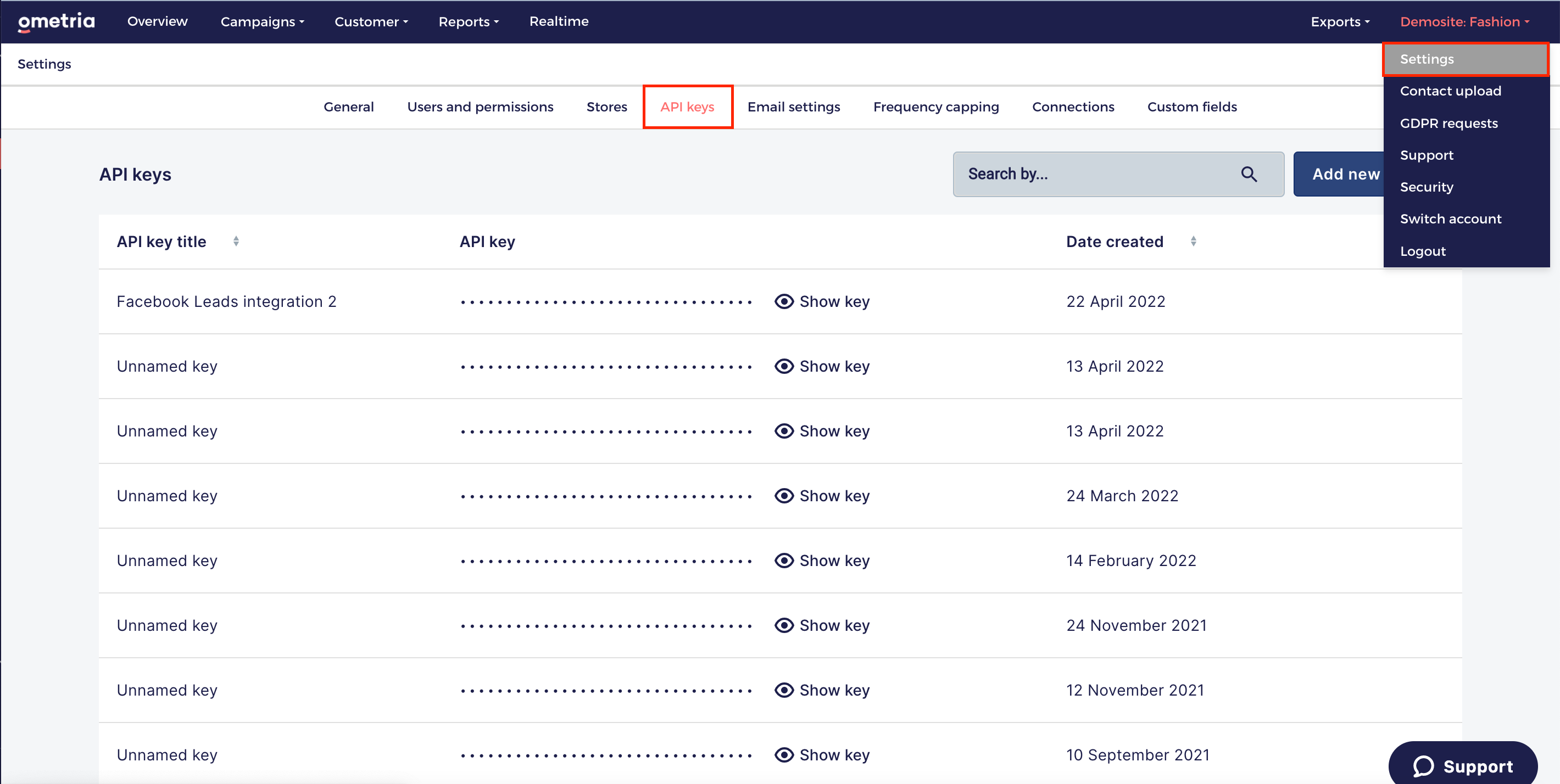
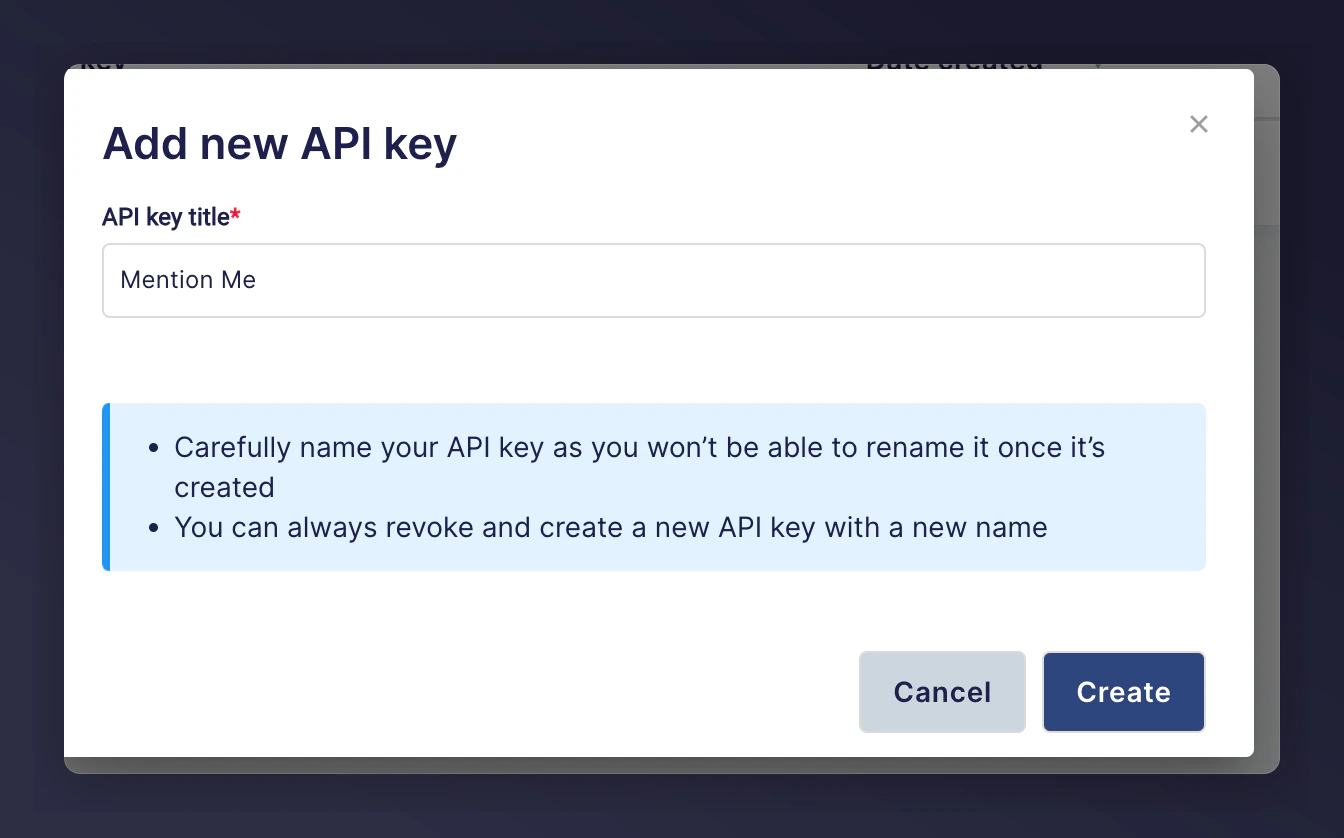
Create an API Key for Mention Me. Name the API Key **Mention Me** for clarity.
Click **Create**. Your new API key will appear in the list.
 Save the key into a text file or PDF to upload it securely to Mention Me.
## Step 3: Create a segment for capturing Mention Me opt-ins
You can capture customer opt-in consent during the Mention Me journey, and this data is sent directly to Ometria. These opt-ins can be added to a Segment in Ometria to help identify the source.
* You can create a new Segment or reuse an existing one
* Creating a dedicated Mention Me Segment helps track opt-in performance
Save the key into a text file or PDF to upload it securely to Mention Me.
## Step 3: Create a segment for capturing Mention Me opt-ins
You can capture customer opt-in consent during the Mention Me journey, and this data is sent directly to Ometria. These opt-ins can be added to a Segment in Ometria to help identify the source.
* You can create a new Segment or reuse an existing one
* Creating a dedicated Mention Me Segment helps track opt-in performance
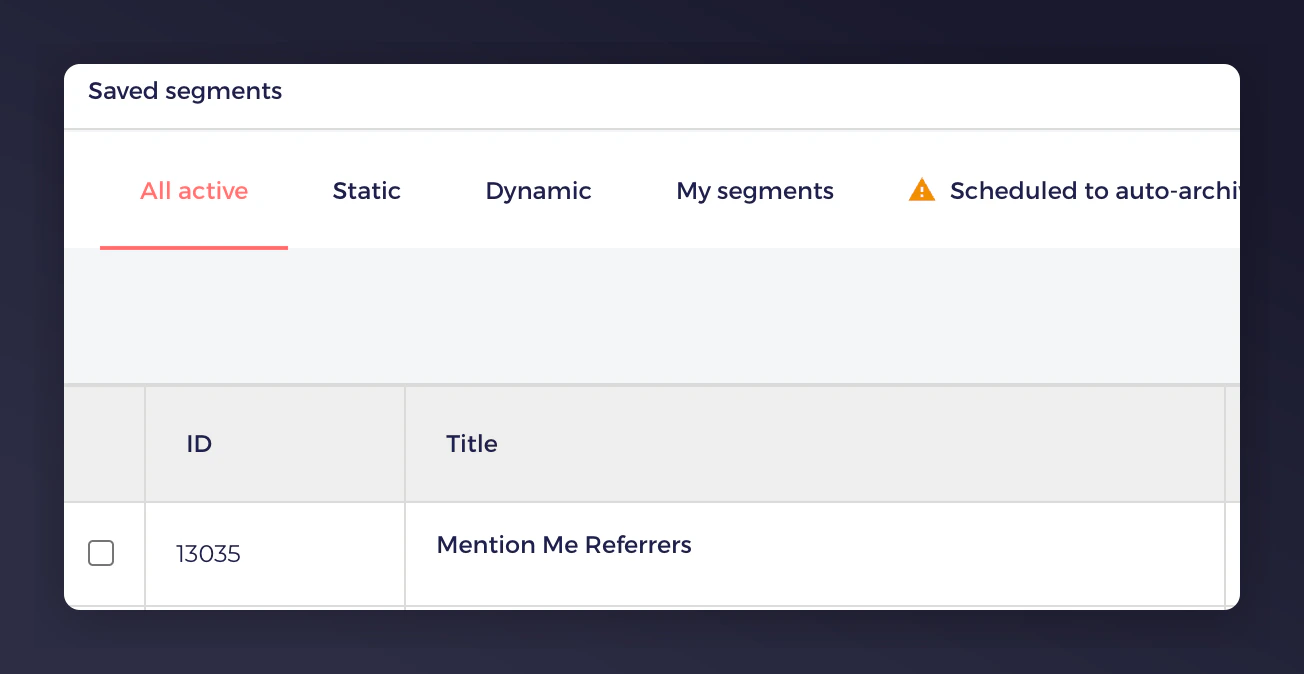 Save the segment name or ID in the text file or PDF alongside your API key.
## Step 4: Send the API key and segment name securely to Mention Me
Log in to the [Mention Me platform](https://mention-me.com/merchant/~/files).
Click **Upload secure file** and upload your file containing the API Key and Segment name.
Save the segment name or ID in the text file or PDF alongside your API key.
## Step 4: Send the API key and segment name securely to Mention Me
Log in to the [Mention Me platform](https://mention-me.com/merchant/~/files).
Click **Upload secure file** and upload your file containing the API Key and Segment name.
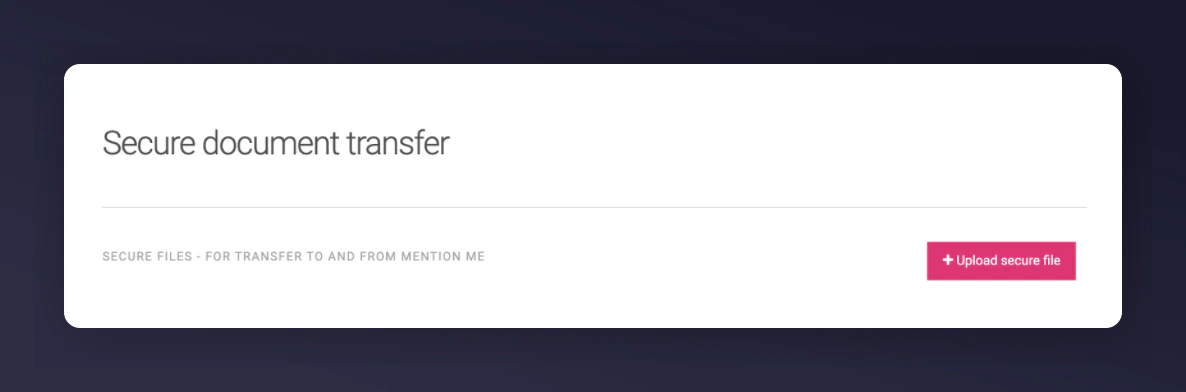 Email your Mention Me Client Success Manager or let the support team know the file has been uploaded.
Mention Me will confirm when your setup is complete. Data will start syncing with your Ometria account right away.
Email your Mention Me Client Success Manager or let the support team know the file has been uploaded.
Mention Me will confirm when your setup is complete. Data will start syncing with your Ometria account right away.