> ## Documentation Index
> Fetch the complete documentation index at: https://docs.mention-me.com/llms.txt
> Use this file to discover all available pages before exploring further.
# Share Again Reminder Flow in Klaviyo
> Set up a pre-built Klaviyo flow to encourage referrers to keep sharing with friends and earn more rewards.
## About this flow
This Klaviyo flow nudges your top brand advocates (referrers) to continue sharing with friends to earn additional rewards.
By implementing this flow, you can:
* Increase active customer revenue
* Increase premium customer revenue
* Increase retention
The flow uses Mention Me event data passed into Klaviyo via the integration. It leverages Klaviyo's [Flows functionality](https://help.klaviyo.com/hc/en-us/articles/115002774932). The pre-built flows include:
* Suggested copy
* Variables from [Mention Me events](/knowledge/esp-crm/klaviyo/data-reference)
* Customer [profile attributes](/knowledge/esp-crm/klaviyo/data-reference)
## Prerequisites
1. An active Mention Me referral programme that rewards customers
2. The latest version of the Mention Me x Klaviyo integration is enabled — [check integration status](https://mention-me.com/merchant/~/integrations/klaviyo):
* **Enabled** — you are good to go.
* **Not Connected** — follow [this setup guide](/knowledge/esp-crm/klaviyo/setup).
3. Working knowledge of [Klaviyo personalisation variables](https://help.klaviyo.com/hc/en-us/articles/4408802648731)
## Supported channels
* Email
## Basic workflow
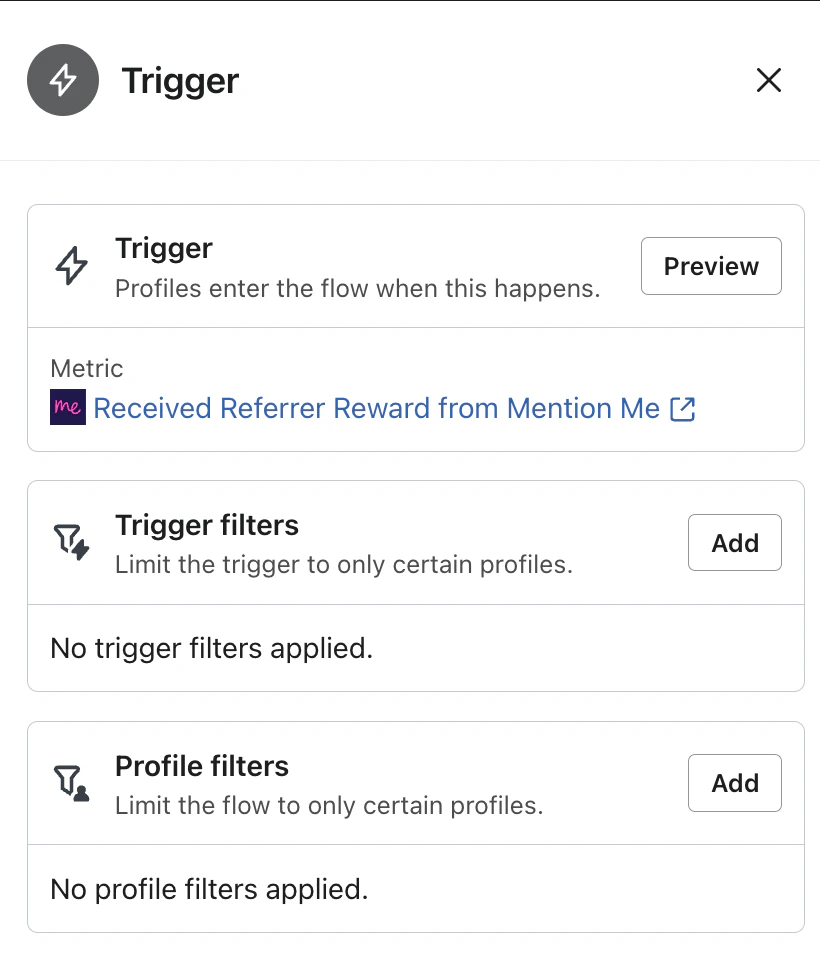
1. A customer refers a friend and receives a reward.
2. After 4 days, an email reminder is sent (with consent), encouraging further sharing via their share link.
3. After 14 days, a second reminder email is sent.
**Note:** Mention Me cannot legally send these reminders due to GDPR, so you must configure them in Klaviyo.
 ## Steps to create the flow
### Step 1: Install the flow
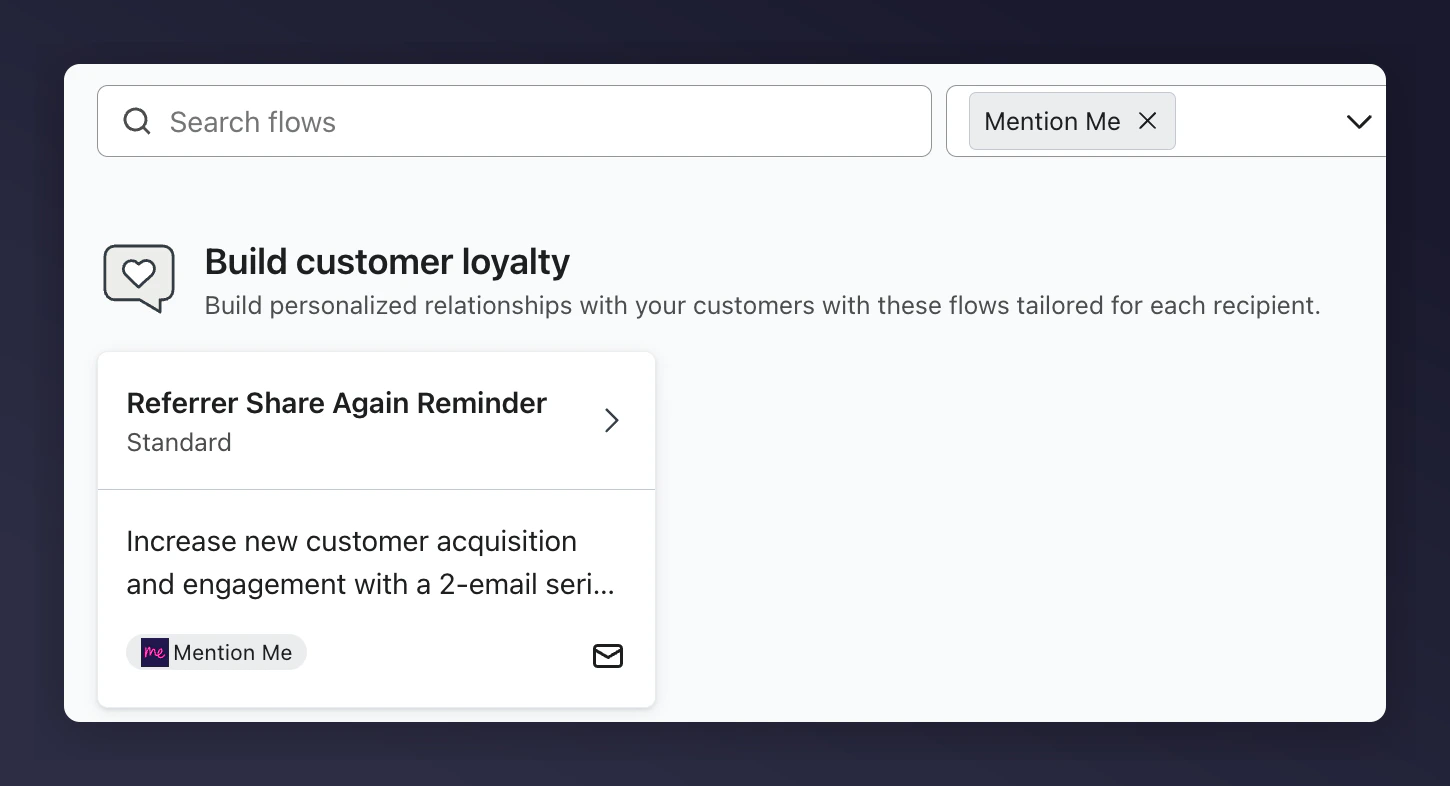
1. Log into [Klaviyo Flows](https://www.klaviyo.com/flows/create)
2. Select **Mention Me** from the integrations
3. Select **Referrer Share Again Reminder**
## Steps to create the flow
### Step 1: Install the flow
1. Log into [Klaviyo Flows](https://www.klaviyo.com/flows/create)
2. Select **Mention Me** from the integrations
3. Select **Referrer Share Again Reminder**
 ### Step 2: Add content to reminder emails
1. Update images, logos, and styles to match your brand
2. Use Mention Me recommended variables where possible
#### Reminder examples
| 1st Reminder | 2nd Reminder |
| ------------------------------------------------------------------------------------------------ | -------------------------------------------------------------------------------------------------- |
| **Subject:** Keep sharing! You've referred `{{ person\|lookup:'Mention Me Referrals' }}` friends | **Subject:** Don't forget to keep sharing -- `{{ person\|lookup:'Mention Me Referrals' }}` friends |
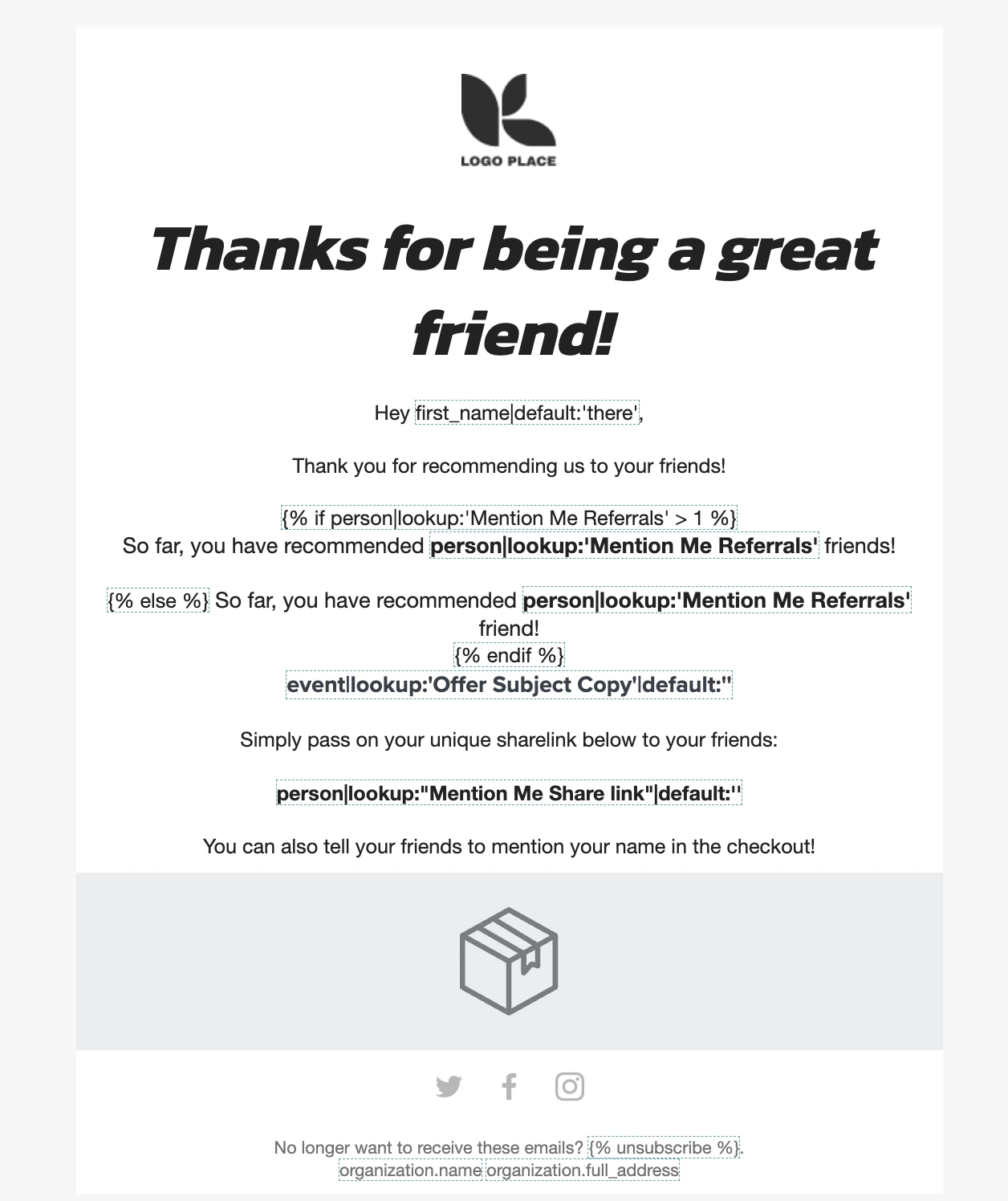
#### Populated email examples
### Step 2: Add content to reminder emails
1. Update images, logos, and styles to match your brand
2. Use Mention Me recommended variables where possible
#### Reminder examples
| 1st Reminder | 2nd Reminder |
| ------------------------------------------------------------------------------------------------ | -------------------------------------------------------------------------------------------------- |
| **Subject:** Keep sharing! You've referred `{{ person\|lookup:'Mention Me Referrals' }}` friends | **Subject:** Don't forget to keep sharing -- `{{ person\|lookup:'Mention Me Referrals' }}` friends |
#### Populated email examples
 #### Personalisation variables
| Variable | Description | Example |
| ---------------------------------------------------------- | --------------------------------------------- | -------------------------------------------------------------------------------------------------------------- |
| `{{ first_name\|default:'there' }}` | Customer's name fallback | "Ryder" or "there" |
| `{{ person\|lookup:"Mention Me Share link"\|default:'' }}` | Unique share link | [https://demo.mention-me.com/m/olk/se8fp-adrian-parris](https://demo.mention-me.com/m/olk/se8fp-adrian-parris) |
| `{{ person\|lookup:'Mention Me Referrals' }}` | Total successful referrals made by customer | 5 |
| `{{ event\|lookup:'Offer Subject Copy'\|default:'' }}` | Current offer text for referring more friends | Treat a friend to 10% off and get £10 off |
### Step 3: Test the preview
1. Click **Preview & Test**
2. Select a profile who matches the trigger criteria
#### Personalisation variables
| Variable | Description | Example |
| ---------------------------------------------------------- | --------------------------------------------- | -------------------------------------------------------------------------------------------------------------- |
| `{{ first_name\|default:'there' }}` | Customer's name fallback | "Ryder" or "there" |
| `{{ person\|lookup:"Mention Me Share link"\|default:'' }}` | Unique share link | [https://demo.mention-me.com/m/olk/se8fp-adrian-parris](https://demo.mention-me.com/m/olk/se8fp-adrian-parris) |
| `{{ person\|lookup:'Mention Me Referrals' }}` | Total successful referrals made by customer | 5 |
| `{{ event\|lookup:'Offer Subject Copy'\|default:'' }}` | Current offer text for referring more friends | Treat a friend to 10% off and get £10 off |
### Step 3: Test the preview
1. Click **Preview & Test**
2. Select a profile who matches the trigger criteria

 ### Step 4: Activate the flow
Once everything is tested and finalised, click **Review and Turn On** in the flow design screen.
### Step 4: Activate the flow
Once everything is tested and finalised, click **Review and Turn On** in the flow design screen.
 Need help? Reach out to our Support or On Demand team using the [support form](https://help.mention-me.com/hc/en-gb/requests/new?ticket_form_id=8840645829405).