> ## Documentation Index
> Fetch the complete documentation index at: https://docs.mention-me.com/llms.txt
> Use this file to discover all available pages before exploring further.
# Share Again Reminder Program in Dotdigital
> Create a Dotdigital program to encourage referrers to keep sharing with friends and earn additional rewards.
## About this program
With this program, you can encourage your top brand advocates to keep sharing with friends to receive additional rewards.
By implementing this program, you can:
* Increase active customer revenue
* Increase premium customer revenue
* Increase retention
The program utilises data sent from Mention Me to Dotdigital through the integration and the [Program builder](https://support.dotdigital.com/en/articles/8198961-program-builder) functionality of Dotdigital.
## Prerequisites
1. An active Mention Me referral program that rewards existing customers
2. A Mention Me / Dotdigital enabled integration
3. Knowledge of [Liquid Scripting](https://support.dotdigital.com/en/articles/8198939-personalisation-with-liquid-overview)
## Supported channels
* Email
## Basic workflow
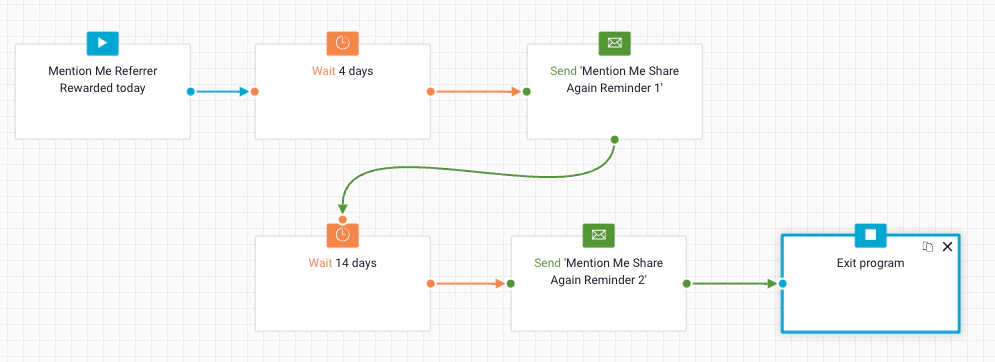
1. An advocate of your brand successfully refers a friend and gets their reward.
2. A reminder email (subject to consent) is sent to share again with their unique share link.
 ## Steps to create the program
### Step 1: Create the program flow
1. Create the **Start Criteria** with the following settings:
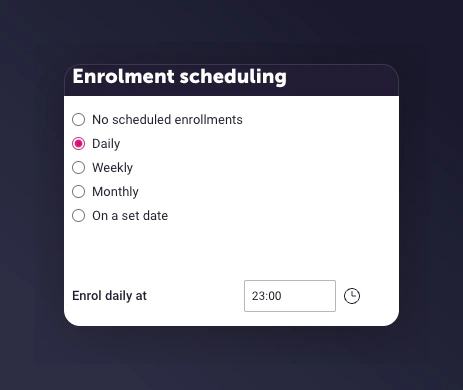
* **Enrolment schedule:** Set to run daily at **23:00**
## Steps to create the program
### Step 1: Create the program flow
1. Create the **Start Criteria** with the following settings:
* **Enrolment schedule:** Set to run daily at **23:00**
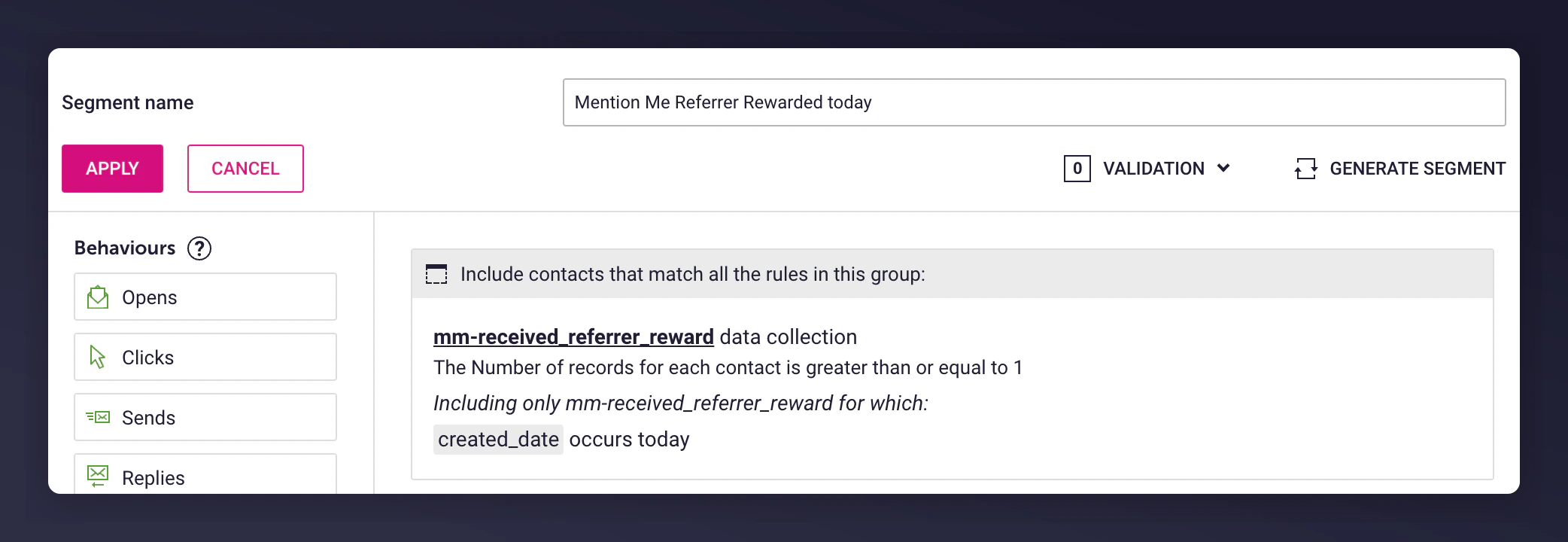
 * **Enrollment rule:** Base on a segment called "Mention Me Referrer Rewarded today" that looks for customers who received their referrer reward today from the insight collection `mm-received_referrer_reward`.
 * **Enrollment limits:** Set to Re-enrol contacts after **1 day** to allow ongoing reminders for additional sharing and rewards.
 2. Add wait delays before and after emails:
* Before 1st send: Include delay if segment overlaps with another reminder program
* After 1st send: Add wait before sending a follow-up email
3. Suggested wait periods:
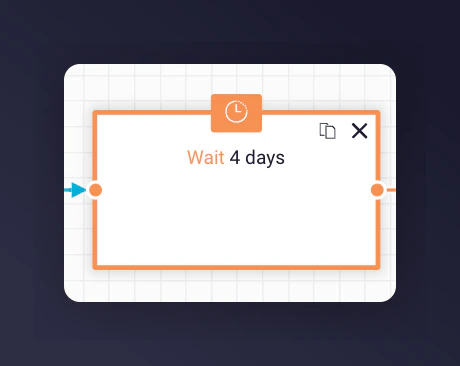
* 1st email -- 4 days after the segment trigger
* 2nd email -- 14 days after the 1st email
2. Add wait delays before and after emails:
* Before 1st send: Include delay if segment overlaps with another reminder program
* After 1st send: Add wait before sending a follow-up email
3. Suggested wait periods:
* 1st email -- 4 days after the segment trigger
* 2nd email -- 14 days after the 1st email
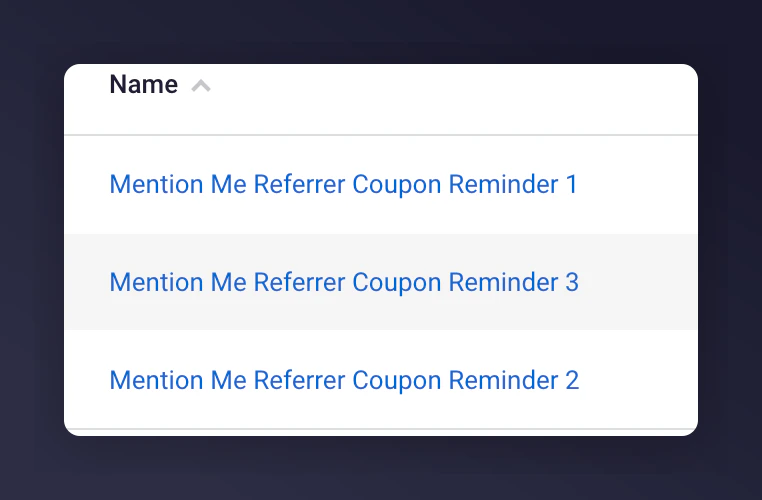
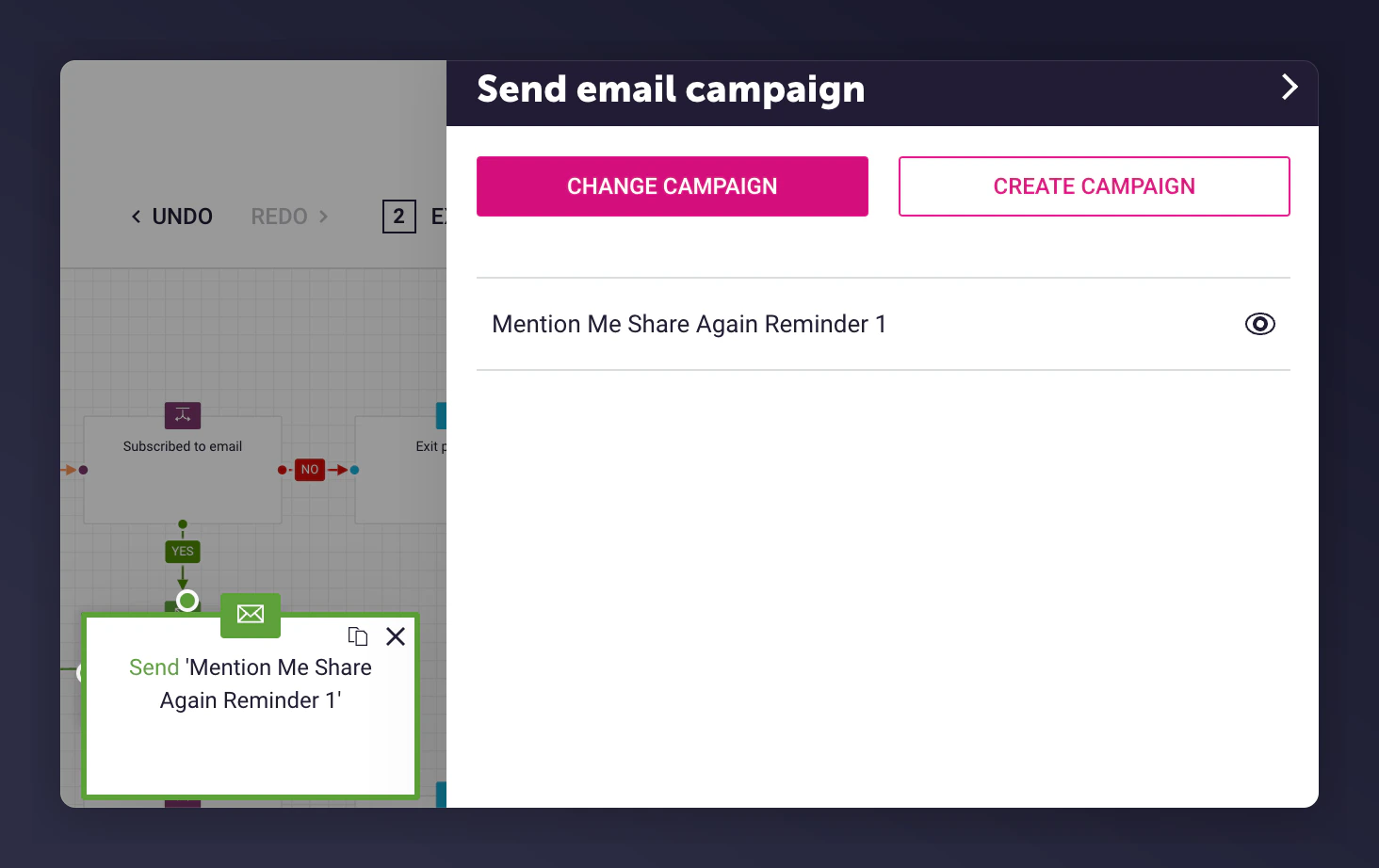
 4. Add an **Email campaign** and select one of the **Pre-configured emails** from Mention Me. The two pre-configured emails can be found under **Triggered Emails**:
 5. Add an Exit Program after the last email send
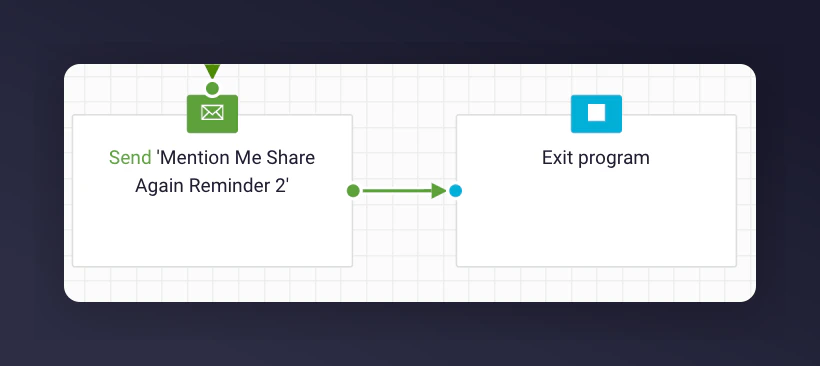 Repeat steps 2-3 for each email being sent.
### Step 2: Add content to each email
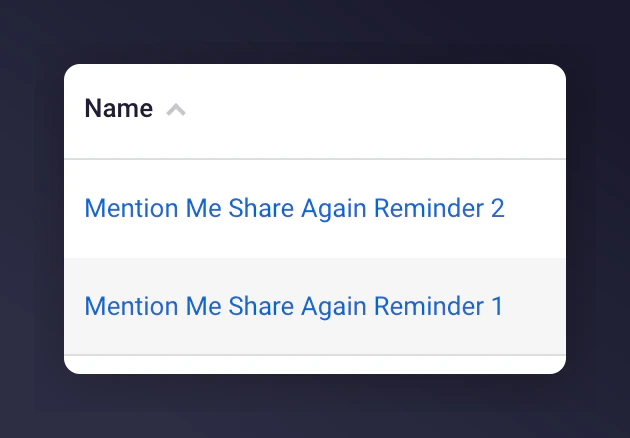
During the Mention Me Dotdigital integration, 2 triggered email campaigns are created using:
* A Dotdigital insight collection called `mm-received_referrer_reward`
* Liquid Scripting to personalise the email content
Repeat steps 2-3 for each email being sent.
### Step 2: Add content to each email
During the Mention Me Dotdigital integration, 2 triggered email campaigns are created using:
* A Dotdigital insight collection called `mm-received_referrer_reward`
* Liquid Scripting to personalise the email content
 **Steps to customise templates:**
1. Update the emails to include your imagery and styling
2. Adjust tone of voice to suit your brand
#### Template content
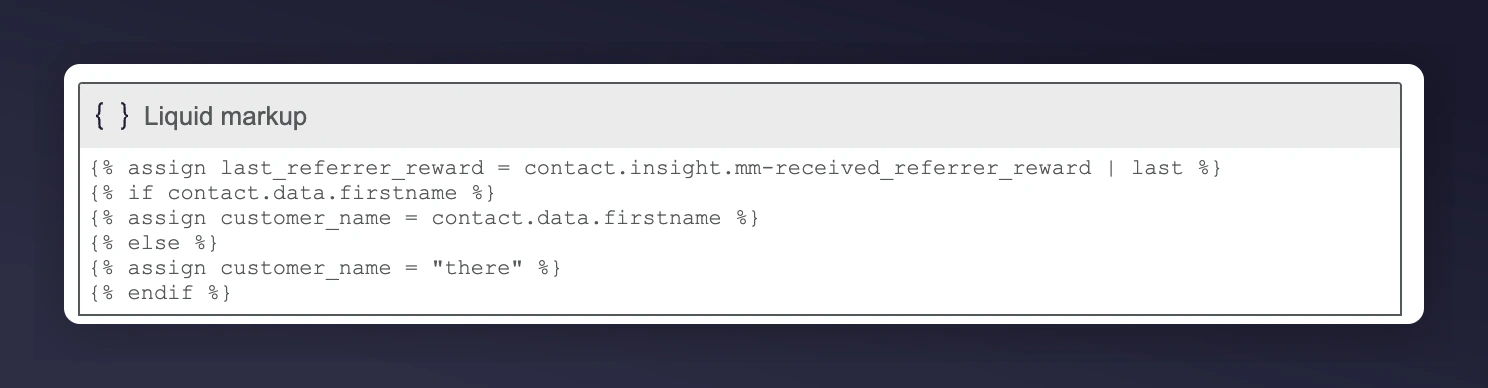
Each email includes a Liquid markup block to identify the latest referral event:
```liquid theme={null}
{% assign last_referrer_reward = contact.insight.mm-received_referrer_reward | last %}
{% if contact.data.firstname %}
{% assign customer_name = contact.data.firstname %}
{% else %}
{% assign customer_name = "there" %}
{% endif %}
```
**Steps to customise templates:**
1. Update the emails to include your imagery and styling
2. Adjust tone of voice to suit your brand
#### Template content
Each email includes a Liquid markup block to identify the latest referral event:
```liquid theme={null}
{% assign last_referrer_reward = contact.insight.mm-received_referrer_reward | last %}
{% if contact.data.firstname %}
{% assign customer_name = contact.data.firstname %}
{% else %}
{% assign customer_name = "there" %}
{% endif %}
```
 #### Reminder examples using Liquid variables
| Reminder 1 | Reminder 2 |
| ------------------------------------------------------------------------ | ---------------------------------------------------------------------------------------- |
| **Subject:** Keep on sharing, you have referred @MM\_REFERRALS@ friends! | **Subject:** Don't forget to keep on sharing, you have referred @MM\_REFERRALS@ friends! |
#### Liquid variables
| Liquid syntax | Description | Example |
| --------------------------------------------- | ------------------------------------------------------- | -------------------------------------------------------------------------------------------------------------- |
| `{{customer_name}}` | Displays contact's first name or "there" if missing | John or "there" |
| `@MM_SHARE_LINK@` | The contact's unique referral link | [https://demo.mention-me.com/m/olb/se8fp-adrian-parris](https://demo.mention-me.com/m/olb/se8fp-adrian-parris) |
| `@MM_REFERRALS@` | Number of successful referrals by contact | 5 |
| `{{last_referrer_reward.offer_subject_copy}}` | The offer description from the last successful referral | Treat a friend to 10% off and get £10 off for yourself |
### Step 3: Test the preview
1. Click the **Preview** button in the email editor
#### Reminder examples using Liquid variables
| Reminder 1 | Reminder 2 |
| ------------------------------------------------------------------------ | ---------------------------------------------------------------------------------------- |
| **Subject:** Keep on sharing, you have referred @MM\_REFERRALS@ friends! | **Subject:** Don't forget to keep on sharing, you have referred @MM\_REFERRALS@ friends! |
#### Liquid variables
| Liquid syntax | Description | Example |
| --------------------------------------------- | ------------------------------------------------------- | -------------------------------------------------------------------------------------------------------------- |
| `{{customer_name}}` | Displays contact's first name or "there" if missing | John or "there" |
| `@MM_SHARE_LINK@` | The contact's unique referral link | [https://demo.mention-me.com/m/olb/se8fp-adrian-parris](https://demo.mention-me.com/m/olb/se8fp-adrian-parris) |
| `@MM_REFERRALS@` | Number of successful referrals by contact | 5 |
| `{{last_referrer_reward.offer_subject_copy}}` | The offer description from the last successful referral | Treat a friend to 10% off and get £10 off for yourself |
### Step 3: Test the preview
1. Click the **Preview** button in the email editor
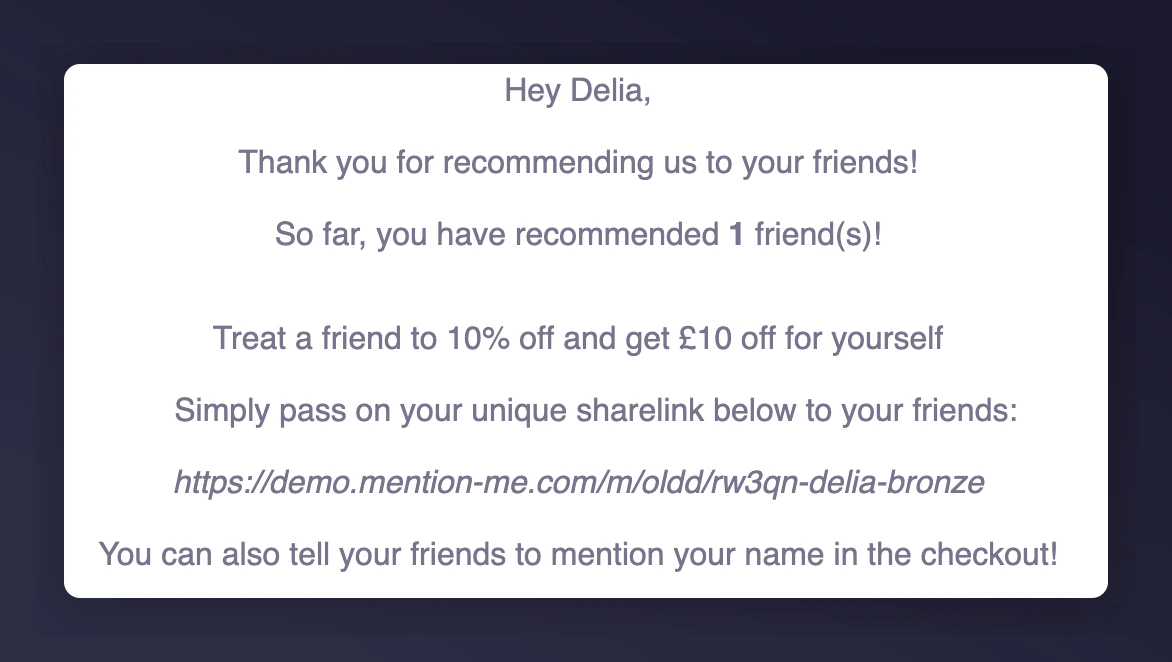
 2. Select a contact that meets the segment enrollment criteria
3. Review the email populated with real event data
2. Select a contact that meets the segment enrollment criteria
3. Review the email populated with real event data
 ### Step 4: Activate the program
Once you are happy with the email content and testing, activate the program to begin sending emails.
### Step 4: Activate the program
Once you are happy with the email content and testing, activate the program to begin sending emails.
