> ## Documentation Index
> Fetch the complete documentation index at: https://docs.mention-me.com/llms.txt
> Use this file to discover all available pages before exploring further.
# Coupon Reminder Programs in Dotdigital
> Create Dotdigital programs to remind referrers and referees to use their Mention Me coupon codes.
## About these programs
These Dotdigital programs remind customers to use their Mention Me coupon codes. The referee program targets prospective customers, while the referrer program targets existing customers who earned a reward for referring a friend.
The programs utilise data sent from Mention Me to Dotdigital through the integration and the [Program builder](https://support.dotdigital.com/en/articles/8198961-program-builder) functionality of Dotdigital.
## Prerequisites
1. An active Mention Me referral program
2. A Mention Me / Dotdigital enabled integration
3. Knowledge of [Liquid Scripting](https://support.dotdigital.com/en/articles/8198939-personalisation-with-liquid-overview)
## Supported channels
* Email
## Referee program
Remind prospective customers (referees) to use their coupon codes received from being introduced to your brand.
Goals:
* Drive first purchase
* Increase average order value
### Basic workflow
1. A prospective customer gets a coupon when their friend introduces them (email sent by Mention Me).
2. A reminder email (subject to consent) is sent to use the coupon if they have not purchased yet.
3. Further reminders are sent at different times to encourage coupon usage.
 ### Step 1: Create the program flow
Create the Start Criteria with the following settings:
* **Enrolment schedule:** Set to run daily at 23:00 to pick up customers who received their reward that day.
### Step 1: Create the program flow
Create the Start Criteria with the following settings:
* **Enrolment schedule:** Set to run daily at 23:00 to pick up customers who received their reward that day.
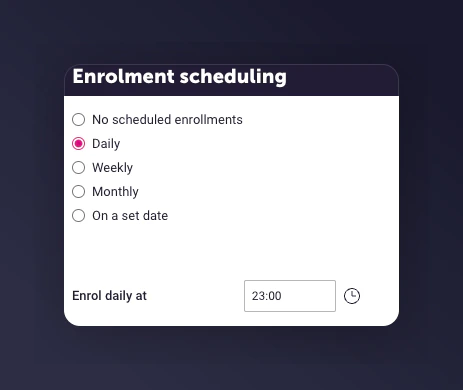 * **Enrolment rule:** Base on a segment (called *MM Referee Rewarded today*) to look for customers who received their referee reward today from the insight collection `mm-received_referee_reward`.
 * **Enrolment limits:** Set to only enrol the first time they meet the criteria, since referees can only receive this type of reward once.
 * Add wait delays before and after emails:
* Before 1st send: Mention Me sends the first email immediately, so include a delay to avoid duplicate emails.
* After each send: Wait to check if they have purchased.
* Suggested wait periods:
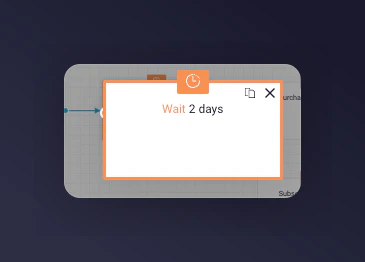
* 1st email -- 2 days after the segment trigger
* 2nd email -- 6 days after the 1st email
* 3rd email -- 4 days after the 2nd email
* Add wait delays before and after emails:
* Before 1st send: Mention Me sends the first email immediately, so include a delay to avoid duplicate emails.
* After each send: Wait to check if they have purchased.
* Suggested wait periods:
* 1st email -- 2 days after the segment trigger
* 2nd email -- 6 days after the 1st email
* 3rd email -- 4 days after the 2nd email
 If you are unsure of your reward validity period, reach out to your Mention Me CSM or [Mention Me support](https://help.mention-me.com/hc/en-gb/requests/new).
* Add a Decision split to check that the referee has purchased in the last x days:
* 1st email -- Purchased in last 2 days
* 2nd email -- Purchased in last 6 days
* 3rd email -- Purchased in last 4 days
* Add an Exit Program node on the Yes branch
* Referees meeting the No criteria move to the next step
If you are unsure of your reward validity period, reach out to your Mention Me CSM or [Mention Me support](https://help.mention-me.com/hc/en-gb/requests/new).
* Add a Decision split to check that the referee has purchased in the last x days:
* 1st email -- Purchased in last 2 days
* 2nd email -- Purchased in last 6 days
* 3rd email -- Purchased in last 4 days
* Add an Exit Program node on the Yes branch
* Referees meeting the No criteria move to the next step

 * Add an Email campaign and select one of the pre-configured emails that Mention Me created. The 3 pre-configured emails can be found under Triggered Emails:

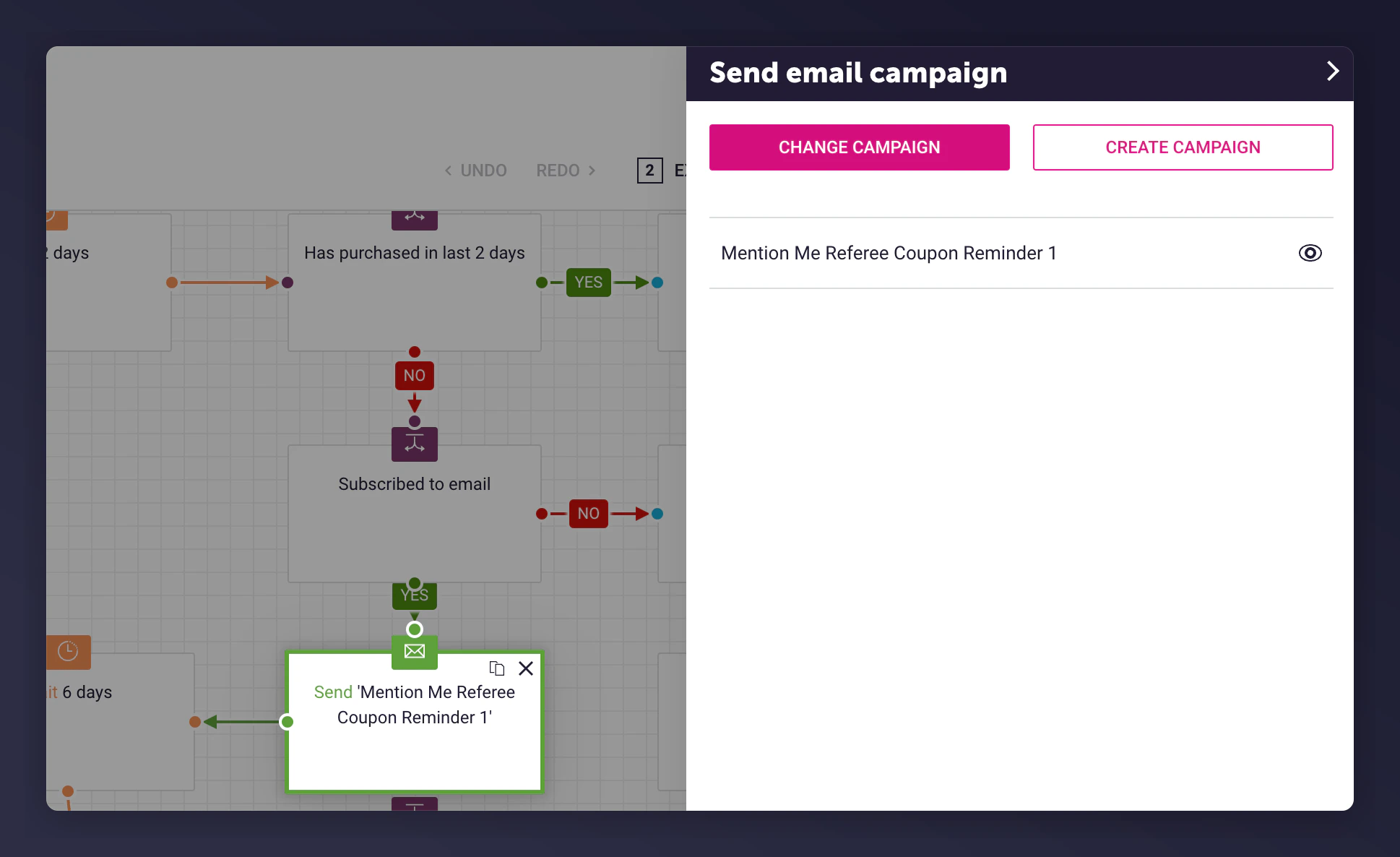 * Add an Exit Program after the last email sent
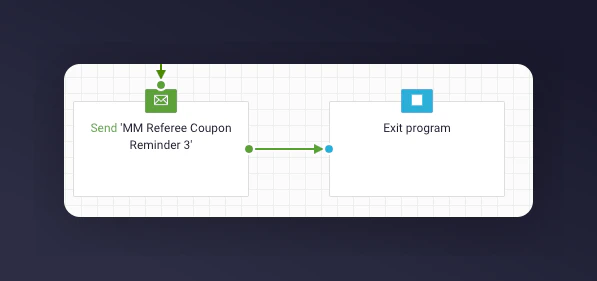 Repeat steps 2-4 for each email being sent.
### Step 2: Add content to each email
As part of the Mention Me Dotdigital integration setup, 3 pre-configured triggered email campaigns are created. The templates use data from the Insights collection `mm-received_referee_reward`.
The Mention Me data creates a personalised email experience using [Liquid Scripting](https://support.dotdigital.com/en/articles/8198939-personalisation-with-liquid-overview).
### Step 3: Test the preview
1. Click the Preview button in the email editor
Repeat steps 2-4 for each email being sent.
### Step 2: Add content to each email
As part of the Mention Me Dotdigital integration setup, 3 pre-configured triggered email campaigns are created. The templates use data from the Insights collection `mm-received_referee_reward`.
The Mention Me data creates a personalised email experience using [Liquid Scripting](https://support.dotdigital.com/en/articles/8198939-personalisation-with-liquid-overview).
### Step 3: Test the preview
1. Click the Preview button in the email editor
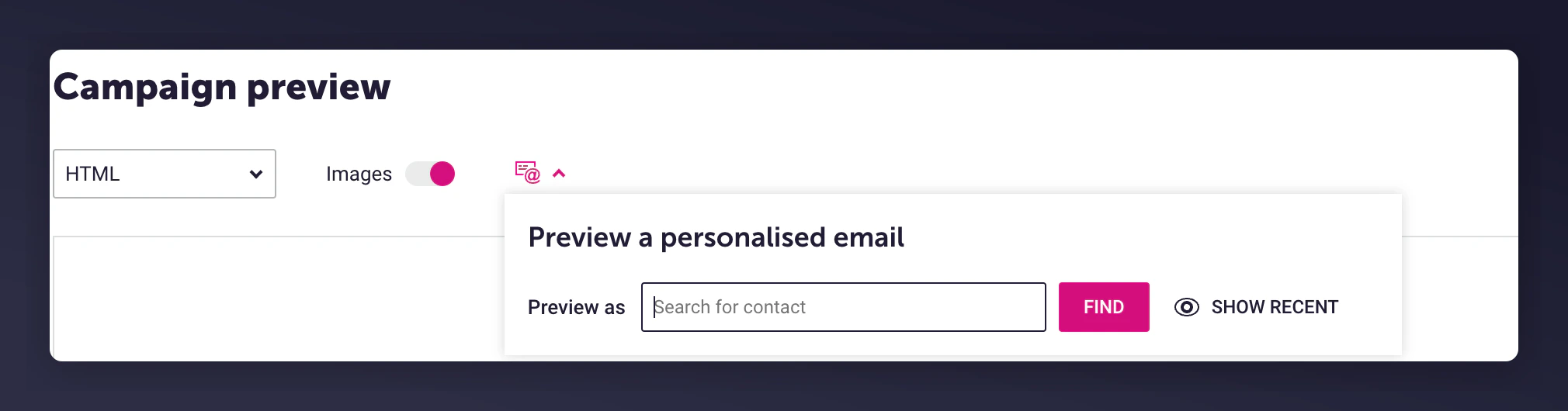 2. Select a customer from the filter who has met the trigger criteria
3. The email will be populated with the relevant event information
2. Select a customer from the filter who has met the trigger criteria
3. The email will be populated with the relevant event information
 ### Step 4: Activate the program
Once you are happy with the content and have tested the emails, activate the program.
### Step 4: Activate the program
Once you are happy with the content and have tested the emails, activate the program.
 ## Referrer program
Remind existing customers (referrers) to use their coupon codes received from introducing a friend to your brand.
Goals:
* Increase active customer revenue
* Increase premium customer revenue
* Increase retention
### Basic workflow
1. An existing customer gets a coupon when they successfully introduce a friend (email sent by Mention Me).
2. A reminder email (subject to consent) is sent to use the coupon if they have not purchased yet.
3. Further reminders are sent at different times to encourage coupon usage.
## Referrer program
Remind existing customers (referrers) to use their coupon codes received from introducing a friend to your brand.
Goals:
* Increase active customer revenue
* Increase premium customer revenue
* Increase retention
### Basic workflow
1. An existing customer gets a coupon when they successfully introduce a friend (email sent by Mention Me).
2. A reminder email (subject to consent) is sent to use the coupon if they have not purchased yet.
3. Further reminders are sent at different times to encourage coupon usage.
 ### Step 1: Create the program flow
Create the Start Criteria with the following settings:
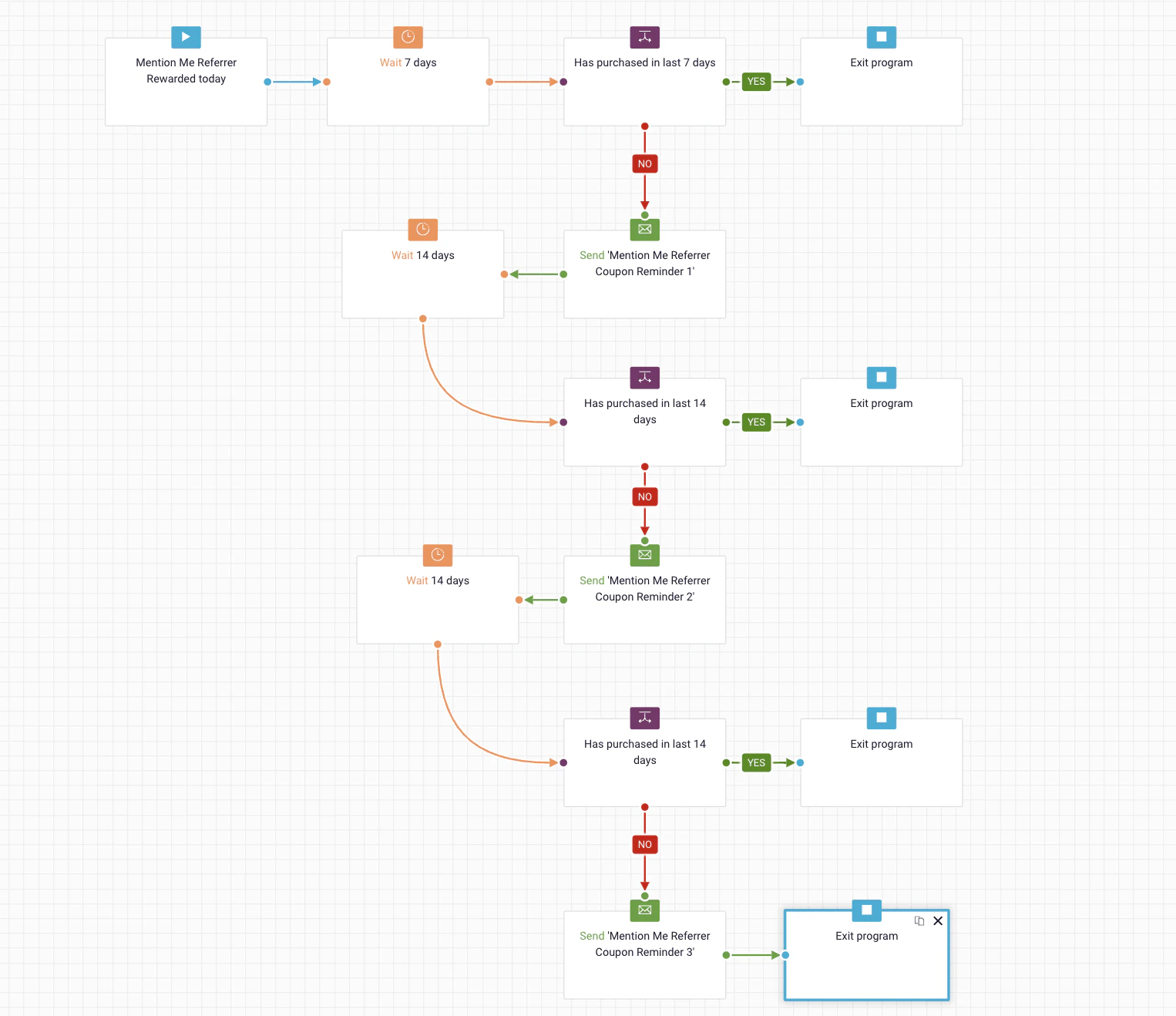
* **Enrolment schedule:** Set to run daily at 23:00
### Step 1: Create the program flow
Create the Start Criteria with the following settings:
* **Enrolment schedule:** Set to run daily at 23:00
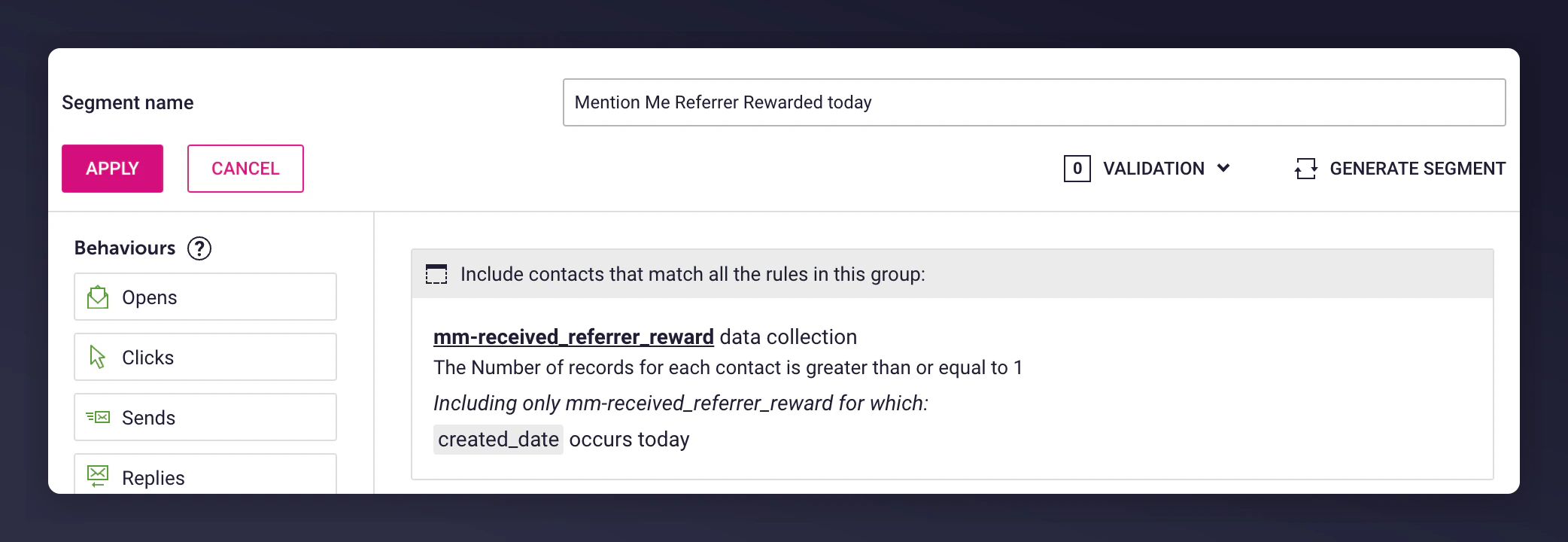
 * **Enrolment rule:** Base on a segment (called *Mention Me Referrer Rewarded today*) to look for customers who received their referrer reward today from the insight collection `mm-received_referrer_reward`.
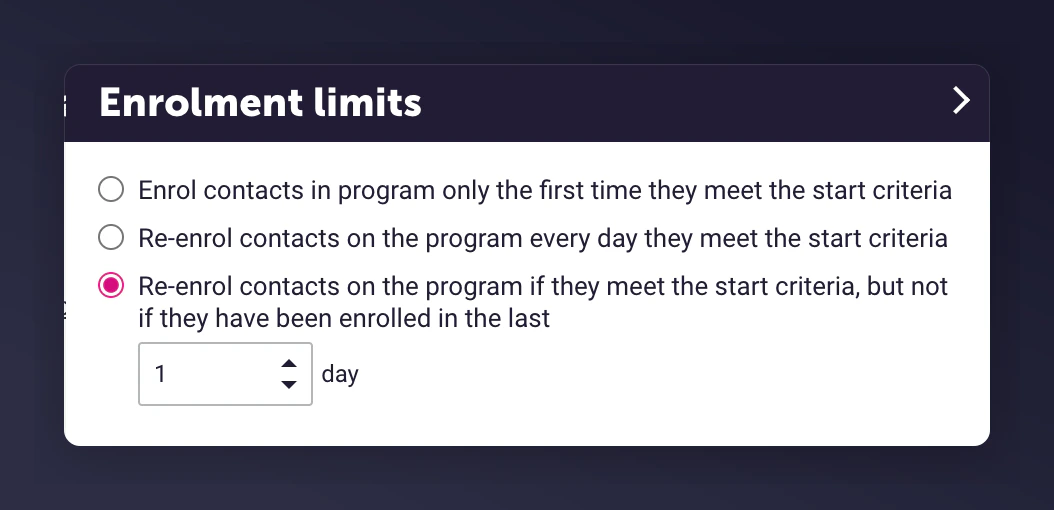
 * **Enrolment limits:** Set to Re-enrol contacts after 1 day, since customers could refer more than one friend.
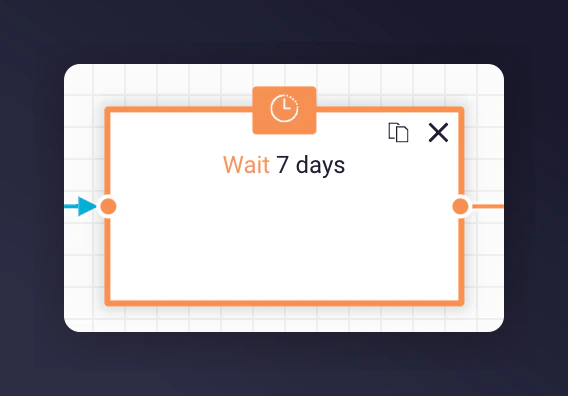
 * Add wait delays before and after emails:
* Before 1st send: Mention Me sends the first email immediately, so delay slightly.
* After each send: Check if the user already purchased.
* Suggested wait periods:
* 1st email -- 7 days after the segment trigger
* 2nd email -- 14 days after the 1st email
* 3rd email -- 14 days after the 2nd email
* Add wait delays before and after emails:
* Before 1st send: Mention Me sends the first email immediately, so delay slightly.
* After each send: Check if the user already purchased.
* Suggested wait periods:
* 1st email -- 7 days after the segment trigger
* 2nd email -- 14 days after the 1st email
* 3rd email -- 14 days after the 2nd email
 If you are unsure of your reward validity period, reach out to your Mention Me CSM or [Mention Me support](https://help.mention-me.com/hc/en-gb/requests/new).
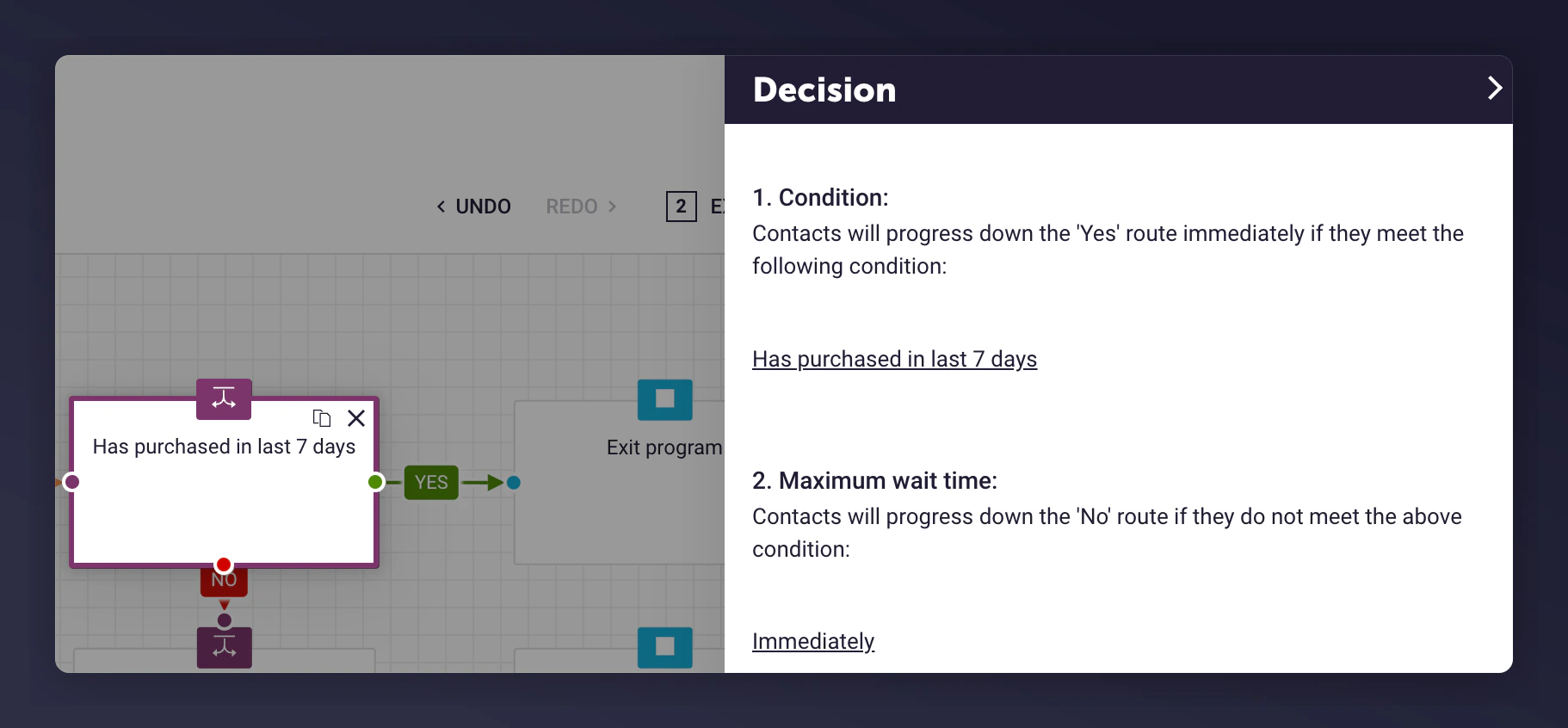
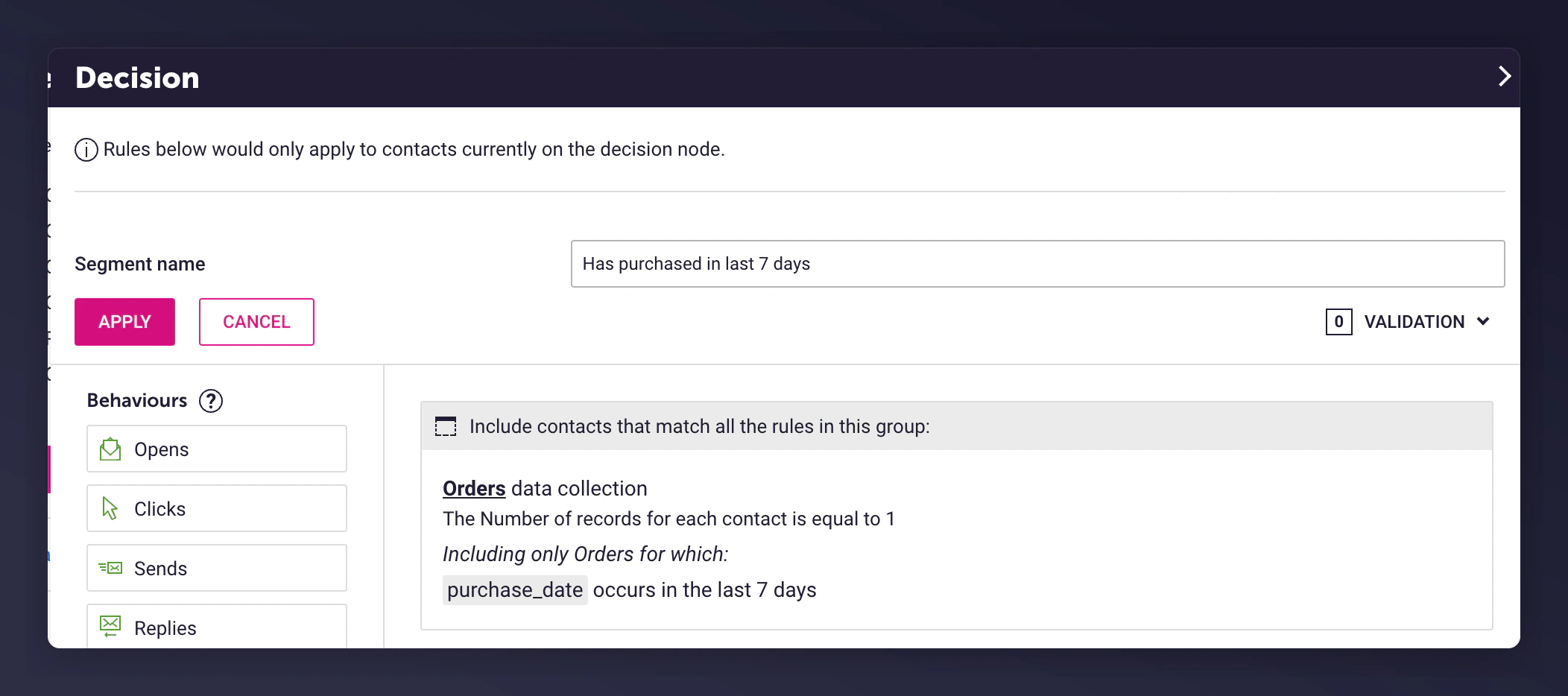
* Add a Decision split to check that the referrer has purchased:
* 1st email -- Purchased in last 7 days
* 2nd email -- Purchased in last 14 days
* 3rd email -- Purchased in last 14 days
* Add an Exit Program node on Yes branch
* Referrers who didn't purchase (No branch) continue to next emails
If you are unsure of your reward validity period, reach out to your Mention Me CSM or [Mention Me support](https://help.mention-me.com/hc/en-gb/requests/new).
* Add a Decision split to check that the referrer has purchased:
* 1st email -- Purchased in last 7 days
* 2nd email -- Purchased in last 14 days
* 3rd email -- Purchased in last 14 days
* Add an Exit Program node on Yes branch
* Referrers who didn't purchase (No branch) continue to next emails
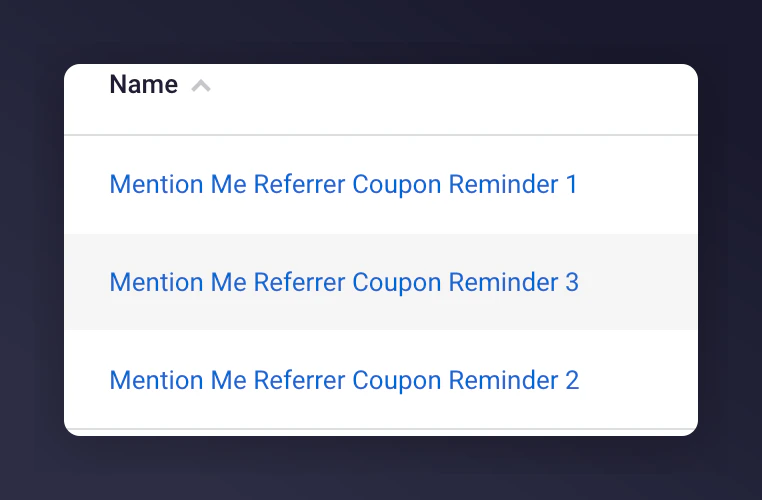
 * Add an Email campaign and select one of the pre-configured emails:
 * Add an Exit Program after the last email send
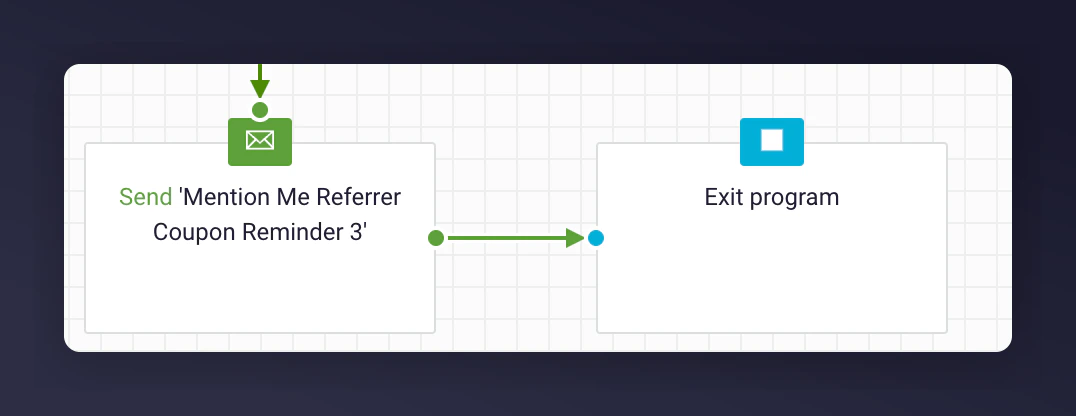 Repeat steps 2-4 for each email being sent.
### Step 2: Add content to each email
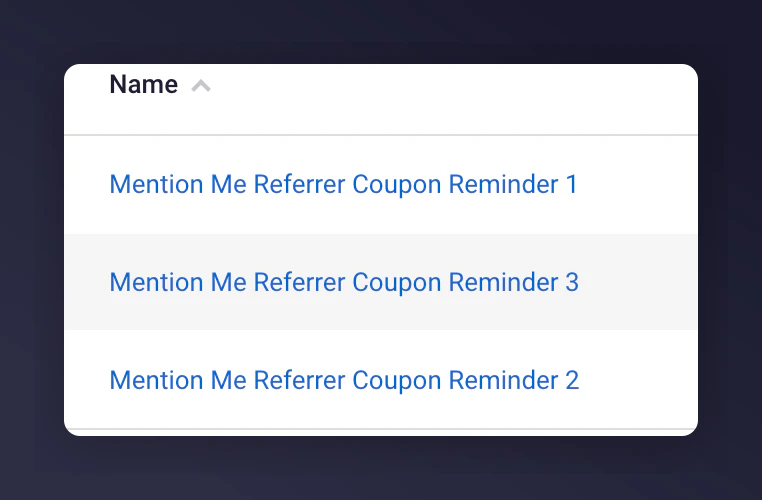
As part of the Mention Me Dotdigital integration setup, 3 pre-configured triggered email campaigns are created. The templates use data from the Insights collection `mm-received_referrer_reward`.
Repeat steps 2-4 for each email being sent.
### Step 2: Add content to each email
As part of the Mention Me Dotdigital integration setup, 3 pre-configured triggered email campaigns are created. The templates use data from the Insights collection `mm-received_referrer_reward`.
 **Steps to customise templates:**
1. Update the emails to include your imagery and styling
2. Change the tone of voice to suit your brand
3. Include product recommendations to increase conversion
**Template content:**
Each email includes a Liquid markup block:
```liquid theme={null}
{% assign last_referrer_reward = contact.insight.mm-received_referrer_reward | last %}
{% if contact.data.firstname %}
{% assign customer_name = contact.data.firstname %}
{% else %}
{% assign customer_name = "there" %}
{% endif %}
```
**Steps to customise templates:**
1. Update the emails to include your imagery and styling
2. Change the tone of voice to suit your brand
3. Include product recommendations to increase conversion
**Template content:**
Each email includes a Liquid markup block:
```liquid theme={null}
{% assign last_referrer_reward = contact.insight.mm-received_referrer_reward | last %}
{% if contact.data.firstname %}
{% assign customer_name = contact.data.firstname %}
{% else %}
{% assign customer_name = "there" %}
{% endif %}
```
 #### Reminder examples using Liquid variables
| Reminder 1 | Reminder 2 | Reminder 3 |
| --------------------------------- | ----------------------------------------------- | ----------------------------------------------- |
| **Subject:** Claim your discount! | **Subject:** Don't forget, you have a discount! | **Subject:** Hurry, your discount expires soon! |
#### Liquid variables
| Liquid syntax | Description | Example |
| ---------------------------------------------------------------- | ---------------------------------------------------------- | ------------------------- |
| `{{customer_name}}` | The first name of the referrer if known, otherwise "there" | John or "there" |
| `{{last_referrer_reward.referrer_reward}}` | The reward (can vary by campaign) | £15 or 30% |
| `{{last_referrer_reward.coupon_code}}` | The coupon code to be used at checkout | 10USDOFF-RXAAURVZ |
| `{{last_referrer_reward.coupon_expiry \| date: "%A, %d %B %Y"}}` | The expiration date of the coupon | Thursday, 24 October 2024 |
### Step 3: Test the preview
1. Click the Preview button in the email editor
#### Reminder examples using Liquid variables
| Reminder 1 | Reminder 2 | Reminder 3 |
| --------------------------------- | ----------------------------------------------- | ----------------------------------------------- |
| **Subject:** Claim your discount! | **Subject:** Don't forget, you have a discount! | **Subject:** Hurry, your discount expires soon! |
#### Liquid variables
| Liquid syntax | Description | Example |
| ---------------------------------------------------------------- | ---------------------------------------------------------- | ------------------------- |
| `{{customer_name}}` | The first name of the referrer if known, otherwise "there" | John or "there" |
| `{{last_referrer_reward.referrer_reward}}` | The reward (can vary by campaign) | £15 or 30% |
| `{{last_referrer_reward.coupon_code}}` | The coupon code to be used at checkout | 10USDOFF-RXAAURVZ |
| `{{last_referrer_reward.coupon_expiry \| date: "%A, %d %B %Y"}}` | The expiration date of the coupon | Thursday, 24 October 2024 |
### Step 3: Test the preview
1. Click the Preview button in the email editor
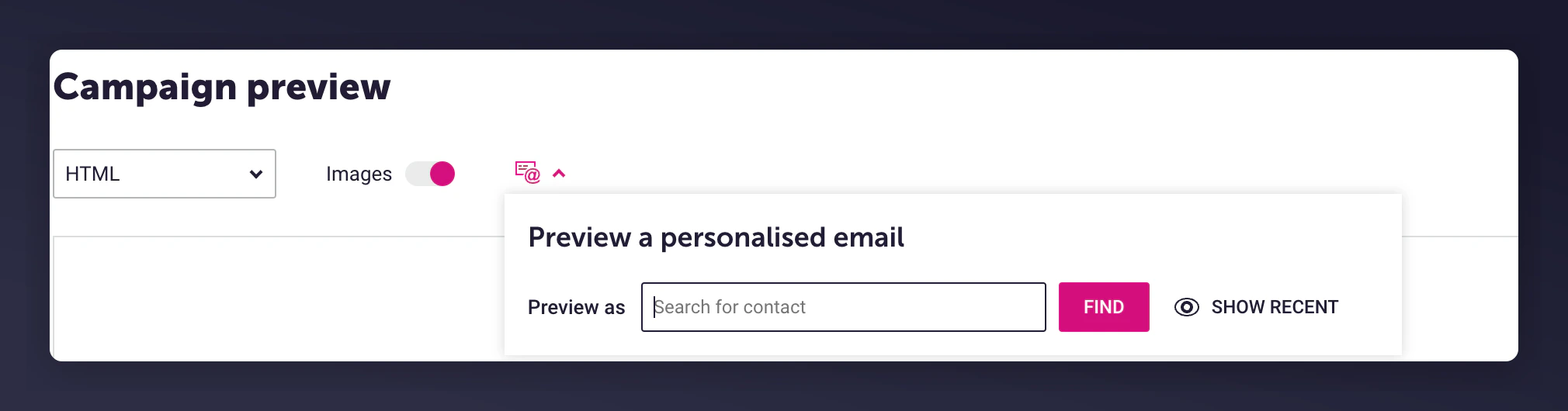 2. Select a customer who meets the trigger segment
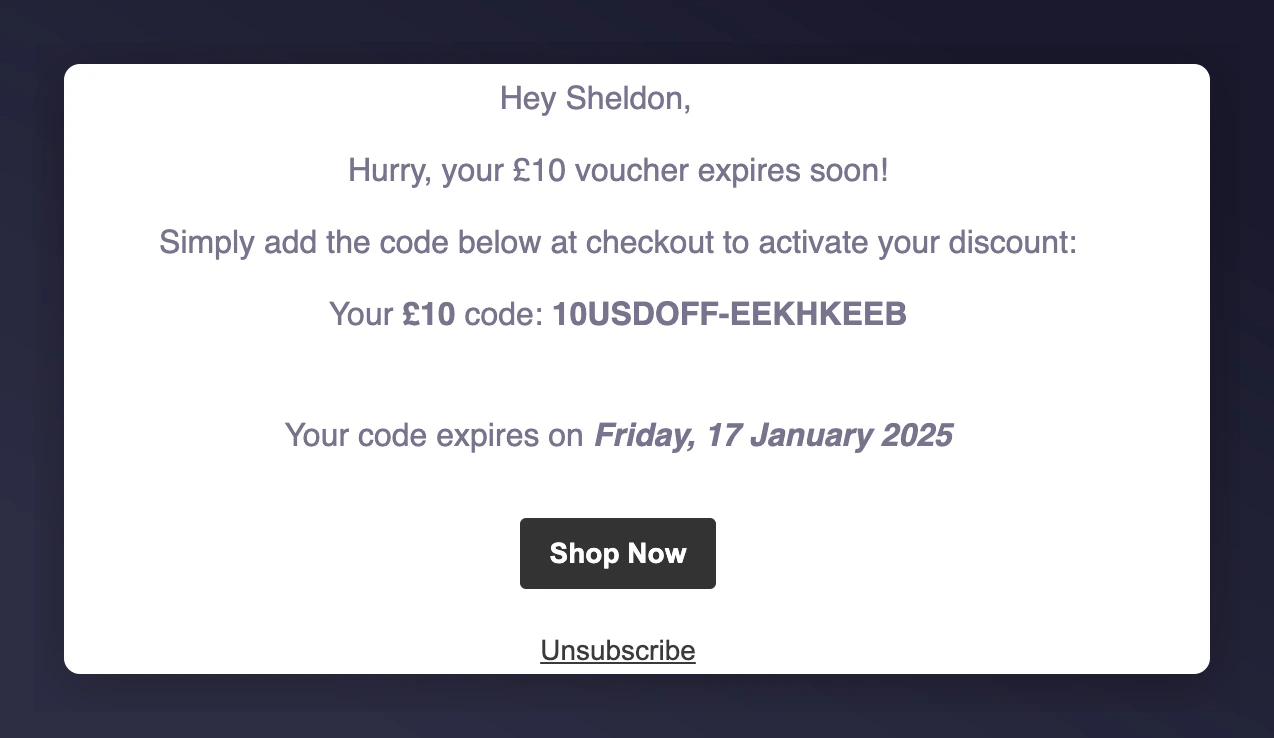
3. Previewed email will show relevant data
2. Select a customer who meets the trigger segment
3. Previewed email will show relevant data
 ### Step 4: Activate the program
Once you are satisfied with the content and test previews, activate the program.
### Step 4: Activate the program
Once you are satisfied with the content and test previews, activate the program.
