> ## Documentation Index
> Fetch the complete documentation index at: https://docs.mention-me.com/llms.txt
> Use this file to discover all available pages before exploring further.
# Share Again Reminder Canvas in Braze
> Create a Braze canvas to encourage referrers to keep sharing with friends and earn additional rewards.
## About this canvas
This Braze canvas encourages your top brand advocates to continue sharing with friends to earn additional rewards.
Implementing this flow helps:
* **Increase active customer revenue**
* **Increase premium customer revenue**
* **Improve retention**
The canvas uses data passed from Mention Me and triggered using [Braze Canvas](https://www.braze.com/docs/user_guide/engagement_tools/canvas/get_started/the_basics).
## Prerequisites
1. Active Mention Me referral program (referrer-based rewards enabled)
2. Mention Me / Braze integration activated
3. Familiarity with [Liquid scripting](https://www.braze.com/docs/user_guide/personalization_and_dynamic_content/liquid)
## Supported channels
* Email
## Canvas workflow overview
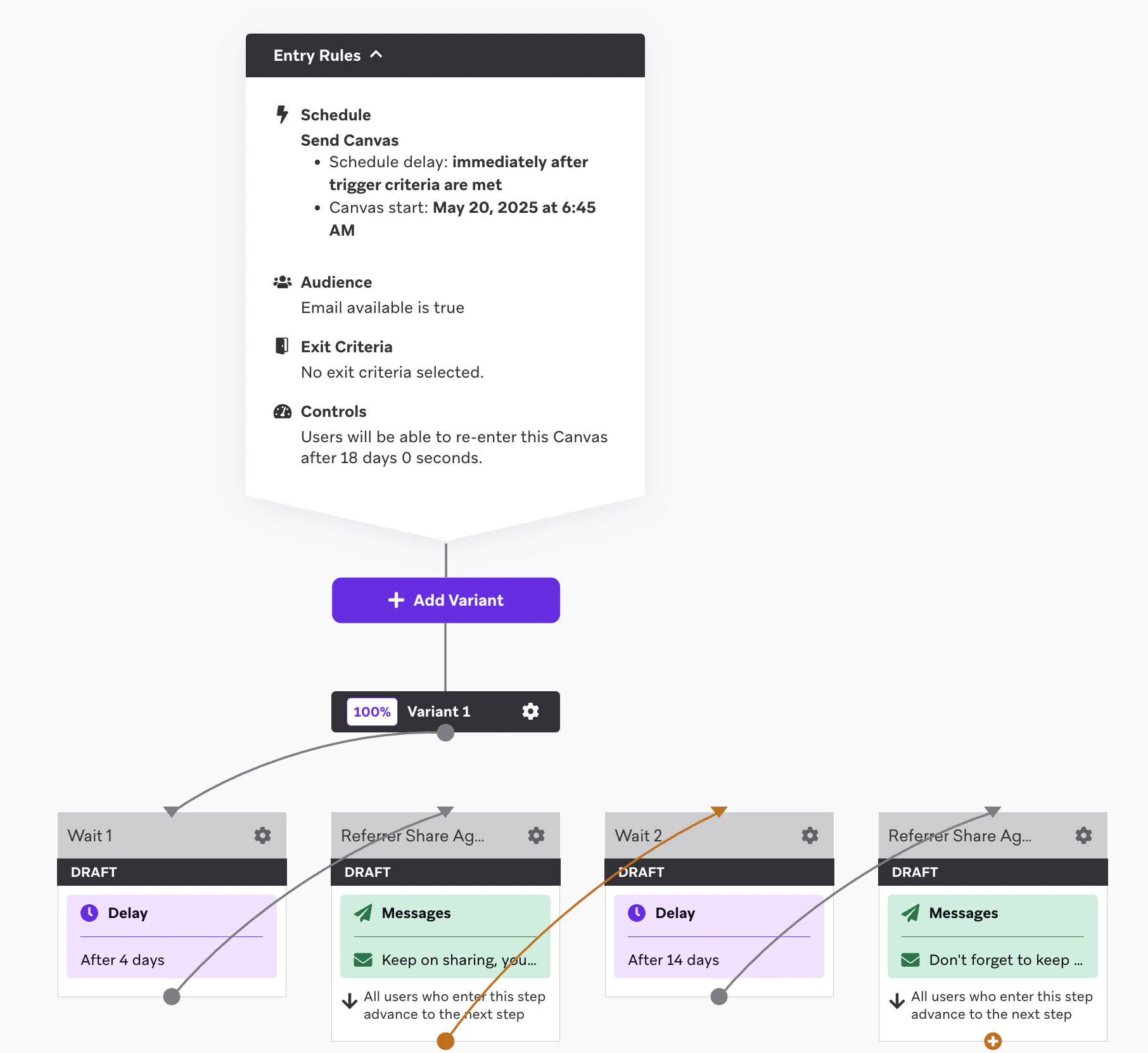
1. Customer successfully refers a friend
2. Reminder emails (with consent) are sent encouraging further sharing, including their personalized referral link
 ## Steps to create the canvas
### Step 1: Build the canvas flow
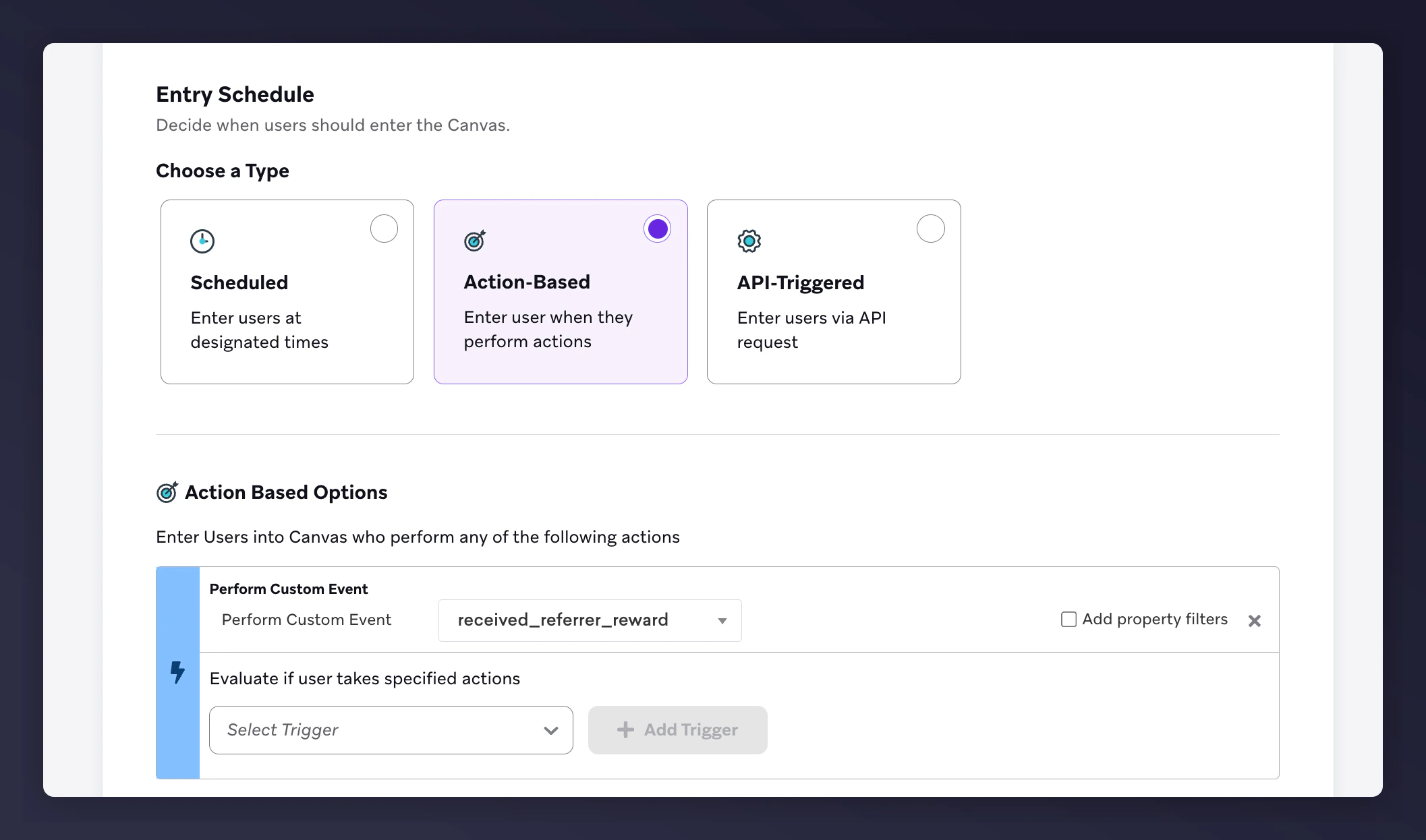
1. Set the **Entry Schedule** to trigger `received_referrer_reward` via a custom event.
## Steps to create the canvas
### Step 1: Build the canvas flow
1. Set the **Entry Schedule** to trigger `received_referrer_reward` via a custom event.
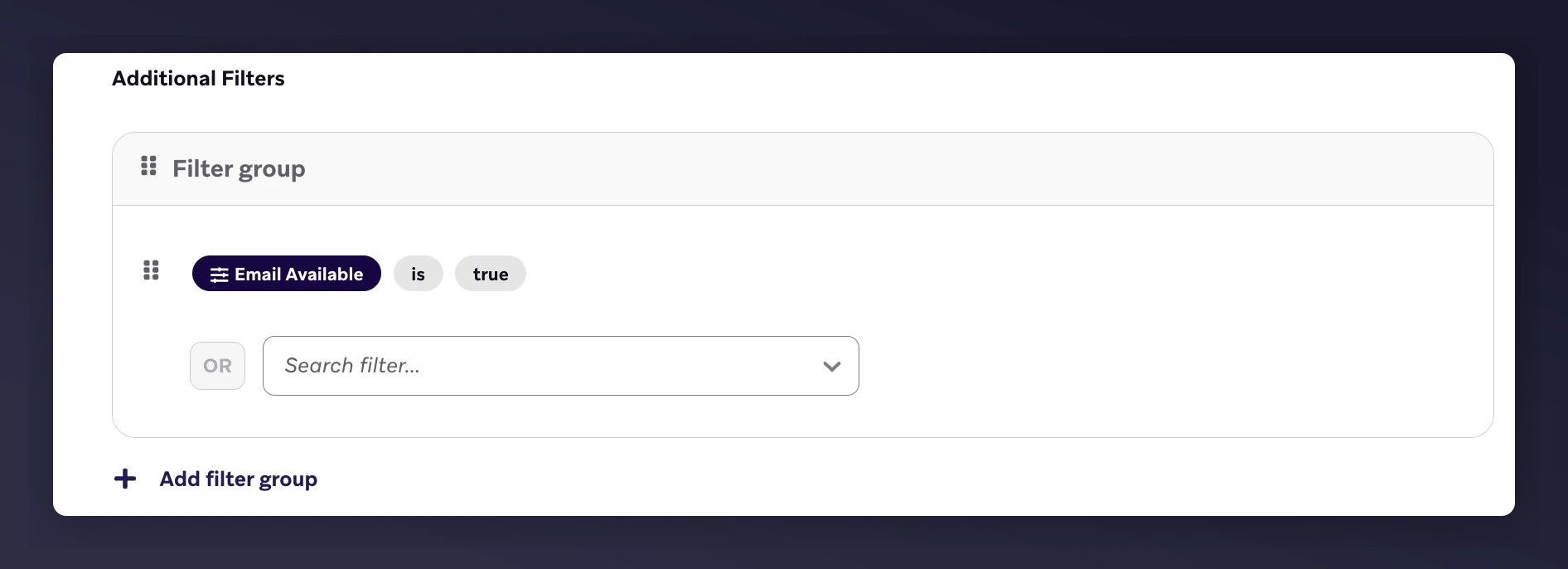
 2. Configure the **Target Audience** with:
* Email is available = true
2. Configure the **Target Audience** with:
* Email is available = true
 3. Under **Send Settings**, send only to **opted-in** users.
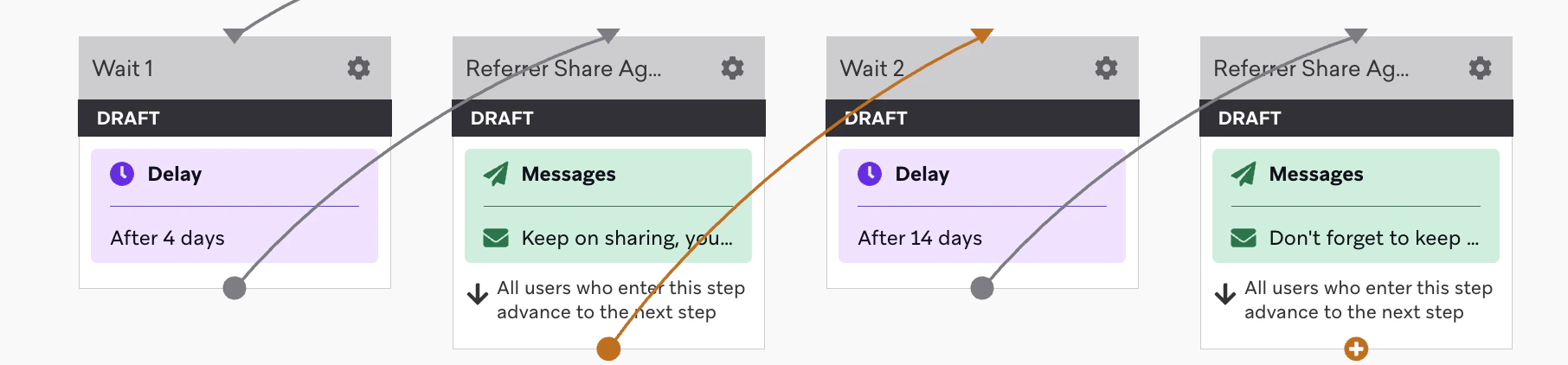
 4. Configure the Canvas editor with:
* Two email nodes
* Wait steps before each email
* Timing suggestions:
* Reminder 1 -- after 4 days
* Reminder 2 -- after 14 days from email 1
4. Configure the Canvas editor with:
* Two email nodes
* Wait steps before each email
* Timing suggestions:
* Reminder 1 -- after 4 days
* Reminder 2 -- after 14 days from email 1
 ### Step 2: Add email content
1. Customise content to match your brand (images, colours, fonts)
2. Use Liquid variables to dynamically populate referral data
#### Reminder examples with Liquid variable placeholders
| Example Reminder 1 | Example Reminder 2 |
| ----------------------------------------------------------------------------------------------------- | --------------------------------------------- |
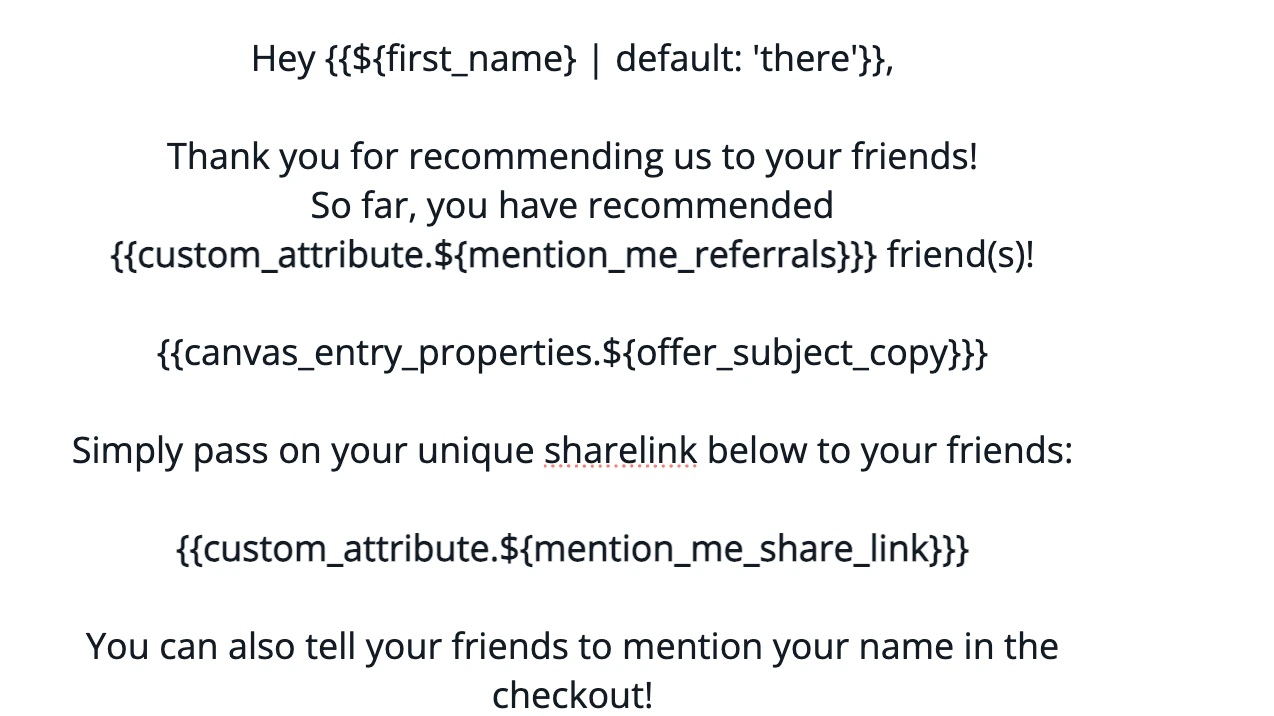
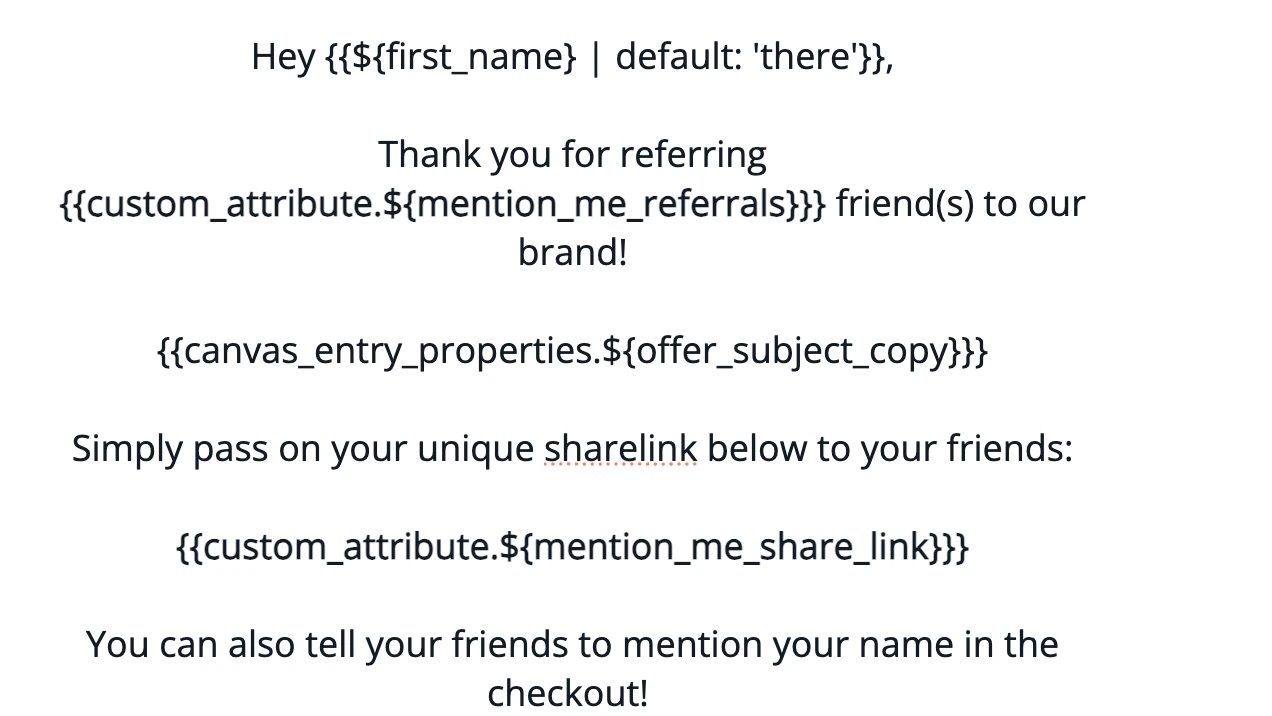
| **Subject:** Keep on sharing, you've referred `{{custom_attribute.${mention_me_referrals}}}` friends! | **Subject:** Don't forget to keep on sharing! |
#### Rendered email examples
**Reminder 1:**
### Step 2: Add email content
1. Customise content to match your brand (images, colours, fonts)
2. Use Liquid variables to dynamically populate referral data
#### Reminder examples with Liquid variable placeholders
| Example Reminder 1 | Example Reminder 2 |
| ----------------------------------------------------------------------------------------------------- | --------------------------------------------- |
| **Subject:** Keep on sharing, you've referred `{{custom_attribute.${mention_me_referrals}}}` friends! | **Subject:** Don't forget to keep on sharing! |
#### Rendered email examples
**Reminder 1:**
 **Reminder 2:**
 #### Supported Liquid variables
| Liquid Syntax | Description | Example |
| --------------------------------------------------- | ------------------------------------------- | -------------------------------------------------------------------------------------------------------------- |
| `{{custom_attribute.${mention_me_share_link}}}` | Referrer's unique URL to share with friends | [https://demo.mention-me.com/m/olb/se8fp-adrian-parris](https://demo.mention-me.com/m/olb/se8fp-adrian-parris) |
| `{{custom_attribute.${mention_me_referrals}}}` | Total referrals completed by the customer | 5 |
| `{{canvas_entry_properties.${offer_subject_copy}}}` | Offer messaging shown on referral page | Treat a friend to 10% off and get £10 |
### Step 3: Test the emails
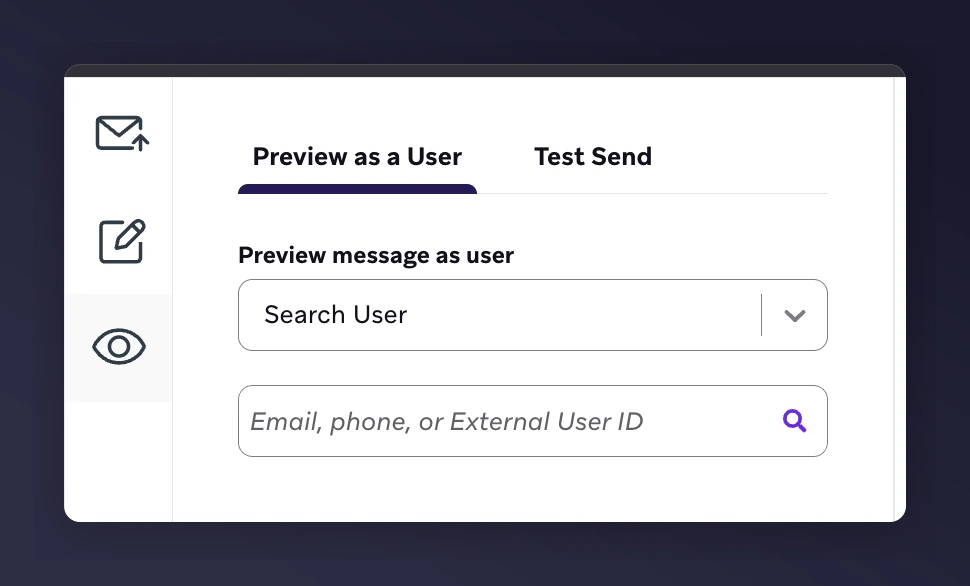
1. Open the **Canvas Editor > Preview** tab
2. Enter the email of a contact who has triggered **received\_referrer\_reward**
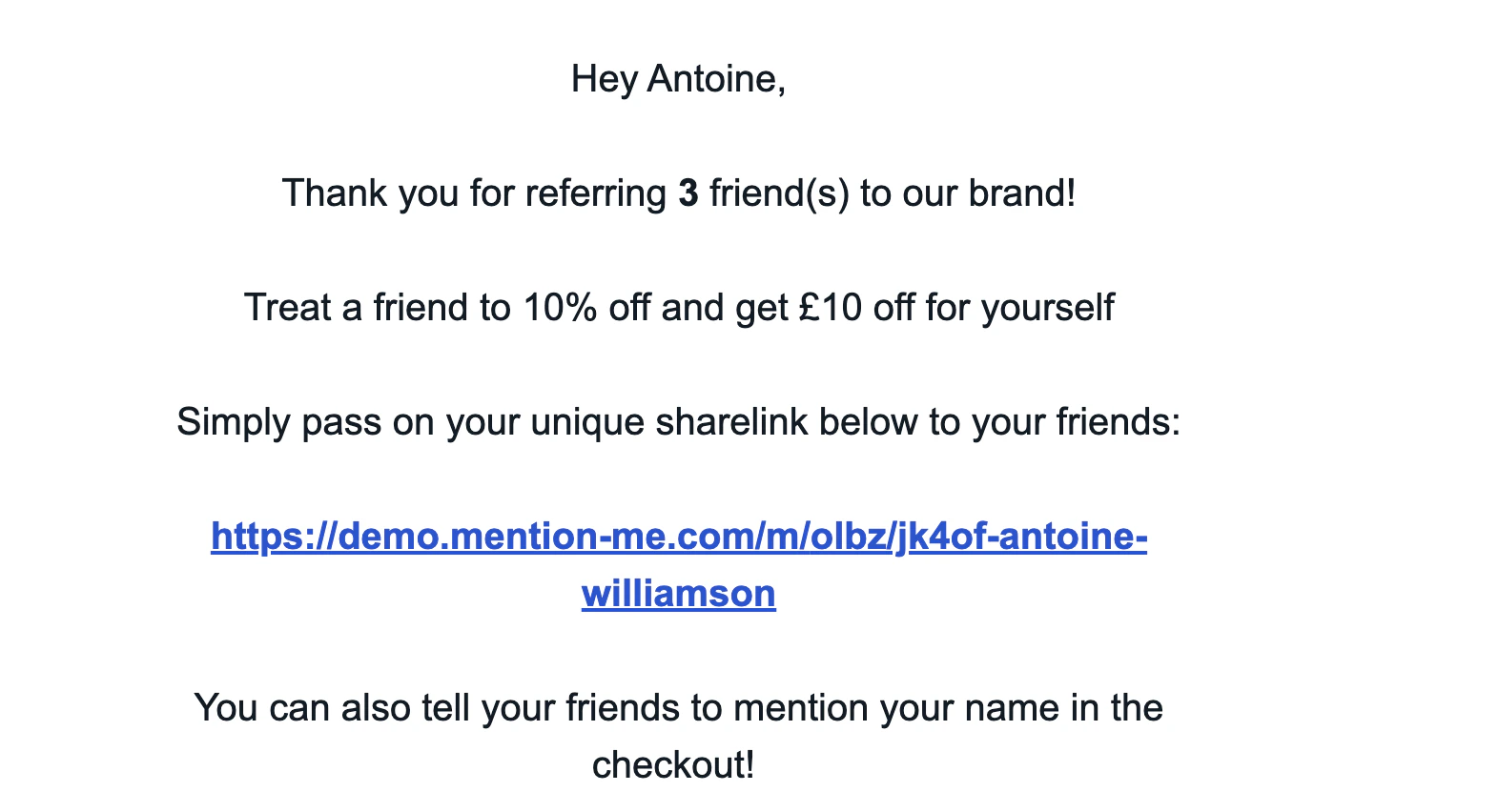
3. Verify variable values render correctly
#### Supported Liquid variables
| Liquid Syntax | Description | Example |
| --------------------------------------------------- | ------------------------------------------- | -------------------------------------------------------------------------------------------------------------- |
| `{{custom_attribute.${mention_me_share_link}}}` | Referrer's unique URL to share with friends | [https://demo.mention-me.com/m/olb/se8fp-adrian-parris](https://demo.mention-me.com/m/olb/se8fp-adrian-parris) |
| `{{custom_attribute.${mention_me_referrals}}}` | Total referrals completed by the customer | 5 |
| `{{canvas_entry_properties.${offer_subject_copy}}}` | Offer messaging shown on referral page | Treat a friend to 10% off and get £10 |
### Step 3: Test the emails
1. Open the **Canvas Editor > Preview** tab
2. Enter the email of a contact who has triggered **received\_referrer\_reward**
3. Verify variable values render correctly
 #### Test output examples
**Reminder 1:**
#### Test output examples
**Reminder 1:**
 **Reminder 2:**
 ### Step 4: Launch the canvas
1. Once email content has been tested and approved
2. Click **Launch** to activate your Braze canvas
### Step 4: Launch the canvas
1. Once email content has been tested and approved
2. Click **Launch** to activate your Braze canvas