> ## Documentation Index
> Fetch the complete documentation index at: https://docs.mention-me.com/llms.txt
> Use this file to discover all available pages before exploring further.
# Set Up Braze with Mention Me
> Connect your Braze account to Mention Me to sync referral data, opt-ins, and enable pre-built canvases.
## About the integration
Engage your top fans by integrating first-party advocacy data into Braze to boost engagement, retention, and revenue.
## Integration capabilities
* Real-time transfer of contact data and opt-ins from Mention Me referrals to Braze
* Create personalised coupon reminder emails using referral data
* Improve marketing efficiency through audience segmentation and targeting based on referral activity
## Prerequisites
* **Braze** — Ability to [create API keys](https://www.braze.com/docs/api/basics/#about-rest-api-keys). Know your Braze Instance URL / Region (visible in the browser URL after logging in).
* **Mention Me** — Access to the [Mention Me platform](https://mention-me.com/login). Contact your CSM or [submit a support request](https://help.mention-me.com/hc/en-gb/requests/new) if needed.
 ## Step 1: Create an API key in Braze
[Log in](https://dashboard.braze.com/developers/sign_in) to Braze with appropriate permissions.
Select the Workspace where the API key should be created.
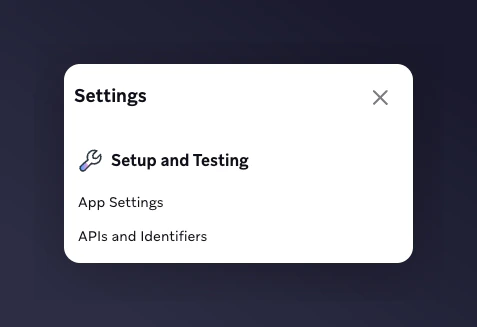
Go to **Settings > APIs and Identifiers > API Keys**.
## Step 1: Create an API key in Braze
[Log in](https://dashboard.braze.com/developers/sign_in) to Braze with appropriate permissions.
Select the Workspace where the API key should be created.
Go to **Settings > APIs and Identifiers > API Keys**.
 Create a new API Key with:
* **Name:** Mention Me
* **Permissions:** `templates.email.create`, `users.track`
Create a new API Key with:
* **Name:** Mention Me
* **Permissions:** `templates.email.create`, `users.track`
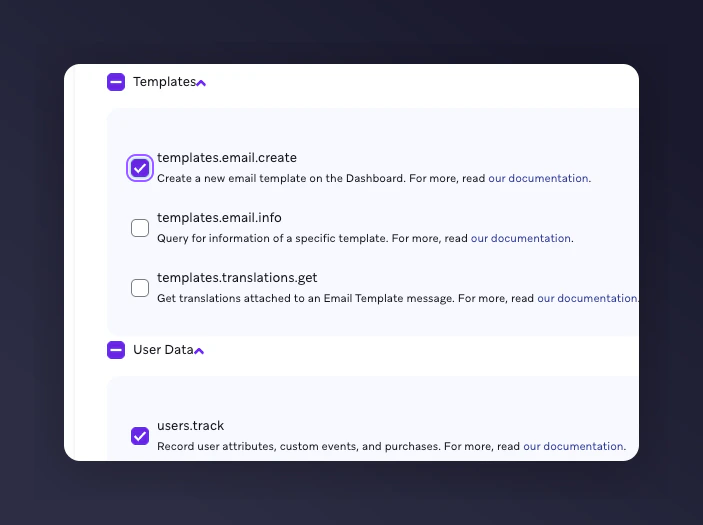 Make sure you set the correct permissions. They cannot be edited later.
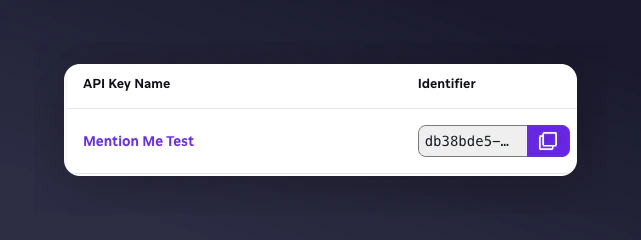
Copy the API key for use in Step 2.
Make sure you set the correct permissions. They cannot be edited later.
Copy the API key for use in Step 2.
 ## Step 2: Set up the integration in Mention Me
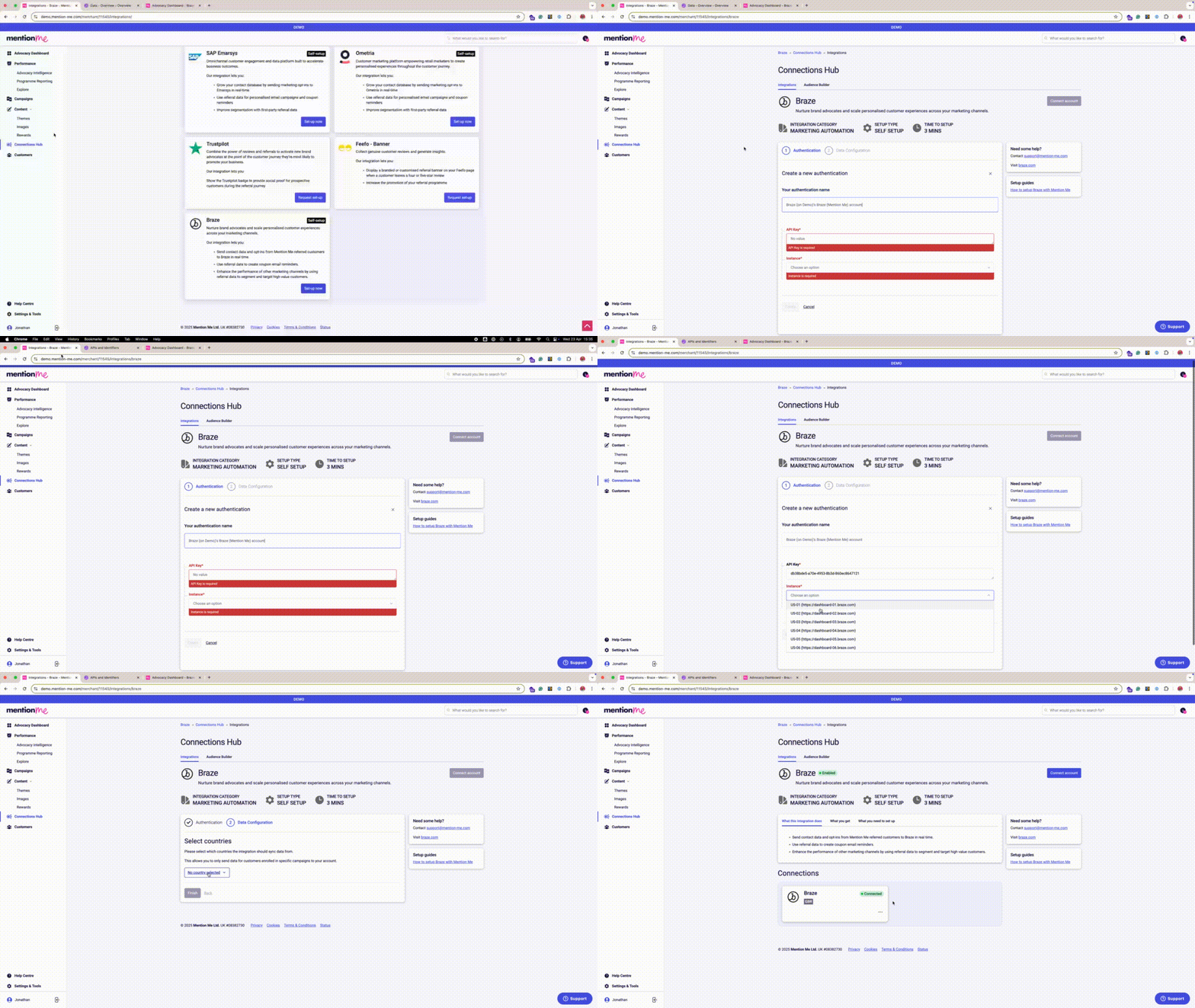
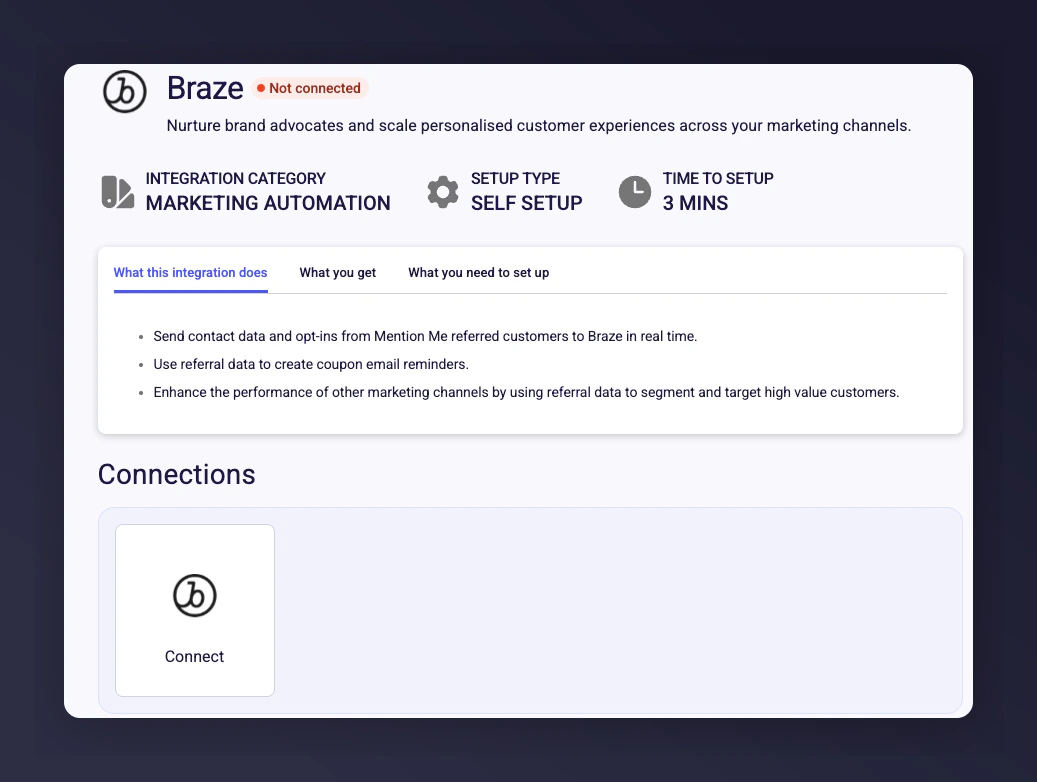
On the [Mention Me Braze Integration Page](https://mention-me.com/merchant/~/integrations/braze), click **Connect**.
## Step 2: Set up the integration in Mention Me
On the [Mention Me Braze Integration Page](https://mention-me.com/merchant/~/integrations/braze), click **Connect**.
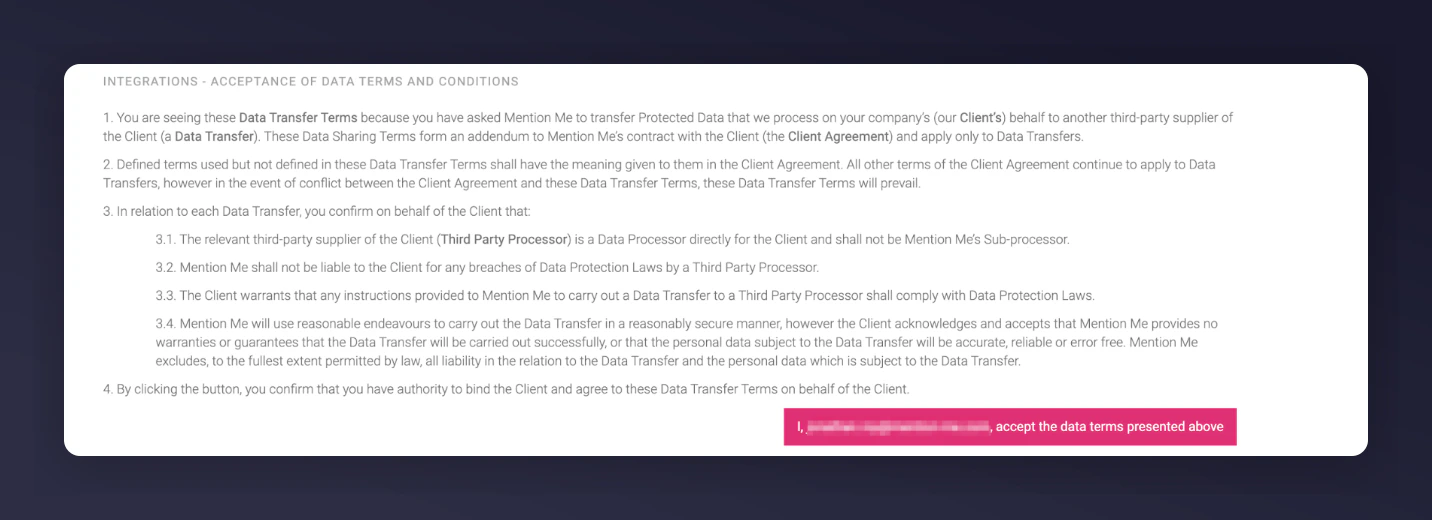
 Agree to the Terms & Conditions (if not already accepted).
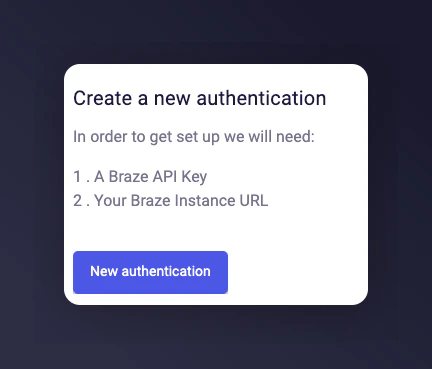
 Click **New Authentication**.
 Provide a recognizable name (e.g. "Braze - EU Workspace").
Enter details from Step 1:
* API Key
* Select your Braze Instance / Region
Provide a recognizable name (e.g. "Braze - EU Workspace").
Enter details from Step 1:
* API Key
* Select your Braze Instance / Region
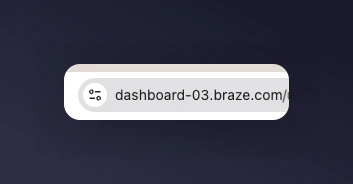
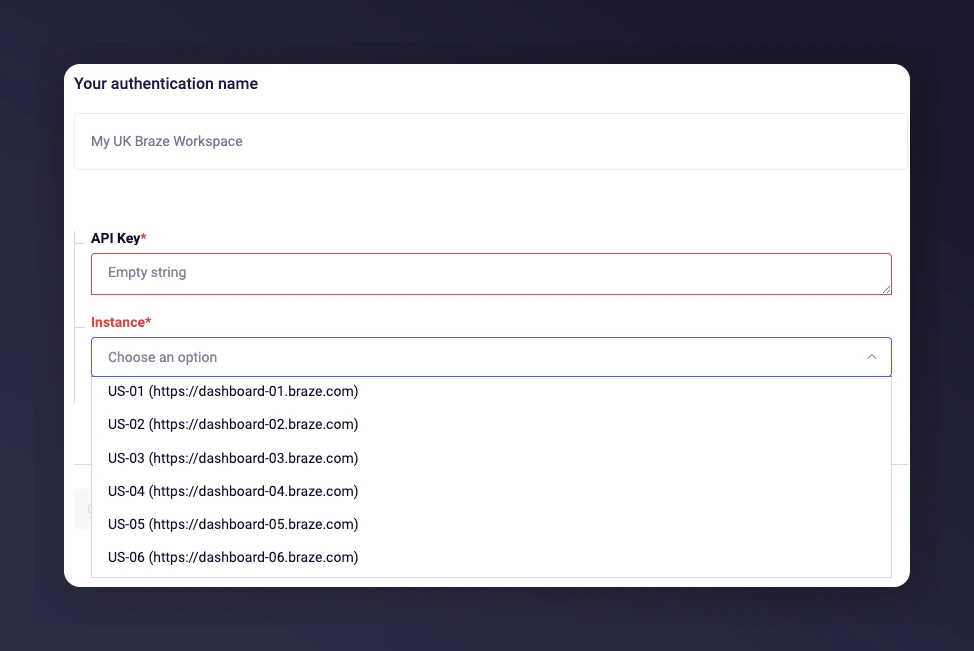 Make sure the selected region matches your account. For example, URL "03.braze.eu" = Region EU-03.
Click **Authorise**.
Select the country(ies) you want to sync to Braze.
Make sure the selected region matches your account. For example, URL "03.braze.eu" = Region EU-03.
Click **Authorise**.
Select the country(ies) you want to sync to Braze.
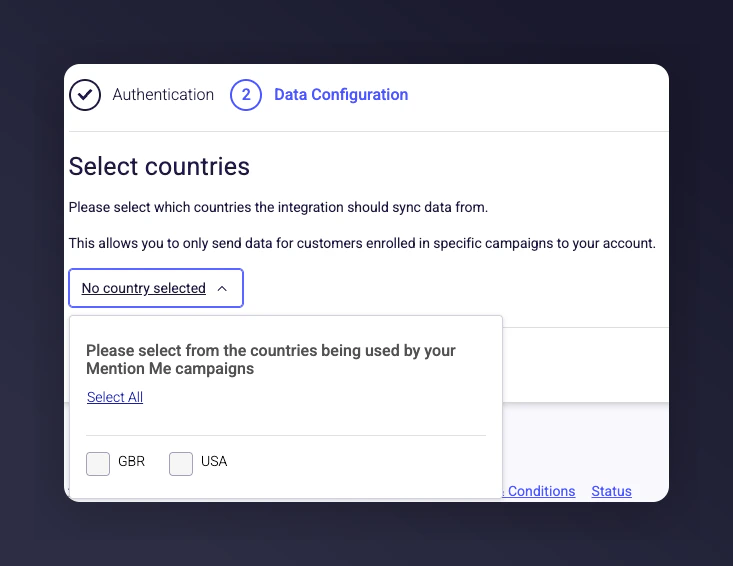 Click **Connect** to finish integration setup.
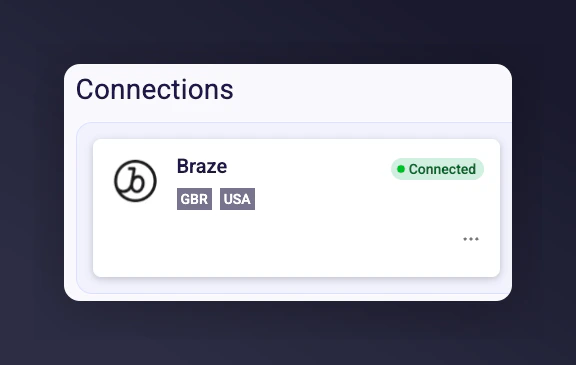 From here, Mention Me events and contacts will begin syncing with your Braze environment, enabling usage in Canvases and segmentation. For assistance, contact your CSM or [submit a support request](https://help.mention-me.com/hc/en-gb/requests/new).
## Step 3: Implement suggested canvases
With referral data flowing into Braze, unlock valuable engagement opportunities:
* **Boost New Customer Acquisition** — [Remind referred users to complete their first purchase](/knowledge/esp-crm/braze/coupon-reminders).
* **Drive Repeat Purchases** — [Remind referrers to redeem earned vouchers](/knowledge/esp-crm/braze/coupon-reminders).
* **Increase Customer Engagement** — [Encourage advocates to share referral links again](/knowledge/esp-crm/braze/share-again).
From here, Mention Me events and contacts will begin syncing with your Braze environment, enabling usage in Canvases and segmentation. For assistance, contact your CSM or [submit a support request](https://help.mention-me.com/hc/en-gb/requests/new).
## Step 3: Implement suggested canvases
With referral data flowing into Braze, unlock valuable engagement opportunities:
* **Boost New Customer Acquisition** — [Remind referred users to complete their first purchase](/knowledge/esp-crm/braze/coupon-reminders).
* **Drive Repeat Purchases** — [Remind referrers to redeem earned vouchers](/knowledge/esp-crm/braze/coupon-reminders).
* **Increase Customer Engagement** — [Encourage advocates to share referral links again](/knowledge/esp-crm/braze/share-again).