> ## Documentation Index
> Fetch the complete documentation index at: https://docs.mention-me.com/llms.txt
> Use this file to discover all available pages before exploring further.
# Coupon Reminder Canvases in Braze
> Create Braze canvases to remind referrers and referees to use their Mention Me coupon codes.
## About these canvases
These Braze canvases remind customers to use their Mention Me coupon codes. The referee canvas targets prospective customers, while the referrer canvas targets existing customers who earned a reward for referring a friend.
The canvases use data sent from Mention Me to Braze through the integration and Braze's [Canvas](https://www.braze.com/docs/user_guide/engagement_tools/canvas/get_started/the_basics) functionality.
## Prerequisites
1. An active Mention Me referral program
2. Mention Me and Braze integration enabled
3. Familiarity with [Liquid Templating](https://www.braze.com/docs/user_guide/personalization_and_dynamic_content/liquid)
## Supported channels
* Email
## Referee canvas
Remind prospective customers (referees) to use their coupon codes received from being introduced to your brand.
Goals:
* **Drive first purchase**
* **Increase average order value**
### Basic workflow
1. Customer receives a coupon via Mention Me after referral.
2. If no purchase is made, a reminder email is sent (with consent).
3. Further reminders encourage usage of the coupon.
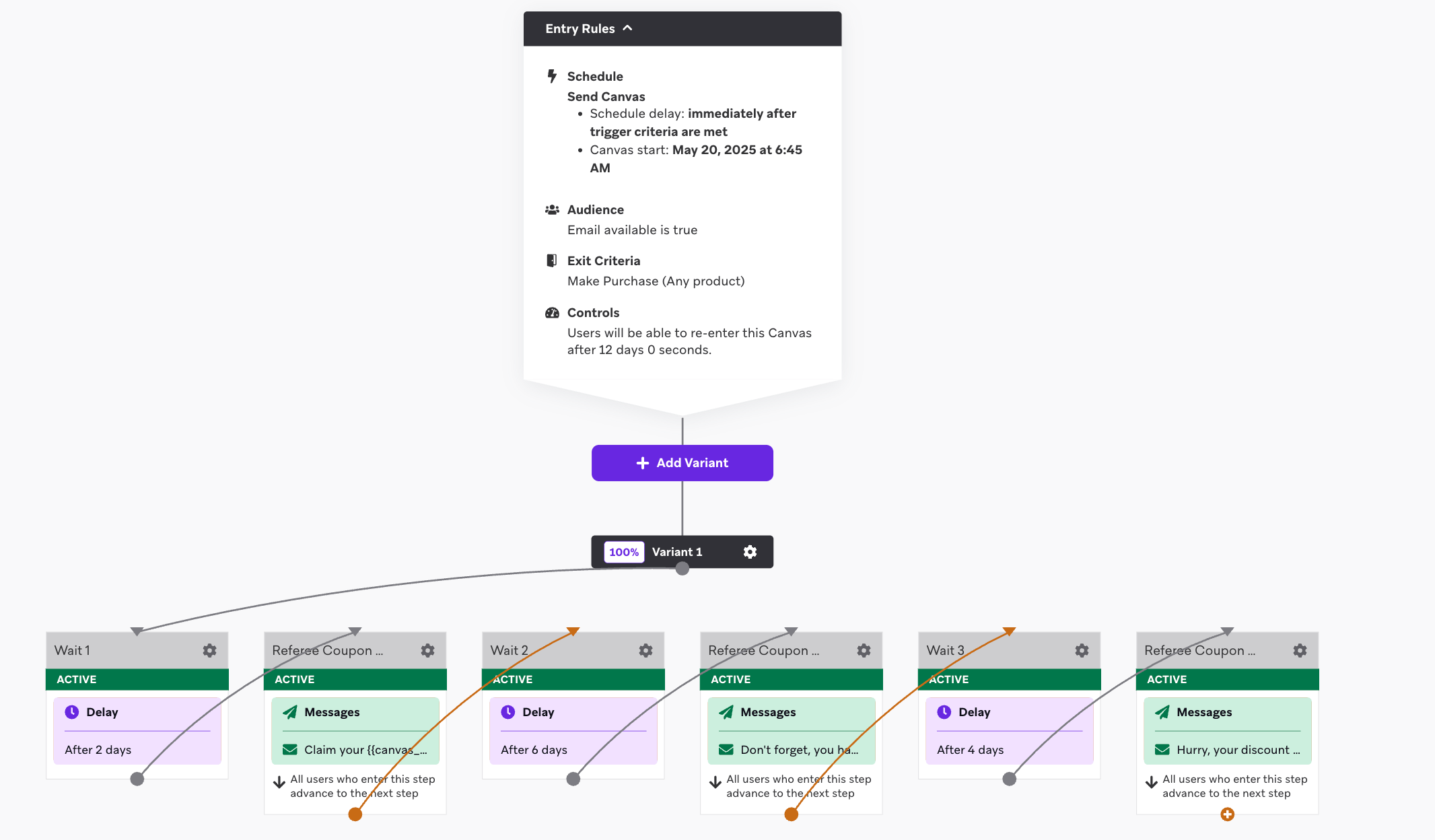 ### Step 1: Create the canvas flow
1. Set Entry Schedule: **Action-Based Trigger** using `received_referee_reward` custom event.
### Step 1: Create the canvas flow
1. Set Entry Schedule: **Action-Based Trigger** using `received_referee_reward` custom event.
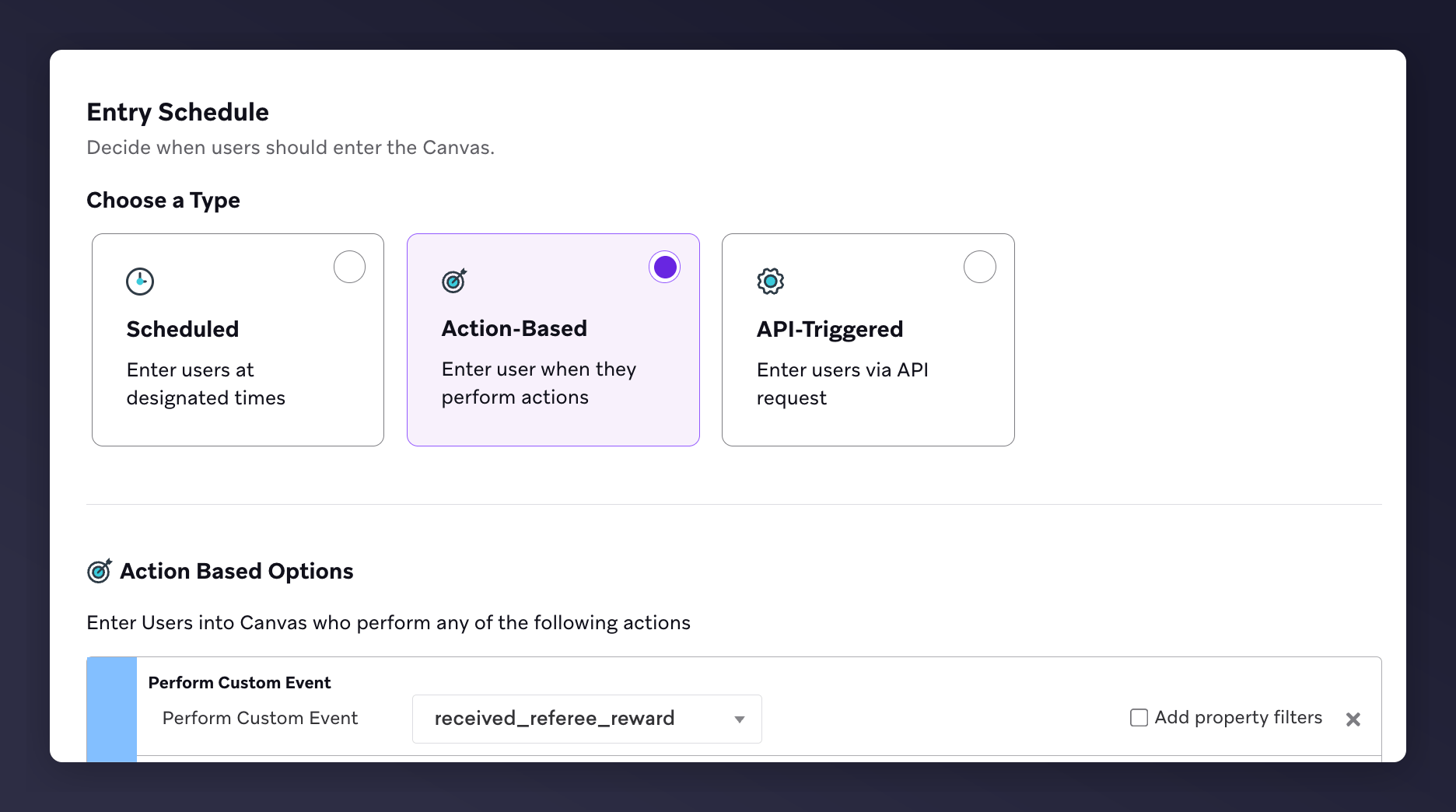 2. Target Audience Filters:
* Email Available = true
2. Target Audience Filters:
* Email Available = true
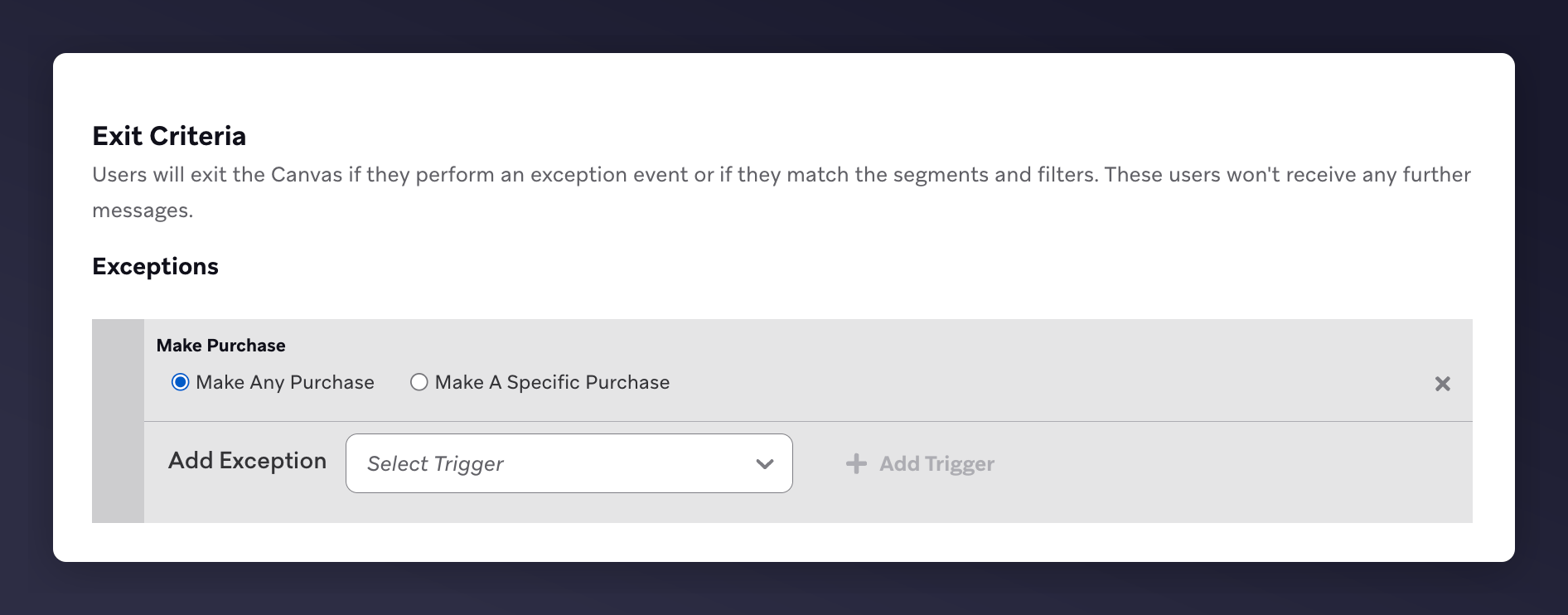
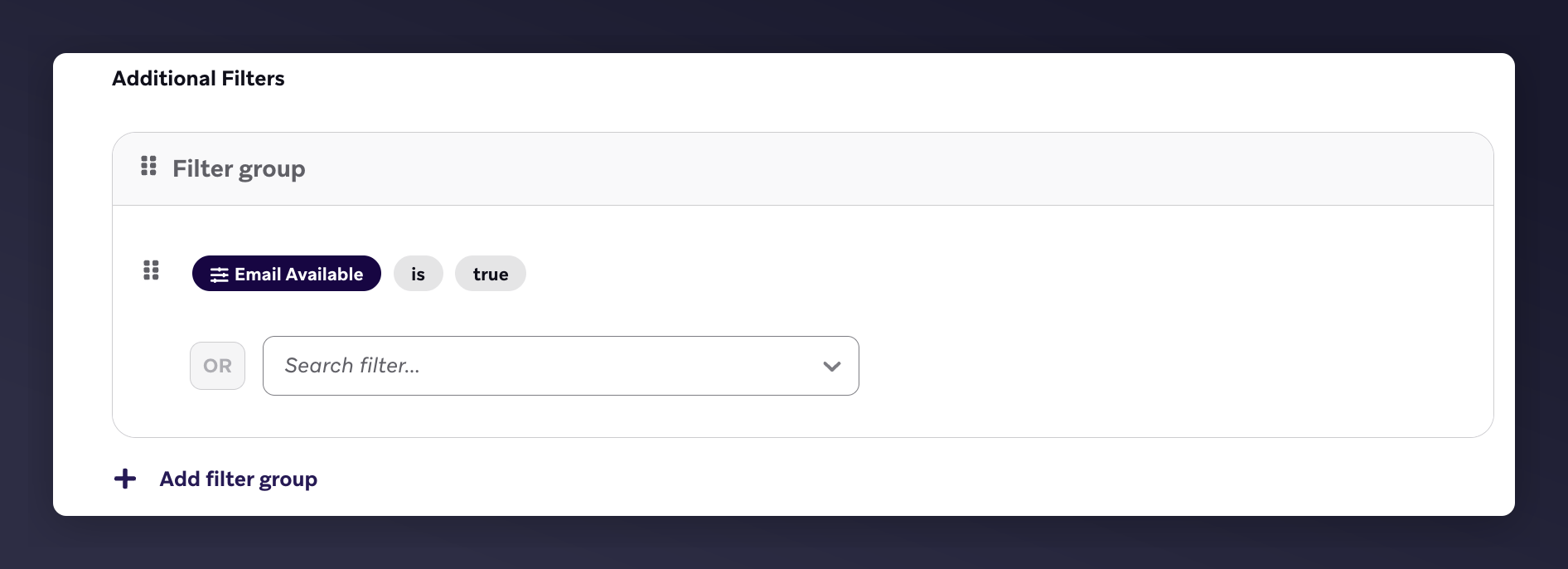 * Exit Criteria: **Make Any Purchase**
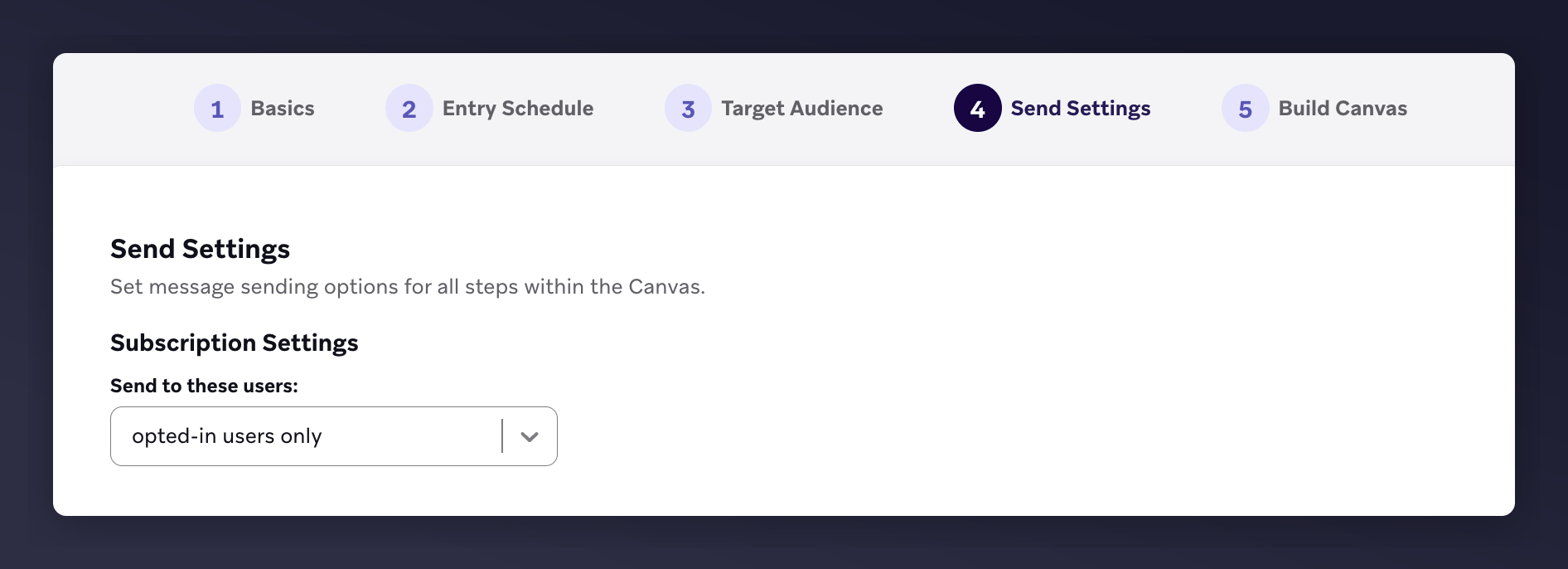
 3. Send Settings: Subscription = **opted-in users only**
 4. Canvas Editor Content:
* 3 emails with 3 wait periods
* 1st email: 2 days after trigger
* 2nd email: 6 days after 1st
* 3rd email: 4 days after 2nd
4. Canvas Editor Content:
* 3 emails with 3 wait periods
* 1st email: 2 days after trigger
* 2nd email: 6 days after 1st
* 3rd email: 4 days after 2nd
 Need help with reward validity? Reach out via your Mention Me CSM or [support](https://help.mention-me.com/hc/en-gb/requests/new).
### Step 2: Add email content
1. Brand your email design and images
2. Include product recommendations
3. Add suggested Liquid variables (see table below)
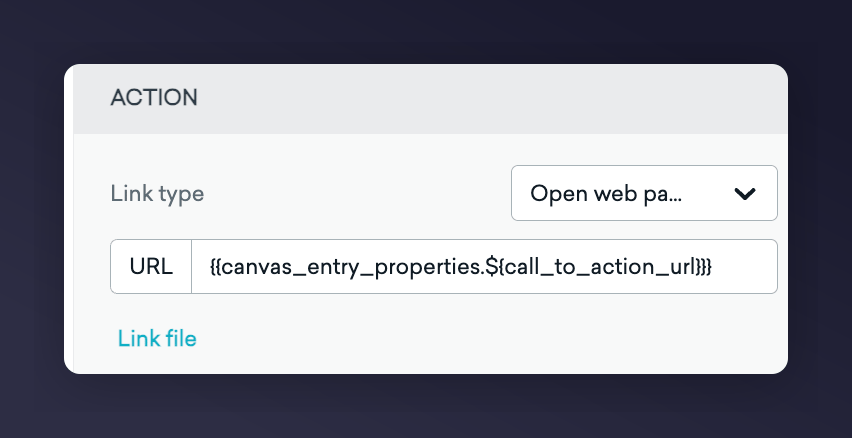
4. Set CTA link using: `{{canvas_entry_properties.${call_to_action_url}}}`
Need help with reward validity? Reach out via your Mention Me CSM or [support](https://help.mention-me.com/hc/en-gb/requests/new).
### Step 2: Add email content
1. Brand your email design and images
2. Include product recommendations
3. Add suggested Liquid variables (see table below)
4. Set CTA link using: `{{canvas_entry_properties.${call_to_action_url}}}`
 #### Email template examples
| Reminder 1 | Reminder 2 | Reminder 3 |
| --------------------------------------------------------------------------------- | ---------------------------------------------------------------------------------------- | ----------------------------------------------- |
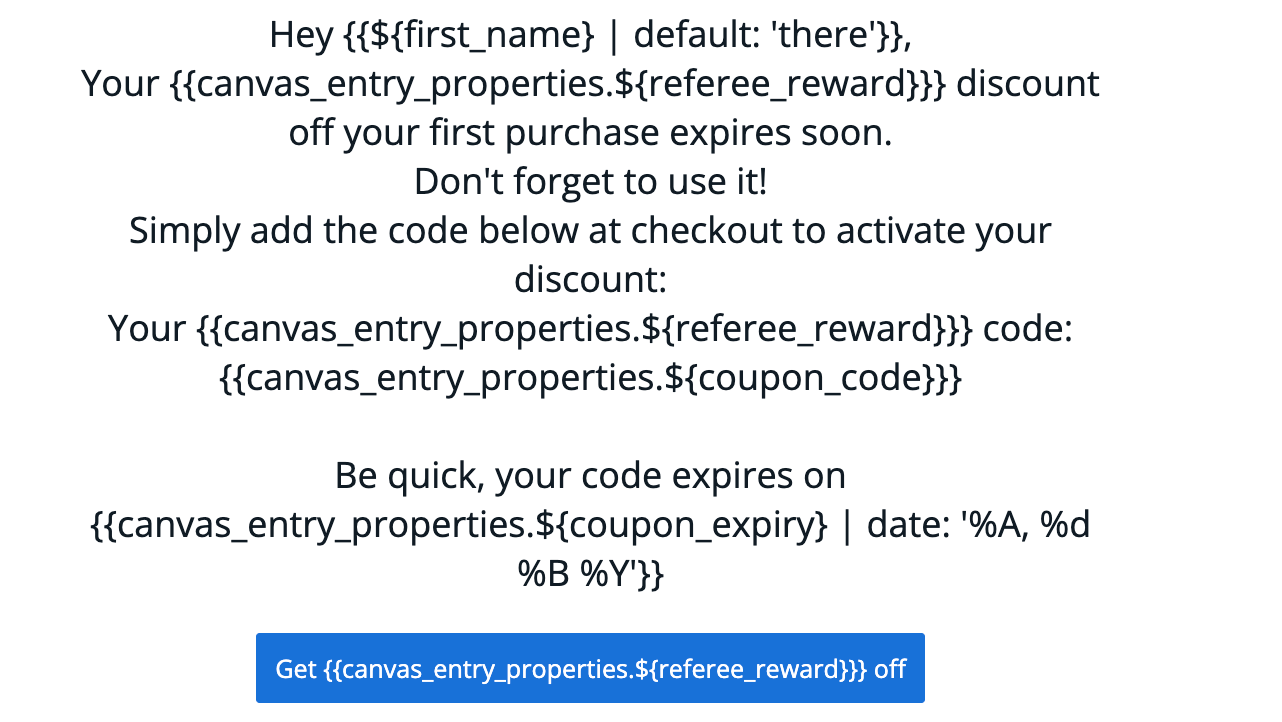
| **Subject:** Claim your `{{canvas_entry_properties.${referee_reward}}}` discount! | **Subject:** Don't forget your `{{canvas_entry_properties.${referee_reward}}}` discount! | **Subject:** Hurry, your discount expires soon! |
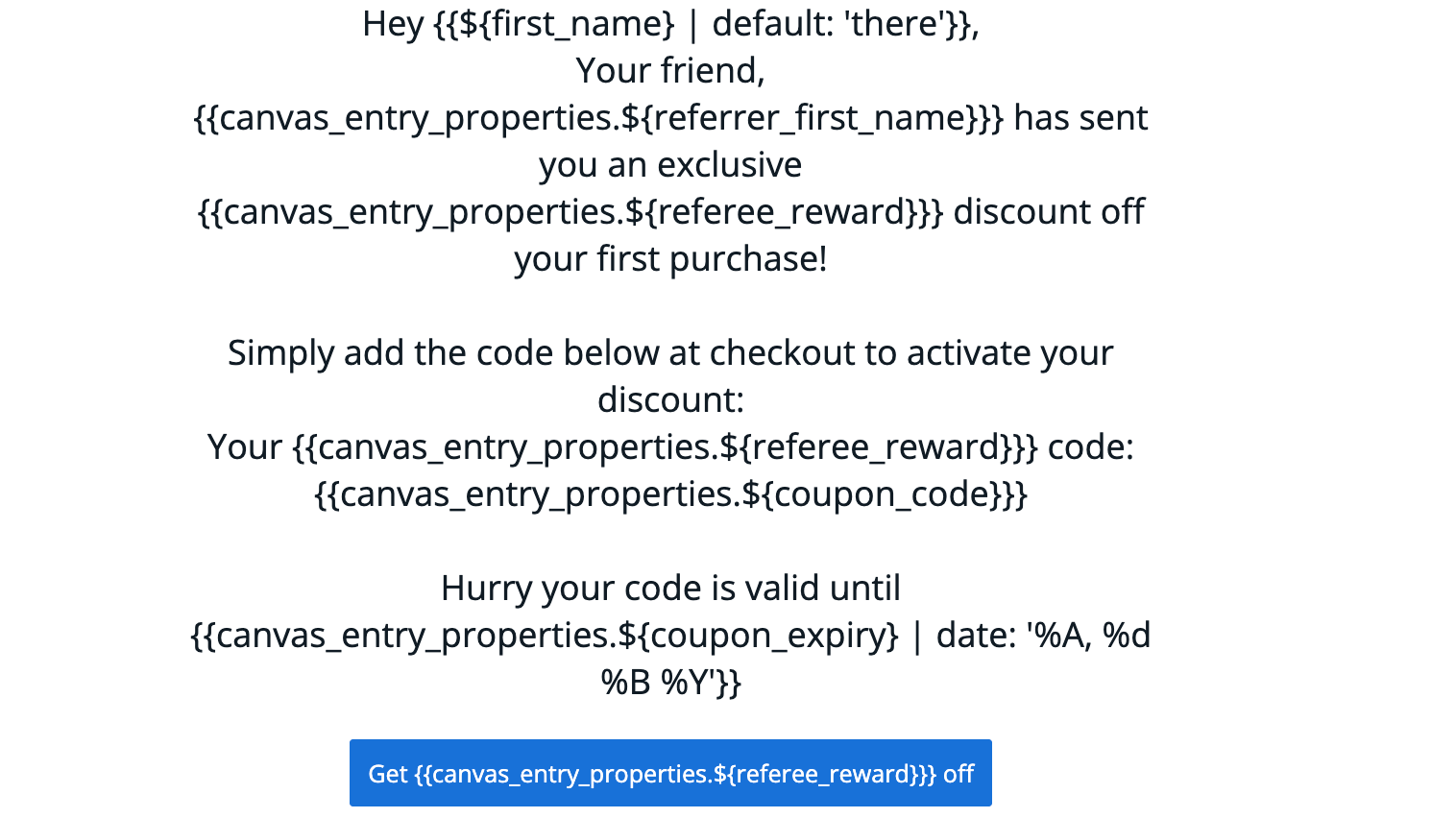
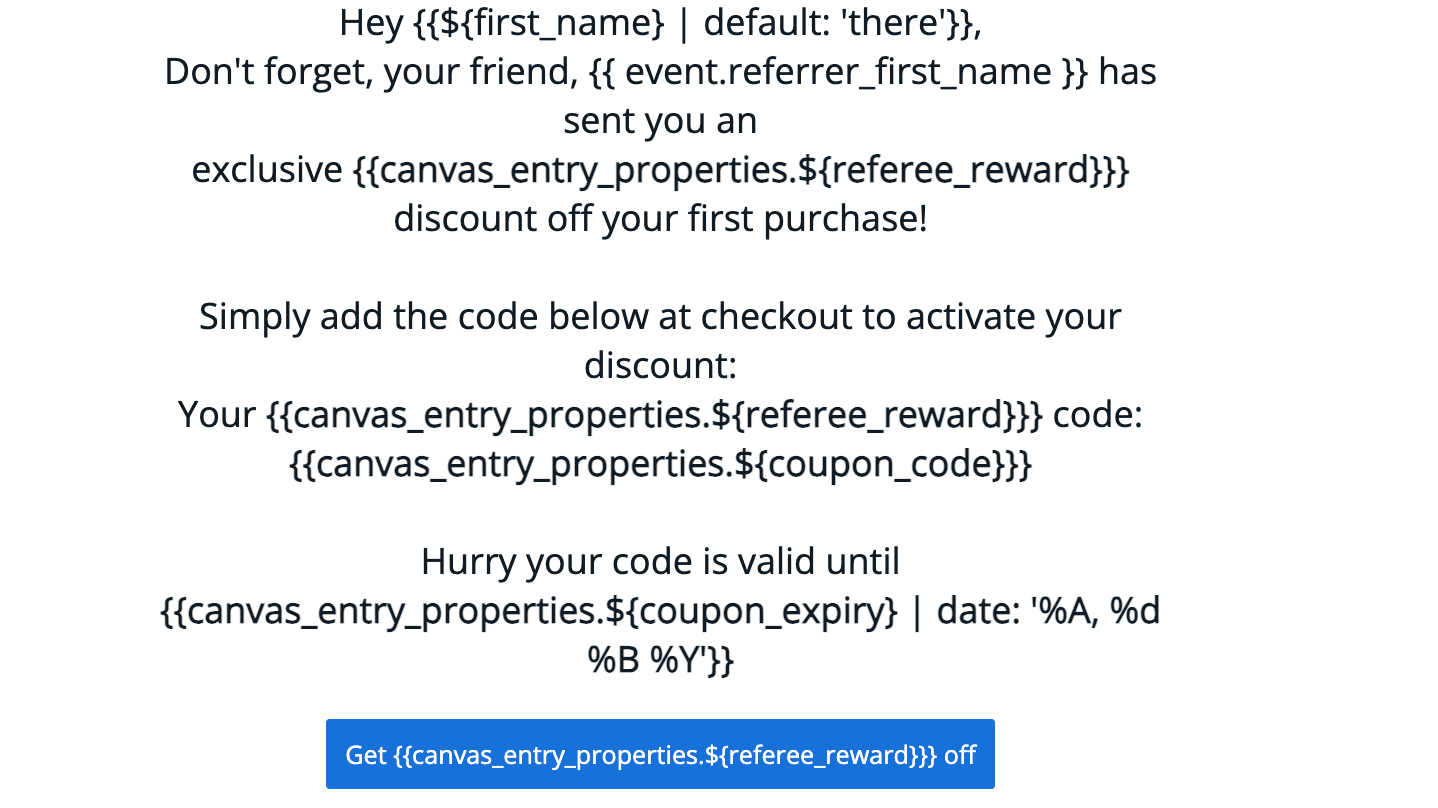
#### Visual reminder examples
#### Email template examples
| Reminder 1 | Reminder 2 | Reminder 3 |
| --------------------------------------------------------------------------------- | ---------------------------------------------------------------------------------------- | ----------------------------------------------- |
| **Subject:** Claim your `{{canvas_entry_properties.${referee_reward}}}` discount! | **Subject:** Don't forget your `{{canvas_entry_properties.${referee_reward}}}` discount! | **Subject:** Hurry, your discount expires soon! |
#### Visual reminder examples
 #### Canvas variables
| Liquid Variable | Description | Example |
| ---------------------------------------------------------------------- | -------------------------------------- | ----------------------------------------------- |
| `{{canvas_entry_properties.${referrer_first_name}}}` | First name of the referrer | Ryder |
| `{{canvas_entry_properties.${referrer_last_name}}}` | Last name of the referrer | Collins |
| `{{canvas_entry_properties.${referee_reward}}}` | Value of reward offered to the referee | £15 or 30% |
| `{{canvas_entry_properties.${coupon_code}}}` | Coupon code for the referee | 10USDOFF-RXAAURVZ |
| `{{canvas_entry_properties.${coupon_expiry} \| date: '%A, %d %B %Y'}}` | Expiry date of the coupon | Wednesday, 19 July 2023 |
| `{{canvas_entry_properties.${call_to_action_url}}}` | Destination URL for the referee | [www.mention-me.com](http://www.mention-me.com) |
### Step 3: Test the emails
Braze does not support previewing custom event properties directly. You must launch the Canvas to yourself and trigger a referral event. Learn more about testing [here](https://learning.braze.com/how-to-test-custom-event-properties/1781995#).
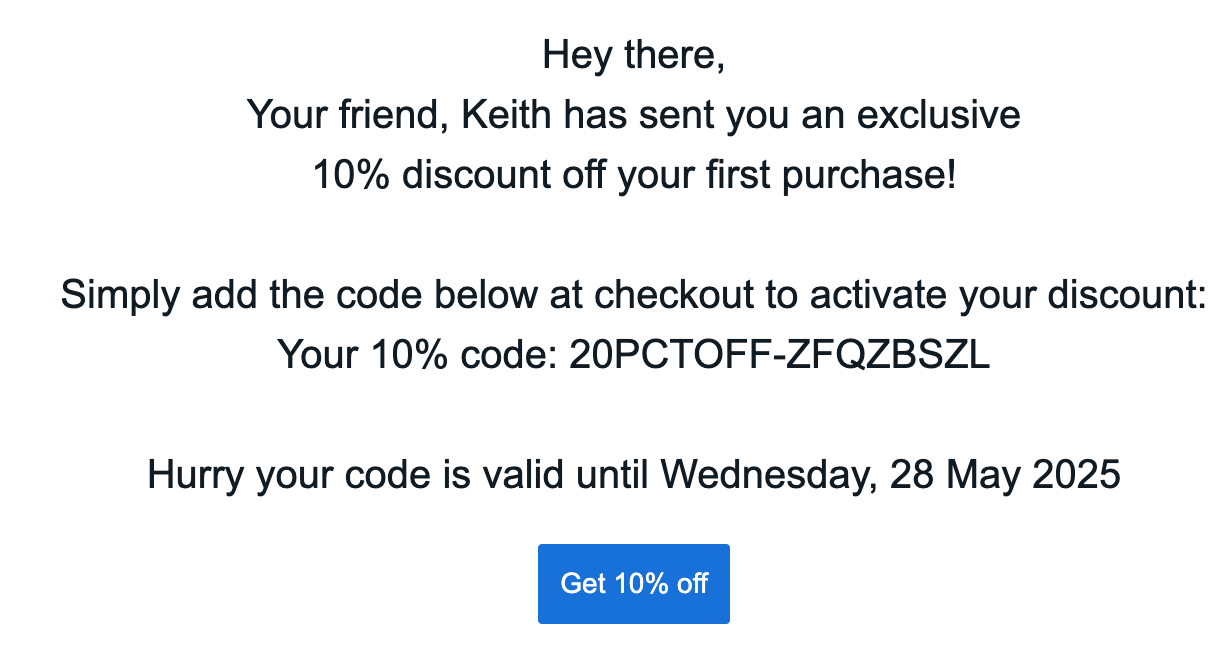
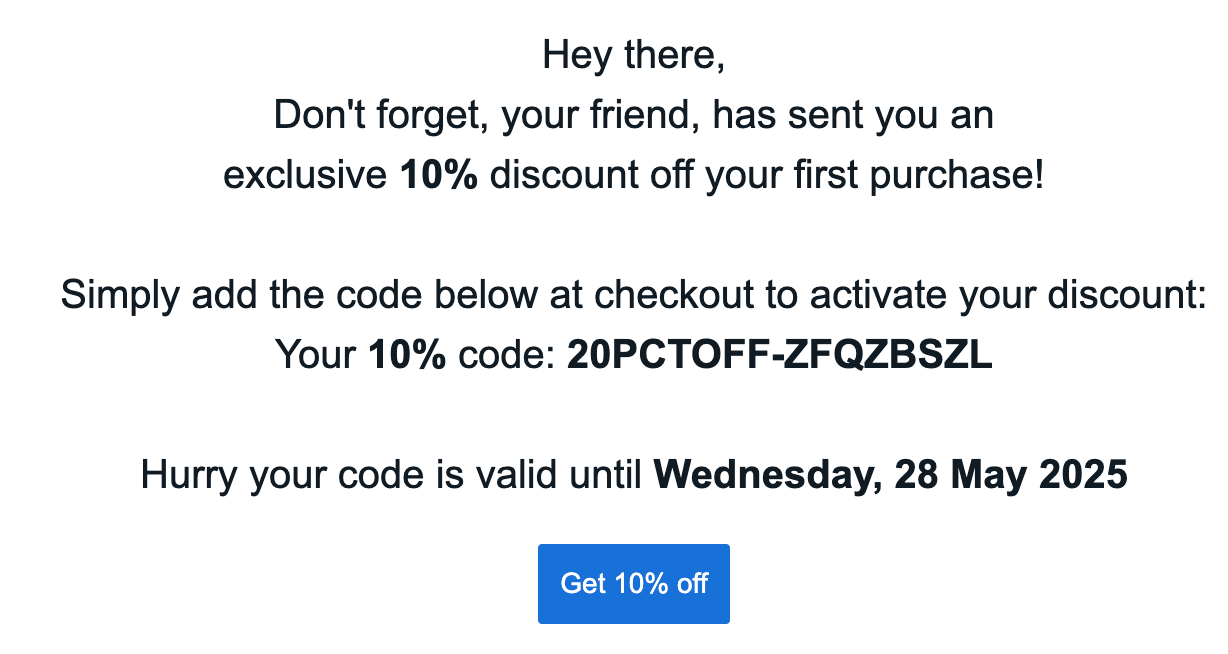
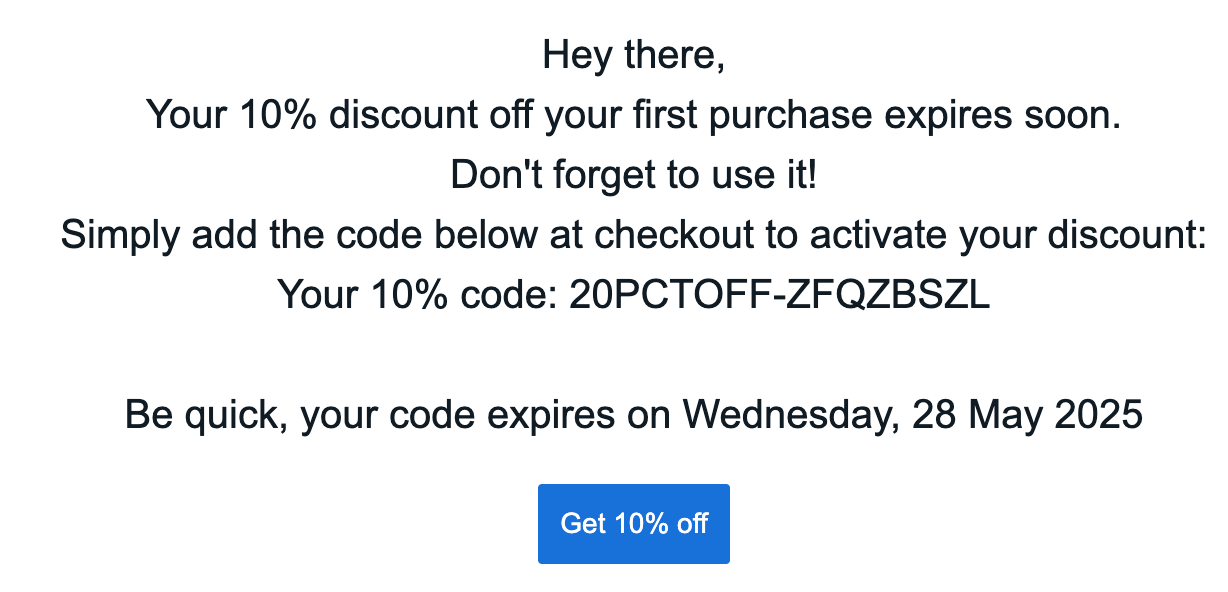
**Compiled reminder examples:**
#### Canvas variables
| Liquid Variable | Description | Example |
| ---------------------------------------------------------------------- | -------------------------------------- | ----------------------------------------------- |
| `{{canvas_entry_properties.${referrer_first_name}}}` | First name of the referrer | Ryder |
| `{{canvas_entry_properties.${referrer_last_name}}}` | Last name of the referrer | Collins |
| `{{canvas_entry_properties.${referee_reward}}}` | Value of reward offered to the referee | £15 or 30% |
| `{{canvas_entry_properties.${coupon_code}}}` | Coupon code for the referee | 10USDOFF-RXAAURVZ |
| `{{canvas_entry_properties.${coupon_expiry} \| date: '%A, %d %B %Y'}}` | Expiry date of the coupon | Wednesday, 19 July 2023 |
| `{{canvas_entry_properties.${call_to_action_url}}}` | Destination URL for the referee | [www.mention-me.com](http://www.mention-me.com) |
### Step 3: Test the emails
Braze does not support previewing custom event properties directly. You must launch the Canvas to yourself and trigger a referral event. Learn more about testing [here](https://learning.braze.com/how-to-test-custom-event-properties/1781995#).
**Compiled reminder examples:**
 ### Step 4: Launch the canvas
Once you're happy with the content and tests are successful, launch the canvas to production.
Remove any test segments and adjust wait periods before launching.
## Referrer canvas
Remind existing customers (referrers) to use their coupon codes received from referring a friend.
Goals:
* **Increase active customer revenue**
* **Increase premium customer revenue**
* **Increase retention**
### Basic workflow
1. Referrer receives a coupon upon successful referral (email sent by Mention Me).
2. Reminder email is sent if no purchase is made (based on consent).
3. Additional reminders follow, encouraging coupon usage.
### Step 4: Launch the canvas
Once you're happy with the content and tests are successful, launch the canvas to production.
Remove any test segments and adjust wait periods before launching.
## Referrer canvas
Remind existing customers (referrers) to use their coupon codes received from referring a friend.
Goals:
* **Increase active customer revenue**
* **Increase premium customer revenue**
* **Increase retention**
### Basic workflow
1. Referrer receives a coupon upon successful referral (email sent by Mention Me).
2. Reminder email is sent if no purchase is made (based on consent).
3. Additional reminders follow, encouraging coupon usage.
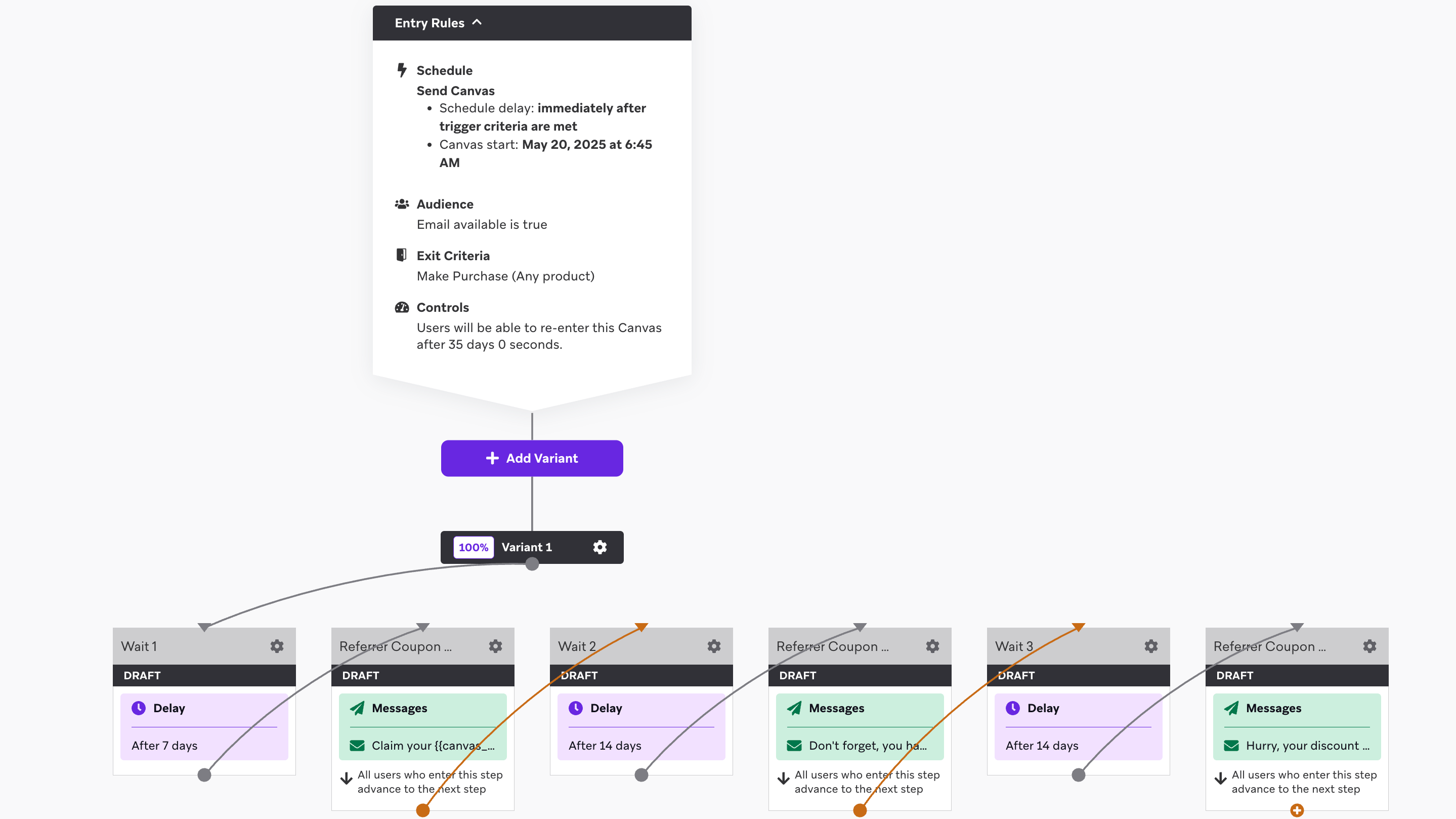 ### Step 1: Create the canvas flow
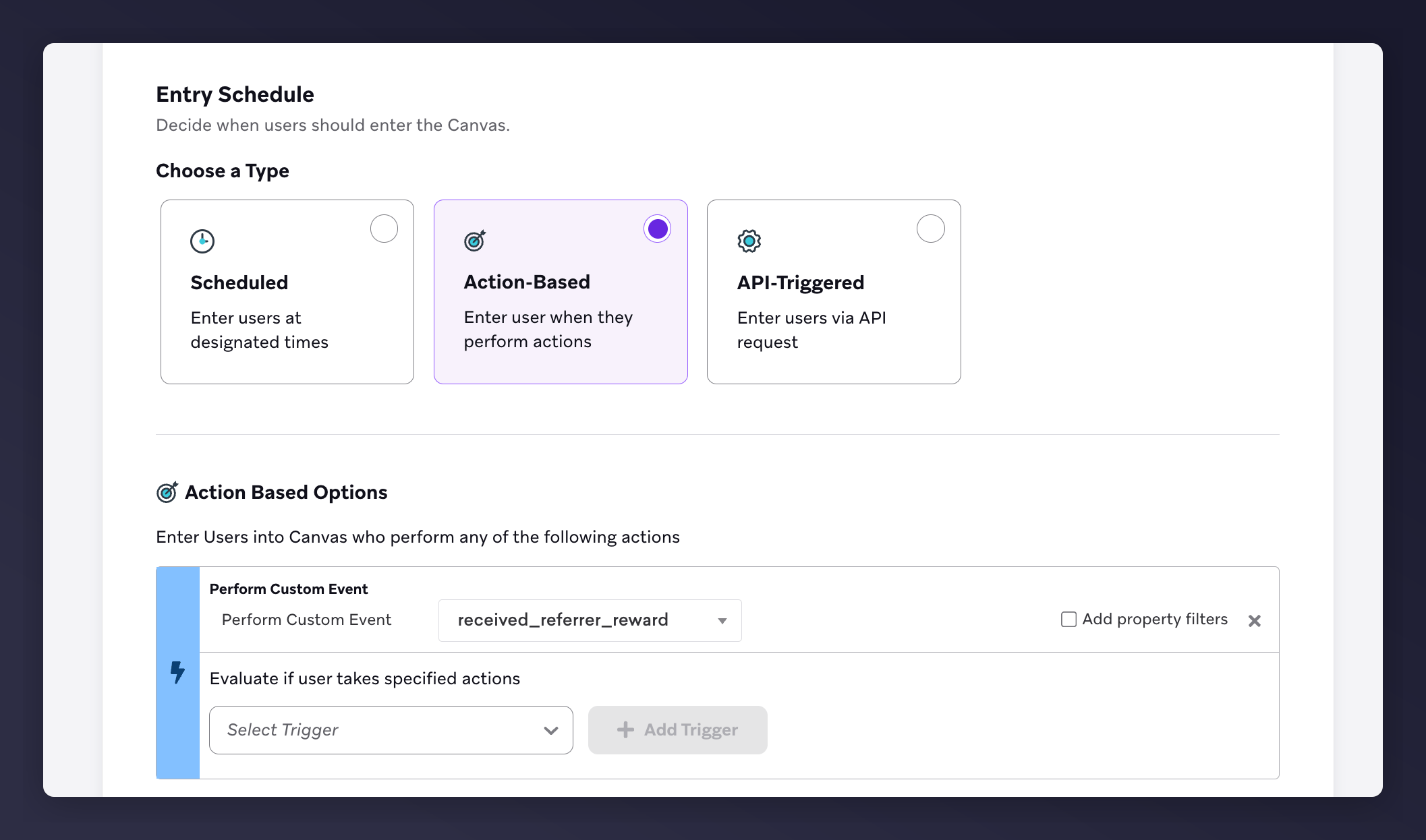
1. In **Entry Schedule**, choose the Action-Based Trigger: `received_referrer_reward`
### Step 1: Create the canvas flow
1. In **Entry Schedule**, choose the Action-Based Trigger: `received_referrer_reward`
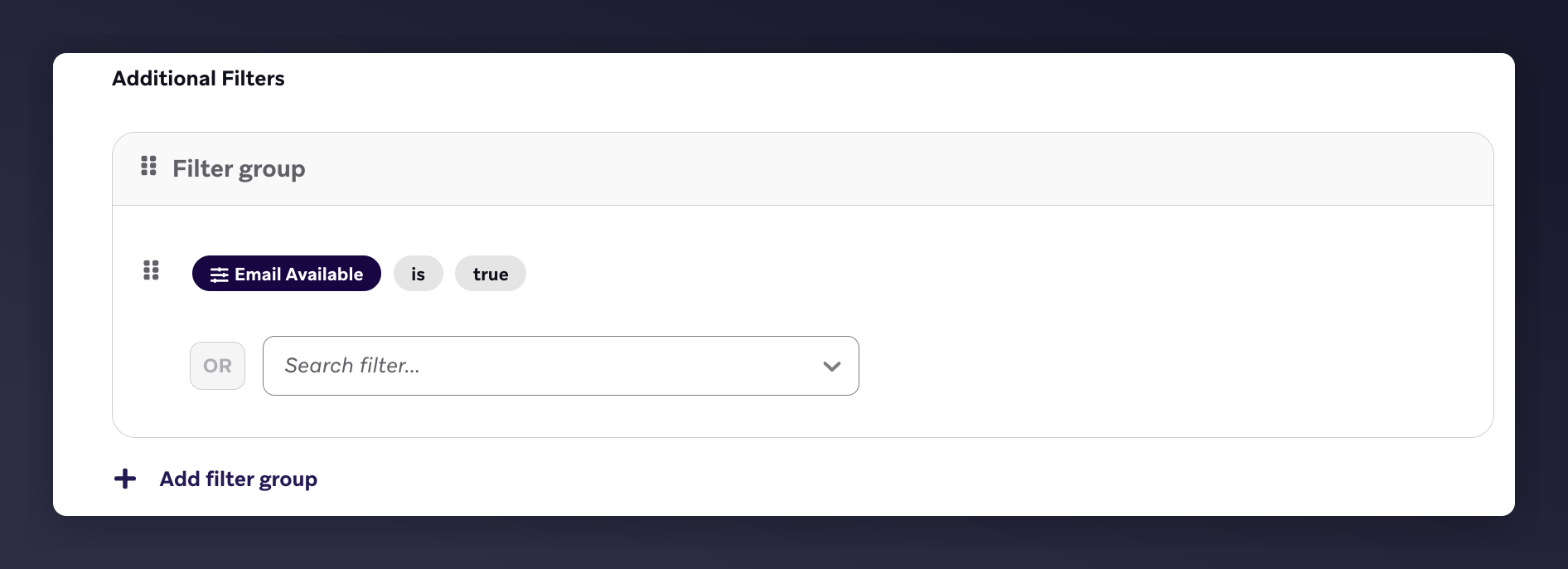
 2. In **Target Audience**, set:
* Email available is true
2. In **Target Audience**, set:
* Email available is true
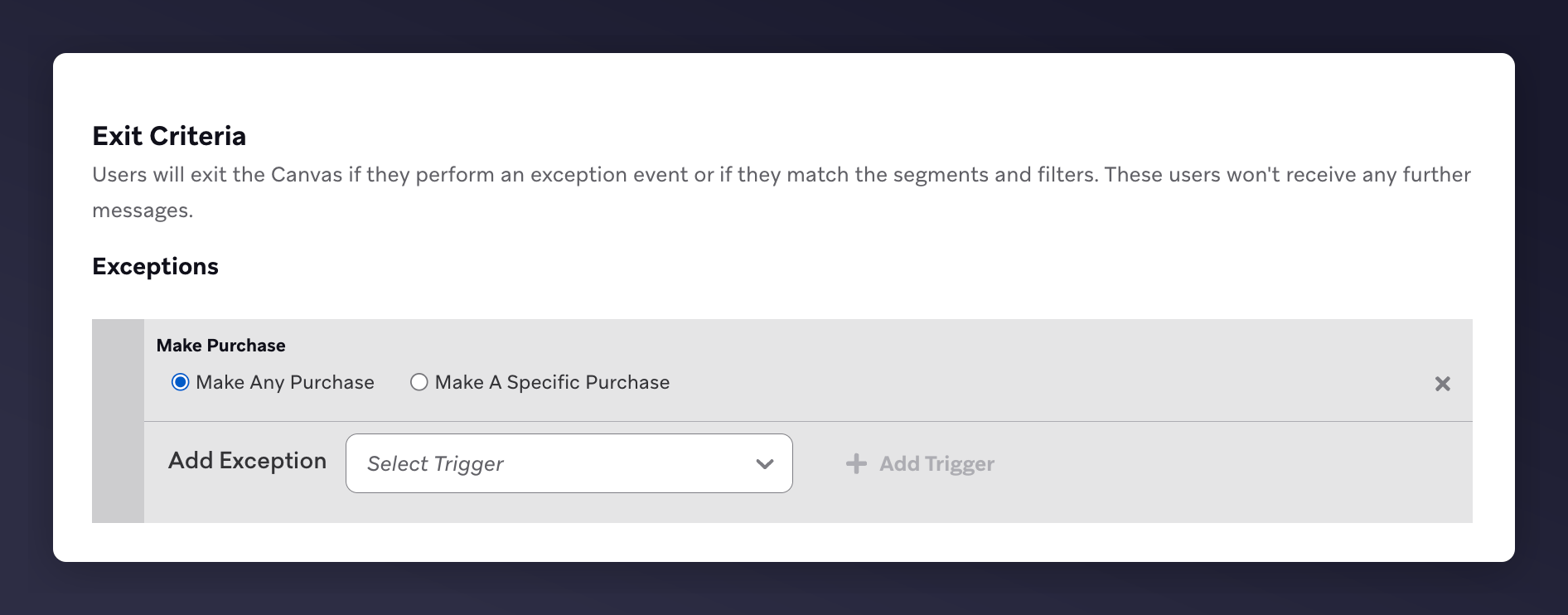
 * Exit criteria: **Make Any Purchase**
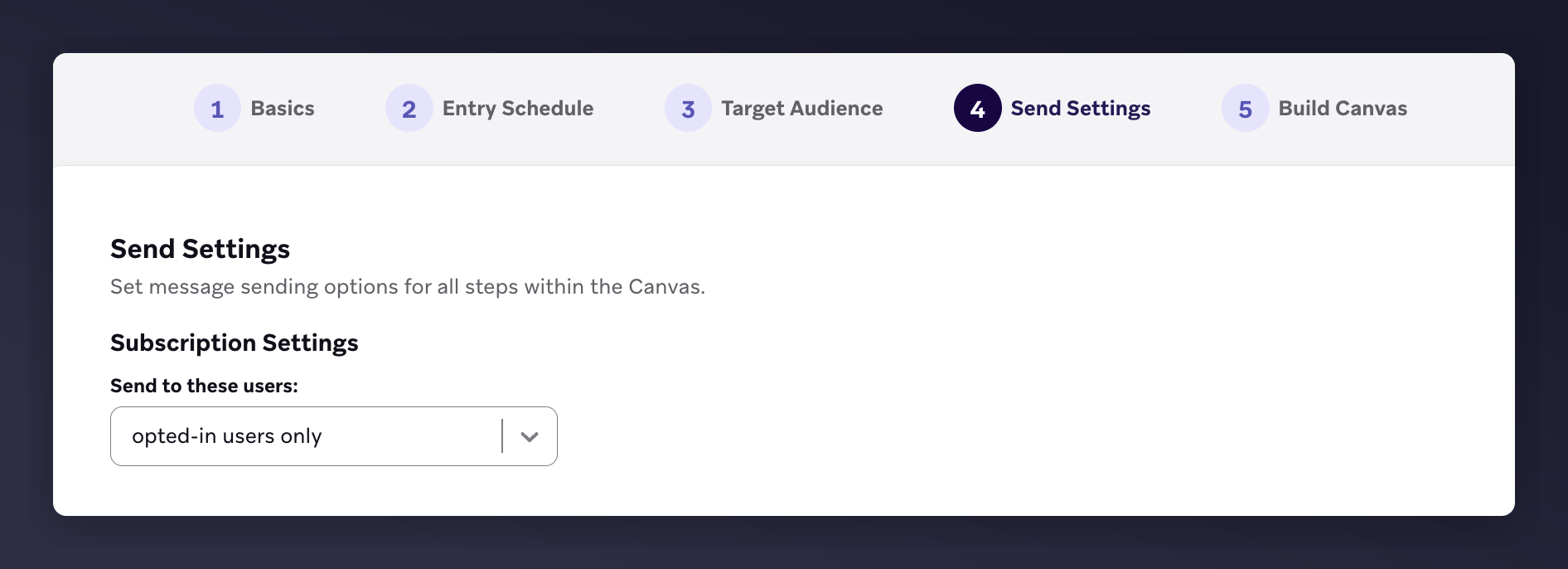
 3. In **Send Settings**, select "opted-in users only"
 4. In the canvas editor, add:
* 3 x Emails with 3 x Wait periods:
* 1st email: 7 days after trigger
* 2nd email: 14 days after 1st email
* 3rd email: 14 days after 2nd email
4. In the canvas editor, add:
* 3 x Emails with 3 x Wait periods:
* 1st email: 7 days after trigger
* 2nd email: 14 days after 1st email
* 3rd email: 14 days after 2nd email
 Not sure about your reward validity period? Contact your Mention Me CSM or [Mention Me support](https://help.mention-me.com/hc/en-gb/requests/new).
### Step 2: Add content to each email
1. Update images and style to match your brand
2. Include product recommendations
3. Use default Mention Me variables in subject and body
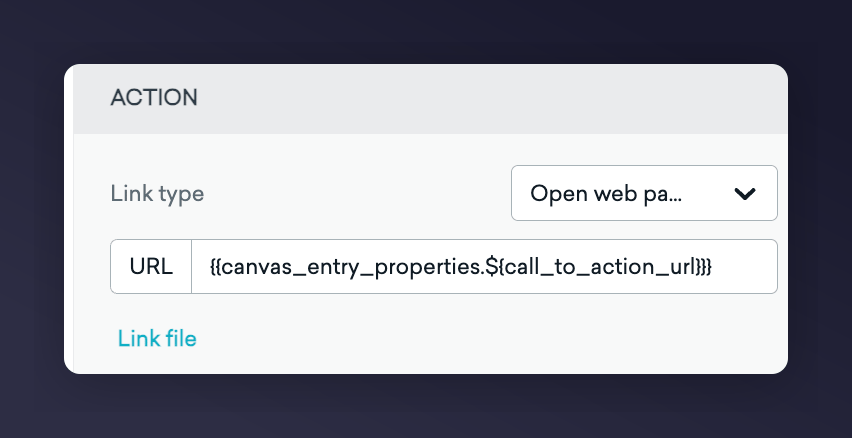
4. Add `{{canvas_entry_properties.${call_to_action_url}}}` to CTA button
Not sure about your reward validity period? Contact your Mention Me CSM or [Mention Me support](https://help.mention-me.com/hc/en-gb/requests/new).
### Step 2: Add content to each email
1. Update images and style to match your brand
2. Include product recommendations
3. Use default Mention Me variables in subject and body
4. Add `{{canvas_entry_properties.${call_to_action_url}}}` to CTA button
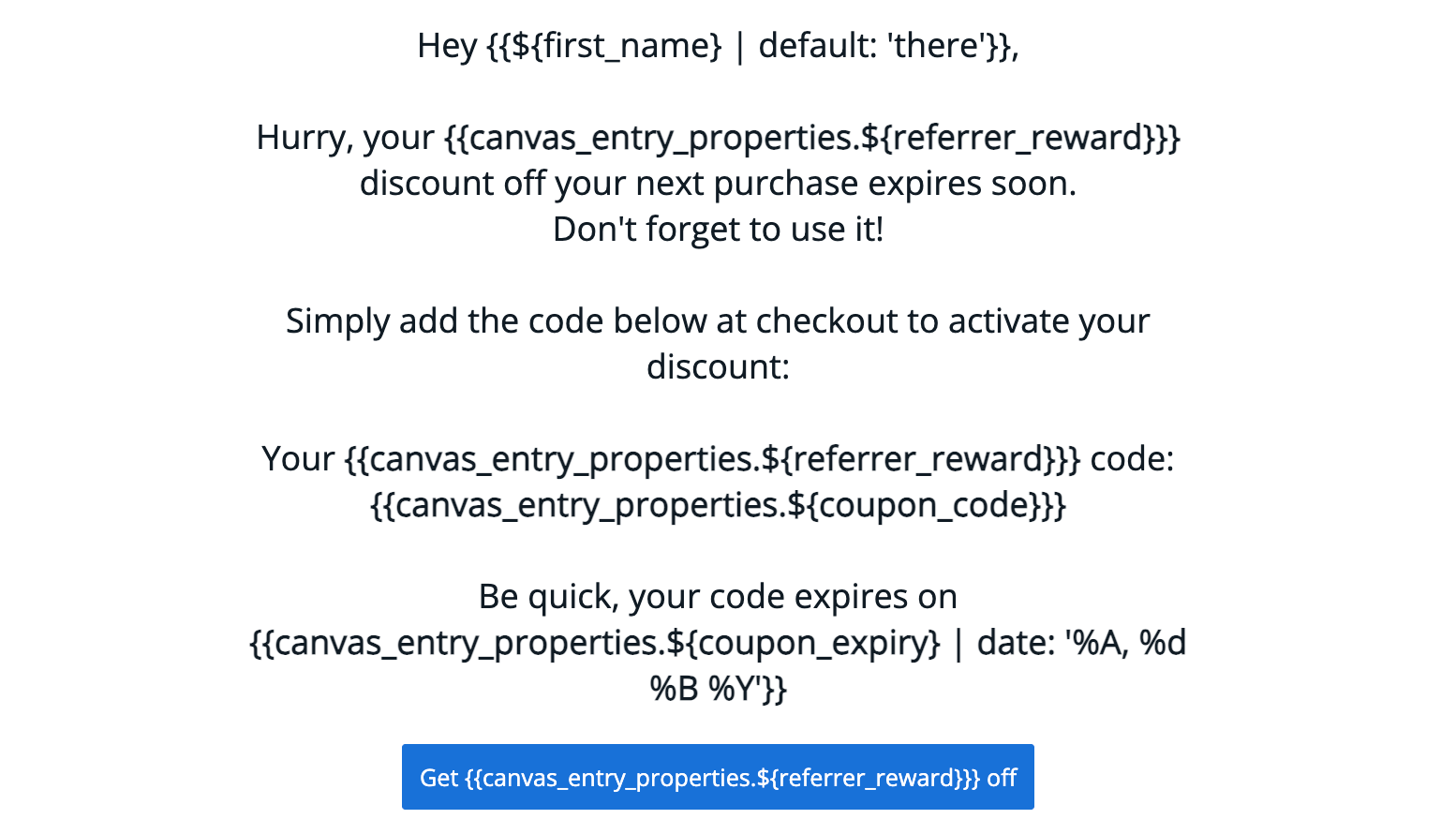
 #### Example reminder templates
| Reminder 1 | Reminder 2 | Reminder 3 |
| ---------------------------------------------------------------------------------- | ----------------------------------------------------------------------------------------- | ----------------------------------------------- |
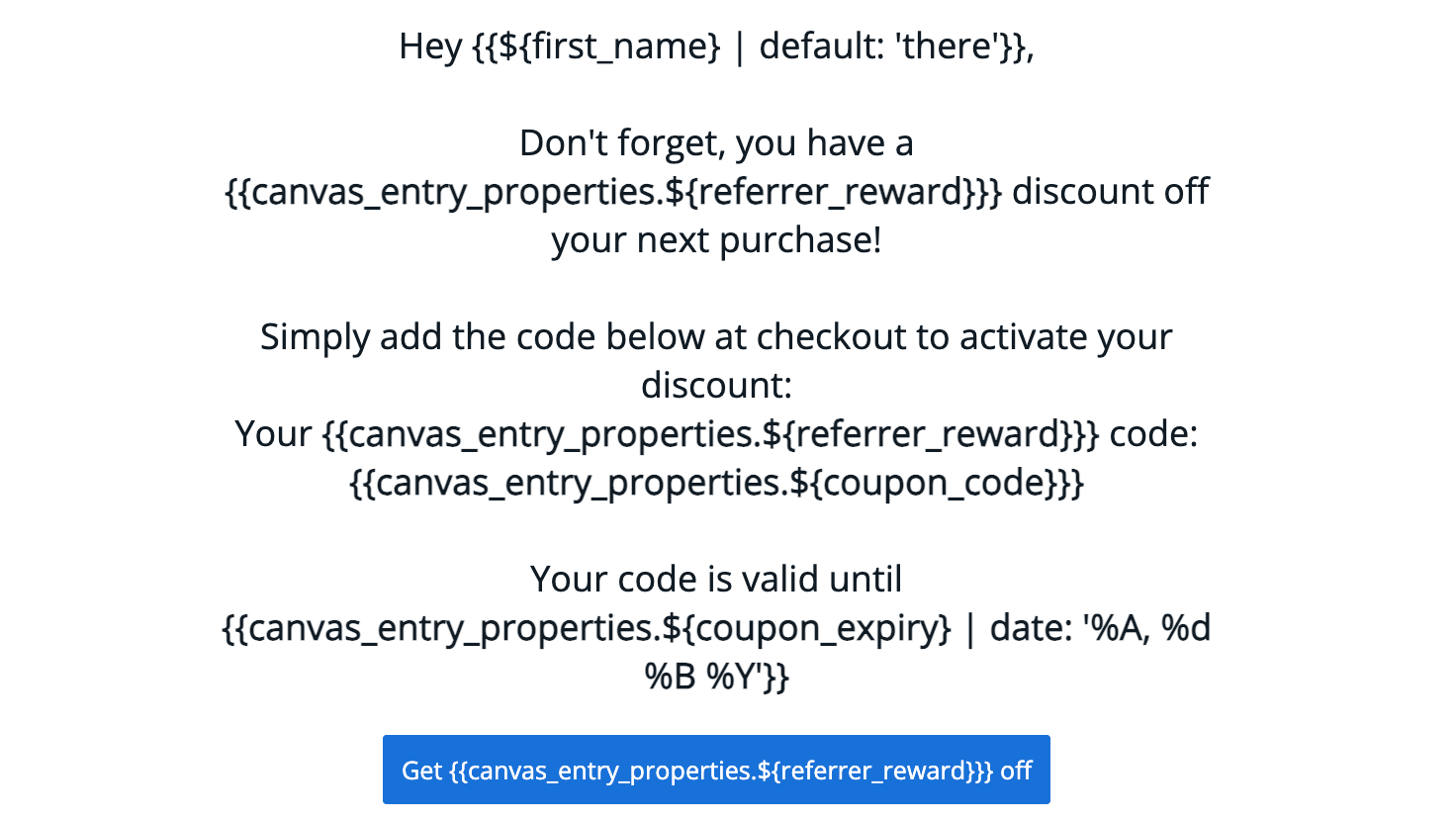
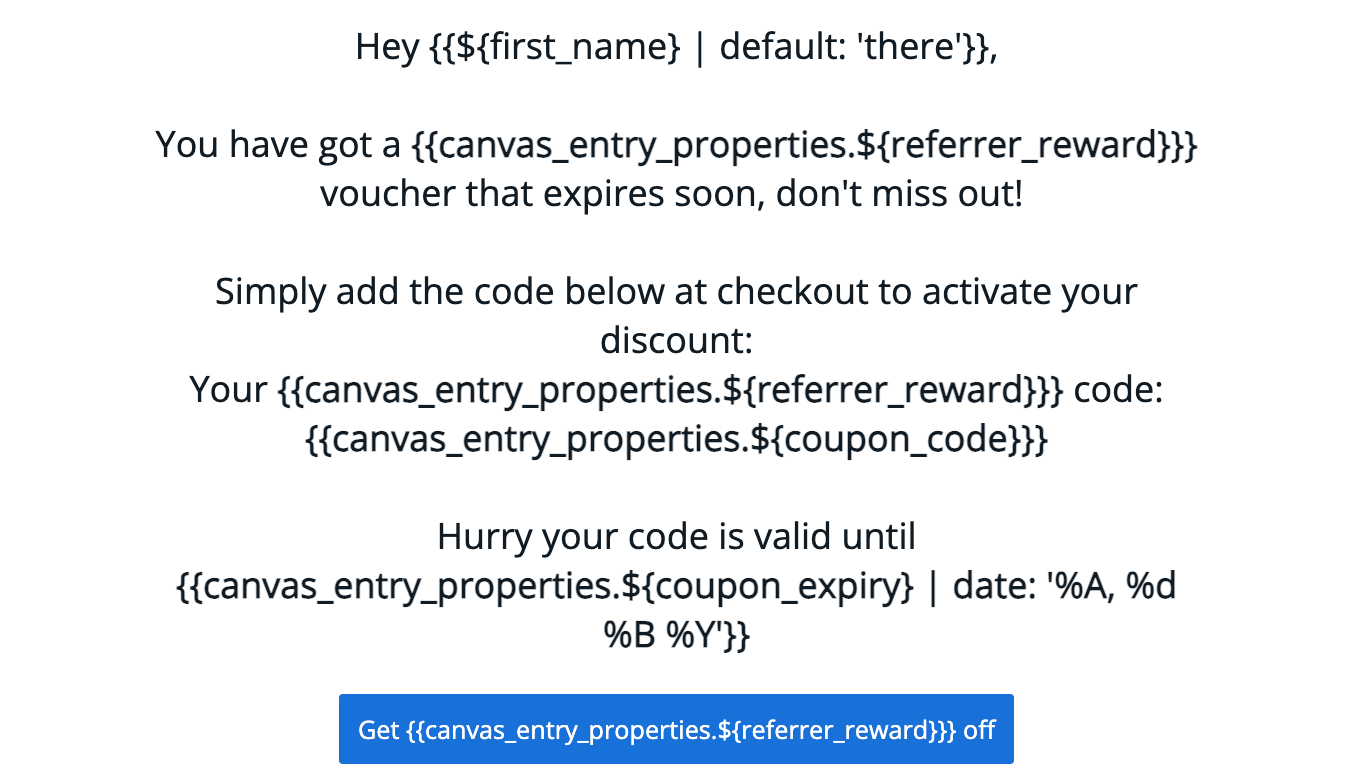
| **Subject:** Claim your `{{canvas_entry_properties.${referrer_reward}}}` discount! | **Subject:** Don't Forget Your `{{canvas_entry_properties.${referrer_reward}}}` Discount! | **Subject:** Hurry, Your Discount Expires Soon! |
#### Visual examples
#### Example reminder templates
| Reminder 1 | Reminder 2 | Reminder 3 |
| ---------------------------------------------------------------------------------- | ----------------------------------------------------------------------------------------- | ----------------------------------------------- |
| **Subject:** Claim your `{{canvas_entry_properties.${referrer_reward}}}` discount! | **Subject:** Don't Forget Your `{{canvas_entry_properties.${referrer_reward}}}` Discount! | **Subject:** Hurry, Your Discount Expires Soon! |
#### Visual examples
 #### Available Liquid variables
| Variable | Description | Example |
| ---------------------------------------------------------------------- | ------------------------------ | ----------------------------------------------- |
| `{{canvas_entry_properties.${referrer_reward}}}` | Reward value for referrer | £15 or 30% |
| `{{canvas_entry_properties.${coupon_code}}}` | Coupon code issued to referrer | 10USDOFF-RXAAURVZ |
| `{{canvas_entry_properties.${coupon_expiry} \| date: '%A, %d %B %Y'}}` | Valid until date of coupon | Wednesday, 19 July 2023 |
| `{{canvas_entry_properties.${call_to_action_url}}}` | Link to use coupon | [www.mention-me.com](http://www.mention-me.com) |
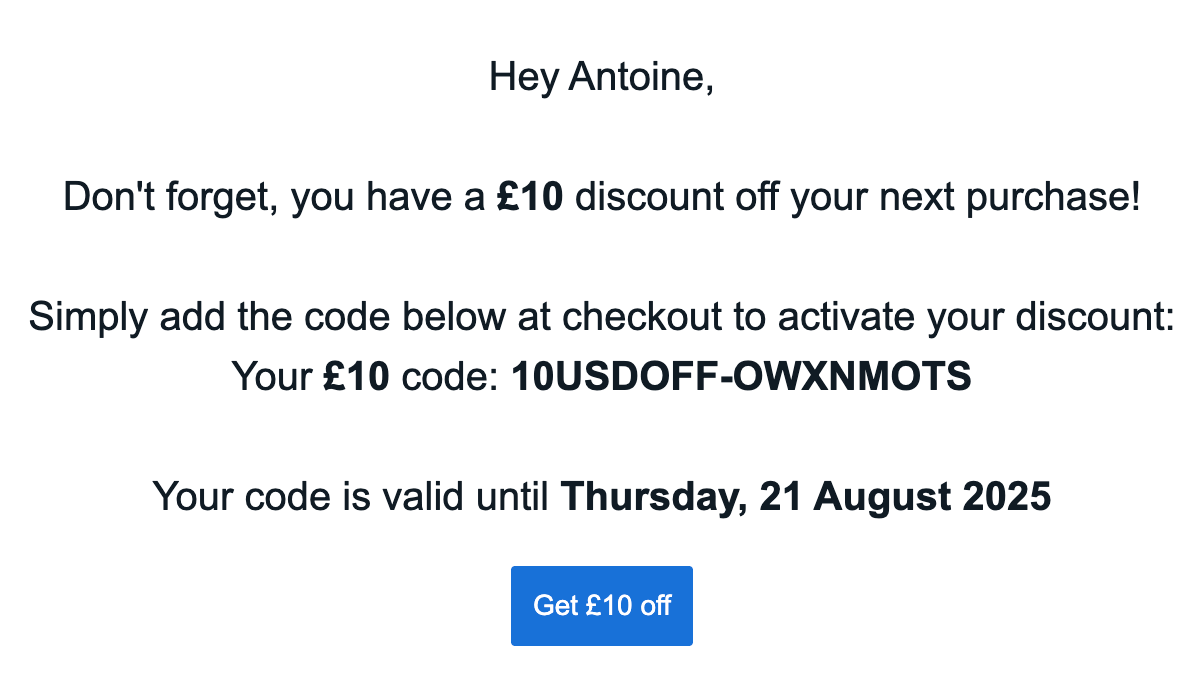
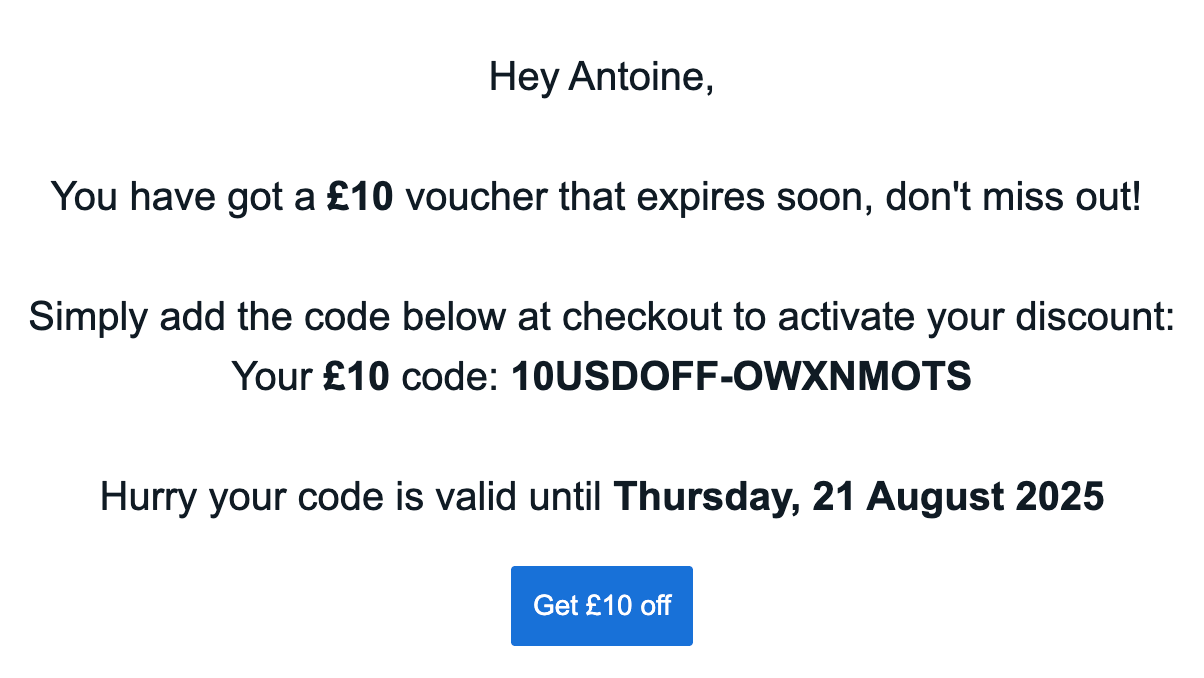
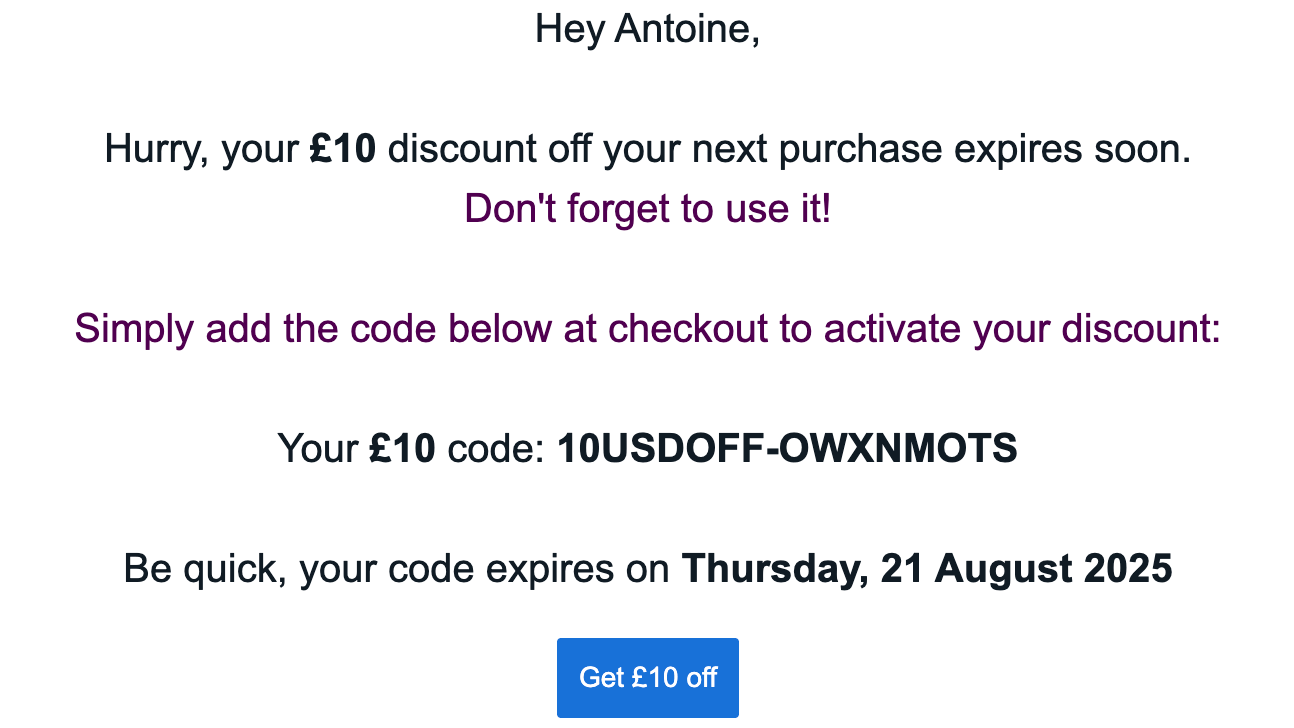
### Step 3: Test the emails
Braze does not support previewing custom event properties. You must launch the canvas (to yourself only) and trigger a test event. [Learn how to test](https://learning.braze.com/how-to-test-custom-event-properties/1781995#).
Compiled examples:
#### Available Liquid variables
| Variable | Description | Example |
| ---------------------------------------------------------------------- | ------------------------------ | ----------------------------------------------- |
| `{{canvas_entry_properties.${referrer_reward}}}` | Reward value for referrer | £15 or 30% |
| `{{canvas_entry_properties.${coupon_code}}}` | Coupon code issued to referrer | 10USDOFF-RXAAURVZ |
| `{{canvas_entry_properties.${coupon_expiry} \| date: '%A, %d %B %Y'}}` | Valid until date of coupon | Wednesday, 19 July 2023 |
| `{{canvas_entry_properties.${call_to_action_url}}}` | Link to use coupon | [www.mention-me.com](http://www.mention-me.com) |
### Step 3: Test the emails
Braze does not support previewing custom event properties. You must launch the canvas (to yourself only) and trigger a test event. [Learn how to test](https://learning.braze.com/how-to-test-custom-event-properties/1781995#).
Compiled examples:
 ### Step 4: Launch the canvas
Once testing is complete and content is finalised, launch your canvas.
Don't forget to remove test segments and update wait times before going live.
### Step 4: Launch the canvas
Once testing is complete and content is finalised, launch your canvas.
Don't forget to remove test segments and update wait times before going live.